
Lenovo Yoga Chromebook C630
Updated on

Note: The Lenovo Yoga Chromebook C630 has been discontinued and is no longer available for purchase. Chrome OS support ended in June 2024. This page is maintained for historical reference.
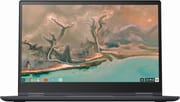
The Lenovo Yoga Chromebook C630 arrived at IFA 2018 as a statement piece that challenged assumptions about what Chrome OS devices could be. Where most Chromebooks of its era targeted the budget segment with plastic construction and low-power processors, Lenovo packed the C630 with a quad-core Intel Core i5-8250U, 8GB of DDR4 RAM, and a 15.6-inch touchscreen into a striking Midnight Blue aluminum chassis. The 360-degree hinge allowed the device to transform between laptop, tent, stand, and tablet modes, though at 4.2 pounds, reviewers questioned whether tablet mode made practical sense. Still, the C630 represented Lenovo’s bet that professionals and power users would pay premium prices for a Chromebook that could genuinely serve as their primary computer.
| Pros | Cons |
|---|---|
| Premium aluminum build with stunning Midnight Blue finish | Heavy at 4.2 lbs, tablet mode impractical |
| Powerful Core i5-8250U handles demanding multitasking | Fingerprint magnet requires constant cleaning |
| Excellent keyboard with satisfying travel and feedback | Bottom-firing speakers produce weak audio |
| Best-in-class trackpad praised by multiple reviewers | 4K variant suffers severe battery life penalty |
| Bright 15.6-inch Full HD touchscreen | No keyboard backlighting on Core i3 variant |
| Strong standby battery retention (11% drain over 4 days) | Chrome OS support ended June 2024 |
Related Videos
Lenovo Yoga Chromebook C630 Comparison Chart
 Lenovo Yoga Chromebook C630 | Lenovo Yoga Chromebook C630 | |
| Price | List Price: $719.99 Amazon Prices: | List Price: $899.99 Amazon Prices: |
| Model number | 81JX0007UX | 81JX0008UX |
| Performance Rating | 6.0 | 6.0 |
| Chromebook Plus | No | No |
| Processor | Quad-core 1.60 Ghz (max 3.40 Ghz) Intel Core i5-8250U | Quad-core 1.60 Ghz (max 3.40 Ghz) Intel Core i5-8250U |
| RAM | 8 GB | 8 GB |
| Internal Storage | 128 GB eMMC | 128 GB eMMC |
| Screen Size | 15.6" | 15.6" |
| Screen Resolution | 1920x1080 | 3840x2160 |
| Screen Type | IPS | IPS |
| Touch Screen | Yes | Yes |
| Stylus / Pen | No Stylus Support | No Stylus Support |
| Dimensions width x length x thickness | 14.2 x 9.8 x 0.7 inches (360.68 x 248.92 x 17.78 mm) | 14.2 x 9.8 x 0.7 inches (360.68 x 248.92 x 17.78 mm) |
| Weight | 4.2 lbs (1.91 kg) | 4.2 lbs (1.91 kg) |
| Backlit Keyboard | Yes | Yes |
| Webcam | 1280×720 | 1280×720 |
| WiFi | 802.11 a/b/g/n/ac (Intel Dual Band Wireless-AC 7265) | 802.11 a/b/g/n/ac (Intel Dual Band Wireless-AC 7265) |
| Bluetooth | Bluetooth 4.2 | Bluetooth 4.2 |
| Ethernet | No | No |
| Cellular Modem | No | No |
| HDMI | No HDMI | No HDMI |
| USB Ports | 1 USB 3, 2 USB-C | 1 USB 3, 2 USB-C |
| Thunderbolt Ports | No | No |
| Card Reader | microSD Card Reader | microSD Card Reader |
| Battery | 4 cell, 56 WHr, Li-Polymer | 4 cell, 56 WHr, Li-Polymer |
| Battery Life | 10.0 hours | 10.0 hours |
| Fanless | Yes | Yes |
| Auto Update Expiration Date | June, 2024 | June, 2024 |
Related Chromebooks
-
 Lenovo Flex 5 ChromebookThe Lenovo Flex 5 Chromebook shines with its 13.3-inch FHD touchscreen, sturdy 360 hinge for tablet…
 -
 Lenovo IdeaPad Flex 5iThe Lenovo IdeaPad Flex 5i Chromebook, with its snappy 10th gen Intel CPU, vibrant 1080p…
 -
 ASUS Chromebook Flip CM5 (CM5500)The ASUS Chromebook Flip CM5 features a Ryzen 5 CPU, 8GB RAM, and a versatile 15.6-inch touch…
 -
 ASUS Chromebook Flip CX5 (CX5400)Maximize productivity with the ASUS Chromebook Flip CX5, boasting a versatile touchscreen, backlit…
 -
 HP Chromebook 15 (15a-na2)The HP Chromebook 15a-na2 delivers a spacious 15.6-inch screen with a full numeric keypad at an…
 -
 Samsung Chromebook 4+The Samsung Chromebook 4+ offers a vivid 15.6" FHD LED display, 10.5 hours of battery life, fanless…
Premium Build and Design
Lenovo departed dramatically from typical Chromebook construction with the Yoga C630. The all-aluminum chassis (with only a plastic underside panel) delivered the substantial, premium feel usually reserved for Windows ultrabooks. Big Tech Question’s review praised the build quality while noting the device measured 361mm wide by 249mm deep and weighed 1.87kg (4.2 lbs)—hefty for a convertible. The Midnight Blue finish drew consistent praise for its visual appeal, though every reviewer noted the chassis was a fingerprint magnet that required frequent cleaning.
The 360-degree Yoga hinge operated smoothly through its full range of motion, enabling the traditional laptop, tent, stand, and tablet configurations. However, the combination of size and weight meant tablet mode served better as a marketing checkbox than a practical feature. Android Police’s Jordan Palmer described the device as “definitely not good for carrying around” in tablet mode, and Techaeris agreed that the 15.6-inch size made tent and stand modes more useful than holding it as a tablet.
Keyboard and Trackpad Excellence
The input experience stood out as one of the Yoga C630’s defining strengths. Lenovo’s keyboard delivered satisfying key travel with a responsive, springy feel that reviewers compared favorably to premium Windows laptops. The Core i5 variants included keyboard backlighting, though the budget Core i3 model omitted this feature—a notable cost-cutting measure that Techaeris criticized given the premium positioning.
The trackpad earned even higher praise. Techaeris declared it “hands down the best trackpad I’ve ever used on a Chromebook. It’s silky and smooth.” Android Police similarly highlighted the smooth, accurate tracking that made Chrome OS gesture navigation effortless. For users accustomed to the finicky trackpads common on budget Chromebooks, the C630’s input devices felt like a generation leap.
Display Options and Tradeoffs
Lenovo offered the C630 in two display configurations: a 1920x1080 Full HD panel and a 3840x2160 4K variant. Both used IPS technology with 10-point multitouch support and integrated a 720p webcam into the top bezel. Big Tech Question measured the Full HD panel at 254 cd/m² brightness with 81.4% sRGB color coverage—respectable but not class-leading numbers that reflected good accuracy with limited color range.
The 4K option generated significant debate among reviewers. Android Police’s Palmer called 4K “downright ridiculous on a Chromebook,” noting that Chrome OS’s interface scaling and typical use cases (web browsing, Google Workspace apps) couldn’t justify the resolution. More critically, the 4K panel devastated battery life—Palmer experienced only 3 hours at full brightness compared to 5-8 hours typical use, making the 4K variant difficult to recommend for mobile productivity.
Performance and Reliability
The Intel Core i5-8250U represented serious processing power for a Chromebook. This quad-core, eight-thread chip ran at 1.6 GHz base with turbo boost to 3.4 GHz, paired with 8GB of DDR4 RAM. Big Tech Question’s benchmarks showed Geekbench 4 scores of 4,346 single-core and 7,563 multi-core—impressive numbers that translated to snappy real-world performance with multiple applications and dozens of browser tabs.
However, Android Police encountered stability issues during extended testing. Palmer reported three hard lockups when running Linux applications, requiring full system restarts. While Chrome OS proved otherwise responsive and quick to boot, these crashes raised questions about edge-case reliability. The reviewer also noted the device ran warm during demanding tasks, though the fanless design kept operation silent.
Connectivity and Ports
Port selection reflected the C630’s premium positioning with some practical tradeoffs. The device included two USB-C ports supporting charging, data, and display output, plus a single USB 3.0 Type-A port for legacy peripherals. A microSD card slot provided expandable storage—necessary given the 64GB or 128GB eMMC internal options. The combo headphone/microphone jack and 720p webcam rounded out the I/O.
Missing was a full-size HDMI port, which meant users needed dongles for presentations with most projectors. Wireless connectivity relied on Intel’s Dual Band Wireless-AC 7265 supporting 802.11ac, and Bluetooth 4.2 handled peripheral connections. The port selection proved adequate for most users, though the lack of Thunderbolt 3 limited the C630’s potential as a true workstation dock replacement.
Battery Life Reality
Lenovo advertised up to 10 hours of battery life from the 56 WHr lithium-polymer pack, but real-world testing told a different story depending on configuration and usage. Techaeris achieved 7.5-8.5 hours on the Full HD model with typical productivity workloads—respectable if short of the marketing claim. The 4K variant fared worse, with Android Police reporting 5-8 hours typical and as little as 3 hours at full brightness.
One bright spot was standby efficiency. Palmer noted the C630 lost only 11% battery over four days of idle time—excellent power management that meant the device was ready when needed even after sitting unused for days. Charging occurred via either USB-C port, though the power brick was substantial enough that it added to the already heavy carry weight.
Reviewer Verdict
The Lenovo Yoga Chromebook C630 earned praise as a capable productivity machine with legitimate power user credentials. Big Tech Question summarized it well: “Lenovo gets almost everything right with this powerful Chromebook, with our only question being whether you’ll get enough from the tablet format.” At $600-900 depending on configuration and region, the C630 occupied premium territory that required Chrome OS believers willing to pay Windows ultrabook prices.
Reviewers consistently recommended the Full HD variant over the 4K model, citing the dramatic battery life advantage and the limited practical benefit of 4K resolution for Chrome OS use cases. The device served best as a portable workstation for users committed to the Google ecosystem, though its weight and size meant it wasn’t ideal for those prioritizing ultimate portability. With Chrome OS support having ended in June 2024, the C630 now exists as a historical example of Lenovo’s early vision for premium Chromebooks—a vision that paved the way for today’s high-performance Chrome devices.
Frequently Asked Questions
Can I still use the Lenovo Yoga Chromebook C630?
While the Lenovo Yoga Chromebook C630 will still power on and run Chrome OS, it reached its Auto Update Expiration (AUE) date in June 2024. This means it no longer receives security updates or new features. Using an unsupported Chromebook carries security risks for activities like online banking or accessing sensitive accounts. We recommend upgrading to a newer Chromebook for continued security.
What processor does the Lenovo Yoga Chromebook C630 have?
The Lenovo Yoga Chromebook C630 uses an Intel Core i5-8250U quad-core processor. This 8th-generation chip runs at 1.6 GHz base speed with turbo boost up to 3.4 GHz and includes 8 threads for strong multitasking performance. It was one of the most powerful processors available in a Chromebook at launch.
Is the 4K version of the Lenovo Yoga Chromebook C630 worth it?
Most reviewers recommended the Full HD (1080p) version over the 4K model. While the 4K display looks beautiful, Chrome OS scales interfaces in ways that don’t fully utilize the extra resolution, and the 4K panel significantly reduces battery life—from 7-8 hours on Full HD to as few as 3 hours at full brightness on 4K. Unless you specifically need 4K for photo editing or video work, the Full HD variant offers better value.
Can the Lenovo Yoga Chromebook C630 run Android and Linux apps?
Yes, the Lenovo Yoga Chromebook C630 supports both Android apps through Google Play and Linux apps through the Crostini container environment. The Core i5 processor and 8GB RAM provide enough power to run these applications smoothly, though some reviewers noted occasional stability issues with Linux apps causing system freezes.
How heavy is the Lenovo Yoga Chromebook C630?
The Lenovo Yoga Chromebook C630 weighs 4.2 pounds (1.87 kg), which is heavy for a Chromebook. The weight comes from the all-aluminum chassis and 15.6-inch display. While this made the laptop feel premium and substantial, reviewers noted that tablet mode was impractical due to the weight, and the device wasn’t ideal for users prioritizing portability.
What ports are available on the Lenovo Yoga Chromebook C630?
The Lenovo Yoga Chromebook C630 includes two USB-C ports (supporting charging, data, and display output), one USB 3.0 Type-A port, a microSD card slot, and a combo headphone/microphone jack. There is no HDMI port, so you’ll need a USB-C adapter or dock to connect to most external displays and projectors.