Short Answer:
No, not natively. Chromebooks run Google’s ChromeOS, and a Windows .exe will not install or launch the way it would on a Windows PC. That said, the workarounds are far better than they used to be. The built-in Linux environment lets you run Windows software through Wine or CrossOver, and a cloud PC service like Windows 365 streams a real copy of Windows to your browser.
Long Answer:
The reason Windows programs do not run on a Chromebook is the same reason they do not run on a Mac: ChromeOS is a different operating system with a different way of handling software. There is no Windows registry, no Win32 system libraries, and no .exe loader underneath. So if your goal is to double-click a Windows installer and have it work, that is not how a Chromebook operates, and Windows compatibility remains one of the things Chromebooks can’t do well out of the box. If you are curious about going the other direction and running ChromeOS on a PC or Mac, that is a separate but related question with its own answer.
What has changed since the early Chromebook days is how easy it is to get a Linux environment. You no longer need Developer Mode or a sketchy tool like the old Crouton project. ChromeOS now ships with an official Linux development environment that you turn on under Settings > About ChromeOS > Developers > Linux development environment. Once it is running, you have a real Debian terminal, and from there you can install Wine or CrossOver to run many Windows programs. Lighter Windows utilities and some older versions of Microsoft Office tend to work well; heavy, modern, GPU-hungry applications are hit or miss.
Starting with ChromeOS 147 in 2026, a new Linux setup uses a design Google calls Baguette, which runs Debian directly in a virtual machine instead of inside a container. Google builds the Baguette image on Debian 13 “Trixie”. A Linux setup you created before the switch keeps its older Debian release, because for now Google offers Baguette only as a fresh install. Google has deprecated installing .deb files from the Files app, so an installer such as the CrossOver download now goes through the terminal with sudo apt install ./filename.deb (the ./ tells apt to use the file in the current folder). Google also lists graphics acceleration as no longer supported in Linux, which means it may still work but will not be fixed if it breaks, so games and 3D programs under Wine are a poor bet.
This route needs an Intel or AMD Chromebook, ideally with at least 8GB of RAM, since the Linux virtual machine adds overhead on top of whatever the Windows app already demands. WineHQ publishes its Debian packages only for x86 processors, and CodeWeavers’ Chromebook instructions cover CrossOver Linux only on Intel-based Chromebooks, so neither is a practical choice on an ARM model with a MediaTek or Snapdragon chip. Older guides that install CrossOver as an Android app from the Play Store are out of date: CodeWeavers discontinued CrossOver ChromeOS on February 22, 2024, with the release of CrossOver 24, and now points Chromebook owners to CrossOver Linux in the Linux environment instead.
The more reliable path for serious work is to skip Wine entirely and stream Windows from the cloud. Microsoft’s Windows 365 Cloud PC and Azure Virtual Desktop both run a genuine, fully updated copy of Windows on Microsoft’s servers and deliver it to your Chromebook through the browser or the Windows App. Because the actual computing happens in the data center, even a modest Chromebook can drive a full Windows desktop smoothly, and your apps run the same Windows builds they would on a physical PC. Both services are aimed at schools and businesses whose staff need a Windows-only program. For one-off remote access to a Windows machine you already own, Chrome Remote Desktop is free and works well too.
Parallels Desktop for ChromeOS, which ran a full Windows virtual machine on managed business and school Chromebooks, has been discontinued: Parallels ended support for existing customers on April 21, 2026, and Google’s admin help page now points organizations to Cameyo, an app virtualization service for delivering Windows apps. If you used Parallels on a work or school Chromebook, ask your IT administrator which replacement your organization has moved to.
Recommended Chromebooks for Linux and Cloud Apps
For running the Linux environment or driving a cloud PC comfortably, a Chromebook Plus model with an Intel or AMD processor and at least 8GB of RAM gives you the headroom to keep things responsive.
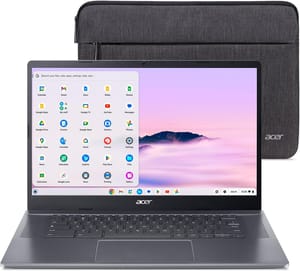
Acer Chromebook Plus 515
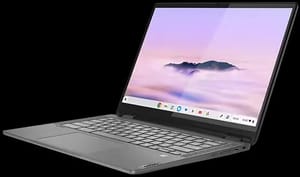
Lenovo IdeaPad Flex 5i Chromebook Plus