
ASUS Chromebook CM14
Updated on

The ASUS Chromebook CM14 (CM1402C) is a budget 14-inch clamshell built around the MediaTek Kompanio 520, an entry-level ARM chip. It is aimed at students and anyone who wants a cheap, hard-wearing Chromebook for web browsing, Google Docs, and light Android apps. The standout traits are durability and endurance: a MIL-STD 810H rating and battery life that clears a full day (ASUS rates it up to 15 hours; NotebookCheck measured about 12 in testing).
The design is plain and practical: a Gravity Grey finish and a 180-degree lay-flat hinge for sharing the screen. ASUS includes a spill-resistant keyboard rated for 10 million keystrokes, antimicrobial coating on the keyboard, touchpad and palm rest, a 720p webcam with a privacy shutter, and Wi-Fi 6. The tradeoffs are the ones you expect at this price: a low-resolution TN display, 4GB of RAM, and 64GB of non-upgradeable eMMC storage.
Pros and Cons of ASUS Chromebook CM14
| Pros | Cons |
|---|---|
| Long battery life up to 15 hours | No backlit keyboard |
| MIL-STD 810H military-grade durability | No touchscreen |
| Ergonomic, spill-resistant keyboard | No HDMI port |
| Dual-band Wi-Fi 6 with ASUS Wi-Fi Master | Non-upgradeable storage |
| Antimicrobial protection on touch surfaces | Limited to 4GB RAM and 64GB storage |
ASUS Chromebook CM14 Comparison Chart
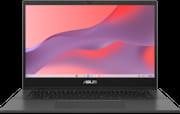 ASUS Chromebook CM14 | |
| Price | List Price: $279.99 Amazon Prices: Loading prices... |
| Model number | CM1402CM2A-DS44 |
| Performance Rating | 3.8 |
| Chromebook Plus | No |
| Processor | Octa-core 2.00 Ghz MediaTek Kompanio 520 |
| RAM | 4 GB |
| Internal Storage | 64 GB eMMC |
| Screen Size | 14" |
| Screen Resolution | 1366x768 |
| Screen Type | TN |
| Touch Screen | No |
| Stylus / Pen | No Stylus Support |
| Dimensions width x length x thickness | 12.78 x 8.93 x 0.72 inches (324.61 x 226.82 x 18.29 mm) |
| Weight | 3.2 lbs (1.45 kg) |
| Backlit Keyboard | No |
| Webcam | 720p HD |
| WiFi | Wi-Fi 6 (802.11ax) |
| Bluetooth | Bluetooth 5.3 |
| Ethernet | No |
| Cellular Modem | No |
| HDMI | No HDMI |
| USB Ports | 1 USB 3, 2 USB-C (USB-C supports display & power delivery) |
| Thunderbolt Ports | No |
| Card Reader | microSD Card Reader |
| Battery | 2 cell, 42WHrs, Li-ion |
| Battery Life | 15.0 hours |
| Fanless | No |
| Auto Update Expiration Date | June, 2033 |
Related Chromebooks
-
 ASUS Chromebook C424The ASUS Chromebook C424 boasts a crisp 14-inch FHD anti-glare display, durable spill-resistant…
 -
 ASUS Chromebook C425The ASUS Chromebook C425 boasts a crisp 14-inch 1080p IPS display, a backlit keyboard, and fanless…
 -
 Acer Chromebook 514 (ARM)The Acer Chromebook 514 (ARM) is a 14-inch Chromebook on the MediaTek Kompanio 828, with an…
 -
 Acer Chromebook 314 (CB314-4H/4HT)A budget-friendly 14-inch Chromebook with Intel Alder Lake-N processors, WiFi 6E, and software…
 -
 HP Chromebook 14a (14a-nf series)The HP Chromebook 14a (14a-nf series) spans two tiers of the same chassis: an Amazon-exclusive…
 -
 HP Chromebook 14a (ne Series)The HP Chromebook 14a (ne Series) is a budget-friendly 14-inch notebook powered by the Intel…
Detailed features of the ASUS Chromebook CM14
The CM14 is built for rough handling, with ASUS citing MIL-STD 810H testing for shock, vibration, and pressure. The full-size keyboard is spill-resistant and rated for 10 million keystrokes. The 14-inch screen is a 1366x768 TN panel: fine for documents and video, but with the narrower viewing angles and lower brightness that come with TN (NotebookCheck’s measurements of the panel are in the review section below).
The 720p webcam adds Face Auto Exposure and a physical privacy shutter. Connectivity is two USB-C ports (display output and power delivery) plus one USB-A 3.2 port and a microSD reader. There is no backlit keyboard, number pad, HDMI port, or Ethernet jack; wired networking needs a USB Ethernet adapter on the USB-A port. Wireless is Wi-Fi 6 and Bluetooth 5.3, and the keyboard, touchpad, and palm rest carry an antimicrobial coating.
Reviewer Insights on the ASUS Chromebook CM14
Independent coverage of this exact model is thin. The CM14 clamshell with the MediaTek Kompanio 520 is an entry-level education and budget SKU, so most of the YouTube results for “ASUS CM14” actually review the convertible CM14 Flip (CM1402F), a mechanically different machine with a touchscreen and a 360-degree hinge. The one full measured review of the clamshell comes from NotebookCheck, whose test team put the CM14 through their lab bench in January 2024 and scored it 78%, a “good” result for the price class.
One caveat on the display before the numbers. NotebookCheck tested the CM1402CM2A-EK0048 configuration, which ships a 1920x1080 panel, while the variant on this page (CM1402CM2A-DS44) uses a 1366x768 HD panel. Both are matte TN screens from CMN, so the viewing-angle and brightness findings describe the same panel technology, but the measured nit figure below belongs to the FHD unit NotebookCheck had on the bench, not to the HD panel on the DS44.
On that unit, NotebookCheck measured a maximum brightness of 230 cd/m² (204 average) with a 531:1 contrast ratio, and they were blunt about it: “One notable drawback is the low maximum brightness; we measured a maximum of 230 cd/m².” Outdoors “the display struggles even on cloudy days,” and the TN panel’s “poor viewing angle stability further hampers readability.” If a bright, color-accurate screen matters to you, this is the CM14’s weakest point, and the lower-resolution DS44 panel does nothing to improve it.
Battery is the opposite story. In NotebookCheck’s standard Wi-Fi rundown the Chromebook “had a battery life of about 12 hours,” short of ASUS’s 15-hour vendor claim but still enough to clear a full school or work day on one charge. The review headlined the CM14 an “Endurance runner,” and the fanless board runs silent and cool with low power draw.
The input hardware drew genuine praise. Key travel is “decent at 1.5 millimeters” and typing “is comfortable without requiring adjustment,” though there is no backlight and “the keys sound a bit rickety.” The trackpad was the standout: “The trackpad is a highlight. With a diagonal of 15 cm, it is spacious, featuring a clear pressure point and a snug fit without play.”
Performance is where the Kompanio 520 shows its budget roots. NotebookCheck found it provides “enough power for tasks such as document writing and internet browsing,” but “when working with six or more Chrome tabs open, the performance starts to decline, and slight stutters may occur.” The slow eMMC storage and 4GB of RAM cap how hard you can push it, and across NotebookCheck’s comparison set the CM14 consistently landed near the bottom of the field. Their verdict put it plainly: the “Asus CM14 is silent and durable, but also slow.”
Some 2026 context on the chip and support window. The Kompanio 520 (MediaTek MT8186) is an eight-core ARM processor with Mali-G52 graphics, the same entry-class part found in other sub-$300 ARM Chromebooks of its generation such as the Lenovo IdeaPad Slim 3 Chromebook. Because it is ARM rather than x86, the usual Intel and AMD PassMark comparisons do not apply; treat it as a chip built for web browsing, Google Docs, and light Android apps rather than heavy multitasking. The redeeming long-term spec is software support: Google’s Auto Update Expiration list shows the CM14 (CM1402C board) receiving automatic ChromeOS updates through June 2033, and NotebookCheck noted the same “system updates until July 2033.” That runway of nearly a decade is unusually generous for a budget machine and is one of the stronger reasons to consider one today.
Customer Reviews of the ASUS Chromebook CM14
Across 1,622 ratings on Amazon, the ASUS Chromebook CM14 averages 4.3 stars, with 69% of buyers leaving five stars and a smaller but real 9% leaving one star. Battery life is the most repeated praise: Allissa Specht, a verified buyer, wrote “The battery lasts forever and that’s a huge bonus when I’m often working where power isn’t accessible,” and verified buyer M. Jones, who pairs it with an external monitor for remote work, said “The battery life is fantastic.” Several owners also call it a strong value for the price and note a rugged, rigid build; verified buyer p diddy described it as “notably more robust feeling and rigid than” their previous ASUS Chromebooks. M. Jones added one caveat worth flagging: the machine is “a little laggy but not bad,” and an external display only works through the single right-side port via an HDMI-to-USB-C adapter.
The negative reviews are mostly individual unit or seller problems rather than a recurring design fault. Verified buyer Sheila gave it one star after receiving a refurbished unit that stopped charging within a month: “This computer was a refurbished, but it only worked for one month!” Another one-star reviewer in Australia complained only that the charger was wired for the US market. Read more owner reviews on Amazon.
Who should consider the ASUS Chromebook CM14?
The CM14 makes sense for buyers who want a cheap, durable Chromebook for light work: students, kids, or anyone needing a knockabout second machine for web and documents. The MIL-STD durability rating, the long battery life, and updates through 2033 are the reasons to pick it, and the spacious trackpad and comfortable keyboard make daily typing better than the price suggests.
Look elsewhere if you want speed (the Kompanio 520 slows under heavy multitasking), a bright or sharp screen (the TN panel is dim with narrow viewing angles), a backlit keyboard, a touchscreen, or more than 4GB of RAM and 64GB of storage. To compare it with other models, see Starry Hope’s Chromebook Comparison Tool.
Frequently Asked Questions
Can the ASUS Chromebook CM14 run Android apps?
Yes, the ASUS Chromebook CM14 runs on Chrome OS, which supports the Google Play Store. This allows you to download and use a wide variety of Android apps on the device.
What is the battery life of the ASUS Chromebook CM14?
ASUS rates the CM14 for up to 15 hours. In independent testing, NotebookCheck measured about 12 hours in a Wi-Fi rundown, which is still enough to clear a full school or work day on one charge.
Is the ASUS Chromebook CM14’s storage upgradeable?
No, the storage on the ASUS Chromebook CM14 is not user-upgradeable as it uses eMMC storage. However, it does have a microSD card reader for additional storage options.
Does the ASUS Chromebook CM14 have a touchscreen?
No, the ASUS Chromebook CM14 does not feature a touchscreen. It comes with a 14-inch TN panel with a resolution of 1366x768.
Is the keyboard backlit on the ASUS Chromebook CM14?
No, the ASUS Chromebook CM14 does not come with a backlit keyboard. However, it does have an ergonomic, spill-resistant design with 1.5 mm key travel.
What type of ports does the ASUS Chromebook CM14 have?
The ASUS Chromebook CM14 is equipped with two USB-C ports that support display and power delivery, one standard USB 3.2 port, and a microSD card reader.
Does the ASUS Chromebook CM14 have a webcam?
Yes, the ASUS Chromebook CM14 includes a 720p HD webcam with Face Auto Exposure for better video calls and a privacy shutter for added security.
Is the ASUS Chromebook CM14 suitable for children?
Yes. The CM14 carries a MIL-STD 810H durability rating and a spill-resistant keyboard, so it holds up to the rough handling devices get from children. The low price also makes it a lower-stakes choice for a first laptop.
Can I use the ASUS Chromebook CM14 for work?
Yes, for light work: web apps, Google Docs, email, and video calls run fine on the Kompanio 520, and the full-size keyboard and large trackpad are comfortable. It slows down with heavy multitasking (reviewers saw stutters past six Chrome tabs), so it suits document and browser work rather than demanding applications.
How does the ASUS Chromebook CM14 handle Wi-Fi connectivity?
The ASUS Chromebook CM14 offers dual-band Wi-Fi 6 with ASUS Wi-Fi Master for ChromeOS, providing improved speed and stability for your internet connection.