
GMKtec K1
Updated on

The GMKtec K1 (also sold as the NucBox K1) is a compact AMD mini PC built on the Ryzen 7 6800H (8 cores, up to 4.7GHz) with integrated Radeon 680M graphics. It takes DDR5 to 64GB and an M.2 NVMe SSD to 2TB, and the top pops off without tools so the RAM and SSD are easy to reach. Connectivity covers Wi-Fi 6, Bluetooth 5.2, 2.5GbE, USB4, and dual HDMI plus USB-C DisplayPort for up to three displays. It runs Windows 11 Pro and suits everyday work, media, and light gaming on the integrated GPU.
| Pros | Cons |
|---|---|
| 8-core Ryzen 7 6800H is quick for the price | Radeon 680M only; not for demanding AAA gaming |
| DDR5 to 64GB; tool-less access to RAM and SSD | Bundled SSD is PCIe 3.0, below the Gen 4 slot |
| Dual HDMI plus USB-C for up to three displays | HDMI tops out at 4K 60Hz |
| 2.5GbE, USB4 with eGPU support | No Thunderbolt; reviewers note heat near the M.2 |
| Quiet in normal use; VESA mount included | BIOS locks TDP and RAM speed |
Related Videos
GMKtec K1 Comparison Chart
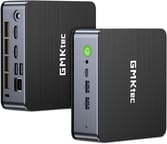 GMKtec K1 | GMKtec K1 | |
| Price | List Price: $479.99 Amazon Prices: | List Price: $529.99 Amazon Prices: |
| Version | 16GB/512GB/AMD Ryzen 7 6800H | 32GB/1TB/AMD Ryzen 7 6800H |
| Performance Rating | 7.7 | 8.4 |
| Operating System | Windows 11 Pro | Windows 11 Pro |
| Processor | Octa-core 3.20 Ghz (max 4.70 Ghz) AMD Ryzen 7 6800H | Octa-core 3.20 Ghz (max 4.70 Ghz) AMD Ryzen 7 6800H |
| GPU | Integrated AMD Radeon 680M | Integrated AMD Radeon 680M |
| RAM | 16 GB | 32 GB |
| Internal Storage | 512 GB | 1 TB |
| Dimensions width x length x thickness | 4.5 x 4.8 x 1.8 inches (114.3 x 121.92 x 45.72 mm) | 4.5 x 4.8 x 1.8 inches (114.3 x 121.92 x 45.72 mm) |
| Weight | 1 lbs (0.45 kg) | 1 lbs (0.45 kg) |
| WiFi | Wi-Fi 6 (802.11ax) | Wi-Fi 6 (802.11ax) |
| Bluetooth | Bluetooth 5.2 | Bluetooth 5.2 |
| Ethernet | 1 Ethernet port at 2.5 Gbps | 1 Ethernet port at 2.5 Gbps |
| HDMI | 2 Full-Size HDMI Ports | 2 Full-Size HDMI Ports |
| DisplayPort | DisplayPort over USB-C | DisplayPort over USB-C |
| VGA | No VGA Ports | No VGA Ports |
| USB Ports | 1 USB 2.0, 3 USB 3, 1 USB 4, 1 USB-C | 1 USB 2.0, 3 USB 3, 1 USB 4, 1 USB-C |
| Thunderbolt Ports | No | No |
| OCuLink | No | No |
| Internal SATA Ports | No SATA ports | No SATA ports |
| Card Reader | No Card Reader | No Card Reader |
| Headphone Jack | combo | combo |
| Fanless | No | No |
| VESA Mount | Yes | Yes |
| In the Box | GMKtec Nucbox K1, Power Adapter, VESA Mount with Screws, HDMI Cable, User Manual | GMKtec Nucbox K1, Power Adapter, VESA Mount with Screws, HDMI Cable, User Manual |
| Expandability | RAM and SSD are user accessible and upgradeable | RAM and SSD are user accessible and upgradeable |
Related Mini PCs
-
 GMKtec M3 UltraThe GMKtec M3 Ultra packs a powerful 14-core Intel i7-12700H processor into a palm-sized chassis,…
 -
 GMKtec M6 UltraA value-packed mini PC featuring AMD Ryzen 5 7640HS with Zen 4 performance, dual 2.5G Ethernet,…
 -
 ASUS NUC 14 ProThe ASUS NUC 14 Pro marks ASUS's debut as the new steward of the legendary NUC line, pairing…
 -
 BOSGAME P3 MIXCompact AMD Ryzen 5 7640HS mini PC with dual 2.5GbE LAN, a full-speed USB4 port for 8K video and…
 -
 BOSGAME P3 PlusA budget AMD Ryzen 7 7840HS mini PC with Radeon 780M graphics, dual Gigabit LAN, WiFi 6E, and two…
 -
 MINISFORUM UM680/UM760/UM870 SlimThe MINISFORUM UM680/UM760/UM870 Slim share one compact chassis across three AMD Ryzen chips (Ryzen…
Hardware and Thermals
The Radeon 680M handles light gaming and productivity, and the unit ships with DDR5-4800 memory and a Lexar NVMe SSD. One detail reviewers flagged: the bundled drive is a PCIe 3.0 SSD sitting in a Gen 4 slot, so it does not max out the slot’s bandwidth, though you can swap in a Gen 4 drive yourself.
On power and heat, ETA Prime measured a low 16 watts at idle and up to 78 watts under full load, so it is efficient for a 6800H box. The trade-off both reviewers noted is heat near the RAM and M.2 area under sustained load, worth keeping in mind if you push it hard. Dual HDMI plus the USB-C output, the included VESA mount, and the small footprint make it a tidy fit behind a monitor or in a small office.
Reviewer Insights on the GMKtec K1 Mini PC
Team Pandory
Team Pandory reviewed the K1 as a value play and came away positive, running games like Elite Dangerous and Tekken 7 at playable frame rates and noting the unit gets warm around the RAM and M.2. The verdict was value-first: at around $380 he called it “ideal if you’re looking for a decent mini PC and don’t want to break the bank,” with the caveats being limited GPU headroom without super-resolution and the HDMI’s 4K-60Hz cap. His summary on capability: “it can play the latest PC games, and it doesn’t compromise when it comes to emulation.”
ETA Prime
ETA Prime focused on the hardware and upgradability. He showed the top popping off without tools for easy access to the ADATA DDR5 and the Lexar PCIe 3.0 SSD (with headroom to 64GB and 2TB), and ran three displays off the unit. His main gripe was the locked BIOS, with no way to adjust TDP or RAM speed. On gaming he found reasonable frame rates across settings, and rated it a strong option among GMKtec’s mini PCs for the balance of power and efficiency.
Conclusion
The GMKtec K1 is a solid value pick for a small everyday desktop: the 6800H and Radeon 680M cover productivity, media, light gaming, and emulation, and the tool-less access plus DDR5/M.2 upgrades make it easy to live with. Both reviewers framed it the same way, as a capable mini PC that does not break the bank.
Look elsewhere if you need demanding AAA gaming or Thunderbolt; the Radeon 680M and the lack of Thunderbolt are the ceilings here, and the bundled SSD is only PCIe 3.0. One more thing to know in 2026: GMKtec has since replaced this model, so check the GMKtec NucBox K6 if you want the current equivalent. To compare it with other models, use Starry Hope’s Mini PC Comparison Chart.
Frequently Asked Questions about the GMKtec K1 Mini PC
Can I upgrade the RAM and storage on the GMKtec K1? Yes, the GMKtec K1 Mini PC allows for user-accessible upgrades. It supports DDR5 SO-DIMM RAM and has an M.2 slot for NVMe SSD storage, making it easy to enhance memory and storage capacities to suit your needs.
What type of processor does the GMKtec K1 use? An AMD Ryzen 7 6800H processor powers the GMKtec K1. This CPU has eight cores and 16 threads, with a base clock of 3.2 GHz and a boost up to 4.7 GHz.
Does the GMKtec K1 support multiple displays? Yes, the GMKtec K1 supports multiple displays. It comes with dual HDMI ports and offers DisplayPort over USB-C for triple display setups.
What are the connectivity options available on the GMKtec K1? The GMKtec K1 offers a wide range of connectivity options, including WiFi 6, Bluetooth 5.2, 2.5G Ethernet LAN, USB 2.0, USB 3.2, USB-C, and USB 4 with eGPU support. This ensures you can connect various peripherals and enjoy fast internet and data transfer speeds.
Is the GMKtec K1 suitable for gaming? The integrated Radeon 680M is not a dedicated graphics card, but it handles light gaming, esports, and emulation well, and Team Pandory found it could play some recent titles with FSR super-resolution enabled. For heavier games you will need to lower the resolution or detail settings.
Does the GMKtec K1 come with an operating system? The GMKtec K1 comes pre-installed with Windows 11 Pro. However, a barebones version is available, allowing you to add your own RAM and storage and install an operating system of your choice, including Linux.
Can I use the GMKtec K1 for professional workloads? Yes. The 8-core Ryzen 7 6800H and the support for up to three displays make it capable for photo and video editing and similar productivity work. Its small size also fits a remote-work or home-office desk well.
Is the GMKtec K1 fanless? No, the GMKtec K1 is not fanless. It has a cooling fan to manage the thermal performance, which is essential given the powerful components housed within its compact chassis. Users report that the operation is quiet, though the fan can become audible under heavy loads.
What comes included in the box with the GMKtec K1? When you purchase the GMKtec K1, you’ll receive the Mini PC itself, a power adapter, a VESA mount with screws, an HDMI cable, and a user manual. This package provides everything you need to get started right out of the box.