
Lenovo Chromebook 3 11"
Updated on

The Lenovo Chromebook 3 (11”) is a compact, fanless ChromeOS laptop that Lenovo released in June 2020 and still sells for around $200. Internally it is the same hardware as the IdeaPad 3 Chromebook, so Google’s official Auto Update Expiration database lists it with software support through June 2029. The spec sheet is an 11.6-inch 1366x768 TN display, an Intel Celeron N4020, 4GB of soldered LPDDR4 RAM, and 64GB of eMMC storage. 4GB of RAM is tight on a modern ChromeOS build that has to juggle a browser, Android apps, and a Linux container, and the TN panel washes out off-axis. The machine weighs 2.47 pounds and carries two USB-C ports, two USB-A 3.0 ports, a microSD slot, and a battery rated for ten hours.
Pros and Cons
| Pros | Cons |
|---|---|
| Around $200 buys a ChromeOS laptop Google still updates | 1366x768 TN panel works out to about 135 PPI |
| 2.47 pounds and fanless, so it travels quietly | 64GB of eMMC storage cannot be upgraded |
| Celeron N4020 keeps tabs, Docs, and a video stream moving | Plastic lid and palm rest show fingerprints fast |
| Two USB-C, two USB-A 3.0, and a microSD slot | 4GB of soldered RAM limits Linux and Android multitasking |
| Ten-hour battery rating covers a school day | Higher-end Android games outrun the hardware |
Related Videos
Lenovo Chromebook 3 11" Comparison Chart
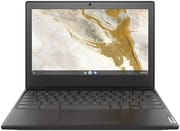 Lenovo Chromebook 3 11" | |
| Price | List Price: $219.99 Amazon Prices: Loading prices... |
| Model number | 82BA0003US |
| Performance Rating | 2.6 |
| Chromebook Plus | No |
| Processor | Dual-core 1.10 Ghz (max 2.80 Ghz) Intel Celeron Processor N4020 |
| RAM | 4 GB |
| Internal Storage | 64 GB eMMC |
| Screen Size | 11.6" |
| Screen Resolution | 1366x768 |
| Screen Type | TN |
| Touch Screen | No |
| Stylus / Pen | No Stylus Support |
| Dimensions width x length x thickness | 11.29 x 8.09 x 0.71 inches (286.77 x 205.49 x 18.03 mm) |
| Weight | 2.47 lbs (1.12 kg) |
| Backlit Keyboard | No |
| Webcam | 720p HD |
| WiFi | Wi-Fi 802.11AC (2x2) |
| Bluetooth | Bluetooth 4.2 |
| Ethernet | No |
| Cellular Modem | No |
| HDMI | No HDMI |
| USB Ports | 2 USB 3, 2 USB-C (Power delivery, DisplayPort and data transfer) |
| Thunderbolt Ports | No |
| Card Reader | microSD Card Reader |
| Battery | 3 cell, 42 WHr, Lithium-ion |
| Battery Life | 10.0 hours |
| Fanless | Yes |
| Auto Update Expiration Date | June, 2029 |
Related Chromebooks
-
 Lenovo 100e Chromebook Gen 4The Lenovo 100e Chromebook Gen 4 is a rugged, fanless 11.6 inch ARM Chromebook built for K-12…
 -
 Dell Chromebook 3120The Dell Chromebook 3120 is a fanless 11.6-inch education Chromebook with an Intel N100, sold in…
 -
 Lenovo 300e Yoga Chromebook Gen 4The Lenovo 300e Yoga Chromebook Gen 4 is a rugged 11.6-inch education convertible with a MediaTek…
 -
 Acer Gateway Chromebook 311The Acer Gateway Chromebook 311 is an 11.6-inch 1366x768 ChromeOS laptop on an Intel Celeron N4500…
 -
 Acer Chromebook 311 C723The Acer Chromebook 311 C723 is an 11.6-inch education Chromebook built to MIL-STD-810H durability,…
 -
 ASUS Chromebook CR11 (CR1104C)The ASUS Chromebook CR11 (CR1104C) is a ruggedized 11.6-inch Chromebook built for students and…
A fanless Celeron machine with a 4GB ceiling
The Chromebook 3 is built around an Intel Celeron N4020, a dual-core 1.1 GHz chip from Intel’s Gemini Lake Refresh line that boosts to 2.8 GHz under load. It is a step up from the Celeron N3060 that powered Lenovo’s earlier sub-$200 models, and it will keep a handful of browser tabs, Google Docs, and a YouTube stream moving along, and it will visibly struggle once you push past that. The 4GB of RAM is the harder constraint. ChromeOS itself is reasonably memory-frugal, but running a Linux container or a couple of Android apps alongside a busy browser is enough to start swapping, and the eMMC storage is not fast enough to hide the cost of that swap.
The chassis is all plastic, which is what keeps the device under $200. The lid and palm rest show fingerprints fast, and the keyboard is dense; the keys sit close together because Lenovo had to fit a full layout into an 11.6-inch footprint. There is no HDMI output, so external displays connect through the USB-C ports, which also carry Power Delivery and data. A combo audio jack handles headsets. Wi-Fi is 802.11ac 2x2 (Wi-Fi 5) and Bluetooth is 4.2; neither is current, but both work fine for ChromeOS’s lightweight networking needs.
The 11.6-inch panel runs at 1366x768, which works out to about 135 PPI: text is readable but not sharp, and there is no antiglare coating to fight the moderate 250-nit brightness ceiling outdoors. TN panels are also worse than IPS off-axis, and that shows up fast on a laptop a kid or student is going to hand around. The panel is fine head-on at a desk and washes out for two people watching a movie on a couch.
Google’s Chrome Enterprise AUE database lists the IdeaPad 3 Chromebook, the internal name for the same hardware, at June 2029. Support running that far past a 2020 launch changes the value calculation if you are buying one used or refurbished today.
Reviewer Insights
Lon Seidman from Lon.TV frames the Chromebook 3 as the textbook school-issue ChromeOS device: “These are great for kids. This is the class of Chromebook that typically gets issued in a school.” Seidman walks through the port selection (specifically calling out the USB-C ports, which on this device handle Power Delivery, DisplayPort, and data) and benchmarks the N4020 against older Atom-class Chromebooks. He says the 64GB of storage and 4GB of RAM make it a poor fit for anyone planning to lean heavily on Android games or a Linux container.
The price kept slipping Robby Payne’s mind at Chrome Unboxed: “Many times I forgot that I was working on a $170 device.” Payne is more positive than Lon on the display. He likes the contrast on the TN panel for the price, and notes the keyboard and speakers punch above the device’s price tag. His main complaint is the trackpad, which he describes as becoming tacky in humid conditions.
The cramped keyboard, the 1366x768 TN panel, and the small touchpad add up to a machine that is “cheap for a reason”, argues Android Police’s launch review of the IdeaPad 3 Chromebook, the same hardware sold under a slightly different name. That review accepts the build is reasonable for $230.
MergeDroid on the 2.32-pound build and the port selection
MergeDroid treated the IdeaPad 3 11-inch as a budget pick. It is plasticky with a non-touch TN panel that washes out a little off-axis, but those choices keep it to a very light 2.32 pounds with all-day battery. He was pleasantly surprised by the port selection for the price, including both USB-A and USB-C, and found the Celeron N4020 with 4GB perfectly reliable for daily tasks and light gaming. His read was that it looks better in person than on camera, earning its keep as a cheap, portable Chromebook.
Support through June 2029 keeps the budget case alive
Google’s AUE for this device is now June 2029, not May 2026, so a buyer in 2026 is not buying into an immediately orphaned platform. The same price band ($150 to $230) now includes more options, including refurbished Chromebook Plus models with much more capable processors.
It makes the most sense as a beater laptop, a kid’s first computer or a travel machine you will not cry over if it gets banged up. For those uses the cramped keyboard and the TN panel matter less than silent operation and a ChromeOS install Google still updates. Our budget Chromebook guide and best Chromebooks for kids roundup cover the cheaper segment in more detail.
If you plan to lean on a Linux container, run Steam games, or keep more than five or six tabs open while drafting in Google Docs, the 4GB of RAM will frustrate you within the first week. A used Chromebook Plus with 8GB of RAM in the same price range handles those workloads better, even though it will be a bit older.
Cheap, light, and enough for browser-first work
The Lenovo Chromebook 3 covers web browsing, document editing, and video streaming, and its size suits students or anyone who wants a portable second machine for school or work.
Gaming and video editing need a faster processor and a sharper display than this one has, and 64GB of eMMC fills up quickly once you keep files locally. Our Chromebook Comparison App lines the alternatives up side by side.
Frequently Asked Questions
Q: What is the screen size of the Lenovo Chromebook 3 11”? A: 11.6 inches. That keeps the footprint small enough to live in a backpack.
Q: Does the Lenovo Chromebook 3 11” have a touch screen? A: No. It is a clamshell with a non-touch display.
Q: What is the storage capacity of the Lenovo Chromebook 3 11”? A: 64GB of eMMC. That covers basic tasks and cloud-based work, but Android and Linux applications fill it quickly.
Q: How much does the Lenovo Chromebook 3 11” weigh? A: 2.47 pounds, or 1.12 kilograms.
Q: What is the battery life of the Lenovo Chromebook 3 11”? A: Roughly 10 hours, depending on usage and display brightness.
Q: Can the Lenovo Chromebook 3 11” run Android apps? A: Yes. Higher-end Android games are the exception, since the hardware cannot keep up with them.
Q: Does the Lenovo Chromebook 3 11” support Linux applications? A: Yes, it runs Linux applications, though the 4GB of RAM limits how much you can keep open alongside them.
Q: When is the end-of-life for the Lenovo Chromebook 3 11”? A: Google’s Chrome Enterprise database lists the Auto Update Expiration for this device (filed under “IdeaPad 3 Chromebook,” which shares the same hardware) as June 2029. Google will deliver automatic ChromeOS feature and security updates through that date.
Q: Does the Lenovo Chromebook 3 11” have a webcam? A: Yes, a 720p HD webcam for video calls and online meetings.
Q: What type of processor does the Lenovo Chromebook 3 11” have? A: An Intel Celeron N4020, a dual-core Gemini Lake Refresh chip with a 1.1 GHz base clock and a 2.8 GHz turbo. It is enough for browser-first ChromeOS work, but heavy multitab, Android, or Linux workloads will push it.
Q: Can the RAM be upgraded? A: No. The 4GB of LPDDR4 RAM is soldered to the mainboard and is not user-upgradeable, and the 64GB of eMMC storage is also non-removable. The only practical storage expansion is the microSD slot.
Q: Is it still worth buying in 2026? A: For a kid, a student, or anyone whose computer use is mostly a browser, yes: the device costs around $200 new, weighs 2.47 pounds, runs silently, and now has ChromeOS support through June 2029. For Linux container work, Android gaming, or heavy multitasking, look at a refurbished Chromebook Plus instead; the 4GB RAM ceiling will bite quickly.