

Listen to this article:
If your child has come home complaining that their school Chromebook “keeps turning off by itself” or “has a ghost in it,” there’s a good chance they’ve been on the receiving end of a viral prank that’s been making the rounds in schools since at least 2022. Students have discovered that a small magnet, placed in just the right spot on a Chromebook, can instantly put the machine to sleep. The victim’s screen goes black mid-assignment, and by the time they look up, the prankster has already pocketed their magnet and returned to looking studiously at their own screen.
The trick isn’t new, but it keeps resurfacing on TikTok and spreading through schools in waves. Unlike some other viral Chromebook trends that have caused real damage and prompted urgent warnings from school districts, this one is actually harmless. No files are lost, no hardware is damaged, and the Chromebook wakes up the moment the magnet is removed. That said, it can be genuinely disruptive in a classroom setting, and understanding how it works helps both parents and teachers address it without overreacting.
What Students Figured Out
The prank spreads because it’s so satisfying to pull off. As one student described it on Hacker News: “The Chromebook model issued to students at my middle school powered off when a magnet was placed over the top right corner. After this was first discovered, it became common practice to carry a small magnet around and turn off people’s machines when they weren’t looking.” The simplicity is part of the appeal. No technical knowledge is required, no passwords need to be guessed, and the effect is immediate and dramatic.
Some students have gotten creative with their magnet sources. AirPods cases contain small magnets, which means a student can casually set their earbuds case on a classmate’s Chromebook and trigger the sleep mode without it looking intentional at all. Magnetic phone mounts, refrigerator magnets, and even the magnetic clasps on some pencil cases can all potentially trigger the sensor. The prankster barely has to do anything obvious, which makes catching them in the act surprisingly difficult for teachers trying to figure out why one student’s Chromebook keeps “mysteriously” shutting down.
The trick also works using another Chromebook’s lid. Since the lid contains the magnet that’s meant to trigger the sensor, you can use the corner of one Chromebook to put another to sleep. This variant spreads even faster in schools because no one needs to bring anything special from home. Every student already has the “tool” sitting right in front of them.
The Science Behind the Prank
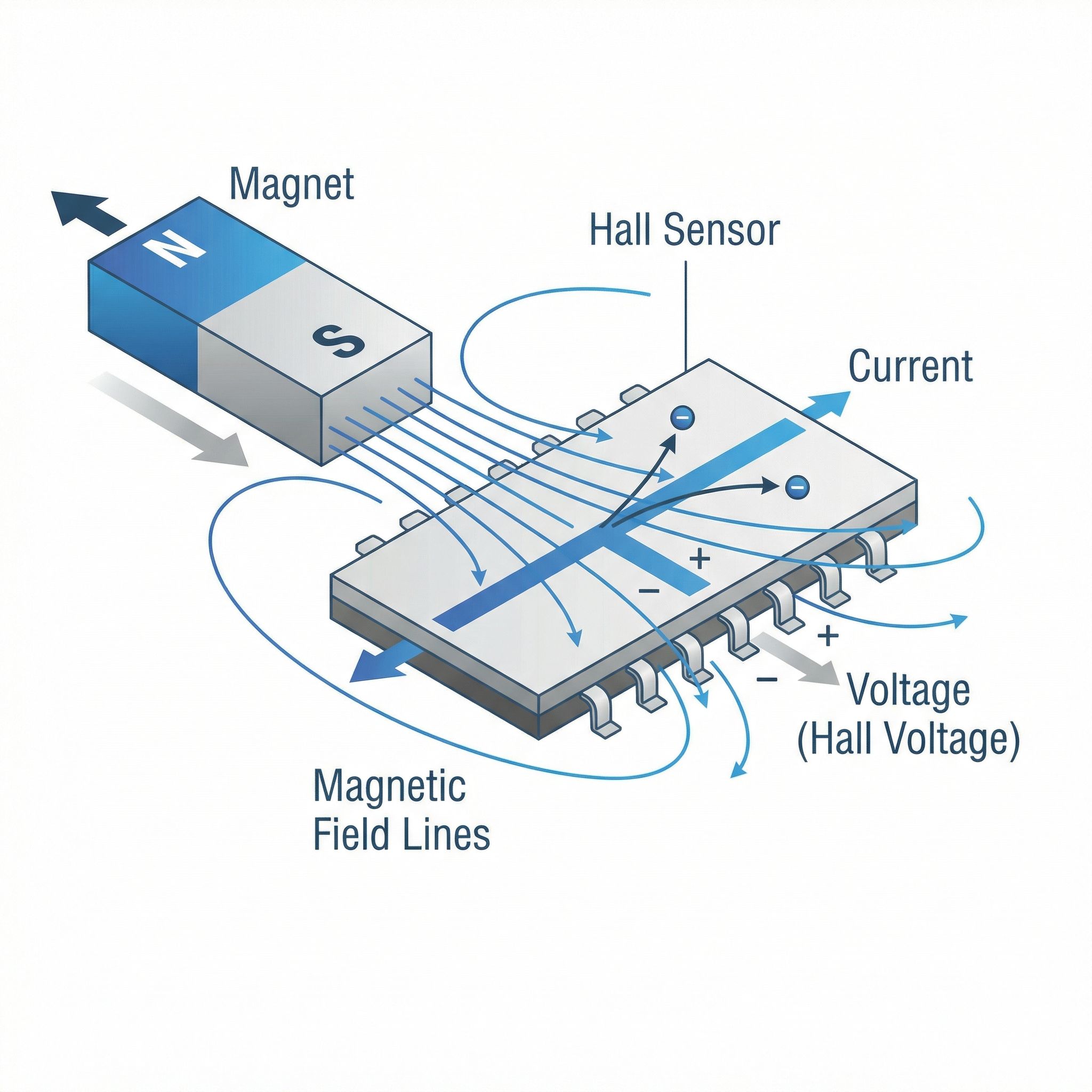
The prank works because of a component called a Hall effect sensor, named after physicist Edwin Hall who discovered the underlying principle in 1879. When you close your laptop lid, a small magnet embedded in the lid passes near this sensor in the base of the computer. The sensor detects the magnetic field and tells the computer that the lid is closed, which triggers sleep mode. It’s an elegant solution that requires no moving parts, no physical switches that can wear out, and no mechanical connection between the lid and base.
As Dell explains in their support documentation, the Hall effect sensor is typically placed in the palm rest area of the laptop, positioned to detect the magnet in the display bezel when the lid closes. The sensor doesn’t know whether the magnetic field comes from the lid magnet or from some random magnet a student happens to place on the keyboard. All it knows is that it detected a magnetic field strong enough to suggest the lid is closed, so it puts the computer to sleep.
This is the same technology used in countless everyday devices. Your phone might use Hall effect sensors to detect when a flip case is closed. Automotive applications use them to sense wheel speed and ignition timing. Keyboards use them for mechanical key switches. The technology is simple, reliable, and cheap, which is why it appears in virtually every laptop made in the past decade. The tradeoff is that these sensors can be fooled by external magnets, but manufacturers accept this because it almost never matters in normal use. Almost.
Why Sensor Location Varies Between Models
Not every Chromebook responds to the magnet trick in the same way, and the “sweet spot” that triggers sleep mode varies depending on the model. The student who mentioned the “top right corner” was describing their specific school’s Chromebook. Other models might have the sensor in the top left corner, near the center, or somewhere else entirely. This variation isn’t random. It depends on where the manufacturer placed the Hall effect sensor and where they positioned the corresponding magnet in the display bezel.
Education-focused Chromebooks from manufacturers like Acer, Dell, and HP often have slightly different internal layouts than their consumer counterparts. These rugged education models are designed to survive being dropped, stepped on, and generally mistreated by students, which sometimes means components get moved around to accommodate reinforced frames and thicker bezels. The Hall effect sensor still needs to detect when the lid closes, but it might be positioned differently than in a sleeker consumer model.
If your child wants to demonstrate the trick to you, or if you’re a teacher trying to understand what’s happening, you can locate the sensor yourself with any small magnet. With the Chromebook open and powered on, slowly move a magnet across the area near the hinge on the palm rest. When you find the right spot, the screen will go dark immediately. This is also useful information for parents who want to explain to their kids exactly why the prank works without seeming like they’re wildly guessing.
Distinguishing the Prank from Real Problems
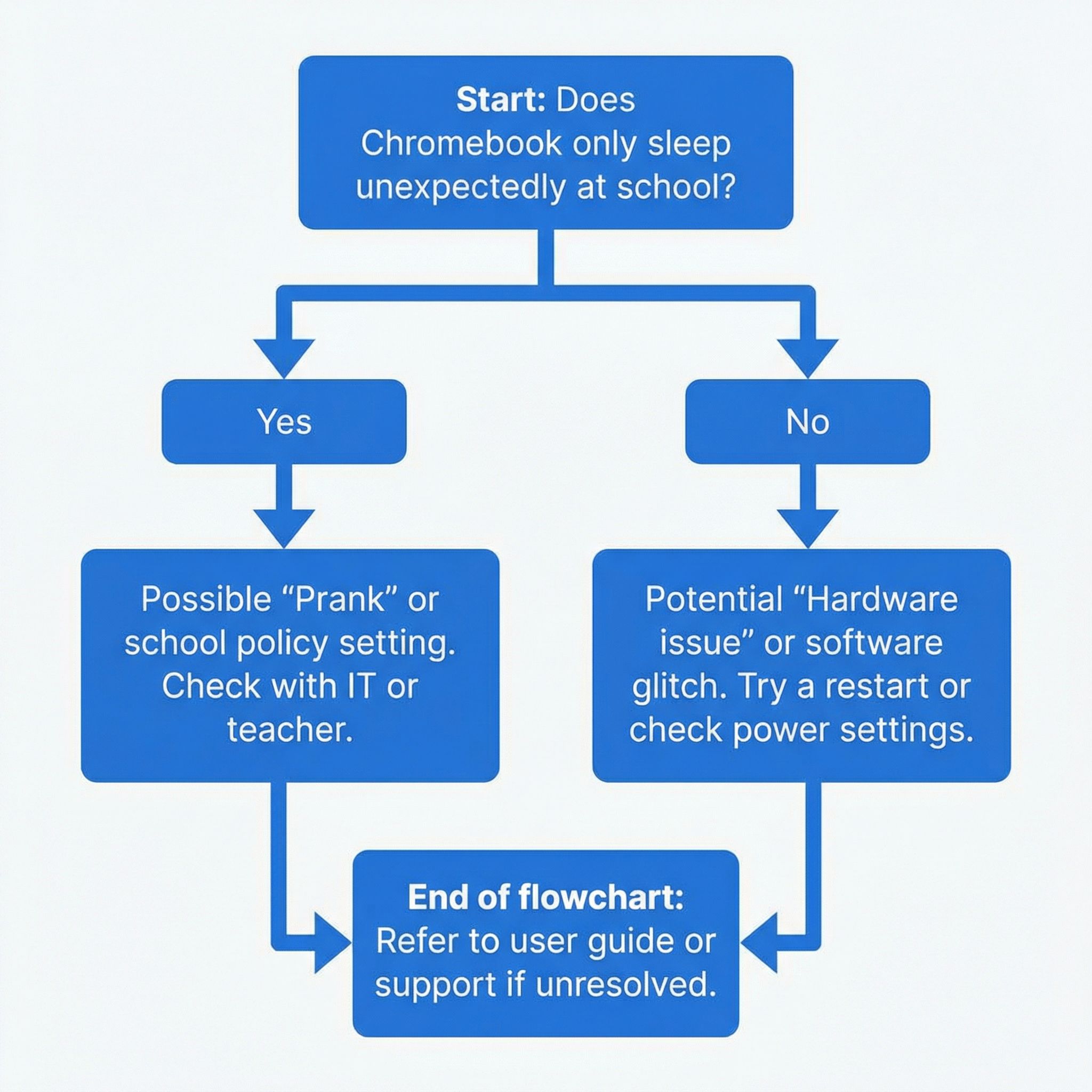
Here’s the practical question for parents: when your kid says their Chromebook keeps turning off, how do you know if they’re the victim of a prank or if there’s actually something wrong with the device? The good news is that the magnet trick has some distinctive characteristics that separate it from genuine hardware problems.
First, the timing matters. If the Chromebook only “randomly” shuts down during class but works perfectly at home, that’s a strong indicator of prankery rather than hardware failure. A failing battery or loose power connection wouldn’t somehow know to act up only when surrounded by other students. Second, the behavior is instant and complete. When a magnet triggers the Hall sensor, the screen goes black immediately, as if someone pressed the power button. Hardware failures tend to be more erratic, sometimes showing warning signs, sometimes partially working, rarely manifesting as a clean instantaneous shutdown.
Third, the recovery is perfect. After the magnet is removed, pressing any key should wake the Chromebook up instantly with everything exactly as it was left. There’s no boot sequence, no lost work, no error messages. If your child is losing unsaved work or seeing error messages when the computer comes back, that’s likely a real problem rather than the magnet trick. Finally, ask your child if they’ve heard of the trick. Kids talk, and if the magnet prank is going around their school, they probably know about it even if they haven’t been caught doing it themselves.
A Quick Note for Parents: This Isn’t the Dangerous One
Before going further, it’s worth mentioning that there’s another viral Chromebook trend that has been in the news recently, and it’s important not to confuse the two. The “Chromebook Challenge” that has prompted urgent warnings from school districts involves students jamming conductive objects like paperclips or pencil lead into USB ports, deliberately causing short circuits that can start fires. That trend is genuinely dangerous and has resulted in school evacuations, criminal charges, and thousands of dollars in damaged equipment.
The magnet trick described in this article is completely different. It doesn’t damage the hardware, doesn’t create any safety risk, and is more annoying than harmful. If your school has sent home warnings about Chromebook tampering, make sure you understand which behavior they’re addressing. A student who puts a classmate’s Chromebook to sleep with a magnet is being mischievous. A student who jams metal into charging ports is committing vandalism and creating a potential fire hazard. The responses to these behaviors should be proportionally different.
What Teachers Can Do
For teachers dealing with the magnet trick in their classrooms, the first step is simply acknowledging that you know what’s happening. Students often find pranks less entertaining once adults demonstrate that they understand the mechanism. A brief explanation of Hall effect sensors can even turn the disruption into a teachable moment about physics and engineering. Why does this trick work? What other devices use similar sensors? Can students think of ways manufacturers could prevent this exploit?
Classroom management strategies can also help. Changing seating arrangements so that students aren’t sitting close enough to reach each other’s Chromebooks eliminates the opportunity. Having students close their lids when they’re not actively using their devices removes the temptation since you can’t put a closed Chromebook to “sleep” with a magnet because it’s already asleep. Some teachers have found success by simply collecting any visible magnets at the start of class, though this obviously doesn’t help with the AirPods-case variant.
If a particular student keeps being victimized, consider whether there’s a social dynamic at play that goes beyond the prank itself. Repeated targeting of the same student isn’t just about magnets. It’s about who’s an acceptable target in the classroom social hierarchy. The magnet trick can be a symptom of bullying patterns that deserve attention regardless of the specific form they take.
What IT Admins Can Do
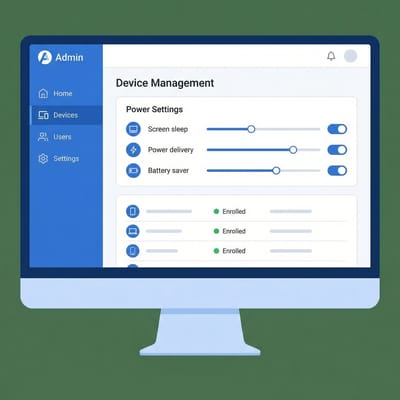
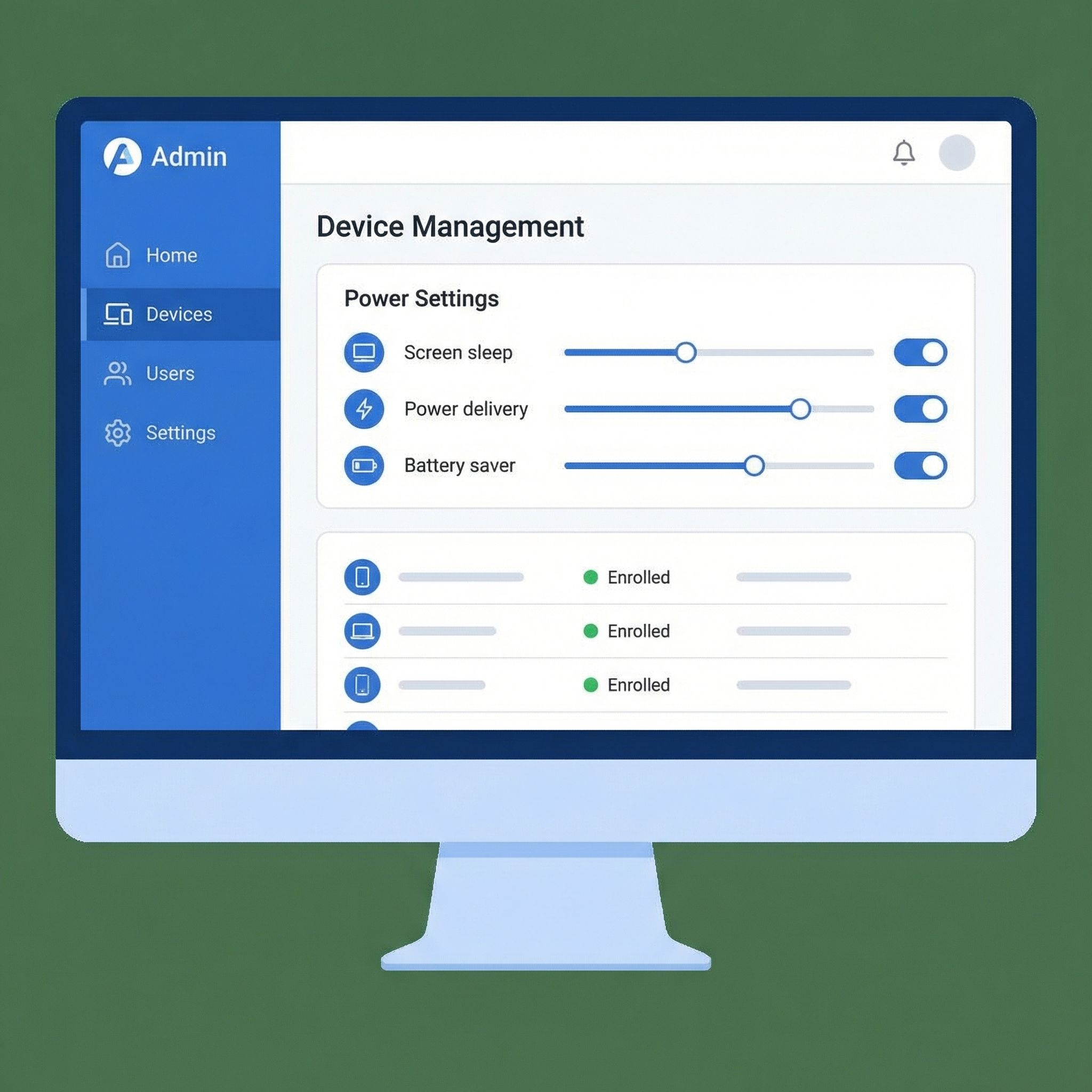
School IT administrators have more options than individual users for addressing this issue. Chrome OS includes settings that control what happens when the lid closes, and these can be managed centrally through the Google Admin Console for managed devices. The relevant setting is found under Device Management > Chrome > Settings > Users & browsers > Power management, where administrators can configure the “Action on lid close” behavior.
Setting this to “Keep running” or “Do nothing” will prevent Chromebooks from sleeping when the lid sensor is triggered, which also means they won’t sleep when legitimately closed. This tradeoff might not be acceptable for all deployments since there are good reasons to have devices sleep when closed, including battery preservation and security. But in a classroom setting where Chromebooks are used open on desks and rarely transported while running, disabling lid-close sleep might be a reasonable choice.
For individual devices or unmanaged Chromebooks, users can change this setting themselves by going to Settings > Device > Power > “Sleep when lid is closed” and turning it off. However, on managed school devices, this setting is often locked by administrator policy, which is why the Google Admin Console approach is necessary for fleet-wide changes. Digital Trends has a helpful guide covering the user-facing options, though many won’t be available on school-managed devices.
Some IT administrators have reported using developer mode commands like sudo initctl stop powerd to disable power management entirely, but this approach has significant drawbacks. It requires developer mode, which creates its own security implications. It doesn’t persist across reboots. And it can cause other power management issues. For most school deployments, the Admin Console policy approach is cleaner and more maintainable.
The Teaching Moment
If you’re a parent or teacher who wants to turn this prank into a learning opportunity, the Hall effect sensor is a surprisingly rich topic. Edwin Hall discovered the effect while working on his doctoral thesis at Johns Hopkins in 1879, finding that when a current-carrying conductor is placed in a magnetic field, a voltage develops perpendicular to both the current and the field. This seemingly abstract physics principle now appears in everything from anti-lock brakes to smartphone compasses to brushless electric motors.
For students interested in electronics, explaining how the sensor works can lead to discussions about semiconductors, magnetic fields, and the engineering decisions that go into designing everyday devices. Why did Chromebook manufacturers choose Hall effect sensors over mechanical switches? What are the tradeoffs? Are there ways this could be designed differently to prevent the magnet trick while still detecting lid closure reliably? These are the kinds of questions that can spark genuine interest in engineering and physics.
For younger students, the basic concept is simple enough to explain with demonstrations. A magnet creates an invisible field around it. The sensor can “feel” this field without touching the magnet. The computer is programmed to sleep when the sensor detects a field because that normally means the lid is closed. External magnets fool the sensor because they create the same kind of field. This progression from observation to explanation to understanding is the essence of scientific thinking, and a classroom disruption becomes a lesson in how the world works.
Should You Actually Worry?
The magnet trick is annoying, but it’s not damaging and it’s not dangerous. In the spectrum of things students do with school technology, putting each other’s Chromebooks to sleep with magnets is remarkably benign. No data is lost, no hardware is harmed, and the only real consequence is a brief interruption to the victim’s work. Compared to the genuine risks that school IT departments deal with like phishing attacks, inappropriate content, or malware, the magnet prank barely registers.
That said, repeated disruptions aren’t acceptable in a learning environment, and teachers shouldn’t have to play detective during class time. If the prank is becoming a problem in your school, the combination of education, classroom management, and IT policy changes described above should be sufficient to address it. Understanding why the trick works empowers everyone to respond appropriately rather than either ignoring it or treating it as a major incident.
For parents whose kids are on the receiving end, the most useful thing you can do is help them understand what’s happening and why. A student who knows about Hall effect sensors and can explain the prank to their peers is in a much better position than one who thinks their Chromebook is haunted. Knowledge is power, even when that knowledge is about how classmates are messing with your laptop.


