
GeForce NOW Fast Pass on Chromebook: Is 10 Free Hours of Cloud Gaming Worth It?
Published on by Jim Mendenhall

Listen to this article:
Every new Chromebook now ships with a perk that would have sounded absurd a few years ago: a free year of cloud gaming. Google and NVIDIA launched GeForce NOW Fast Pass in November 2025, bundling priority access to over 2,000 PC games with every Chromebook purchase. No ads, no queue, no extra charge. It’s the kind of deal that makes you want to grab a Chromebook just to try it out, especially now that Steam for Chromebook is officially dead.
But here’s the question nobody seems to be asking three months in: is 10 hours of monthly gaming actually enough to matter? And does free cloud gaming genuinely change whether a Chromebook makes sense as a gaming device, or is this just a clever marketing add-on? Let’s dig into what Fast Pass actually delivers in practice.
What Fast Pass Gets You (and What It Doesn’t)
Fast Pass sits in a sweet spot between NVIDIA’s ad-supported free tier and its paid Performance subscription. The key upgrades over the free tier are meaningful. You skip the queue entirely, which eliminates those frustrating two-minute-plus wait times during peak hours. There are no pre-roll ads cluttering up your launch experience. And unlike the free tier, which sometimes runs on basic non-RTX hardware, Fast Pass connects you to NVIDIA’s GeForce RTX servers. That matters for image quality and stability.
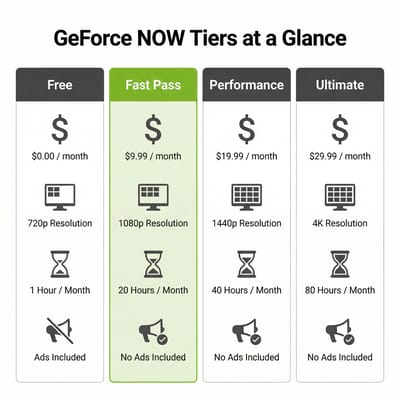
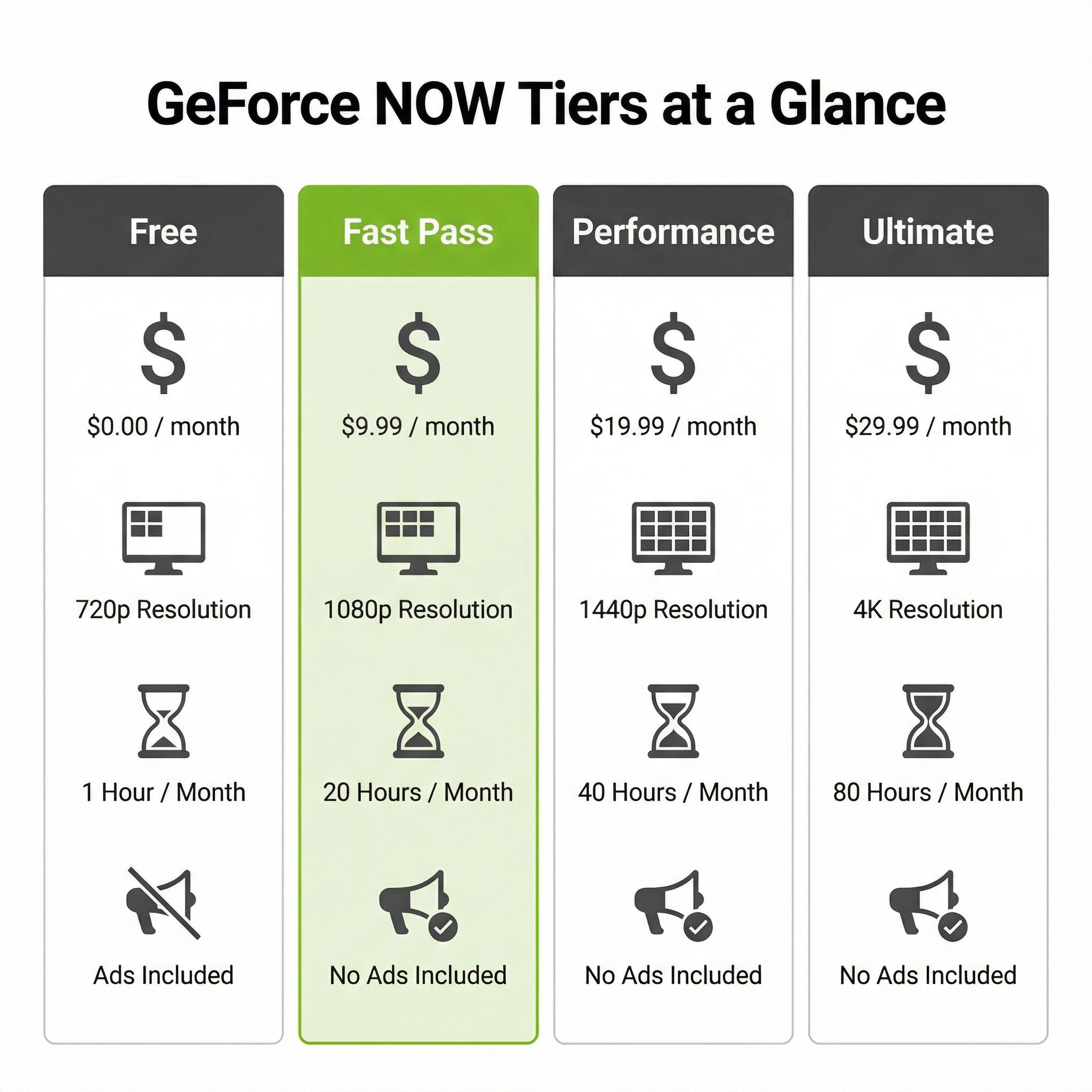
What Fast Pass doesn’t get you is just as important. You’re capped at 1080p resolution and 60 frames per second. That’s perfectly fine for most games on a Chromebook’s display, but you won’t get the 1440p, ultrawide support, or ray tracing that come with the Performance tier at $9.99 per month. You also can’t access “Install-to-Play” titles, which are games that need to be pre-loaded onto NVIDIA’s servers before streaming. That limits your library to roughly 2,000 “Ready-to-Play” games instead of the 4,500+ available to paying subscribers. The biggest titles like Baldur’s Gate 3, Fortnite, Rocket League, and Cyberpunk 2077 are all in the Ready-to-Play catalog, but some niche or recently launched games may require a paid tier.
The service connects to your existing game libraries on Steam, Epic Games Store, and Xbox, so you’re streaming games you already own, not buying them again. If you’ve built up a PC gaming library over the years, Fast Pass gives you a way to access it from a $300 laptop.
What 10 Hours a Month Actually Looks Like
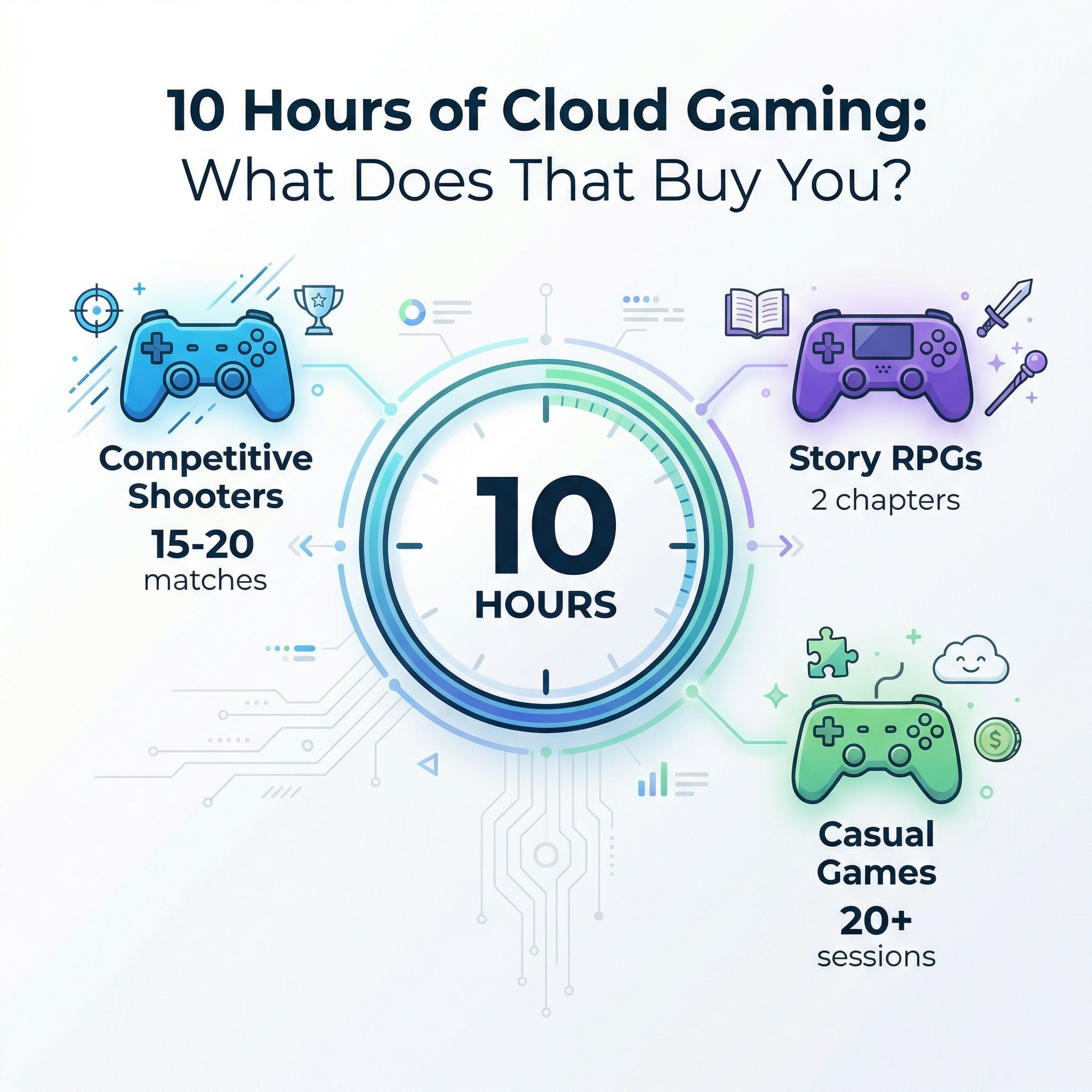
Ten hours sounds reasonable until you start doing the math. That’s roughly two and a half hours per week, which breaks down differently depending on what you play. If you’re into competitive shooters like Fortnite or Valorant, 10 hours gets you about 15 to 20 matches per month, assuming 30- to 40-minute sessions. For story-driven games, you’re looking at roughly two chapters of Baldur’s Gate 3 or about a quarter of the way through a typical RPG’s main campaign each month. Casual games like Rocket League or Among Us stretch further since individual sessions run shorter.
There’s a rollover feature that helps, though it’s not unlimited. Up to five unused hours carry forward to the next month, so if you skip gaming entirely for two weeks, you’ll have a 15-hour month waiting. That’s closer to what most casual gamers would actually want. However, there’s no banking beyond that five-hour buffer, meaning you can’t save up an entire month’s allocation for a gaming marathon over school break.

For the target audience of this perk, those 10 hours are probably enough. Parents buying a Chromebook for a teenager who also games casually? Fast Pass covers that use case well. Someone who primarily uses their Chromebook for work or school but wants to unwind with a few gaming sessions per week? Ten hours is plenty. Where it falls short is for anyone who considers gaming a primary hobby. A dedicated gamer will burn through 10 hours in a single weekend, and at that point you’re either upgrading to Performance at $9.99 per month or accepting that your Chromebook isn’t your gaming device.
The Gaming Budget Math
Here’s where things get genuinely interesting as a value proposition. Let me lay out the real numbers for someone weighing their options.
A $350 Chromebook with the free Fast Pass year gives you a perfectly capable work and school laptop plus 120 hours of cloud gaming spread across 12 months. After that year, you’d either drop to the ad-supported free tier (with its queue times and session limits) or pay $9.99 per month for Performance. Total first-year cost for the Chromebook plus gaming: $350.
Compare that to a $400 budget Windows gaming laptop. Something like a Lenovo IdeaPad with an AMD Ryzen 5 and integrated Radeon graphics can run lighter Steam titles natively, no internet dependency required. You get unlimited offline gaming, the full Steam library, and no monthly hour caps. But you’re also getting a heavier, shorter-battery-life machine that probably won’t match the Chromebook for web browsing, document editing, or general daily use.
Then there’s the Steam Deck at around $400 for the base model. It’s a dedicated gaming device with access to your full Steam library, offline play capability, and a form factor designed specifically for gaming. But it’s not a laptop. You can’t write a paper on it, and it supplements rather than replaces your main computer.
The honest takeaway? If gaming is the primary reason you’re buying a device, a Chromebook with Fast Pass is not the best value, even with the free year. But if you need a laptop anyway and gaming is a nice bonus, Fast Pass transforms a Chromebook from “can’t game at all” to “can game casually for free.” That repositioning is the real point of this deal.
Setting Up for the Best Experience
Cloud gaming is only as good as your internet connection, and this is where some Chromebook buyers will hit a wall. NVIDIA recommends at least 25 Mbps for 1080p streaming at 60 frames per second, which is what Fast Pass maxes out at. You can get away with 15 Mbps at 720p, but the visual quality drop is noticeable in fast-paced games. Latency matters even more than raw speed. NVIDIA requires less than 80 milliseconds to a data center, though competitive games benefit from latency under 40. If you’re on rural DSL or congested apartment WiFi, cloud gaming will feel sluggish regardless of your subscription tier.
WiFi quality on your Chromebook makes a real difference. Models with WiFi 6E like the Acer Chromebook Plus 516 GE deliver noticeably lower latency and more consistent connections than older WiFi 5 devices. If you’re gaming on WiFi (which most Chromebook users will be), a 5 GHz connection is essential. The 2.4 GHz band adds too much latency. If your router supports it, a wired Ethernet connection through a USB-C adapter is even better, though it defeats some of the portability appeal.
The good news is that the Chromebook hardware itself barely matters. Chrome Unboxed tested GeForce NOW on budget Chromebooks with Celeron processors and 4GB of RAM and found smooth gameplay. That makes sense since the actual rendering happens on NVIDIA’s servers. Your Chromebook is just decoding a video stream, which even a $200 device can handle. The quality of your network connection dwarfs the importance of your processor.
Fast Pass vs Paying for Performance or Ultimate
After your free year ends, you’ll face a decision. Neither Google nor NVIDIA has announced whether Fast Pass will become a purchasable standalone tier for existing Chromebook owners, so the current paths forward are either dropping to the limited free tier or upgrading to a paid plan.
The Performance tier at $9.99 per month is the natural upgrade. You jump from 10 hours to 100 hours monthly, session length extends from about an hour to six continuous hours, and resolution increases to 1440p with ultrawide support. You also get access to Install-to-Play titles and 100GB of cloud storage. For someone who’s discovered they actually enjoy cloud gaming during their Fast Pass year, $10 a month is reasonable.
The Ultimate tier at $19.99 per month is harder to justify on a Chromebook. It includes access to RTX 4080 and RTX 5080 servers with support for 4K resolution at 120fps, but most Chromebook screens can’t display above 1080p or 1600p. You’d be paying a premium for capabilities your display can’t use. The exception would be if you connect your Chromebook to an external monitor, but at that point you’re building what amounts to a desktop cloud gaming rig and should probably reconsider your hardware choices.
The Bigger Picture: Cloud Gaming on ChromeOS
Fast Pass isn’t happening in a vacuum. It’s Google’s answer to a genuine problem. Steam for Chromebook died on January 1, 2026, ending four years of a beta that never attracted enough powerful hardware to succeed. Google needed a gaming story for Chromebooks, and partnering with NVIDIA lets them offer one without requiring beefy specs in the hardware.
It’s also worth noting that GeForce NOW isn’t the only cloud gaming option on Chromebooks. Xbox Cloud Gaming works through the browser and is included with Xbox Game Pass Ultimate at $29.99 per month, offering a different game library with many console exclusives. Amazon Luna operates similarly with its own subscription model. The Android side of ChromeOS also opens up mobile gaming, though that’s a fundamentally different experience. Fast Pass is the only option that’s both free and offers traditional PC game streaming, which gives it a clear niche.
For Chromebook Plus models specifically, Fast Pass adds real value to what’s already a strong device category. These machines already meet the minimum specs easily, most include WiFi 6E, and their displays tend to be good enough to make 1080p streaming look sharp. If you’re shopping for a Chromebook Plus anyway, the gaming perk is genuine icing on the cake rather than the reason to buy.
Who Should Care About Fast Pass
Let me be clear about who this deal is actually for. If you’re buying a Chromebook for school or work and would enjoy the option to game casually without spending anything extra, Fast Pass is a meaningful perk. The 10-hour monthly limit works fine for dipping into your Steam library a few times a week, and the setup is genuinely painless.
If you’re a parent buying a Chromebook for a teenager, Fast Pass is particularly appealing. It’s free, it’s time-limited in a way that naturally constrains screen time (10 hours per month is built-in moderation), and the games run from existing libraries your family may already own. No additional hardware purchases, no downloading giant game files, no worrying about whether the Chromebook has enough graphics power.
But if you’re specifically shopping for a gaming device and trying to justify a Chromebook purchase because of Fast Pass, stop. A dedicated gaming laptop, Steam Deck, or even a console will give you a fundamentally better gaming experience with no monthly hour limits and no internet dependency. Fast Pass makes a Chromebook better at gaming. It doesn’t make a Chromebook a gaming device.


