

Listen to this article:
Steam for Chromebook officially died on January 1, 2026. After four years stuck in beta, Google finally pulled the plug on the experiment, and installed games are no longer available to play. If you invested in a Steam-capable Chromebook for native gaming, that hardware no longer has a native Steam library to run.
Google moved Chromebook gaming to cloud streaming instead. Just two months before Steam’s shutdown, Google and NVIDIA launched GeForce NOW Fast Pass exclusively for Chromebooks. New Chromebook buyers now get a free year of priority cloud gaming access with over 2,000 games available, a perk we break down in detail in our GeForce NOW Fast Pass guide.
Why Steam on Chromebook Failed
Most Chromebooks ship with integrated graphics designed for web browsing and video playback, not rendering 3D games at playable framerates. As Chrome Unboxed put it: “For the project to truly succeed, we needed a wide range of powerful, GPU-equipped Chromebooks. And frankly, those devices never really materialized.”
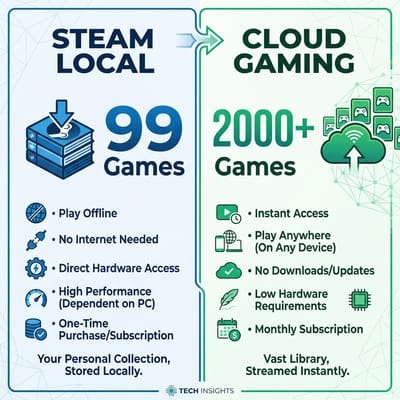
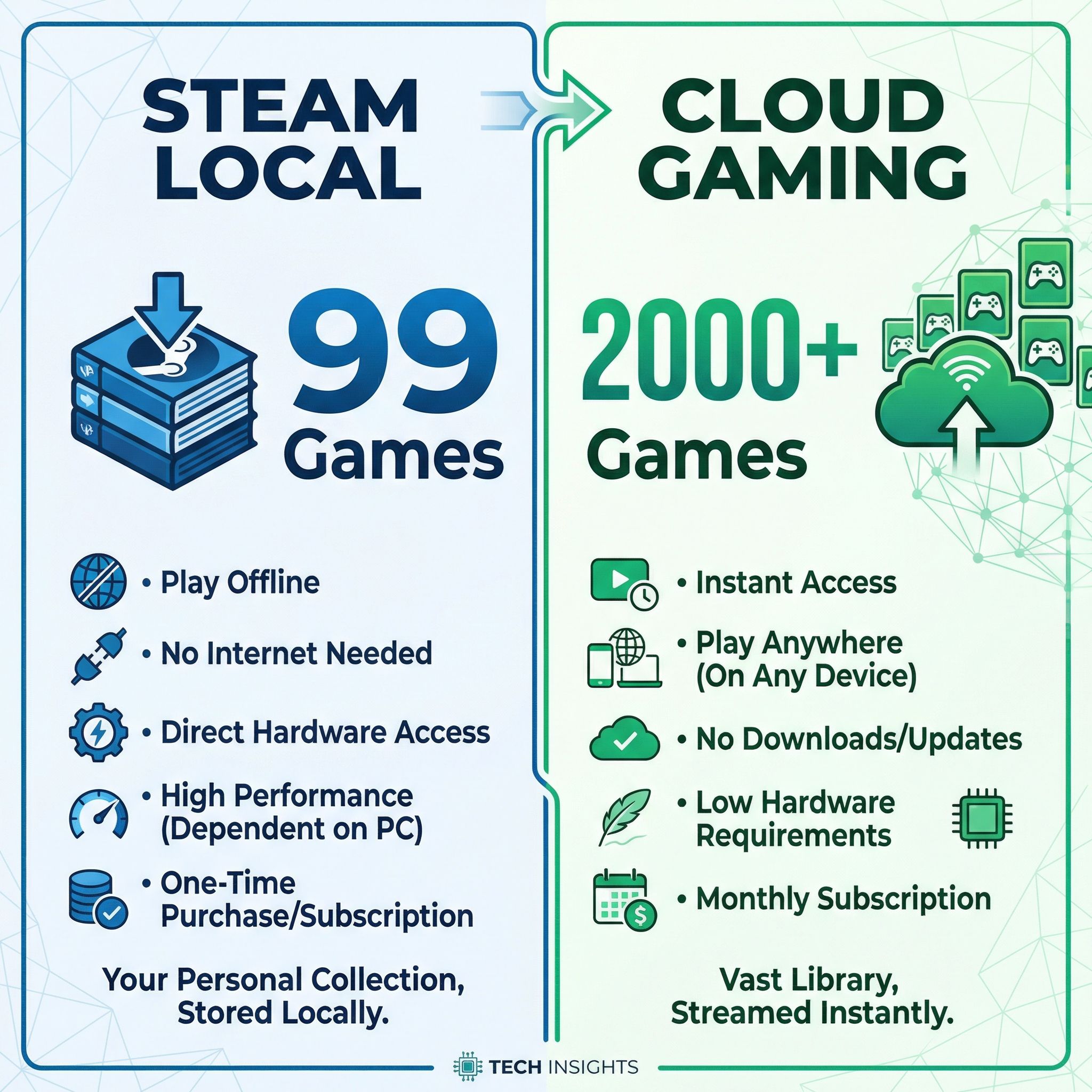
Steam required serious hardware to work well. The minimum specs called for an Intel Core i3 or AMD Ryzen 3 with 8GB of RAM, but Google recommended Core i5 or Ryzen 5 with 16GB for acceptable performance. Even then, Google only certified 99 games as compatible after four years of development. GeForce NOW’s library covers over 2,000 titles.
Chromebooks that met Steam’s requirements cost $600 or more, putting them in direct competition with Windows gaming laptops that could run Steam natively without the beta software limitations. Why buy a $700 Chromebook for Steam when a similarly-priced Windows laptop runs the full Steam library without compatibility concerns?
Cloud Gaming Removes the Hardware Requirement
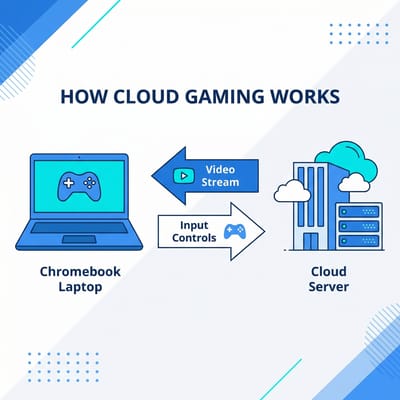
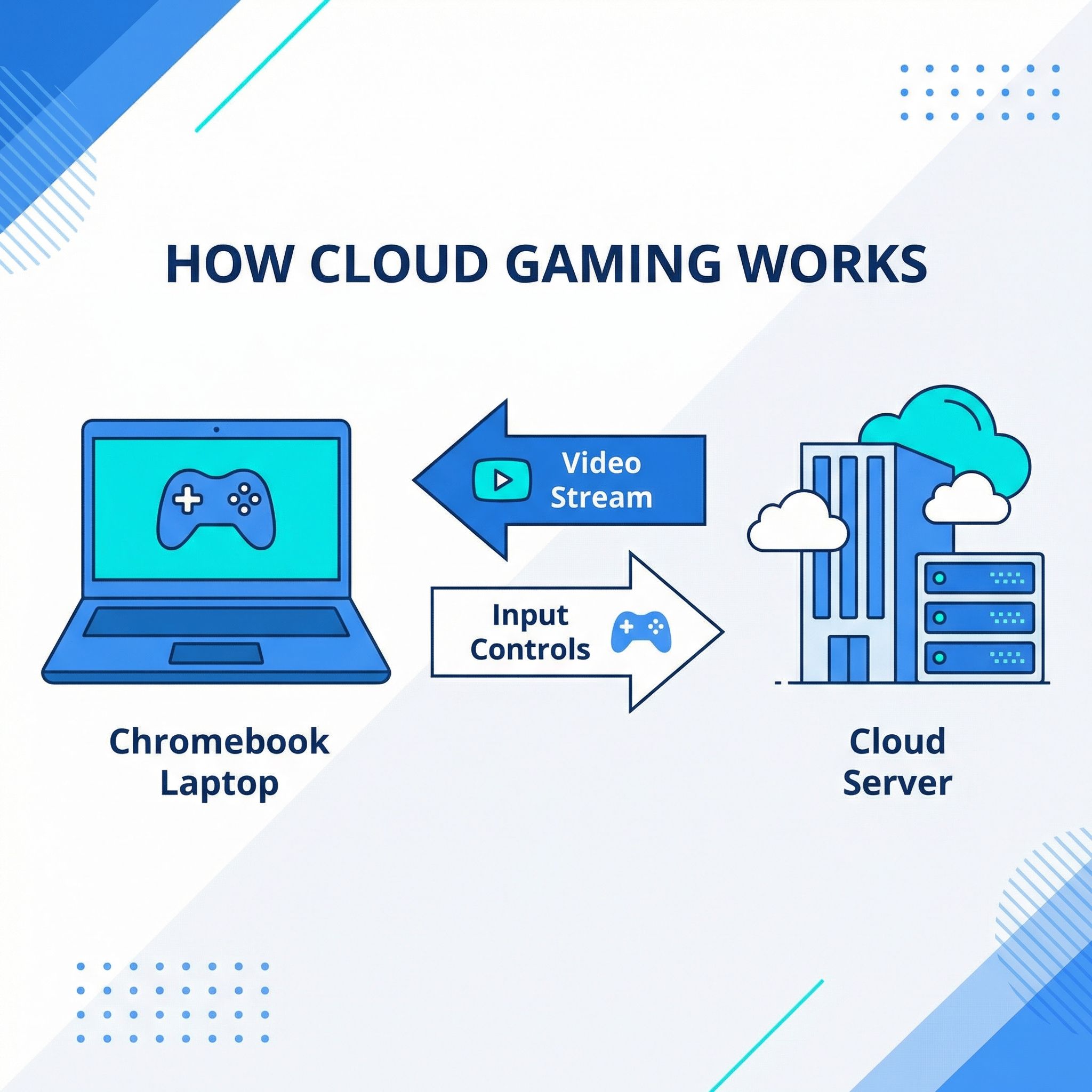
When you play through GeForce NOW, Xbox Cloud Gaming, or Amazon Luna, the actual game runs on powerful servers in a data center. Your Chromebook just displays the video stream and sends your inputs. A $300 Chromebook can play Cyberpunk 2077 at high settings because the rendering happens on the server. And with Panther Lake Chromebooks arriving in 2026, even local performance is set to improve.
This approach plays to Chromebook strengths. ChromeOS excels at web applications, and modern cloud gaming services run as Progressive Web Apps that integrate with the operating system. The same fast boot times and automatic updates that make Chromebooks great for productivity work just as well for gaming. And because the games run remotely, you get access to Windows-only titles that would never run on ChromeOS natively.
The trade-off is internet dependency. Cloud gaming requires a solid connection, ideally 25 Mbps or faster with low latency. If you’re in a rural area with spotty internet, or gaming somewhere without reliable WiFi, streaming won’t work as well as local games would. But for users with decent broadband, the benefits outweigh the limitations.
GeForce NOW Fast Pass Gives New Buyers a Free Year
NVIDIA announced GeForce NOW Fast Pass in November 2025. This Chromebook-exclusive tier gives new Chromebook owners a free year of priority cloud gaming access. It carries no ads and no queue, and it covers over 2,000 games at 1080p and 60 frames per second.
You get 10 hours of playtime per month, with the ability to roll over up to 5 unused hours to the next month for a maximum of 15 hours. That’s enough for casual gaming but probably not enough for hardcore players who game for hours daily. The free year offer only applies to new Chromebook purchases, so existing owners would need to pay for the subscription directly.
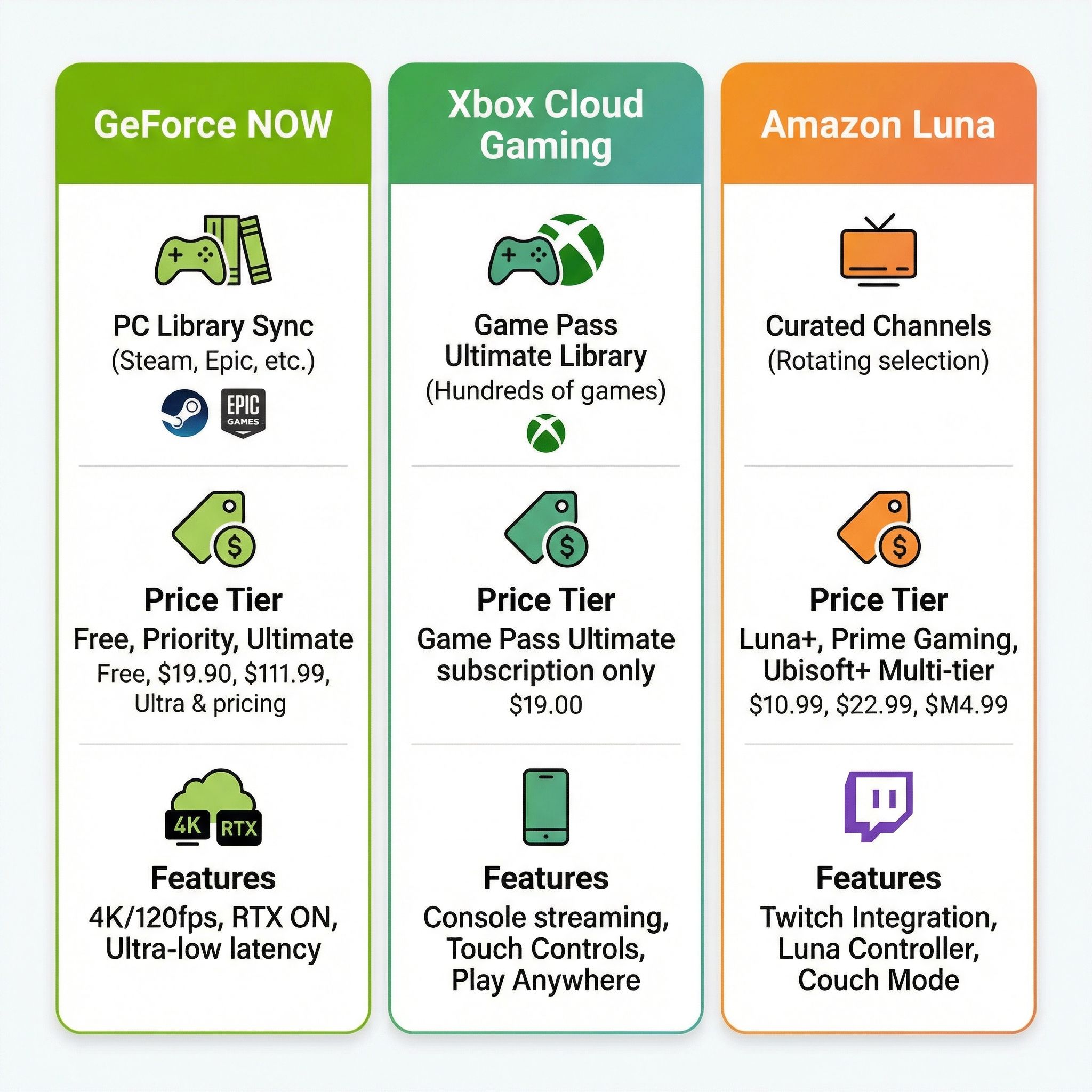
GeForce NOW works with games you already own. If you have a Steam library, you can play those games through GeForce NOW without repurchasing them. The same goes for games from Epic Games Store, Ubisoft Connect, EA App, and GOG. For former Steam on Chromebook users, this means your game purchases aren’t lost. You’re just playing them via the cloud instead of locally.
Other Cloud Gaming Options
Xbox Cloud Gaming comes bundled with Xbox Game Pass Ultimate at $17 per month, giving you access to hundreds of games including Microsoft exclusives like Halo, Forza, and upcoming releases from Activision Blizzard studios. The library rotates monthly, so you’re renting access to a large catalog rather than buying individual games.
Amazon Luna offers a different model with channel-based subscriptions. Prime members get Luna Standard for free with access to over 50 games. Additional channels like Luna+ and Ubisoft+ add more titles for monthly fees. Luna tends to focus more on family-friendly and casual games for households with kids who want to game on a Chromebook.
For power users, Shadow PC provides a full Windows virtual machine in the cloud. Instead of running individual games through a streaming service, you get a complete Windows desktop that you can use for anything, including Steam, other game launchers, or productivity software. It’s more expensive than game-specific services, but also more flexible.
Android Games Already Run on Chromebooks
The Google Play Store gives Chromebooks a gaming library that runs from casual time-wasters to deep titles that work well with keyboard and mouse input. Games like Stardew Valley, Alto’s Odyssey, Minecraft, and hundreds of others play excellently on Chromebooks.
The ChromeOS and Android merger, long codenamed Aluminium OS, unifies the two platforms on an Android foundation. It arrived as Googlebook OS on the first Googlebooks, which reached US store shelves on October 4, 2026. Android game compatibility and performance should improve when apps run natively rather than through compatibility layers, a shift we cover in our breakdown of what native Android apps mean for Googlebook.
That said, I’d be cautious about buying decisions based on Aluminium OS gaming improvements. The first Googlebooks start at $899, and Google has not said which existing Chromebooks can move to Googlebook OS. If you want to game on a Chromebook today, plan around what works now.
Screen and Network Matter More Than the Processor
The server does the rendering, so what is left on your desk is a screen, a connection, and a keyboard. Three things are worth checking before you buy:
- Display quality. Look for good color accuracy, since every frame you see arrives as a video stream.
- Network connectivity. WiFi 6E or Ethernet keeps streaming latency low.
- Keyboard and touchpad. Pick a pair you are comfortable using.
The Acer Chromebook Plus 516 GE was designed specifically for cloud gaming. Its 16-inch 120Hz display, 2.5 Gigabit Ethernet port, and RGB keyboard were built with services like GeForce NOW in mind. For users who want the best possible cloud gaming setup, this is the device to consider.
For a more versatile option, the Lenovo Chromebook Plus 14 has a 2.8K OLED display and strong WiFi performance. It works well for productivity and entertainment as well as gaming.
Budget-conscious buyers don’t need to spend much. Any Chromebook Plus device with WiFi 6 support will handle cloud gaming adequately. The processing power doesn’t matter much since games run on remote servers. Focus on screen quality and connectivity instead. If you want a compact option with WiFi 6E, the Acer Chromebook Spin 312 has a solid display and fast wireless.
Former Steam Users Keep Their Game Libraries
If you’re a former Steam on Chromebook user feeling burned by this transition, I get it. You invested in specific hardware and now the feature you bought it for is gone. GeForce NOW still plays the Steam games you own, without the hardware limitations that held back the native Steam experience.
If you are buying a Chromebook for cloud gaming, prioritize the screen and the network connection, since streaming video and running web apps are what the machine will be doing. A new Chromebook comes with a free year of GeForce NOW Fast Pass.
Frequently Asked Questions
Why can’t I install Steam on my Chromebook anymore?
Google closed the Steam for Chromebook beta on January 1, 2026, and installed games stopped running that day. Only 99 games were ever certified, and the GPU-equipped Chromebooks the project needed never shipped.
Will Steam be available on Chromebooks in 2026?
Not natively. Google replaced the beta with cloud streaming, and the Chromebook-exclusive GeForce NOW Fast Pass tier launched two months before the shutdown.
Can I still play my Steam games on a Chromebook?
Yes. GeForce NOW plays the Steam library you already own, along with games from Epic Games Store, Ubisoft Connect, EA App, and GOG.
Do I need a powerful Chromebook to run Steam games in the cloud?
A $300 Chromebook is enough, because the rendering happens on the server. What you do need is a good screen and a connection of 25 Mbps or faster with low latency.


