
Lenovo Chromebook Plus 14" OLED
Updated on

MediaTek’s Kompanio Ultra 910 puts a 50 TOPS NPU in a Chromebook Plus for the first time, and it runs without a fan. The 14-inch OLED touchscreen covers 100% of DCI-P3 at 1920x1200, and Lenovo rates the 60Wh battery at up to 17 hours in a 2.78-pound body. Two builds are sold: a 16GB touchscreen configuration and a 12GB non-touch configuration, both with memory and storage soldered in place.
Strengths and limits of the fanless OLED build
| Pros | Cons |
|---|---|
| Over 15 hours of WiFi web browsing in NotebookCheck’s testing | Limited port selection with no HDMI or SD card reader |
| Completely silent fanless operation | Reflective glossy display causes issues in bright environments |
| 14” OLED display with 100% DCI-P3 coverage | USB-C ports limited to 5Gbps (USB 3.2 Gen 1) speeds |
| Premium aluminum build quality with textured grip bottom | Keyboard deck has noticeable flex under pressure |
| First Chromebook with 50 TOPS NPU for local AI processing | Gets warm on the bottom under sustained heavy loads |
| WiFi 7 for next-generation wireless speeds | ARM architecture may cause compatibility issues with some Linux apps |
Related Videos
Lenovo Chromebook Plus 14" OLED Comparison Chart
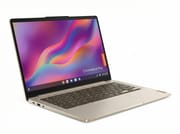 Lenovo Chromebook Plus 14" OLED | Lenovo Chromebook Plus 14" OLED | Lenovo Chromebook Plus 14" OLED | |
| Price | List Price: $749 Amazon Prices: Loading prices... Best Buy: Loading price... | List Price: $649 Amazon Prices: | List Price: Amazon Prices: Loading prices... |
| Model number | 83MY0000US | 83MY0001US | 83MW000EUS |
| Performance Rating | 5.8 | 5.1 | 5.8 |
| Chromebook Plus | Yes | Yes | Yes |
| Processor | Octa-core 3.62 Ghz MediaTek Kompanio Ultra 910 | Octa-core 3.62 Ghz MediaTek Kompanio Ultra 910 | Octa-core 3.62 Ghz MediaTek Kompanio Ultra 910 |
| RAM | 16 GB | 12 GB | 16 GB |
| Internal Storage | 256 GB UFS | 128 GB UFS | 256 GB UFS |
| Screen Size | 14" | 14" | 14" |
| Screen Resolution | 1920x1200 | 1920x1200 | 1920x1200 |
| Screen Type | OLED | OLED | OLED |
| Touch Screen | Yes | No | Yes |
| Stylus / Pen | No Stylus Support | No Stylus Support | No Stylus Support |
| Dimensions width x length x thickness | 12.37 x 8.63 x 0.62 inches (314.2 x 219.2 x 15.75 mm) | 12.37 x 8.63 x 0.62 inches (314.2 x 219.2 x 15.75 mm) | 12.37 x 8.63 x 0.62 inches (314.2 x 219.2 x 15.75 mm) |
| Weight | 2.78 lbs (1.26 kg) | 2.78 lbs (1.26 kg) | 2.78 lbs (1.26 kg) |
| Backlit Keyboard | Yes | Yes | Yes |
| Webcam | 5MP QHD | 5MP QHD | 5MP QHD |
| WiFi | Wi-Fi 7 (802.11be) | Wi-Fi 7 (802.11be) | Wi-Fi 7 (802.11be) |
| Bluetooth | Bluetooth 5.4 | Bluetooth 5.4 | Bluetooth 5.4 |
| Ethernet | No | No | No |
| Cellular Modem | No | No | No |
| HDMI | No HDMI | No HDMI | No HDMI |
| USB Ports | 1 USB 3, 2 USB-C 2x USB-C 3.2 Gen 1 with DisplayPort 1.4 and Power Delivery, 1x USB-A 3.2 Gen 1 | 1 USB 3, 2 USB-C 2x USB-C 3.2 Gen 1 with DisplayPort 1.4 and Power Delivery, 1x USB-A 3.2 Gen 1 | 1 USB 3, 2 USB-C 2x USB-C 3.2 Gen 1 with DisplayPort 1.4 and Power Delivery, 1x USB-A 3.2 Gen 1 |
| Thunderbolt Ports | No | No | No |
| Card Reader | No Card Reader | No Card Reader | No Card Reader |
| Battery | 4 cell, 60Wh, Li-polymer | 4 cell, 60Wh, Li-polymer | 4 cell, 60Wh, Li-polymer |
| Battery Life | 17 hours | 17 hours | 17 hours |
| Fanless | Yes | Yes | Yes |
| Auto Update Expiration Date | June, 2035 | June, 2035 | June, 2035 |
Related Chromebooks
-
 Lenovo Chromebook Plus 2-in-1 14The Lenovo Chromebook Plus 2-in-1 14 is an aluminum 360-degree convertible with an Intel Core 3…
 -
 Lenovo IdeaPad Flex 5i Chromebook PlusThe Lenovo IdeaPad Flex 5i Chromebook Plus is a 14-inch convertible Chromebook Plus on Intel's Core…
 -
 ASUS Chromebook Flip CX5 (CX5400)The ASUS Chromebook Flip CX5 (CX5400) is a fanless 14-inch aluminum convertible sold with an Intel…
 -
 Acer Chromebook Plus 514A 14-inch Chromebook Plus line sold in three board configurations: the AMD Ryzen 3 7320C CB514-3H,…
 -
 Acer Chromebook Plus Spin 714The Acer Chromebook Plus Spin 714 is a 3.21-pound aluminum-panelled convertible with an Intel Core…
 -
 ASUS Chromebook Plus CM34 Flip (CM3401)The ASUS Chromebook Plus CM34 Flip is a 14-inch Chromebook Plus convertible with an AMD Ryzen 3…
Kompanio Ultra 910 silicon with WiFi 7 and no HDMI

At 12.37 x 8.63 x 0.62 inches and 2.78 pounds, the aluminum chassis carries a “Seashell” colorway that shows subtle gold undertones in certain lighting conditions according to PCWorld. A 3D wave corrugated pattern on the bottom panel gives it grip while carrying. The lid has a slight camera bump housing the 5MP QHD webcam and a mechanical privacy shutter. Lon Seidman noted flex in the keyboard deck.
The processor has 8 cores: one Cortex-X925 running up to 3.6 GHz, three Cortex-X4, and four Cortex-A720. According to NotebookCheck, this chip delivers performance that “clearly pulls ahead of its competitors”. The integrated Immortalis-G925 MC11 GPU handles graphics duties competitively with Intel’s Iris Xe integrated graphics, and Intel’s next round of ChromeOS silicon arrives with Panther Lake Chromebooks. Chrome Unboxed reports handling dozens of browser tabs, multiple virtual desktops, and numerous Android apps without any stuttering or slowdown, describing the Android app experience as feeling more native than on any other Chromebook tested.
WiFi 7 (802.11be) reached 1632 MBit/s of throughput in NotebookCheck’s testing, and Bluetooth 5.4 handles peripheral connections. Both USB-C 3.2 Gen 1 ports carry DisplayPort 1.4 and Power Delivery, so charging and external video share them, and there is one USB-A 3.2 Gen 1 port plus a 3.5mm audio combo jack. There is no HDMI port and no SD card slot. Storage cannot be expanded after purchase, so choose the 256GB UFS 4.0 configuration knowing you’ll rely on cloud storage for larger media libraries.
Reviewer Insights

Chrome Unboxed’s Perspective
Chrome Unboxed used the machine for six weeks in coffee shops and restaurants. They declared it “my favorite Chromebook ever made” and had “no issue whatsoever” making that claim. The combination of display quality, portability, battery life, performance, and build quality “has been an absolute lifesaver” for their mobile workflow.
“This Chromebook’s claimed 17-hour battery has absolutely delivered for me. I’ve regularly used this device for two full days of work before needing to put it on a charger,” they reported. They never heard a sound from it, and “at no time has this Chromebook even thought about stuttering” despite heavy multitasking. They criticized the port selection for lacking HDMI and an SD card reader.
Lon Seidman’s Perspective
Lon Seidman got north of 13 hours of battery life in his testing, with the display brightness turned down. He noted that MediaTek’s Kompanio chips “have never been known to be this snappy before, but now we’re seeing some real performance out of this.” He praised the WiFi 7 support and the Dolby Atmos-certified speakers.
He warned viewers off the streaming apps. “One caution I have for you though is to not use the apps for your favorite service like Netflix because you only get standard definition video,” because Netflix’s DRM has not supported Chromebooks properly for years; the netflix.com website plays at full resolution. Keyboard deck flex, shallow key travel, and USB-C ports capped at 5Gbps speeds were his other complaints on an otherwise premium device.
Juan Bagnell’s Perspective
In a video sponsored by MediaTek, Juan Bagnell called this hardware transition “the single most important tech evolution I’ve been watching for in the consumer space over the last 5 years.” He found the device to deliver “overkill powerful for the majority of tasks we think of on a Chromebook” while maintaining high efficiency.
He pointed to the MIL-STD 810H rating for drop and shock resistance, fast charging that reaches 10% to 80% in one hour, and idle power management, and he described the device as “the longest running laptop Google has ever tested” according to their internal web browsing benchmarks. His one naming gripe was that the plain “Chromebook Plus” name carries none of Lenovo’s sub-brands like ThinkPad or Yoga, and he felt Google “could have helped us out a little.”
PCWorld’s Perspective
PCWorld awarded the Chromebook Plus 14 an Editor’s Choice designation, calling it “one of the best Chromebooks I’ve used.” Their battery testing achieved 19 hours using the CrXPRT 2 benchmark with reduced brightness. “Lenovo crushed it. This Chromebook hits hard on performance, display, and battery life. It also just feels great to use day in and day out.”
The review called the OLED display with 100% DCI-P3 coverage a “luscious-looking picture that blew my socks off” and the Dolby-certified speakers “shockingly loud and punchy.” Their complaints were tiny function keys that were hard to read and a keyboard that attracts fingerprints. At the tested configuration, they felt the device was worth the price.
In a video segment, PCWorld’s hosts opened the base of the 16GB/256GB touch model to confirm there is no fan, only passive cooling through the aluminum. They listed two USB-C ports, one USB-A, and a headphone jack, and found the wavy pattern on the underside less grippy than expected.
NotebookCheck’s Perspective
NotebookCheck scored the Lenovo Chromebook Plus 14 at 86% (good), praising the “excellent MediaTek Kompanio Ultra performance” and “excellent battery life.” Their testing measured over 15 hours of WiFi web browsing runtime, and they noted the display achieved close to the advertised 400 cd/m2 peak brightness.
They measured up to 45C (113F) on the bottom panel during their stress test and listed the warm bottom under heavy load as a downside, while temperatures stayed comfortably low in everyday use. The highly reflective glossy OLED surface also “causes distracting reflections that make it difficult to use in bright environments.” They noted ARM architecture could cause limitations with specific Linux applications, and concluded the device offers modern features and a sturdy chassis.
Tech With Brett
Brett of Tech With Brett handled the laptop at Google’s New York launch event. He described two models: a silver 16GB/256GB build with a fingerprint reader and a darker 12GB/128GB build without one. Both USB-C ports drive an external display, and the Dolby Atmos speakers had “some good bass” in a quick test, though the crowded room made them hard to judge.
MergeDroid
MergeDroid called this the most hyped Chromebook Plus of the year and, after a month with it, largely agreed. The fanless MediaTek Kompanio Ultra 910 with 16GB of RAM stayed responsive even under heavy tabs and Android apps, and the 400-nit OLED panel overdelivers on contrast and brightness for the class. The premium aluminum lid, Quad HD webcam, and Dolby Atmos quad speakers reinforce the high-end feel. His caveats were a horizontal-scrolling display glitch, battery nearer 8 hours than the 17-hour claim, and 4K 60Hz output limited by the ports.
Check the keyboard in person and budget for a hub
Lon Seidman’s note about keyboard flex and shallow key travel is worth checking in a store, and the quiet, fanless design suits distraction-free writing. Anyone who plugs into an HDMI monitor or reads camera cards should budget for a USB-C hub. The 50 TOPS NPU runs AI work locally, including offline photo editing and on-device transcription, on a machine light enough for students to carry between classes all day.
The Chromebook Comparison Chart lines it up against other models.
Frequently Asked Questions
What processor does the Lenovo Chromebook Plus 14” OLED use?
The MediaTek Kompanio Ultra 910 has 8 ARM cores, led by a single Cortex-X925 core running up to 3.6 GHz. Its dedicated NPU (Neural Processing Unit) delivers 50 TOPS for local AI tasks, and the chip scores about 14,400 on PassMark’s CPU benchmark.
Can I upgrade the RAM or storage in the Lenovo Chromebook Plus 14?
No. The LPDDR5X memory is soldered and the UFS 4.0 storage is integrated, so neither can be upgraded later. With no SD card slot for local expansion, extra capacity means cloud storage or an external USB drive.
What ports does the Lenovo Chromebook Plus 14” OLED have?
Two USB-C 3.2 Gen 1 ports, one on each side, carry DisplayPort 1.4 and Power Delivery for charging and video output. Alongside them sit one USB-A 3.2 Gen 1 port and a 3.5mm headphone and microphone combo jack. Connecting to displays or transferring files from cameras requires USB-C adapters, since there is no HDMI port or SD card reader.
Is the Lenovo Chromebook Plus 14 fanless and silent?
The MediaTek Kompanio Ultra 910 runs without a fan, so the machine stays silent from light web browsing through heavy multitasking. NotebookCheck measured the bottom panel at up to 45C (113F) under sustained heavy workloads.
What is the battery life of the Lenovo Chromebook Plus 14?
Lenovo rates it at up to 17 hours. NotebookCheck measured over 15 hours of WiFi web browsing, PCWorld achieved 19 hours in benchmark testing, and Chrome Unboxed reported two full days of work between charges. The 60Wh battery charges from 10% to 80% in approximately one hour.
When does the Lenovo Chromebook Plus 14 stop receiving updates?
The 83MY0000US has an Auto Update Expiration (AUE) date of June 2035. Google will provide ChromeOS updates, including security patches and new features, for approximately 10 years from the device’s 2025 release. This is the maximum update window currently offered for Chromebook devices.
Does the Lenovo Chromebook Plus 14 support Android and Linux apps?
Android apps from the Google Play Store and Linux applications both run here, and Chrome Unboxed found Android apps felt more native on this machine than on other Chromebooks they tested. Software built for x86 architecture may hit compatibility issues on the ARM processor or run through emulation with reduced performance.