
Lenovo IdeaPad Flex 5i Chromebook Plus
Published on

The Lenovo IdeaPad Flex 5i Chromebook Plus is a 14-inch convertible built on Intel’s 13th-gen Core i3-1315U, a 6-core, 8-thread chip that clears Google’s Chromebook Plus bar without premium pricing. The 16:10 aspect ratio adds vertical space for documents and web browsing, and the 360-degree hinge moves the machine between laptop, tent, stand, and tablet modes. The chip handles productivity work, light creative work, and cloud gaming. For students and remote workers, ChromeOS updates run through June 2032.
Solid display and keyboard, slow storage and soldered RAM
| Pros | Cons |
|---|---|
| Chromebook Plus certification adds AI features and a performance baseline | eMMC storage slows large file operations |
| Aluminum lid | Plastic keyboard deck shows some flex under pressure |
| 16:10 display at 1920x1200 with over 300 nits of brightness | RAM is soldered and cannot be upgraded |
| A USB-C port on each side, both charging and driving displays | No stylus included despite USI support |
| 1080p webcam with physical privacy shutter and AI noise reduction | 3.48 lbs, and unbalanced enough that opening it takes two hands |
| Wi-Fi 6E and Bluetooth 5.3 | Battery life falls short of Lenovo’s 10-hour claim |
Related Videos
Lenovo IdeaPad Flex 5i Chromebook Plus Comparison Chart
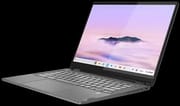 Lenovo IdeaPad Flex 5i Chromebook Plus | |
| Price | List Price: $499 Amazon Prices: |
| Model number | 83EK0000UX |
| Performance Rating | 7.4 |
| Chromebook Plus | Yes |
| Processor | Hexa-core 1.20 Ghz (max 4.50 Ghz) Intel Core i3-1315U |
| RAM | 8 GB |
| Internal Storage | 128 GB eMMC |
| Screen Size | 14" |
| Screen Resolution | 1920x1200 |
| Screen Type | IPS |
| Touch Screen | Yes |
| Stylus / Pen | Supported |
| Dimensions width x length x thickness | 12.42 x 9.02 x 0.78 inches (315.47 x 229.11 x 19.81 mm) |
| Weight | 3.48 lbs (1.58 kg) |
| Backlit Keyboard | Yes |
| Webcam | 1080p |
| WiFi | Wi-Fi 6E (802.11ax) |
| Bluetooth | Bluetooth 5.3 |
| Ethernet | No |
| Cellular Modem | No |
| HDMI | No HDMI |
| USB Ports | 1 USB 3, 2 USB-C 2x USB-C 3.2 (10Gbps) with Power Delivery 3.0 and DisplayPort 1.4, 1x USB-A 3.2 (5Gbps) |
| Thunderbolt Ports | No |
| Card Reader | microSD Card Reader |
| Battery | 51Wh, Li-ion |
| Battery Life | 10 hours |
| Fanless | No |
| Auto Update Expiration Date | June, 2032 |
Related Chromebooks
-
 Lenovo Chromebook Plus 2-in-1 14The Lenovo Chromebook Plus 2-in-1 14 is an aluminum 360-degree convertible with an Intel Core 3…
 -
 Acer Chromebook Spin 714The 2023 Acer Chromebook Plus Spin 714 (CP714-2WN) is a 14-inch convertible built on a 13th-gen…
 -
 ASUS Chromebook Plus CX34 (CX3402CVA)The ASUS Chromebook Plus CX34 (CX3402CVA) is a 14-inch Chromebook Plus for browser, Google…
 -
 HP Chromebook Plus x360 14cThe HP Chromebook Plus x360 14c is a Chromebook Plus convertible with a 12th Gen Intel Core…
 -
 Acer Chromebook Plus 514A 14-inch Chromebook Plus line sold in three board configurations: the AMD Ryzen 3 7320C CB514-3H,…
 -
 ASUS Chromebook Plus CM34 Flip (CM3401)The ASUS Chromebook Plus CM34 Flip is a 14-inch Chromebook Plus convertible with an AMD Ryzen 3…
Two USB-C ports and a 16:10 touchscreen on a Core i3

The chassis measures 12.42 x 9.02 x 0.78 inches and weighs 3.48 pounds, portable without being the lightest option on a desk. The aluminum lid looks premium, while the plastic keyboard deck reveals the mid-range positioning when you press on it. Two USB-C 3.2 ports run at 10Gbps with Power Delivery 3.0 for charging and DisplayPort 1.4 for external displays, one on each side. A single USB-A 3.2 port at 5Gbps, a microSD card slot, and a combo audio jack finish the port selection.
The Intel Core i3-1315U pairs 2 performance cores with 4 efficiency cores for 6 cores and 8 threads, boosting to 4.5GHz. That 13th Gen chip supplies the processing power Chromebook Plus certification requires, and it carries heavy Chrome tab loads, Linux containers, Android apps, and web-based creative tools like music production DAWs. The 8GB of LPDDR5 RAM keeps multitasking smooth, but it is soldered, so 8GB is what the machine keeps for life. Storage is 128GB of eMMC, adequate for ChromeOS and noticeably slower than an NVMe SSD on large file operations.
Wireless runs on WiFi 6E (802.11ax) and Bluetooth 5.3 for peripherals and accessories. There is no HDMI port, so presentations need a USB-C dongle or dock, though the USB-C ports handle video output well. The 14-inch IPS panel runs 1920x1200 in a 16:10 aspect ratio at over 300 nits, enough brightness for indoor use. The touchscreen accepts USI stylus input for note-taking and sketching, and Lenovo does not include a pen in the box.
Reviewer Insights

Lon Seidman’s Perspective
Lon Seidman reviewed the machine hands-on. He praised the device as “a pretty good value for the price point,” highlighting the excellent 16:10 display, high-quality backlit keyboard, and full-service USB-C ports on both sides. He noted that “for the best image quality, especially on a nice 1080p display like this one, you want to run it on the browser which can deliver to you the 1080p quality video that you can’t get in the app” due to Android streaming limitations.
Seidman’s testing revealed strong performance for cloud gaming through GeForce Now, though local Steam gaming showed limitations expected from an integrated GPU. He observed that the cooling fan can be noisy under heavy loads and that the 45% NTSC color gamut makes it unsuitable for color-critical creative work. He recommended it for users who want capable ChromeOS hardware without moving into premium pricing.
Chrome Unboxed’s Perspective
Chrome Unboxed, a channel dedicated to ChromeOS devices, described the Flex 5i Chromebook Plus as “fantastic, imperfect, but a very enjoyable Chromebook experience.” They praised the improved 16:10 display that delivers over 300 nits of brightness and the upward-facing stereo speakers that provide full and loud sound. On performance, they said “at no point in my work did I ever run into any performance issues.”
The reviewer said that “overall build quality on Chromebook plus devices is well fine I mean for the most part it’s not bad but it’s not standout either.” The plastic keyboard deck with slightly wobbly keys stands in contrast to the premium aluminum lid. Despite these caveats, they found the combination of capable performance, solid battery life of 8-10 hours, and Chromebook Plus features made it competitive in its class.
Techusiast’s Perspective
Techusiast, hosted by Roland, reviewed the device after a month of daily use, finding it “an easy recommendation for those looking for a laptop that can last a full workday.” He praised the aluminum lid and the 14-inch 16:10 IPS display, and liked the tactile backlit keyboard and the large responsive trackpad for extended typing sessions.
However, he noted significant chassis and keyboard flex as the main build quality concerns, along with the unbalanced weight distribution that prevents one-handed opening. He emphasized the long software support with AUE extending to 2032 as a major selling point, concluding that “if you’re looking for an excellent 2-in-1 portable Workhorse that’s well balanced… then the IdeaPad Flex 5i is worth considering.”
NotebookCheck
According to NotebookCheck, the Lenovo IdeaPad Flex 5 Chromebook Plus is “a versatile convertible that impresses with its elegant design, solid workmanship, and flexible 360-degree hinge.” They found the build quality befitting its Chromebook Plus status. They noted that “this 2-in-1 laptop can also be used as a strong replacement for an Android tablet.” Their review awarded an 81% rating while highlighting the reflective display and absence of included stylus as drawbacks.
About Chromebooks
Kevin Tofel at About Chromebooks wrote that “I can confidently say it’s the best $499 Chromebook I’ve ever used.” He found that it handles power user tasks including Linux development, heavy multitasking, and coding, including running Java, as well as more expensive Core i5 models. He praised the solid construction with “practically no screen flex” and the better-looking design compared to competitors like the Acer Spin 714. Battery life in his testing ran 6.5-7.5 hours, notably shorter than Lenovo’s 10-hour claim.
Customer Reviews
Amazon buyer feedback runs mostly positive. Amazon groups the Flex 5i family under this listing, so the feedback spans more than just this Chromebook Plus configuration (one verified owner dates his unit to January 2023, before the Chromebook Plus program launched). Praise lands on build quality, value at around $300, the keyboard, and battery life that owners put near eight hours. Verified buyer Brian DiGiorgio called it “Surprisingly high quality for the price” and wrote that “The all metal build feels very sturdy, as do the hinges.” Verified buyer Leonardo reports it has been his main school laptop since early 2023 and “its still kicking,” and a buyer named Alejandra says her son’s unit still works three years on.
App and streaming reliability draws the sharpest complaints. Verified buyer Robert Q gave it one star and reported that “The app store is completely broken,” with apps stuck spinning until he restarted, plus Netflix capped at 480p. Brian, who otherwise liked the machine, flagged playback failing on Hulu and HBO Max. A couple of buyers also mention minor hardware quibbles, such as a backlit keyboard that stays on at boot and, in one overseas order, a missing screen rivet.
A mid-range convertible with updates into 2032
The Core i3-1315U gives this convertible headroom for many-tab work, the 16:10 touchscreen and 360-degree hinge suit schoolwork and remote work, and ChromeOS updates run until June 2032.
Buyers who move large files often should look at models with NVMe SSDs, and 3.48 pounds is a lot to carry on a daily commute. Extensive multitasking with large applications is better served by a Core i5 with 16GB of RAM. The Amazon listings for this model were showing as currently unavailable, so confirm stock before ordering. For more options, see our Chromebook Comparison Chart.
Frequently Asked Questions
What processor does the Flex 5i Chromebook Plus use?
The Intel Core i3-1315U, a 13th Gen chip with 6 cores (2 performance and 4 efficiency) and 8 threads. It runs at a base clock of 1.2GHz with boost speeds up to 4.5GHz, which covers productivity tasks and meets Google’s Chromebook Plus requirements.
Can I upgrade the RAM in the Flex 5i Chromebook Plus?
No. The LPDDR5 memory is soldered, so the 8GB it ships with is what it keeps. That amount handles typical Chromebook Plus workloads including heavy browser use, Android apps, and Linux containers, so choose the configuration that meets your needs at purchase time.
What ports does the Flex 5i Chromebook Plus have?
Two USB-C 3.2 ports at 10Gbps, one on each side, both supporting Power Delivery 3.0 and DisplayPort 1.4 for charging and video output. There is also one USB-A 3.2 port at 5Gbps, a microSD card reader for expandable storage, and a 3.5mm combo audio jack.
Does the Flex 5i Chromebook Plus include a stylus?
No pen ships in the box, though the touchscreen accepts USI stylus input. Any USI-compatible stylus works on the touchscreen and is sold separately.
How long will the Flex 5i Chromebook Plus receive ChromeOS updates?
Its Auto Update Expiration (AUE) date is June 2032, providing approximately 8+ years of ChromeOS updates and security patches from its release. That support period is typical of Chromebook Plus devices and keeps it secure and feature-current for years.
What is Chromebook Plus and why does it matter?
Chromebook Plus is Google’s certification program for higher-performance Chromebooks that meet specific hardware requirements including faster processors, more RAM, better webcams, and enhanced displays. Chromebook Plus devices receive exclusive software features like AI-powered tools, Magic Eraser for photos, and enhanced video calling capabilities. The IdeaPad Flex 5i meets all these requirements with its Intel Core i3 processor, 8GB RAM, and 1080p webcam.
How long does the battery last on the Flex 5i Chromebook Plus?
Lenovo claims 10 hours. Chrome Unboxed reported 8-10 hours, while About Chromebooks measured 6.5-7.5 hours during heavy workloads. Typical mixed use including web browsing, document editing, and video streaming lands around 7-9 hours, with heavy processor use reducing runtime further.