
ASUS Chromebook Plus CX34 (CX3402CVA)
Published on

The ASUS Chromebook Plus CX34 (CX3402CVA) is the refreshed CX34: the same 14-inch white or grey plastic chassis as the 2023 CX3402CBA, now with 13th-gen Intel Core i3 and i5 chips (or the later Core 3 100U and Core 5 120U), Wi-Fi 6E, and a touchscreen on most configurations. It suits buyers who want a Chromebook Plus that types well and runs quickly for the money, and who can live with average battery life and a 16:9 screen. Google lists its Auto Update Expiration as June 2032. Check the exact model before buying: the Core i5-1335U build that PCMag, PCWorld, and WIRED tested ships without a keyboard backlight, while the Core i3-1315U model Wirecutter picked has one.
Pros and Cons
| Pros | Cons |
|---|---|
| Core i5-1335U finished second in PCMag’s benchmark comparison set, ahead of the Acer Chromebook Plus Spin 714 | 7 to 8 hours with the screen bright; shorter than the 2023 model in PCMag’s test |
| Touchscreen on most configurations, which PCWorld noted the 2023 model lacked | Core i5-1335U and Best Buy Core 5 120U 8GB models have no keyboard backlight |
| Two USB-C, two USB-A, and HDMI 1.4 | 16:9 panel is plain and not bright outdoors |
| PCMag, PCWorld, and Wirecutter praised the keyboard and touchpad | Downward speakers that PCMag called disappointing and Wirecutter called harsh and buzzy |
| 1080p webcam with a privacy shutter | Some flex in the lid; memory and storage are soldered |
| ChromeOS updates through June 2032 | No card reader or Ethernet |
ASUS Chromebook Plus CX34 (CX3402CVA) Comparison Chart
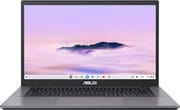 ASUS Chromebook Plus CX34 (CX3402CVA) | ASUS Chromebook Plus CX34 (CX3402CVA) | ASUS Chromebook Plus CX34 (CX3402CVA) | ASUS Chromebook Plus CX34 (CX3402CVA) | ASUS Chromebook Plus CX34 (CX3402CVA) | ASUS Chromebook Plus CX34 (CX3402CVA) | ASUS Chromebook Plus CX34 (CX3402CVA) | |
| Price | List Price: $490.00 Amazon Prices: Loading prices... | List Price: Amazon Prices: Best Buy: Loading price... | List Price: $659.99 Amazon Prices: | List Price: $709.99 Amazon Prices: | List Price: $909.99 Amazon Prices: | List Price: $949.99 Amazon Prices: | List Price: Amazon Prices: Best Buy: Loading price... |
| Model number | CX3402CVA-WS388T-GR | CX3402CVA-I5128GR | CX3402CVA-DB388-GR | CX3402CVA-DB388T-GR | CX3402CVA-DB566-GR | CX3402CVA-DB566T-GR | CX3402CVA-C58128 |
| Performance Rating | 7.4 | 7.5 | 7.5 | 7.5 | 8.8 | 8.8 | 8.1 |
| Chromebook Plus | Yes | Yes | Yes | Yes | Yes | Yes | Yes |
| Processor | Hexa-core 1.20 Ghz (max 4.50 Ghz) Intel Core i3-1315U | Deca-core 3.40 Ghz (max 4.60 Ghz) Intel Core i5-1335U | Hexa-core 1.20 Ghz (max 4.70 Ghz) Intel Core 3 100U | Hexa-core 1.20 Ghz (max 4.70 Ghz) Intel Core 3 100U | Deca-core 1.40 Ghz (max 5.00 Ghz) Intel Core 5 120U | Deca-core 1.40 Ghz (max 5.00 Ghz) Intel Core 5 120U | Deca-core 1.40 Ghz (max 5.00 Ghz) Intel Core 5 120U |
| RAM | 8 GB | 8 GB | 8 GB | 8 GB | 16 GB | 16 GB | 8 GB |
| Internal Storage | 128 GB UFS | 128 GB UFS | 128 GB UFS | 128 GB UFS | 256 GB UFS | 256 GB UFS | 128 GB UFS |
| Screen Size | 14" | 14" | 14" | 14" | 14" | 14" | 14" |
| Screen Resolution | 1920x1080 | 1920x1080 | 1920x1080 | 1920x1080 | 1920x1080 | 1920x1080 | 1920x1080 |
| Screen Type | IPS | IPS | IPS | IPS | IPS | IPS | IPS |
| Touch Screen | Yes | Yes | No | Yes | No | Yes | Yes |
| Stylus / Pen | No Stylus Support | No Stylus Support | No Stylus Support | No Stylus Support | No Stylus Support | No Stylus Support | No Stylus Support |
| Dimensions width x length x thickness | 12.85 x 8.44 x 0.74 inches (326.39 x 214.38 x 18.8 mm) | 12.85 x 8.44 x 0.74 inches (326.39 x 214.38 x 18.8 mm) | 12.85 x 8.44 x 0.74 inches (326.39 x 214.38 x 18.8 mm) | 12.85 x 8.44 x 0.74 inches (326.39 x 214.38 x 18.8 mm) | 12.85 x 8.44 x 0.74 inches (326.39 x 214.38 x 18.8 mm) | 12.85 x 8.44 x 0.74 inches (326.39 x 214.38 x 18.8 mm) | 12.85 x 8.44 x 0.74 inches (326.39 x 214.38 x 18.8 mm) |
| Weight | 3.17 lbs (1.44 kg) | 3.17 lbs (1.44 kg) | 3.17 lbs (1.44 kg) | 3.17 lbs (1.44 kg) | 3.17 lbs (1.44 kg) | 3.17 lbs (1.44 kg) | 3.17 lbs (1.44 kg) |
| Backlit Keyboard | Yes | No | Yes | Yes | Yes | Yes | No |
| Webcam | 1080p FHD | 1080p FHD | 1080p FHD | 1080p FHD | 1080p FHD | 1080p FHD | 1080p FHD |
| WiFi | Wi-Fi 6E (802.11ax) | Wi-Fi 6E (802.11ax) | Wi-Fi 6E (802.11ax) | Wi-Fi 6E (802.11ax) | Wi-Fi 6E (802.11ax) | Wi-Fi 6E (802.11ax) | Wi-Fi 6E (802.11ax) |
| Bluetooth | Bluetooth 5.4 | Bluetooth 5.3 | Bluetooth 5.4 | Bluetooth 5.4 | Bluetooth 5.4 | Bluetooth 5.4 | Bluetooth 5.4 |
| Ethernet | No | No | No | No | No | No | No |
| Cellular Modem | No | No | No | No | No | No | No |
| HDMI | Full-Size HDMI | Full-Size HDMI | Full-Size HDMI | Full-Size HDMI | Full-Size HDMI | Full-Size HDMI | Full-Size HDMI |
| USB Ports | 2 USB 3, 2 USB-C 2x USB-C 3.2 Gen 1 (DP, PD), 2x USB-A 3.2 Gen 1 | 2 USB 3, 2 USB-C 2x USB-C 3.2 Gen 1 (DP, PD), 2x USB-A 3.2 Gen 1 | 2 USB 3, 2 USB-C 2x USB-C 3.2 Gen 1 (DP, PD), 2x USB-A 3.2 Gen 1 | 2 USB 3, 2 USB-C 2x USB-C 3.2 Gen 1 (DP, PD), 2x USB-A 3.2 Gen 1 | 2 USB 3, 2 USB-C 2x USB-C 3.2 Gen 1 (DP, PD), 2x USB-A 3.2 Gen 1 | 2 USB 3, 2 USB-C 2x USB-C 3.2 Gen 1 (DP, PD), 2x USB-A 3.2 Gen 1 | 2 USB 3, 2 USB-C 2x USB-C 3.2 Gen 1 (DP, PD), 2x USB-A 3.2 Gen 1 |
| Thunderbolt Ports | No | No | No | No | No | No | No |
| Card Reader | No Card Reader | No Card Reader | No Card Reader | No Card Reader | No Card Reader | No Card Reader | No Card Reader |
| Battery | lithium polymer | lithium polymer | lithium polymer | lithium polymer | lithium polymer | lithium polymer | lithium polymer |
| Battery Life | 10 hours | 10 hours | 10 hours | 10 hours | 10 hours | 10 hours | 10 hours |
| Fanless | No | No | No | No | No | No | No |
| Auto Update Expiration Date | June, 2032 | June, 2032 | June, 2032 | June, 2032 | June, 2032 | June, 2032 | June, 2032 |
Related Chromebooks
-
 ASUS Chromebook Plus CM34 Flip (CM3401)The ASUS Chromebook Plus CM34 Flip is a 14-inch Chromebook Plus convertible with an AMD Ryzen 3…
 -
 ASUS Chromebook Plus CX34 (CX3402)The ASUS Chromebook Plus CX34 balance power and affordability, featuring an Intel Core i3, 8GB RAM,…
 -
 Acer Chromebook Spin 714The 2023 Acer Chromebook Plus Spin 714 (CP714-2WN) is a 14-inch convertible built on a 13th-gen…
 -
 Lenovo IdeaPad Flex 5i Chromebook PlusThe Lenovo IdeaPad Flex 5i Chromebook Plus is a 14-inch convertible Chromebook Plus on Intel's Core…
 -
 HP Chromebook Plus x360 14cThe HP Chromebook Plus x360 14c is a Chromebook Plus convertible with a 12th Gen Intel Core…
 -
 Acer Chromebook Plus 514A 14-inch Chromebook Plus line sold in three board configurations: the AMD Ryzen 3 7320C CB514-3H,…
Ports, Screen, and Build

Every configuration has two USB 3.2 Gen 1 Type-C ports with DisplayPort output and USB Power Delivery, two USB 3.2 Gen 1 Type-A ports, HDMI 1.4, and a 3.5mm combo audio jack. That is enough to charge, run an external monitor, and plug in two USB-A accessories without a hub. There is no Ethernet jack and no SD or microSD reader. Wireless is Wi-Fi 6E with Bluetooth 5.4 on current ASUS units; the Core i5-1335U review units reported Bluetooth 5.3. ASUS ships a 45W USB-C charger.
The 14-inch panel is 1920 by 1080 with an anti-glare finish, and ASUS sells both touch and non-touch versions. The Core i3-1315U and Core i5-1335U models are touch, as are three of the five Core 3 and Core 5 models. The hinge opens the lid flat to 180 degrees. The 1080p webcam has a physical privacy shutter, and the speakers fire downward from the bottom of the chassis. Memory is LPDDR5 soldered to the board, and the UFS storage cannot be replaced, so pick the RAM and storage at purchase.
ASUS lists the chassis at 12.85 by 8.44 by 0.74 inches and 3.17 pounds, the same as the CX3402CBA, and rates it to the MIL-STD 810H durability standard with an antimicrobial surface treatment. Battery life is rated at up to 10 hours.
Choosing a Configuration
The CX3402CVA has shipped with five chips. The CX3402CVA-WS388T-GR uses the Intel Core i3-1315U (6 cores, 8 threads, up to 4.5 GHz, a PassMark CPU Mark near 11,200) and is the entry point for touch at 8GB and 128GB. It is the model Wirecutter picks. The Core i5-1335U (10 cores, 12 threads, up to 4.6 GHz, about 13,900) is the version PCMag, PCWorld, and WIRED reviewed, sold at Best Buy as CX3402CVA-I5128GR in Rock Grey and earlier as CX3402CVA-I5128 in Pearl White. ASUS’s spec sheet also lists the Core i5-1334U, a closely related 10-core chip.
ASUS’s own US store sells four newer builds on the Core 3 100U (6 cores, up to 4.7 GHz) and Core 5 120U (10 cores, up to 5.0 GHz, about 16,100), each in touch and non-touch: 8GB and 128GB with the Core 3, and 16GB and 256GB with the Core 5. Best Buy sells a fifth, the CX3402CVA-C58128 in Staid Black, with the Core 5 120U, 8GB and 128GB, a touchscreen, and no keyboard backlight. 16GB leaves more headroom for many tabs plus Android and Linux apps over the full update window. For browser and Workspace use, the 8GB Core i3 or Core i5 touch models cover the work at a lower price.
Reviewer Insights

Wirecutter
Wirecutter’s guide to the best Chromebooks names the Core i3-1315U CX3402CVA-WS388T-GR its top pick. It credits the model with fast everyday performance, a backlit keyboard, a reliable trackpad, and a 14-inch matte touchscreen; a photo caption reads, “The Chromebook Plus CX34 has a comfy backlit keyboard and a responsive trackpad.” On battery, the guide reports, “Our pick lasted 9 hours 43 minutes in our battery-life test; that’s just enough to make it through a full day of work or classes.”
The guide adds that “The 14-inch 1920×1080 touchscreen has a matte coating that minimizes distracting reflections,” though “We prefer taller displays with 16:10 aspect ratios.” On audio, it reports, “The speakers sound quite bad.” It also lists the lack of a 360-degree hinge as a drawback, and it passes on the Core i5-1335U CX3402CVA-I5128GR for its non-backlit keyboard and higher price.
PCMag
Matthew Smith’s PCMag review (February 3, 2025) scored the Core i5-1335U model 4.0 out of 5 and gave it an Editors’ Choice award. In PCMag’s benchmark suite it finished second only to the pricier Acer Chromebook Plus 516 GE and ahead of the Acer Chromebook Plus Spin 714 and other Chromebooks in the comparison. Battery life in PCMag’s video rundown test came to 11 hours, nearly two hours less than the 2023 CX34’s 12 hours and 46 minutes, which Smith attributed to the move from a six-core Core i3 to a 10-core Core i5.
Smith wrote that “It’s a fundamentally pleasant laptop to use,” praised the keyboard’s large keys and snappy action, and added that “The touchpad is also a joy to use.” He found a slight warp and wobble in the display lid under thumb pressure. The display he called reasonably bright but short on vibrance, contrast, and sharpness next to the best Chromebooks, and on audio he wrote, “However, Asus’ speakers are simply disappointing.”
PCWorld
Ashley Biancuzzo’s PCWorld review (April 1, 2025) tested the CX3402CVA-I5128 and opened with “The Asus Chromebook Plus CX34 is a good buy, full stop.” Her unit scored 170 in CrXPRT 2 and 397.4ms in Kraken, and she wrote that “The Plus CX34 beat the Acer Chromebook Spin 312 into the ground with a Kraken score of 397.4ms.” Its Jetstream 2 result was about 26 percent faster than the 2023 model’s.
Her battery test ran a little over 13 hours with the brightness kept low; with the brightness up she estimated seven or eight hours of real use. She noticed flex in the lid but a firm keyboard deck, typed 98 words per minute on the keyboard, and flagged the missing keyboard backlight, which the 2023 model had. In her conclusion she wrote, “The keyboard is also a joy to type on, the touchpad is responsive without being overly sensitive, and the connectivity options are plentiful.” She also wanted a taller screen: “I prefer displays with a 16:10 aspect ratio, as that one extra inch of space makes a world of difference, especially when I’m editing a review or adding things to a spreadsheet.”
WIRED
Daniel Thorp-Lancaster’s WIRED review scored the CX3402CVA-I5128 a 7 out of 10. He wrote that “As you’d expect, the Core i5 processor in this Chromebook handles the Chrome operating system with ease,” and that “For everyday work and web browsing, the touch display on the CX34 is fantastic.” He also called out the missing backlight: “One major omission from this model is a backlit keyboard, which is disappointing if you want to use it in the dark.” His other complaints were a trackpad surface with more drag than he wanted and a screen that struggles in direct sun. He put battery life at seven to eight hours per charge and listed the 128GB of storage as tight for anyone with a large photo and video library.
What changed from the 2023 CX34
The ASUS Chromebook Plus CX34 (CX3402CBA) uses the 12th-gen Core i3-1215U in its US builds (ASUS also lists the Core i5-1235U and i7-1255U), Wi-Fi 6, and a backlit keyboard in the same chassis; PCWorld noted that the 2023 model it compared lacked a touchscreen. PCWorld’s Jetstream 2 numbers put the Core i5-1335U refresh about 26 percent ahead, and the touchscreen, Wi-Fi 6E, and the missing backlight on the Core i5-1335U model are the other changes. In PCMag’s test the older model lasted almost two hours longer on a charge. Both models share the June 2032 update date.
Should you buy it?
The CX3402CVA fits students and office workers who spend the day in Chrome, Google Workspace, Android apps, and video calls, and who type a lot. PCMag, PCWorld, and Wirecutter praised the keyboard and touchpad, the Core i5-1335U finished second in PCMag’s benchmark set, and most builds add a touchscreen. Wirecutter’s Core i3-1315U pick, which keeps the backlit keyboard, lasted 9 hours 43 minutes, enough for a day of work or classes. Updates run through June 2032.
Skip it if battery life matters most, you want a taller 16:10 screen, or you need a backlight on the Core i5-1335U or Best Buy Core 5 120U 8GB model. Buyers who want the backlight and longer battery can look at the 2023 ASUS Chromebook Plus CX34 (CX3402CBA). For more speed, PCMag’s top finisher was the Acer Chromebook Plus 516 GE. The Chromebook comparison chart lines the CX34 up against other Chromebook Plus models spec by spec.
Frequently Asked Questions
How is the CX3402CVA different from the CX3402CBA?
The CX3402CVA uses 13th-gen Intel Core i3-1315U, i5-1335U, or i5-1334U chips, or the Core 3 100U and Core 5 120U, and adds Wi-Fi 6E; most US configurations are touch. The CX3402CBA uses 12th-gen Intel chips with Wi-Fi 6: the Core i3-1215U in its US builds, with the Core i5-1235U and i7-1255U also on ASUS’s spec sheet. The chassis, ports, size, and weight are the same.
When does the ASUS Chromebook Plus CX34 (CX3402CVA) stop getting updates?
June 2032. Until then it gets ChromeOS feature and security updates.
Can the CX34 drive an external monitor?
Yes. Both USB-C ports carry DisplayPort output, and the HDMI 1.4 port handles a second display. HDMI 1.4 tops out at 4K at 30Hz, so use USB-C for a 4K monitor at 60Hz.
Can I add storage to the CX34 later?
Not inside the laptop: the UFS storage is soldered and there is no card reader. A USB-C or USB-A flash drive or external SSD works for files.
Does the CX34 support a stylus?
No. The touch models accept finger input only, and the CX34 does not fold into a tablet. The 180-degree hinge lays the lid flat on a table but stops there.