
ASUS Chromebook Plus CX34 (CX3402)
Updated on

The ASUS Chromebook Plus CX34 (CX3402) is a sleek and powerful Chromebook that offers a premium feel at an affordable price. This device is equipped with an Intel Core i3-1215U Processor, 8GB of RAM, and 256GB of storage, making it a strong contender among other Chromebooks in its price range. The device features a sharp 14-inch 1920 x 1080 non-touch IPS display and a 1080p webcam with a physical shutter. It also offers excellent connectivity, with two USB 3.2 Gen 1 Type-C ports, two USB 3.2 Gen 1 Type-A, one HDMI 1.4, and one audio combo jack. The Chromebook Plus CX34 also comes with some exclusive features from Google, including Magic Eraser, a tool in Google Photos that can automatically erase things from photos.
Pros and Cons
| Pros | Cons |
|---|---|
| Powerful Performance: Equipped with an Intel Core i3-1215U Processor and 8GB of RAM, this device offers reliable daily performance. | Non-Touch Display: The 14-inch 1920 x 1080 display is not touch-enabled, which may limit its use for certain Android applications. |
| Excellent Connectivity: The device offers good connectivity options, including two USB 3.2 Gen 1 Type C ports, two USB 3.2 Gen 1 Type-A, one HDMI 1.4, and one audio combo jack. | Mediocre Battery Life: While the device’s battery life is decent, it is not as long-lasting as some other Chromebooks in its price range. |
| High-Quality Webcam: The device comes with a 1080p webcam, providing clear video for remote or hybrid workers. | Sound Quality: The downward-facing speakers can sometimes produce lackluster sound. |
Related Videos
ASUS Chromebook Plus CX34 (CX3402) Comparison Chart
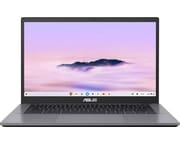 ASUS Chromebook Plus CX34 (CX3402) | |
| Price | List Price: $439.99 Amazon Prices: Loading prices... Best Buy: Loading price... |
| Model number | CX3402CBA-DH386-WH |
| Performance Rating | 8.5 |
| Chromebook Plus | Yes |
| Processor | Hexa-core 3.30 Ghz (max 4.40 Ghz) Intel Core i3-1215U Processor |
| RAM | 8 GB |
| Internal Storage | 256 GB UFS |
| Screen Size | 14" |
| Screen Resolution | 1920x1080 |
| Screen Type | IPS |
| Touch Screen | No |
| Stylus / Pen | No Stylus Support |
| Dimensions width x length x thickness | 12.85 x 8.44 x 0.74 inches (326.39 x 214.38 x 18.8 mm) |
| Weight | 3.17 lbs (1.44 kg) |
| Backlit Keyboard | Yes |
| Webcam | 1080p FHD |
| WiFi | Wi-Fi 6 (802.11ax) |
| Bluetooth | Bluetooth 5.3 |
| Ethernet | No |
| Cellular Modem | No |
| HDMI | Full-Size HDMI |
| USB Ports | 2 USB 3, 2 USB-C (type-c ports support display and power delivery) |
| Thunderbolt Ports | No |
| Card Reader | No Card Reader |
| Battery | 3 cell, 50WHrs, lithium polymer |
| Battery Life | 10.0 hours |
| Fanless | No |
| Auto Update Expiration Date | June, 2032 |
Related Chromebooks
-
 ASUS ExpertBook CX54 Chromebook PlusThe ASUS ExpertBook CX54 Chromebook Plus is a premium business Chromebook featuring Intel Core…
 -
 Acer Chromebook Spin 714The 2023 Acer Chromebook Plus Spin 714 (CP714-2WN) is a 14-inch convertible built on a 13th-gen…
 -
 Lenovo Chromebook Plus 2-in-1 14The Lenovo Chromebook Plus 2-in-1 14 combines premium aluminum build quality with versatile…
 -
 Lenovo IdeaPad Flex 5i Chromebook PlusThe Lenovo IdeaPad Flex 5i Chromebook Plus is a 14-inch convertible Chromebook Plus on Intel's Core…
 -
 HP Chromebook Plus x360 14cThe HP Chromebook Plus x360 14c combines a 12th-gen Intel Core i3-1215U processor with a 16:10…
 -
 ASUS Chromebook CX9The ASUS Chromebook CX9 is a premium business Chromebook with an 11th Gen Intel Core i7-1165G7,…
The ASUS Chromebook Plus CX34 (CX3402) is a well-designed and powerful device offering various features and capabilities. Its sleek, white, glass-like top and rugged bottom give it a premium feel, while its large trackpad and backlit keyboard offer comfort and ease of use. The device’s 14-inch 1080p display can lie completely flat at 180 degrees, a feature that adds to its versatility. The Chromebook Plus CX34 also comes with AI features, such as the Magic Eraser in Google Photos and an AI feature for Google Meet calls that enhances lighting and removes background noise.
The device’s performance is impressive, thanks to its Intel Core i3 processor and 8GB of RAM. It can handle a range of tasks, from web browsing and using Google Docs to playing Android games. However, it’s worth noting that the device’s sound quality could be improved, as the downward-facing speakers can sometimes produce lackluster sound.
Reviewer Insights on the ASUS Chromebook Plus CX34
The CX34 (CX3402) arrived in October 2023 as one of the first Chromebook Plus machines, and the established reviews that put it through real testing converge on the same picture: a lot of laptop for around $400, a screen that is dimmer than average but workable, and a battery result that swings hard depending on how you use it. Because this is an x86 Chromebook running the 12th-generation Intel Core i3-1215U (a PassMark multi-thread score around 10,167, well above the Intel N-series and ARM chips inside cheaper Chromebooks), the performance ceiling these reviewers describe is genuinely higher than the entry-level field.
Monica Chin’s review for The Verge is the most useful on endurance. She measured “just over seven hours of continuous use to a charge” running a mix of 12 to 15 Chrome tabs, Android apps and productivity web apps at half brightness, and clocked the downward-firing speakers at “an average of 80 decibels in my testing.” She found the i3 fast enough that “the only time I heard the fans come on was when I was calling in Google Meet or using Magic Eraser,” with Geekbench numbers that came in “well ahead of premium competitors” such as the Lenovo ThinkPad C13 Yoga Chromebook. The panel opens flat, though the hinge “requires two hands to open.”
Ashley Biancuzzo’s PCWorld review, published October 8, 2023, is the most positive on build and input. Her web-based battery benchmark returned “just over 12 hours,” and she judged the display “definitely seems brighter than Asus’ reported 250 nits.” She praised the chassis (“noticed zero creaking, which is always a sign of a well-made machine”) and a 180-degree hinge that “feels tight and secure,” and was unusually taken with the keyboard: “I’ve never acclimated to a new keyboard so fast.” The roomy 5.7-inch trackpad she called “smooth as glass.” Her main reservation matched everyone else’s: the downward-firing speakers “left me wanting more.”
Reece Bithrey’s Trusted Reviews review tested the exact 8GB/256GB configuration sold here and recorded the longest runtime of the group. It “lasted for 11 hours 43 minutes in the battery test,” a video loop at half brightness with the keyboard backlight off, a figure that “beats Asus’ own claims of up to ten hours quite considerably.” He confirmed the 250-nit brightness reads “okay (albeit dimmer than average) for indoor use,” liked the “excellent” keyboard with its “sharp and bright” backlight, but flagged the “cheap-feeling plastic chassis” and speakers that are “a little thin-sounding.”
Arif Bacchus, writing for XDA, is the dissenting voice on battery. He could not measure brightness because “my colorimeter is incompatible with the device,” but against Asus’ 10-hour rating he “only got to about half that,” roughly five hours, with the screen at 80 percent. He still rated the hardware highly for the money, calling the lid “the good kind of plastic that feels ‘premium,’” noting the keyboard’s five backlight levels and 1.4mm travel, and judging the speakers “decent” and “good enough” for YouTube and streaming.
The spread on battery, from about five hours under a bright, hard-working load to nearly twelve in a dimmed video-loop test, is the single most useful thing these measurements tell a buyer: plan around a full school or work day at moderate brightness rather than the headline number. On longevity, Google lists the CX3402CBA for ChromeOS automatic updates through June 2032, so a unit bought today still has years of security and feature updates ahead of it.
Customer Reviews of the ASUS Chromebook Plus CX34 (CX3402)
Across 80 ratings on Amazon, the ASUS Chromebook Plus CX34 (CX3402) averages 4 stars, and the spread is wider than that number suggests: 62% of raters give it five stars while 11% give it one. Buyers who like it keep coming back to the price-to-performance ratio and the speed. A verified buyer writing as theydontpayme called it “Amazing Value for Money” and reported that the machine “boots up within seconds and runs extremely smoothly even when handling a lot of different browser tabs and apps at once.” Several reviewers also single out the generous port selection (full HDMI and multiple USB ports) and the comfortable keyboard, and verified buyer anonymous coward notes the bundled Chromebook Plus AI offer, while adding one reservation about the panel: “I wish it was a little brighter and colors didn’t look washed out.”
The negative reviews are worth reading before you buy, because they cluster on two real problems. Battery capacity fades noticeably after a year of use: verified buyer Salmon 11 wrote that “After a year of moderate use, the battery went from 6 hours to about 3 after a full charge,” and also found the backlit keyboard control hard to locate. More seriously, verified buyer E Stock dropped to one star after the keyboard and trackpad began failing, eventually reporting that the track pad “works for maybe 15 to 20 minutes, then stops working” until a reboot. Those are minority reports against a mostly satisfied base, but they describe input-hardware and battery-longevity issues rather than one-off complaints.
Read more owner reviews on Amazon.
Who Should Consider the ASUS Chromebook Plus CX34 (CX3402)?
The ASUS Chromebook Plus CX34 (CX3402) is an excellent choice for users needing a powerful, reliable, affordable laptop for everyday tasks. Thanks to its high-quality webcam and AI features for Google Meet calls, it’s particularly suitable for remote or hybrid workers. The device’s compatibility with Android applications also makes it a good option for users who want to use their laptops for gaming or creative projects, including music production through cloud-based DAWs.
However, users who require a touchscreen for their work or play may consider a different Chromebook. Similarly, those prioritizing sound quality might find the device’s speakers needing improvement. Users who want to explore more options can compare additional Chromebooks using Starry Hope’s Chromebook Comparison Tool.
Frequently Asked Questions
Q: What is the screen size of the ASUS Chromebook Plus CX34 (CX3402)?
A: The ASUS Chromebook Plus CX34 (CX3402) features a 14-inch screen, providing ample space for multitasking and media consumption.
Q: Does the ASUS Chromebook Plus CX34 (CX3402) have a touchscreen?
A: No, the ASUS Chromebook Plus CX34 (CX3402) does not have a touchscreen. It features a non-touch IPS display with a resolution of 1920x1080.
Q: What type of processor does the ASUS Chromebook Plus CX34 (CX3402) have?
A: The ASUS Chromebook Plus CX34 (CX3402) is powered by an Intel Core i3-1215U Processor. This processor has 6 cores, 8 threads, and a speed of 3.30 GHz, which can be boosted up to 4.40 GHz.
Q: How much storage does the ASUS Chromebook Plus CX34 (CX3402) have?
A: The ASUS Chromebook Plus CX34 (CX3402) comes with 256GB of UFS storage. However, the storage is not upgradeable.
Q: Does the ASUS Chromebook Plus CX34 (CX3402) have a backlit keyboard?
A: Yes, the ASUS Chromebook Plus CX34 (CX3402) features a backlit keyboard, making it easier to type in low-light conditions.
Q: What is the battery life of the ASUS Chromebook Plus CX34 (CX3402)?
A: The ASUS Chromebook Plus CX34 (CX3402) has a battery life of up to 10 hours, depending on usage. This makes it suitable for a full day of work or study.
Q: Does the ASUS Chromebook Plus CX34 (CX3402) have a webcam?
A: Yes, the ASUS Chromebook Plus CX34 (CX3402) features a 1080p FHD webcam, making it suitable for video conferencing and online meetings.
Q: What type of connectivity options does the ASUS Chromebook Plus CX34 (CX3402) have?
A: The ASUS Chromebook Plus CX34 (CX3402) offers a good selection of connectivity options, including two USB 3.2 Gen 1 Type-C ports, two USB 3.2 Gen 1 Type-A ports, one HDMI 1.4 port, and one 3.5 mm audio combo jack. It also supports Wi-Fi 6 and Bluetooth 5.3.
Q: What is the weight of the ASUS Chromebook Plus CX34 (CX3402)?
A: The ASUS Chromebook Plus CX34 (CX3402) weighs 3.17 pounds, making it fairly portable and easy to carry around.
Q: What special features does the ASUS Chromebook Plus CX34 (CX3402) have?
A: The ASUS Chromebook Plus CX34 (CX3402) comes with several special features exclusive to Chromebook Plus models. These include webcam features like background blur and lighting improvements, offline access to Google Drive files through File Sync, a magic eraser feature in the Google Photos app, and access to partner apps.