
ASUS ExpertBook CX54 Chromebook Plus
Updated on

The ASUS ExpertBook CX54 Chromebook Plus was the first Chromebook built around Intel’s Core Ultra silicon, which puts an on-chip NPU behind ChromeOS. It belongs to ASUS’s professional ExpertBook line, so the build target is a business laptop rather than a classroom machine: aluminum throughout, a fingerprint reader, and ChromeOS updates dated through June 2034. Reviewers landed on the display and the webcam as the reasons to buy it, and on battery life and lap comfort as the reasons to hesitate.
Pros and Cons
| Pros | Cons |
|---|---|
| 14-inch 2560x1600 120Hz display with 500 nits | Battery life falls short of advertised 10 hours |
| All-aluminum chassis with no flex in the keyboard deck | Gray keyboard legends difficult to see with backlighting |
| 8MP webcam with a physical privacy shutter | Sharp chassis edges uncomfortable when using on lap |
| Dual Thunderbolt 4 ports plus full-size HDMI 2.1 | Speakers unremarkable compared to HP Dragonfly Pro |
| First Chromebook with Intel Core Ultra processors | Base model lacks touchscreen at $699 price point |
| WiFi 6E, fingerprint reader, and updates dated to June 2034 | Bottom right side can get warm during extended use |
Related Videos
ASUS ExpertBook CX54 Chromebook Plus Comparison Chart
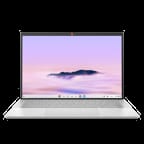 ASUS ExpertBook CX54 Chromebook Plus | ASUS ExpertBook CX54 Chromebook Plus | |
| Price | List Price: $699.99 Amazon Prices: | List Price: Amazon Prices: Best Buy: Loading price... |
| Model number | CX5403CMA-DB588 | CX5403CMA-U516256 |
| Performance Rating | 6.9 | 7.6 |
| Chromebook Plus | Yes | Yes |
| Processor | Octa-core 1.50 Ghz (max 4.20 Ghz) Intel Core Ultra 5 115U | Octa-core 1.50 Ghz (max 4.20 Ghz) Intel Core Ultra 5 115U |
| RAM | 8 GB | 16 GB |
| Internal Storage | 128 GB NVMe SSD | 256 GB NVMe SSD |
| Screen Size | 14" | 14" |
| Screen Resolution | 2560x1600 | 2560x1600 |
| Screen Type | IPS | IPS |
| Touch Screen | No | Yes |
| Stylus / Pen | No Stylus Support | No Stylus Support |
| Dimensions width x length x thickness | 12.35 x 8.77 x 0.67 inches (313.69 x 222.76 x 17.02 mm) | 12.35 x 8.77 x 0.67 inches (313.69 x 222.76 x 17.02 mm) |
| Weight | 2.87 lbs (1.3 kg) | 2.87 lbs (1.3 kg) |
| Backlit Keyboard | Yes | Yes |
| Webcam | 8MP | 8MP |
| WiFi | Wi-Fi 6E (802.11ax) | Wi-Fi 6E (802.11ax) |
| Bluetooth | Bluetooth 5.2 | Bluetooth 5.2 |
| Ethernet | No | No |
| Cellular Modem | No | No |
| HDMI | Full-Size HDMI | Full-Size HDMI |
| USB Ports | 2 USB 3, 2 USB-C (2 USB4) 2x Thunderbolt 4 USB-C with DisplayPort and Power Delivery, 2x USB-A 3.2 Gen 2, HDMI 2.1 | 2 USB 3, 2 USB-C (2 USB4) 2x Thunderbolt 4 USB-C with DisplayPort and Power Delivery, 2x USB-A 3.2 Gen 2, HDMI 2.1 |
| Thunderbolt Ports | 2 | 2 |
| Card Reader | microSD Card Reader | microSD Card Reader |
| Battery | 3 cell, 63Wh, Li-polymer | 3 cell, 63Wh, Li-polymer |
| Battery Life | 10 hours | 10 hours |
| Fanless | No | No |
| Auto Update Expiration Date | June, 2034 | June, 2034 |
Related Chromebooks
-
 ASUS Chromebook Plus CX34 (CX3402)The ASUS Chromebook Plus CX34 balance power and affordability, featuring an Intel Core i3, 8GB RAM,…
 -
 ASUS Chromebook Plus CX34 (CX3402CVA)The ASUS Chromebook Plus CX34 (CX3402CVA) is a 14-inch Chromebook Plus for browser, Google…
 -
 Acer Chromebook Plus 514 (CB514-5H)The 2025 CB514-5H board of Acer's Chromebook Plus 514, built on Raptor Lake U silicon with an…
 -
 Acer Chromebook Spin 714The 2023 Acer Chromebook Plus Spin 714 (CP714-2WN) is a 14-inch convertible built on a 13th-gen…
 -
 Lenovo IdeaPad Flex 5i Chromebook PlusThe Lenovo IdeaPad Flex 5i Chromebook Plus is a 14-inch convertible Chromebook Plus on Intel's Core…
 -
 HP Chromebook Plus x360 14cThe HP Chromebook Plus x360 14c is a Chromebook Plus convertible with a 12th Gen Intel Core…
Aluminum Build With Thunderbolt 4 on Both Sides

The CX54 measures 12.35 x 8.77 x 0.67 inches and weighs 2.87 pounds. Its all-aluminum chassis shows almost no flex in the keyboard deck or display, and reviewers compare that rigidity favorably to the HP Dragonfly Pro. An ErgoLift hinge tilts the keyboard while opening up airflow for the active cooling system. Ports are plentiful for a 0.67-inch laptop: two Thunderbolt 4 USB-C ports, one on each side so either can charge the machine, two USB-A 3.2 Gen 2 ports, full-size HDMI 2.1, a microSD card reader, and a combo audio jack.
The Intel Core Ultra 5 115U runs 8 cores and 10 threads with boost speeds up to 4.2 GHz, and it carries Intel’s integrated NPU for AI workloads. Chrome Unboxed noted that “the configuration you’ll find at Best Buy is plenty fast with performance headroom to spare,” and that it handled multitasking, web applications, and Linux development. The active cooling keeps thermals in check, though the fans become audible during sustained workloads.
Wireless covers WiFi 6E (802.11ax) on the 2.4GHz, 5GHz, and 6GHz bands, paired with Bluetooth 5.2 for peripherals. The Thunderbolt 4 ports drive external displays and carry power delivery, while HDMI 2.1 connects a high-refresh-rate monitor directly. Storage is PCIe Gen 4 NVMe. Memory is soldered, so the configuration you buy is the one you keep for the life of the machine.
Reviewer Insights

A Top-Tier Screen and Unreadable Backlit Legends
Chrome Unboxed reviewed the ExpertBook CX54, praising the display as “one of the best screens we’ve ever had on a Chromebook.” The 14-inch 2560x1600 panel delivers 500 nits of brightness with a smooth 120Hz refresh rate. They highlighted the port selection and the all-metal build, calling it “sleek, thin, light, all metal and just a Chromebook that feels great to hold and to look at.”
The gray keycaps with gray lettering create visibility issues with backlighting, forcing users to either crank brightness to maximum or turn it off entirely. The reviewer also found the device uncomfortable for lap use: “The discomfort really does set in just about immediately… if those nubs don’t get you, the sharp edges of the top panel will.” The downward-firing speakers were described as “unremarkable” compared to previous premium Chromebooks.
Rigidity in a Sub-3-Pound Frame
In an early hands-on preview, Chrome Unboxed emphasized the ExpertBook CX54’s position as “the first Chromebook with a Core Ultra chip inside of it.” The reviewer was particularly impressed by the chassis rigidity, comparing it to the “Dragonfly Pro, solid piece of metal kind of firm which I love.” The combination of extreme thinness (0.67 inches), light weight (sub-3 pounds), and comprehensive ports was called “insane” for a device of this class.
The 8MP Camera on the 16GB Enterprise Build
The detailed unboxing video examined the higher-spec B2B Enterprise model with 16GB RAM and 512GB storage. The 8MP webcam received particular praise as “one of the better, if not the best camera I’ve seen on a Chromebook,” capturing sharp, well-balanced video. The reviewer noted that while the consumer model is $300 cheaper, the enterprise version “gets much closer to something like the Dragonfly Pro.”
Android Police Scores It 8/10
Android Police’s Steve Smith rates the ExpertBook CX54 8/10 and calls it “a performance monster” among Chromebooks. Smith praised the “bright, beautiful, fluid display” and comfortable keyboard with 1.4mm key travel, along with the fast and accurate fingerprint reader. The Harman Kardon speakers were deemed “decent”.
Smith’s main criticism focused on battery life: “I was mainly disappointed with the battery life on this $700 Chromebook,” with real-world usage falling to 6-7 hours rather than the advertised 10 hours. The touchpad also exhibited “odd behavior” with a “tinny click sound” and pressure sensitivity issues that could cause it to stop functioning as a button.
Superb Color and a Small Split Shift Key
IT Pro’s Stuart Andrews calls the ExpertBook CX54 “the best Chromebook that money can buy.” Andrews praised the Core Ultra processor’s integrated Arc GPU and NPU for AI workloads, the “brilliant screen with superb color,” and the classy, comfortable design. He found the webcam captures “impressively sharp and well-balanced video.”
Andrews also noted the device is “not as thin and light as other premium laptops,” flagged a small split Shift key, and wrote that the audio “is a little lacking in terms of mid-range warmth and low-end power.” He still called the CX54 “a genuine attempt to redefine the high-end business Chromebook.”
Customer Reviews
Amazon buyer feedback is mixed. The buyers who like it focus on build and speed. Verified buyer Jaeseok Myung called it “the most sturdy chromebook i have ever used. You can put it into the backpack without sleeves and worries,” while noting the battery is “just so so” at “6-7 hours in real usage with 80% brightness.” Verified buyer AdamM was more enthusiastic: “Light and super fast. Excellent design. Great value for the money.”
Verified buyer Mark Taylor returned his unit after finding “This computer does not have a touchscreen even though the description says ‘Special Feature Touchscreen,’” and Nicat Manafov reported the “LCD was defective so that I returned it back.” A two-star verified review from a reviewer listed as K argued the premium price is hard to justify, writing that “the keyboard and touchpad feel cheap and clicky” and “the sound from the downward firing speakers is abysmal,” comparing it unfavorably to the older Pixelbook.
A Premium Desk Machine for Camera-Heavy Work
Buy this Chromebook for the screen and the camera, and plan to keep a charger nearby. The strongest case for it is video-call work, where the 8MP camera and the fingerprint reader earn their keep every day, and the dual Thunderbolt 4 ports plus HDMI 2.1 support desk-bound productivity with external displays and accessories.
Anyone who works with a laptop on their lap should handle one before buying, because the chassis edges are sharp enough that Chrome Unboxed called the discomfort immediate. Away from an outlet, plan on 6-7 hours of runtime, not the advertised figure.
Our Chromebook Comparison Chart lines it up against the other Chromebook Plus models.
Frequently Asked Questions
What processor does the ASUS ExpertBook CX54 Chromebook Plus use?
The Intel Core Ultra 5 115U, with 8 cores and 10 threads, a base clock of 1.5 GHz, and boost up to 4.2 GHz. It was the first Intel Core Ultra processor in any Chromebook, and it brings an integrated NPU for AI workloads. The chip scores approximately 12,771 on PassMark’s CPU benchmark.
Can I upgrade the RAM in the ASUS ExpertBook CX54?
No. The memory is soldered LPDDR5X. The base model includes 8GB RAM and the higher-spec touch model includes 16GB, so pick the configuration you need at purchase time.
What ports does the ASUS ExpertBook CX54 have?
Two Thunderbolt 4 USB-C ports, one on each side, with DisplayPort and Power Delivery support, two USB-A 3.2 Gen 2 ports, full-size HDMI 2.1 for high-refresh-rate external displays, a microSD card reader, and a 3.5mm combo audio jack. Either Thunderbolt port can charge the machine.
How long will the ASUS ExpertBook CX54 receive updates?
Google lists the Auto Update Expiration (AUE) date as June 2034. Until that date the CX54 receives ChromeOS updates, security patches, and new features.
Does the base model have a touchscreen?
No, the base 8GB/128GB model (CX5403CMA-DB588) does not include a touchscreen. The 16GB/256GB model (CX5403CMA-U516256) does. Both use the same 14-inch 2560x1600 120Hz panel with 500 nits brightness.
What is the webcam resolution?
The CX54 has an 8MP (approximately 4K) HDRnet camera with a physical privacy shutter. Chrome Unboxed called it one of the better cameras it has seen on a Chromebook, and IT Pro found its video impressively sharp.
How long does the battery last?
ASUS advertises up to 10 hours, but Android Police and Amazon buyers both report 6-7 hours of typical use. The 63Wh battery covers most workdays and falls short of the manufacturer’s claim.
Does the ASUS ExpertBook CX54 support Android and Linux apps?
Yes. As a Chromebook Plus certified device it runs Android apps from the Google Play Store and Linux apps through the Linux development environment. The Core Ultra processor has the headroom for demanding Android apps and Linux development tools.