
HP Chromebook 14 (AMD)
Updated on

HP paired the AMD A4-9120C and Radeon R4 graphics with a 14-inch display in a fanless plastic body for this 2019 Chromebook, and kept the memory at 4GB and the storage at 32GB of eMMC. It is aimed at students and casual users who browse, write in Google Docs, and stream video on a budget. Chrome OS updates run through June 2029, a long support window for hardware this modest.
| Pros | Cons |
|---|---|
| USB-C and USB-A ports on both the left and right sides | TN display with washed-out colors and bad viewing angles |
| Loud, punchy audio from the B&O Play speakers | Low 1366x768 resolution feels cramped on a 14-inch screen |
| Fanless design operates completely silent | AMD A4-9120C struggles with more than a few tabs open |
| Battery life of 8-10 hours in mixed use | Non-upgradeable 4GB RAM limits multitasking |
| Grippy, fingerprint-resistant plastic exterior | No keyboard backlight for low-light typing |
| 180-degree hinge allows flexible screen positioning | 32GB eMMC storage fills up quickly with Android apps |
Related Videos
HP Chromebook 14 (AMD) Comparison Chart
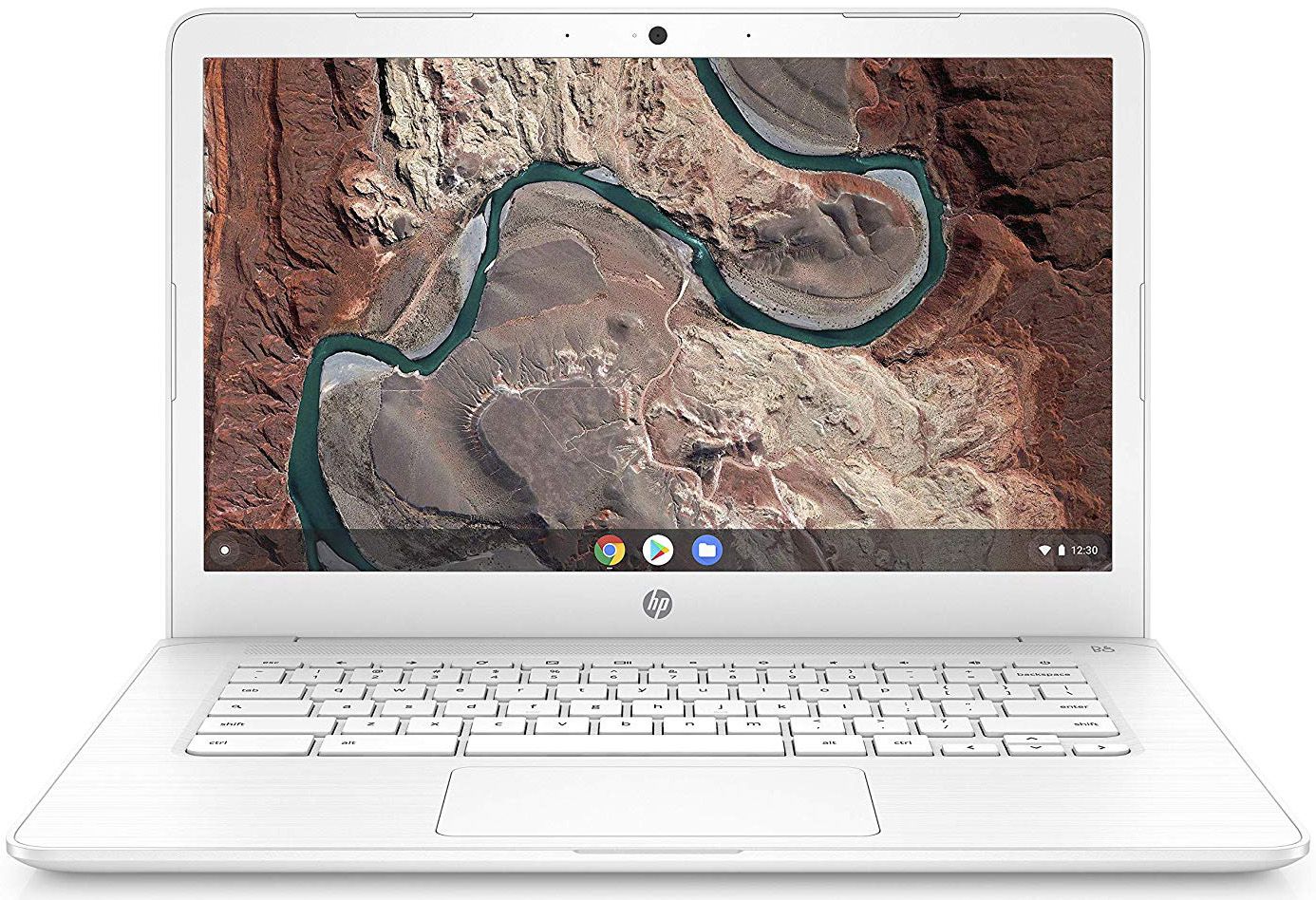 HP Chromebook 14 (AMD) |  HP Chromebook 14 (AMD) | HP Chromebook 14 (AMD) | HP Chromebook 14 (AMD) | HP Chromebook 14 (AMD) | 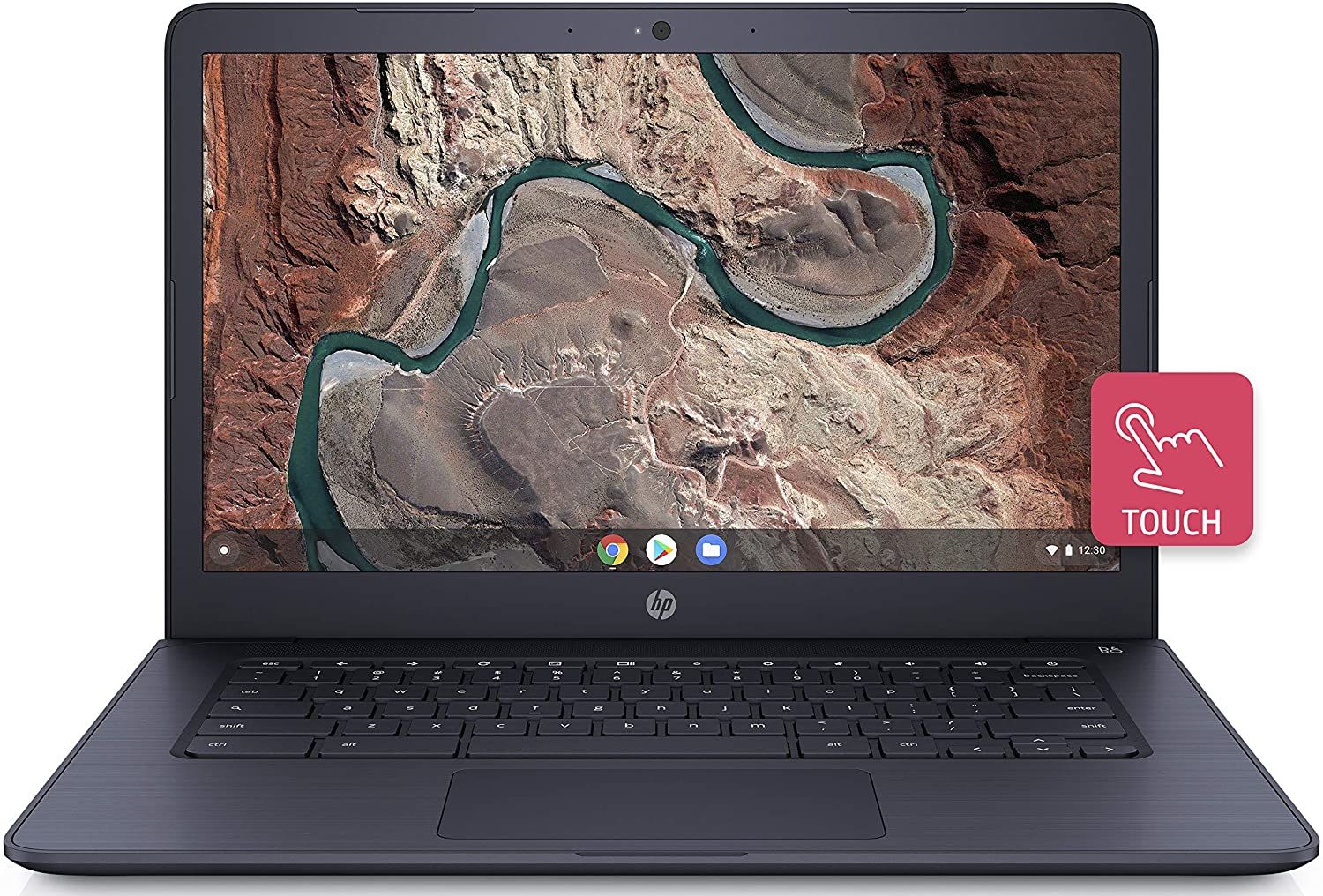 HP Chromebook 14 (AMD) | HP Chromebook 14 (AMD) | |
| Price | List Price: $279.99 Amazon Prices: Loading prices... | List Price: $299.99 Amazon Prices: Loading prices... | List Price: $269.99 Amazon Prices: Loading prices... | List Price: $269.99 Amazon Prices: Loading prices... | List Price: $299.99 Amazon Prices: Loading prices... | List Price: $239.99 Amazon Prices: Loading prices... | List Price: $274.00 Amazon Prices: Loading prices... |
| Model number | 14-db0050nr | 14-db0040nr | 14-db0030nr | 14-db0020nr | 14-db0080nr | 14-db0090nr | 14-db0060nr |
| Performance Rating | 2.3 | 2.3 | 2.3 | 2.3 | 2.3 | 2.3 | 2.3 |
| Chromebook Plus | No | No | No | No | No | No | No |
| Processor | Dual-core 1.60 Ghz (max 2.40 Ghz) AMD A4-9120C APU with Radeon R4 Graphics | Dual-core 1.60 Ghz (max 2.40 Ghz) AMD A4-9120C APU with Radeon R4 Graphics | Dual-core 1.60 Ghz (max 2.40 Ghz) AMD A4-9120C APU with Radeon R4 Graphics | Dual-core 1.60 Ghz (max 2.40 Ghz) AMD A4-9120C APU with Radeon R4 Graphics | Dual-core 1.60 Ghz (max 2.40 Ghz) AMD A4-9120C APU with Radeon R4 Graphics | Dual-core 1.60 Ghz (max 2.40 Ghz) AMD A4-9120C APU with Radeon R4 Graphics | Dual-core 1.60 Ghz (max 2.40 Ghz) AMD A4-9120C APU with Radeon R4 Graphics |
| RAM | 4 GB | 4 GB | 4 GB | 4 GB | 4 GB | 4 GB | 4 GB |
| Internal Storage | 32 GB eMMC | 32 GB eMMC | 32 GB eMMC | 32 GB eMMC | 32 GB eMMC | 32 GB eMMC | 32 GB eMMC |
| Screen Size | 14" | 14" | 14" | 14" | 14" | 14" | 14" |
| Screen Resolution | 1366x768 | 1366x768 | 1366x768 | 1366x768 | 1366x768 | 1366x768 | 1366x768 |
| Screen Type | WLED-backlit | WLED-backlit | WLED-backlit | WLED-backlit | WLED-backlit | WLED-backlit | WLED-backlit |
| Touch Screen | No | No | No | No | No | No | No |
| Stylus / Pen | No Stylus Support | No Stylus Support | No Stylus Support | No Stylus Support | No Stylus Support | No Stylus Support | No Stylus Support |
| Dimensions width x length x thickness | 13.27 x 8.93 x 0.72 inches (337.06 x 226.82 x 18.29 mm) | 13.27 x 8.93 x 0.72 inches (337.06 x 226.82 x 18.29 mm) | 13.27 x 8.93 x 0.72 inches (337.06 x 226.82 x 18.29 mm) | 13.27 x 8.93 x 0.72 inches (337.06 x 226.82 x 18.29 mm) | 13.27 x 8.93 x 0.72 inches (337.06 x 226.82 x 18.29 mm) | 13.27 x 8.93 x 0.72 inches (337.06 x 226.82 x 18.29 mm) | 13.27 x 8.93 x 0.72 inches (337.06 x 226.82 x 18.29 mm) |
| Weight | 3.4 lbs (1.55 kg) | 3.4 lbs (1.55 kg) | 3.4 lbs (1.55 kg) | 3.4 lbs (1.55 kg) | 3.4 lbs (1.55 kg) | 3.4 lbs (1.55 kg) | 3.4 lbs (1.55 kg) |
| Backlit Keyboard | No | No | No | No | No | No | No |
| Webcam | TrueVision HD | TrueVision HD | TrueVision HD | TrueVision HD | TrueVision HD | TrueVision HD | TrueVision HD |
| WiFi | 802.11 a/b/g/n/ac (2x2) | 802.11 a/b/g/n/ac (2x2) | 802.11 a/b/g/n/ac (2x2) | 802.11 a/b/g/n/ac (2x2) | 802.11 a/b/g/n/ac (2x2) | 802.11 a/b/g/n/ac (2x2) | 802.11 a/b/g/n/ac (2x2) |
| Bluetooth | Bluetooth 4.2 | Bluetooth 4.2 | Bluetooth 4.2 | Bluetooth 4.2 | Bluetooth 4.2 | Bluetooth 4.2 | Bluetooth 4.2 |
| Ethernet | No | No | No | No | No | No | No |
| Cellular Modem | No | No | No | No | No | No | No |
| HDMI | No HDMI | No HDMI | No HDMI | No HDMI | No HDMI | No HDMI | No HDMI |
| USB Ports | 2 USB 3, 2 USB-C (Charging, power delivery, video, data) | 2 USB 3, 2 USB-C (Charging, power delivery, video, data) | 2 USB 3, 2 USB-C (Charging, power delivery, video, data) | 2 USB 3, 2 USB-C (Charging, power delivery, video, data) | 2 USB 3, 2 USB-C (Charging, power delivery, video, data) | 2 USB 3, 2 USB-C (Charging, power delivery, video, data) | 2 USB 3, 2 USB-C (Charging, power delivery, video, data) |
| Thunderbolt Ports | No | No | No | No | No | No | No |
| Card Reader | microSD Card Reader | microSD Card Reader | microSD Card Reader | microSD Card Reader | microSD Card Reader | microSD Card Reader | microSD Card Reader |
| Battery | 2 cell, 47.36 WHr, Lithium-ion | 2 cell, 47.36 WHr, Lithium-ion | 2 cell, 47.36 WHr, Lithium-ion | 2 cell, 47.36 WHr, Lithium-ion | 2 cell, 47.36 WHr, Lithium-ion | 2 cell, 47.36 WHr, Lithium-ion | 2 cell, 47.36 WHr, Lithium-ion |
| Battery Life | 9.0 hours | 9.0 hours | 9.0 hours | 9.0 hours | 9.0 hours | 9.0 hours | 9.0 hours |
| Fanless | Yes | Yes | Yes | Yes | Yes | Yes | Yes |
| Auto Update Expiration Date | June, 2029 | June, 2029 | June, 2029 | June, 2029 | June, 2029 | June, 2029 | June, 2029 |
Related Chromebooks
-
 HP Chromebook 14 G6The HP Chromebook 14 G6 is an education and business model with a Celeron N4020, 4GB or 8GB of RAM,…
 -
 HP Chromebook 14aThe HP Chromebook 14a (na series) is a fanless 14-inch ChromeOS laptop on Intel Celeron N4000 and…
 -
 ASUS Chromebook C423The ASUS Chromebook C423 pairs a 14-inch 1366x768 display with a dual-core Celeron N3350, 4GB of…
 -
 ASUS Chromebook C403The ASUS Chromebook C403 shines with a 14-inch anti-glare display, robust 12-hour battery life, and…
 -
 Acer Chromebook 514The Acer Chromebook 514 (CB514-1H and 1HT) is a fanless 14-inch ChromeOS laptop sold with Celeron…
 -
 Acer Gateway Chromebook 314The Acer Gateway Chromebook 314 is a 14-inch ChromeOS laptop on Acer's Chromebook 314 chassis with…
The port layout is the high point and the TN panel the low point

The plastic chassis has a textured, grippy finish that resists fingerprints and feels better in hand than the price suggests. At 3.4 pounds and 0.72 inches thick, it carries easily between classes or around the house without feeling fragile. The 180-degree hinge lets you lay the screen flat to share it during group work, though the machine never folds into a tablet the way a 2-in-1 does.
The AMD A4-9120C with Radeon R4 integrated graphics handles basic Chrome OS work and slows down under anything heavier. Chrome Unboxed’s testing revealed Octane benchmark scores around 13,000, which translates to smooth performance with 3-5 browser tabs but noticeable lag when pushing beyond that. The 4GB of soldered RAM cannot be upgraded, so that ceiling is permanent. Google Docs, web browsing, and video streaming stay comfortable; several Android apps at once, or dozens of open tabs, will not.
Two USB-C ports handle charging, power delivery, and video output, and two USB 3.0 Type-A ports sit alongside them, with USB-A and USB-C available on both the left and right sides. A peripheral can plug in from whichever side the cable happens to be on, without routing it around the machine. There is no Ethernet jack, so a wired connection needs a USB Ethernet adapter in one of the USB ports. The microSD reader takes pressure off the 32GB internal eMMC storage, holding offline files and downloaded media that would otherwise have to live in the cloud.
The 14-inch panel uses TN technology, so viewing angles are narrow and colors wash out as soon as you move off-center; mid-range Chromebooks use IPS panels instead. At 1366x768 on a screen this size, text and interface elements look soft next to a 1080p display. Text documents survive that treatment, while photos and video suffer for it. HP also sold variants with FHD (1920x1080) displays, which fix the resolution while leaving the TN viewing angles alone.
Reviewer Insights

Chrome Unboxed found a good keyboard and a bad screen
Robby Payne at Chrome Unboxed reviewed the AMD variant in July 2019. Payne found the keyboard delivers a satisfying typing experience, noting that “keys travel well, have a decent click” and support fast typing for extended sessions. The trackpad earned similar praise for its oil-resistant surface that maintains smooth operation throughout the day. However, Payne reserved his harshest criticism for the display, describing it as “really bad” with “abysmal viewing angles, extremely washed out colors” that severely impact the user experience. At the base $230 price point, Payne considered these compromises acceptable for budget buyers, but cautioned that upgraded configurations priced between $340-$468 face much stiffer competition from Chromebooks with better screens.
Chrome Unboxed also noted the speakers deliver “punchy and loud sound” thanks to HP’s partnership with B&O Play. That is enough for casual listening, though anyone interested in music production on a Chromebook will want headphones or external speakers. Battery life reached 8-10 hours of mixed usage in the same testing, from a 47.36 Wh pack.
TechRadar flagged a squishy keyboard in its January hands-on
In January 2019, Joe Osborne’s hands-on preview for TechRadar looked at what AMD’s processor might offer over the Intel Celeron options common in this price segment. Osborne noted the thin and portable design aligned well with HP’s reputation for producing attractive laptops, though he did flag concerns about the keyboard feeling “squishy” compared to higher-end models. The AMD processor’s integrated Radeon graphics theoretically offered better graphical performance than competing Intel solutions, though real-world Chromebook use rarely taxes integrated graphics significantly. The processor choice matters less on Chrome OS than on Windows, where AMD’s graphics advantages see more frequent use.
Customer Reviews
Across 4,902 ratings on Amazon, the HP Chromebook 14 (AMD) averages 4.4 stars, with about 70 percent of reviewers leaving five stars. Ease of use, quick start-up, and value as a second machine come up repeatedly in the five-star reviews. A verified buyer named Annie called it her “travel computer” and wrote that “this laptop is fast, easy to use, and holds a charge for a long time, and the price is fantastic,” while noting the limited onboard storage. Verified buyer S. Natole liked how quickly it boots, writing “If you’re looking for something that will power up in less than ten seconds and rarely needs updates, you absolutely need this pc,” and flagged that most features require an internet connection.
The lower ratings cluster around durability and longevity. Verified buyer E. B. Mulligan titled a review “died 8 months later” and described the unit freezing and going to a black screen with no fix from HP support. Verified buyer Shay G. reported a unit that “crapped out after 2 months,” with Zoom calls spiking the CPU to 100 percent and freezing, and Julie siordia described a Chromebook that “just stopped working after 2 years” despite light, stationary use. They are a minority against the mostly positive ratings, but they matter if you are buying for heavy daily work or expecting many years of service.
Read more owner reviews on Amazon.
Long update support and a screen you have to live with
This machine covers Google Docs, browsing, and streaming for a student or for a second computer around the house, and it stays patched for years yet. Anyone who edits photos, watches much video, or works with many tabs open should spend more for an IPS panel and 8GB of RAM. To see how it stacks up against other models, the Chromebook Comparison Chart lets you sort and filter the full catalog by specs and price.
Frequently Asked Questions
Can I upgrade the RAM on the HP Chromebook 14 (AMD)?
No. The 4GB of DDR4 memory is soldered to the motherboard, which is normal for budget Chromebooks at this price. If you expect to need more than 4GB for multitasking, buy a different model from the start.
Does this Chromebook have a touchscreen?
Some variants do. Models 14-db0060nr (Chalkboard Gray) and 14-db0090nr (Ink Blue) have 14-inch HD touchscreen displays, while the 14-db0050nr and 14-db0040nr do not. Check the model number before buying if touch matters to you.
How long will it receive Chrome OS updates?
Google’s Auto Update Expiration (AUE) date for the 14-db0 series is June 2029. Until then the laptop keeps getting Chrome OS updates, security patches, and bug fixes. After that date it still works, but the updates stop.
Can I expand the storage?
Yes, through the microSD card slot. The internal 32GB eMMC storage cannot be replaced, but a microSD card holds offline files, downloaded media, and Android apps alongside it. A 128GB or 256GB card is the cheap way to work around the internal limit.
Is the HP Chromebook 14 (AMD) good for students?
For basic schoolwork, yes: Google Docs, Classroom, research, and video streaming all run fine, and students get a fanless machine that stays silent in a library plus a battery rated at 9 hours. Coursework that leans on graphics, or a habit of leaving many applications running, will run into the 4GB of RAM and the entry-level processor.
How does the AMD A4-9120C compare to Intel Celeron processors?
It performs similarly to the Intel Celeron N3350 and N4000 chips used in competing budget Chromebooks. The Radeon R4 graphics on the AMD side are marginally stronger, though that rarely shows up in typical Chromebook tasks. Both handle browsing and productivity adequately and both struggle with demanding workloads.
What are the differences between the model numbers?
Every variant shares the AMD A4-9120C processor, 4GB of RAM, 32GB of storage, and the same port layout. What changes is the display type (HD 1366x768 or FHD 1920x1080), whether the screen is touch, and the color: Snow White, Chalkboard Gray, or Ink Blue. The 14-db0050nr, for instance, is FHD non-touch in Snow White, while the 14-db0090nr is an HD touchscreen in Ink Blue.
Can I connect an external monitor?
Yes. Both USB-C ports carry video, so a USB-C to HDMI, DisplayPort, or VGA adapter drives an external monitor in either mirrored or extended mode. Given how weak the built-in TN panel is, a desk monitor improves the experience more than any other add-on the page covers.