
ASUS Chromebook C403
Updated on

The ASUS Chromebook C403 is a rugged, education-focused 14-inch laptop built around Intel’s Celeron N3350 processor with 4GB of RAM and 32GB of eMMC storage. MIL-STD-810G certification and a spill-resistant keyboard put the engineering budget into surviving the drops, bumps, and spills common in K-12 environments. The specification list is entry-level, and the workload it is built for is web browsing, document editing, and educational apps.
| Pros | Cons |
|---|---|
| MIL-STD-810G rugged certification handles drops and bumps | Intel Celeron N3350 limits multitasking with many tabs |
| Spill-resistant keyboard survives up to 66cc liquid spills | Only 32GB eMMC storage fills up quickly |
| 12-hour battery life for all-day use | 1366x768 resolution appears dated on 14” display |
| Large 14” anti-glare display reduces eye strain | No touchscreen limits Chrome OS gesture features |
| Fanless design runs completely silent | 3.75 lbs is heavy for students to carry |
| 180-degree lay-flat hinge for collaborative viewing | No keyboard backlight for low-light use |
Related Videos
ASUS Chromebook C403 Comparison Chart
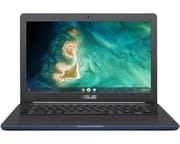 ASUS Chromebook C403 | |
| Price | List Price: $154.99 Amazon Prices: Loading prices... |
| Model number | C403NA-WS42-BL |
| Performance Rating | 2.3 |
| Chromebook Plus | No |
| Processor | Dual-core 1.10 Ghz (max 2.40 Ghz) Intel Celeron N3350 |
| RAM | 4 GB |
| Internal Storage | 32 GB eMMC |
| Screen Size | 14" |
| Screen Resolution | 1366x768 |
| Screen Type | Anti-glare LED backlit, 220nits |
| Touch Screen | No |
| Stylus / Pen | No Stylus Support |
| Dimensions width x length x thickness | 13.5 x 9.17 x 0.81 inches (342.9 x 232.92 x 20.57 mm) |
| Weight | 3.75 lbs (1.7 kg) |
| Backlit Keyboard | No |
| Webcam | 720p HD |
| WiFi | Wi-Fi 5 (802.11ac) |
| Bluetooth | Bluetooth 4.2 |
| Ethernet | No |
| Cellular Modem | No |
| HDMI | No HDMI |
| USB Ports | 2 USB 3, 2 USB-C |
| Thunderbolt Ports | No |
| Card Reader | microSD Card Reader |
| Battery | 4 cell, 46WHrs, Li-ion |
| Battery Life | 12.0 hours |
| Fanless | Yes |
| Auto Update Expiration Date | June, 2027 |
Related Chromebooks
-
 ASUS Chromebook CX1 (CX1400)The ASUS Chromebook CX1 (CX1400) is a fanless 14-inch 1920x1080 ChromeOS laptop sold on Celeron…
 -
 ASUS Chromebook C423The ASUS Chromebook C423 pairs a 14-inch 1366x768 display with a dual-core Celeron N3350, 4GB of…
 -
 HP Chromebook 14 (AMD)The HP Chromebook 14 (AMD) is a fanless 14-inch Chromebook built on the AMD A4-9120C APU with…
 -
 Acer Chromebook 514The Acer Chromebook 514 (CB514-1H and 1HT) is a fanless 14-inch ChromeOS laptop sold with Celeron…
 -
 Acer Chromebook 314The Acer Chromebook 314 (CB314) is a fanless 14-inch laptop with an Intel Celeron N4000, sold in…
 -
 HP Chromebook 14 G7The HP Chromebook 14 G7 packs a 14-inch anti-glare WLED screen, Wi-Fi 6, a 720p HD webcam, and…
A ruggedized 14-inch shell around entry-level Chrome OS hardware

The chassis carries a 3D-textured finish that resists fingerprints and scratches, and rubber bumpers along the edges take the impact of an accidental drop. ASUS had the machine tested to MIL-STD-810G military-grade standards, covering vibration, temperature extremes, humidity, and mechanical shock. The spill-resistant keyboard can handle up to 66cc of liquid, which gives a student time to flip the device over before the damage becomes permanent.
The 14-inch display runs at 1366x768 pixels, so text and images are coarser than on a sharper panel of the same size. The anti-glare coating earns its keep in classrooms with fluorescent lighting or large windows, cutting the reflections that cause eye strain during long sessions. Brightness tops out at 220 nits, which is fine indoors and not enough in direct sunlight. The 180-degree hinge folds the screen completely flat, so a student can show work to a classmate or teacher without passing the whole laptop across the desk.
Intel’s Celeron N3350 dual-core processor has enough headroom for basic Chrome OS tasks like web browsing, Google Docs, and educational web apps. The 4GB of LPDDR4 RAM covers a typical student workload, though slowdowns appear once more than 10-15 browser tabs are open at once. Storage stops at 32GB of eMMC, which fills quickly if a student keeps many Android apps or offline files on the device, so ASUS added a microSD card slot and built the machine around saving work to Google Drive. There is no built-in Ethernet, but the USB-C ports support a USB Ethernet adapter for wired networking in testing labs. The fanless thermal design makes operation completely silent, which removes one distraction from a quiet classroom or library.
JEDIJA’s video review of the 4GB/32GB model disagreed on the finish: he found that the textured lid and deck pick up fingerprints easily. He rated the keyboard well spaced and comfortable for long typing sessions, and the 720p webcam better than he expected in dim light. He judged the 1366x768 panel acceptable rather than sharp.
Customer Reviews
Across 24 ratings on Amazon, the C403 averages 3.9 stars. About 44 percent are five-star and 11 percent sit at one star. Stephen, a verified buyer who rated it four stars, wrote: “The screen is muddy and doesn’t have very good contrast compared to other Chromebooks I have used at the same price. The keyboard and build quality is much better than similar machines, and the battery life is great.” A verified Spanish-language review from Will Perez called it a useful, economical option for light tasks like social media, streaming, and email. The one-star reviews return to the screen and add a power-management complaint; verified buyer Steve wrote that “the chromebook will turn on while the screen is down, draining the battery constantly.”
ODJ45, an IT support person who bought roughly 100 of these units for an elementary school, reported a hardware durability problem: “Our experience after 7 months of use is that the USB-c ports are very failure prone.” That reviewer counted about 10 of the 100 units with USB-C port failures, and described the ports as board-mounted and not practically repairable. Anyone buying a fleet, or handing one to a kid who will plug it in every day, should weigh that account against the build feedback from other buyers.
Read more owner reviews on Amazon.
A durable school laptop on a short update runway
The MIL-STD-810G certification and spill-resistant keyboard justify the slightly higher weight, and the rated 12-hour battery covers a school day. The Intel Celeron N3350 processor and 4GB RAM handle Chrome OS basics competently, and power users should look elsewhere. By 2026 the update calendar is the limiting factor. The Auto Update Expiration date of June 2027 leaves roughly a year of supported updates, so a new purchase only makes sense at a heavy discount or as a tide-over device. Owners of existing units can comfortably run out the AUE clock and then keep the machine in offline-friendly roles (kiosks, kids’ YouTube machines, dedicated writing rigs) where security patches matter less.
Frequently Asked Questions
Can you upgrade the RAM or storage on the ASUS Chromebook C403?
No. The 4GB LPDDR4 RAM is soldered directly to the motherboard and the 32GB eMMC storage is integrated, so neither part can be swapped. The microSD card slot takes cards up to 2TB for files, photos, and offline content.
How durable is the ASUS Chromebook C403 for school use?
It meets MIL-STD-810G military-grade standards for shock, vibration, and environmental resistance. The spill-resistant keyboard can handle up to 66cc of liquid without damage, and the rubberized edges protect against drops from desk height.
Does the ASUS Chromebook C403 have a touchscreen?
No. The display is an anti-glare LED backlit panel with no touch layer, so Chrome OS is driven from the keyboard and trackpad. If you need touch input, consider the ASUS Chromebook Flip C214 or a newer education model.
How long will the ASUS Chromebook C403 receive Chrome OS updates?
Chrome OS updates run until the Auto Update Expiration (AUE) date of June 2027, security patches and new features included. After that date the machine keeps working but stops receiving updates, which makes it less secure for tasks involving sensitive information.
Can the ASUS Chromebook C403 run Android apps?
Yes, through the Google Play Store. The 32GB of storage fills up quickly once several Android apps are installed, and with no touchscreen some touch-optimized apps feel awkward on a trackpad. Basic apps for productivity, education, and entertainment work well, while graphics-intensive games may struggle on the Celeron N3350 processor.
What ports does the ASUS Chromebook C403 have?
Two USB-C ports (charging and display output), two USB 3.1 Type-A ports, a microSD card reader, and a 3.5mm combo headphone/microphone jack. There is no HDMI port, so an external display needs a USB-C to HDMI adapter. The USB-C ports also handle power delivery for charging.