
ASUS Chromebook Flip C214
Updated on

ASUS built the Chromebook Flip C214 for classrooms, with MIL-STD-810G certification, a 360-degree convertible hinge, an 11.6-inch touchscreen, and a spill-resistant keyboard rated for 66cc of liquid. The Intel Celeron N4000 processor and 4GB of RAM are entry-level parts, and Chrome OS runs web tasks, Google Workspace, and school software on them without much strain. The fanless design makes no noise at all, which matters in a library or during testing. It is aimed at students who need a laptop that survives daily handling.
| Pros | Cons |
|---|---|
| Military-grade durability with MIL-STD-810G certification and 120cm drop test rating | Low screen brightness (200-250 nits) limits outdoor visibility |
| Battery life of 10 to 11 hours in reviewer testing (Hardware Busters, KLGadgetTV) | Thick display bezels give it a dated appearance |
| Fanless design runs silent with no heat buildup | Speaker volume drew repeat complaints from Amazon buyers |
| Spill-resistant keyboard survives 66cc liquid spills | Keyboard lacks backlighting for low-light typing |
| Service hatch opens for component swaps without full disassembly (MergeDroid) | Limited to 1366x768 HD resolution on the 11.6” display |
| 360-degree hinge enables laptop, tablet, tent, and stand modes | No upgrade options with soldered RAM and eMMC storage |
Related Videos
ASUS Chromebook Flip C214 Comparison Chart
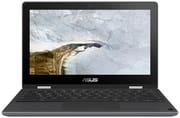 ASUS Chromebook Flip C214 | ASUS Chromebook Flip C214 | |
| Price | List Price: $349.00 Amazon Prices: Loading prices... | List Price: $399.00 Amazon Prices: |
| Model number | C214MA-YS02T | C214MA-YS02T-S |
| Performance Rating | 2.6 | 2.6 |
| Chromebook Plus | No | No |
| Processor | Dual-core 1.10 Ghz (max 2.60 Ghz) Intel Celeron N4000 Processor | Dual-core 1.10 Ghz (max 2.60 Ghz) Intel Celeron N4000 Processor |
| RAM | 4 GB | 4 GB |
| Internal Storage | 32 GB eMMC | 32 GB eMMC |
| Screen Size | 11.6" | 11.6" |
| Screen Resolution | 1366x768 | 1366x768 |
| Screen Type | Anti-Glare | Anti-Glare |
| Touch Screen | Yes | Yes |
| Stylus / Pen | No Stylus Support | Supported |
| Dimensions width x length x thickness | 7.8 x 11.5 x 0.79 inches (198.12 x 292.1 x 20.07 mm) | 7.8 x 11.5 x 0.79 inches (198.12 x 292.1 x 20.07 mm) |
| Weight | 2.6 lbs (1.18 kg) | 2.6 lbs (1.18 kg) |
| Backlit Keyboard | No | No |
| Webcam | HD | HD |
| WiFi | 802.11 a/b/g/n/ac (2x2) | 802.11 a/b/g/n/ac (2x2) |
| Bluetooth | Bluetooth 5.0 | Bluetooth 5.0 |
| Ethernet | No | No |
| Cellular Modem | No | No |
| HDMI | No HDMI | No HDMI |
| USB Ports | 1 USB 3, 2 USB-C (Type C ports are USB3.0 [USB3.1 GEN1] and support display and power delivery) | 1 USB 3, 2 USB-C (Type C ports are USB3.0 [USB3.1 GEN1] and support display and power delivery) |
| Thunderbolt Ports | No | No |
| Card Reader | microSD Card Reader | microSD Card Reader |
| Battery | 3 cell, 50 Whrs | 3 cell, 50 Whrs |
| Battery Life | 11.0 hours | 11.0 hours |
| Fanless | Yes | Yes |
| Auto Update Expiration Date | June, 2029 | June, 2029 |
Related Chromebooks
-
 ASUS Chromebook CR11 (CR1104C)The ASUS Chromebook CR11 (CR1104C) is a ruggedized 11.6-inch Chromebook built for students and…
 -
 Acer Chromebook 311An 11.6-inch Chromebook with an Intel Celeron N4000, 4GB of RAM, a fanless chassis, and up to 10…
 -
 Acer Chromebook Spin 311The Acer Chromebook Spin 311 (CP311-2H) is an 11.6-inch budget convertible with an Intel Celeron…
 -
 ASUS Chromebook Flip C434The 2019 ASUS Chromebook Flip C434 is a 14-inch convertible with a slim-bezel FHD touchscreen, an…
 -
 HP Fortis Flip G1m 11 inch ChromebookThe HP Fortis Flip G1m 11 inch Chromebook is a rugged convertible 2-in-1 built for K-12 classrooms,…
 -
 Lenovo 300e Yoga Chromebook Gen 4The Lenovo 300e Yoga Chromebook Gen 4 is a rugged 11.6-inch education convertible with a MediaTek…
Durability testing shapes nearly every design choice

A rubber bumper wraps the reinforced chassis and covers every corner and edge. According to Chrome Computing, the C214 has passed ASUS’s extensive durability testing including drop tests from 120 centimeters (about 4 feet), 50,000 hinge open-close cycles, 30 kilograms of pressure resistance on both top and bottom surfaces, and 5,000 port insertion cycles. Those figures are written for the IT administrator who has to count how many units come back broken each term. The spill-resistant keyboard can handle approximately 66cc of liquid, giving students time to alert a teacher without immediately damaging the internal components.
An Intel Celeron N4000 dual-core processor, 4GB of RAM, and 32GB of eMMC storage do the work. Chrome OS handles web browsing with multiple tabs open, Google Docs and Sheets editing, video streaming, and educational applications on that hardware. Hardware Busters noted that the “browsing experience is flawless with no hangs or latencies” despite the entry-level processor. The RAM is soldered and the eMMC storage is not user-replaceable, so the configuration you buy is the one you keep for the life of the machine.
The 11.6-inch touchscreen runs at 1366x768 with an anti-glare coating that cuts reflections in brightly lit classrooms. The 360-degree hinge moves it between laptop mode, tablet mode for drawing or note-taking, tent mode for presentations, and stand mode for watching something. Brightness sits around 200 to 250 nits, which limits outdoor visibility, and 1366x768 is the only resolution on offer. The C214MA-YS02T-S adds an EMR stylus that stores in a slot on the body; the C214MA-YS02T ships without one.
Two USB-C ports sit one on each side, alongside a single USB-A 3.1 port, a microSD card slot for storage expansion, and a 3.5mm headphone jack. Both USB-C ports support charging, data transfer, and video output, so either side can drive a projector or an external display. The device carries two cameras, a standard HD webcam above the display for video calls and a 5-megapixel world-facing camera on the keyboard deck. That second camera works when the device is folded into tablet mode, so students can photograph documents, science experiments, or artwork straight into their assignments. WiFi 5 (802.11ac) with 2x2 MIMO covers wireless networking, and Bluetooth 5.0 pairs with keyboards, mice, and headphones.
Reviewer Insights

Beebom weighs durability above the spec sheet
Beebom’s review, with over 221,000 views, pitches the C214 to students. The reviewer emphasizes that the C214 is “MIL-STD-810G military-grade certified” and explains that “it’s actually more than just solid because it’s gone through a lot of torture tests.” Beebom found the Chrome OS experience smooth and responsive despite the modest specifications, noting that the operating system is simply more efficient than Windows for basic computing tasks. The review praises the device’s suitability for the education market, where durability and long battery life matter more than raw processing power. They recommend it for students and parents seeking a reliable, affordable Chromebook.
A service hatch built for classroom repairs
MergeDroid’s examination is aimed at the IT administrators and educators who maintain fleets of devices. The reviewer describes the C214 as “solid feeling at 2.14 pounds” and spends much of the video on the service hatch. As they explain, “I think the whole idea is to make this machine easier to service, particularly in a classroom or education environment.” That hatch lets IT staff reach and replace components without fully disassembling the device, reducing repair time and keeping devices in students’ hands longer. The video also walks through build quality, port selection, and overall construction.
An all-day battery is what TechRadar praises most
TechRadar’s review gives the C214 a 4.5 out of 5 rating. Reviewer Aakash Jhaveri notes that battery life was their “favorite feature” because it “consistently lasted through an entire day of work with ease.” The ruggedized construction receives high marks, with the rubber bumper edges described as being “built to take a beating.” TechRadar positions the C214 as offering better value than comparably priced Windows machines, especially for users who primarily work within Google’s ecosystem of applications. The review acknowledges that the device “doesn’t feel premium” but argues this is an acceptable tradeoff given the durability focus and competitive pricing.
Measured runtimes and a chassis that stays quiet
Hardware Busters ran battery and thermal tests on the C214. Their testing confirmed the advertised 12-hour battery life as “more than true,” achieving approximately 10 hours with typical mixed usage and 8.5 hours during light gaming scenarios. The reviewer awarded the device their “Hardware Busters Approve” verdict, recommending it as an excellent secondary device for basic tasks and ChromeOS exploration. They appreciate the fanless design that runs “deadly silent” without generating excessive heat, making it comfortable to use on one’s lap for extended periods. Their criticisms are the lack of upgrade options and the mediocre 720p webcam quality.
Customer Reviews
Across 356 ratings on Amazon, the C214 averages 4.1 stars. 65 percent of ratings are five stars while 12 percent are one star, so owner experiences are not uniform. The recurring praise centers on durability, value, and battery life. Several buyers single out the rugged build as the reason they would buy it again; one verified buyer, Mr Buyer Dude, reported still using his daily after three years and surviving “quite a few drops with no damage.” William Gonzalez, a verified buyer who compared it to a Google Pixelbook, wrote that “This is just as fast and a far better value for a third of the price.”
The most common complaint is speaker volume. Verified buyer James G. Costello said “the volume capabilities of the built in speakers are so low that I completely regret my purchase,” and reviewer Lee independently flagged “VERY low speaker volume” while still rating the Chromebook four stars overall. The one-star reviews are a smaller but real cluster, ranging from a unit that would not finish setup despite a working connection (Zackary Goncz) to one that worked at first and then “suddenly died” at five months old (Joanna). If quiet speakers would bother you, plan on headphones. Read more owner reviews on Amazon.
A tough school-year machine with a dim screen and quiet speakers
Chrome OS support runs through June 2029, so the C214 has several more years of software updates and security patches ahead of it. A battery that clears 10 hours in reviewer testing covers a full school day without a power outlet, and the case, the 66cc-rated keyboard, and the service hatch keep the device in service when it gets dropped or spilled on. A buyer who wants a bright screen for outdoor work, loud speakers, or a display sharper than 1366x768 should shop elsewhere. To see how it stacks up against the rest of the field, our Chromebook Comparison Chart lets you sort and filter by specs, price, and features side by side.
Frequently Asked Questions
How long does the ASUS Chromebook Flip C214 battery last?
ASUS rates the C214’s battery life at 12 hours. Hardware Busters measured approximately 10 hours with typical mixed usage and 8.5 hours during light gaming, while KLGadgetTV reported reaching 11 hours on a single charge. The 50Wh battery supports USB-C fast charging.
Is the C214 a good Chromebook for students?
Yes. ASUS designed it for classroom use, and the MIL-STD-810G certification covers drops from 4 feet, the spill-resistant keyboard handles liquid spills up to 66cc, and the 360-degree hinge enables tablet mode for note-taking. Beebom recommends it for students and parents.
Can you upgrade the RAM or storage on the C214?
No. The 4GB RAM is soldered to the motherboard and the 32GB eMMC storage is not user-replaceable. However, you can expand storage using the built-in microSD card slot, which accepts cards up to 256GB or larger for additional file storage. Hardware Busters noted this lack of upgradability as one of the device’s main limitations.
What makes the ASUS Chromebook Flip C214 so durable?
The C214 has passed extensive MIL-STD-810G military-grade testing including drops from 120cm (4 feet), 50,000 hinge open-close cycles, 30kg pressure resistance on top and bottom surfaces, and 5,000 port insertion cycles. The rubber bumper around the chassis absorbs impacts, and the reinforced corners protect against drops.
How long will the C214 receive updates?
According to Google’s official Auto Update Expiration (AUE) policy, the ASUS Chromebook Flip C214 will receive Chrome OS updates and security patches through June 2029. As of 2026 that leaves about three years of support, so the device remains secure and functional for continued educational use.
Does the C214 have a touchscreen?
The 11.6-inch display is a 10-point multi-touch touchscreen with an anti-glare coating. Combined with the 360-degree hinge, you can fold the screen all the way back into tablet mode for touch-based interaction, drawing, or using Android apps. Some models also support an optional stylus that stores in a dedicated slot on the device.