
Acer Chromebook 314
Updated on

The Acer Chromebook 314 is a budget 14-inch clamshell aimed at students and everyday users. It pairs an Intel Celeron N4000 (some configurations ship the slightly faster N4020) with a 14-inch display, a fanless design, and around 12.5 hours of battery life. Silent operation and all-day battery suit a classroom or a library, and the CB314-1H covers note-taking, web research, and video. Touch-enabled CB314-1HT variants add a touchscreen; none of these are 360-degree convertibles, they are standard clamshells.
| Pros | Cons |
|---|---|
| 13.5 hours of battery life in Trusted Reviews’ rundown test | No keyboard backlighting makes typing difficult in low light |
| All-aluminum build gives it a MacBook-like appearance (Technical Magic: 5/5 stars) | 1366x768 configurations look fuzzy on a 14-inch panel (Trusted Reviews) |
| Both USB-C ports accept the charger, so you can plug in from either side | Intel Celeron N4000 processor limits capability to basic tasks only |
| Completely fanless design for silent operation in quiet environments | No external display ports, so monitors need a USB-C adapter |
| List prices run $219 to $299.99 depending on configuration | No touchscreen on base CB314-1H model |
| Solid keyboard with satisfying tactile feedback (TechRadar) | No fingerprint reader for biometric security |
Related Videos
Acer Chromebook 314 Comparison Chart
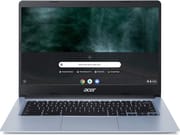 Acer Chromebook 314 | Acer Chromebook 314 | Acer Chromebook 314 | Acer Chromebook 314 | Acer Chromebook 314 | |
| Price | List Price: $299.99 Amazon Prices: Loading prices... | List Price: $279.99 Amazon Prices: Loading prices... | List Price: $249.99 Amazon Prices: Loading prices... | List Price: $279.99 Amazon Prices: Loading prices... | List Price: $219 Amazon Prices: Loading prices... |
| Model number | CB314-1H-C17S / NX.ATFAA.001 | CB314-1H-C884 / NX.HKDAA.005 | CB314-1H-C34N / NX.HKDAA.003 | CB314-1HT-C7C0 / NX.HKEAA.003 | CB314-1HT-C3ET |
| Performance Rating | 2.6 | 2.6 | 2.6 | 2.6 | 2.6 |
| Chromebook Plus | No | No | No | No | No |
| Processor | Dual-core 1.10 Ghz (max 2.80 Ghz) Intel Celeron Processor N4020 | Dual-core 1.10 Ghz (max 2.60 Ghz) Intel Celeron N4000 Processor | Dual-core 1.10 Ghz (max 2.60 Ghz) Intel Celeron N4000 Processor | Dual-core 1.10 Ghz (max 2.60 Ghz) Intel Celeron N4000 Processor | Dual-core 1.10 Ghz (max 2.60 Ghz) Intel Celeron N4000 Processor |
| RAM | 4 GB | 4 GB | 4 GB | 4 GB | 4 GB |
| Internal Storage | 32 GB eMMC | 64 GB eMMC | 64 GB eMMC | 64 GB eMMC | 64 GB eMMC |
| Screen Size | 14" | 14" | 14" | 14" | 14" |
| Screen Resolution | 1920x1080 | 1920x1080 | 1366x768 | 1366x768 | 1920x1080 |
| Screen Type | IPS | IPS | IPS | IPS | IPS |
| Touch Screen | No | No | No | Yes | Yes |
| Stylus / Pen | No Stylus Support | No Stylus Support | No Stylus Support | No Stylus Support | No Stylus Support |
| Dimensions width x length x thickness | 12.8 x 9.1 x 0.78 inches (325.12 x 231.14 x 19.81 mm) | 12.8 x 9.1 x 0.78 inches (325.12 x 231.14 x 19.81 mm) | 12.8 x 9.1 x 0.78 inches (325.12 x 231.14 x 19.81 mm) | 12.8 x 9.1 x 0.78 inches (325.12 x 231.14 x 19.81 mm) | 12.8 x 9.1 x 0.78 inches (325.12 x 231.14 x 19.81 mm) |
| Weight | 3.75 lbs (1.7 kg) | 3.75 lbs (1.7 kg) | 3.75 lbs (1.7 kg) | 3.75 lbs (1.7 kg) | 3.75 lbs (1.7 kg) |
| Backlit Keyboard | No | No | No | No | No |
| Webcam | 1280x720 | 1280x720 | 1280x720 | 1280x720 | 1280x720 |
| WiFi | Wi-Fi 5 (802.11ac with 2x2 MU-MIMO) | Wi-Fi 5 (802.11ac with 2x2 MU-MIMO) | Wi-Fi 5 (802.11ac with 2x2 MU-MIMO) | Wi-Fi 5 (802.11ac with 2x2 MU-MIMO) | Wi-Fi 5 (802.11ac with 2x2 MU-MIMO) |
| Bluetooth | Bluetooth 5.0 | Bluetooth 5.0 | Bluetooth 5.0 | Bluetooth 5.0 | Bluetooth 5.0 |
| Ethernet | No | No | No | No | No |
| Cellular Modem | No | No | No | No | No |
| HDMI | No HDMI | No HDMI | No HDMI | No HDMI | No HDMI |
| USB Ports | 2 USB 3, 2 USB-C (USB-C supports DisplayPort and charging) | 2 USB 3, 2 USB-C (USB-C supports DisplayPort and charging) | 2 USB 3, 2 USB-C (USB-C supports DisplayPort and charging) | 2 USB 3, 2 USB-C (USB-C supports DisplayPort and charging) | 2 USB 3, 2 USB-C (USB-C supports DisplayPort and charging) |
| Thunderbolt Ports | No | No | No | No | No |
| Card Reader | microSD Card Reader | microSD Card Reader | microSD Card Reader | microSD Card Reader | microSD Card Reader |
| Battery | 3 cell, Lithium-ion | 3 cell, Lithium-ion | 3 cell, Lithium-ion | 3 cell, Lithium-ion | 3 cell, Lithium-ion |
| Battery Life | 12.5 hours | 12.5 hours | 12.5 hours | 12.5 hours | 12.5 hours |
| Fanless | Yes | Yes | Yes | Yes | Yes |
| Auto Update Expiration Date | June, 2029 | June, 2029 | June, 2029 | June, 2029 | June, 2029 |
Related Chromebooks
-
 Acer Chromebook 314The Acer Chromebook 314 is a 14-inch budget Chromebook with a 1920x1080 IPS display, an Intel…
 -
 Acer Gateway Chromebook 314The Acer Gateway Chromebook 314 is a 14-inch ChromeOS laptop on Acer's Chromebook 314 chassis with…
 -
 HP Chromebook 14 G7The HP Chromebook 14 G7 packs a 14-inch anti-glare WLED screen, Wi-Fi 6, a 720p HD webcam, and…
 -
 HP Chromebook 14 G6The HP Chromebook 14 G6 is an education and business model with a Celeron N4020, 4GB or 8GB of RAM,…
 -
 Samsung Galaxy Chromebook Go 14"The Samsung Galaxy Chromebook Go 14 is a budget 14-inch Chromebook with an Intel Celeron N4500, a…
 -
 ASUS Chromebook C425The ASUS Chromebook C425 is a fanless 14-inch ChromeOS laptop on an Intel Core m3 with a 1920x1080…
An aluminum lid on a Celeron N4000 laptop

The chassis is all-aluminum, with Technical Magic noting that “it’s nice with the all-aluminum finish, it makes it almost look like a MacBook.” The keyboard has good key travel and tactile feedback. TechRadar found it “satisfying and a joy to use, with a satisfying click and clack,” while the trackpad interacted well with finger movements and commands. Screen sharpness depends on which configuration you buy, and the 1366x768 models look softer than the Full HD ones.
The Celeron N4000 in most of these configurations handles everyday Chrome OS work. Web browsing, document editing, email, and video streaming run smoothly, though a wall of open tabs or an Android app will slow it down. Trusted Reviews benchmarked the device at 428 points single-core and 799 points multi-core on Geekbench 5, noting it’s significantly slower than laptops with more powerful processors. The fanless design means the Chromebook operates in complete silence regardless of workload, which matters in a classroom or a quiet study room where fan noise carries.
The ports cover most peripherals without a dongle bag. Two USB-C ports handle charging and video output, and both accept the power adapter, so you can plug in from either side. Two USB-A 3.0 ports take flash drives and external mice, while the microSD card reader adds storage for media files. The 720p webcam handles video calls, though the image degrades in poor lighting. Wi-Fi 5 with 2x2 MU-MIMO covers wireless networking and Bluetooth 5.0 pairs headphones, mice, and other accessories. For wired networking, a USB Ethernet adapter can be connected through the USB-C or USB-A ports.
Reviewer Insights

TechRadar’s main complaint is the missing monitor port
TechRadar awarded the Chromebook 314 a 4.5 out of 5 stars, calling it “a tremendous Chromebook harboring great performance and battery life.” Their reviewer Rob Dwiar highlighted how the device works “extremely within its limitations,” managing to balance performance, battery life, features, usability, and design. They were particularly impressed by the crisp, clear, and bright screen with plenty of space to arrange apps, along with the roomy 14-inch display that makes productivity tasks more comfortable. The review noted that the keyboard provides a satisfying typing experience, while the touchpad responds well to gestures and commands. The main criticisms centered on the lack of external display ports requiring an adapter for monitor connections, and the absence of a touchscreen option on the base model.
Trusted Reviews measured 13.5 hours of battery
Trusted Reviews gave the Chromebook 314 a matching 4.5 out of 5 rating and emphasized its “great value for money” as a budget device for basic computing tasks. Reviewer Reece Bithrey conducted hands-on battery testing that revealed real-world endurance of 13.5 hours, exceeding their 10-hour benchmark and validating Acer’s battery life claims. The solid build quality with its distinctive steely blue finish drew praise, as did the comprehensive port selection featuring two USB-C and two USB-A ports plus a microSD card reader. However, the review was critical of the display on the lower-resolution variant, noting that the 1366x768 panel can look “fuzzy” on the 14-inch screen, that it “can look a little dim at times,” and that the low resolution and “flat colours” fall short of pricier laptops. For students and budget-conscious users prioritizing affordability and battery longevity over visual quality or processing power, it earned a recommendation.
Technical Magic scored the build higher than the laptop
Technical Magic provided a detailed hands-on review, giving the Chromebook 314 a solid 4 out of 5 stars overall while awarding the build quality a perfect 5 out of 5 stars. Their reviewer was particularly impressed by the all-aluminum construction that gives the laptop a premium appearance despite its budget positioning. They highlighted the practical advantages of the dual USB-C charging capability, noting “you can charge from both sides so I can charge from this side or on the other side.” The fanless, passively-cooled design was praised for enabling completely silent operation. On the negative side, they pointed out the lack of keyboard backlighting as a significant drawback for evening use, and acknowledged that the Intel UHD 600 graphics won’t handle demanding games like Minecraft smoothly.
Paul’s Take found the cheaper screen brighter
Paul’s Take compared the $200 Chromebook 314 against the $450 Acer Chromebook 315 touchscreen model. The non-touch Chromebook 314 measured brighter than the touchscreen version in their test, so the $250 gap does not buy a better panel. For users who don’t need touchscreen functionality, the CB314-1H offers the same 4GB RAM, same 14-inch screen size, and arguably better display brightness at less than half the price.
Customer Reviews
Across 21 ratings on Amazon, the Acer Chromebook 314 averages 4.3 stars, with most of that weight in the top band (63 percent of raters left five stars) and a small unhappy tail (7 percent left one star). The written reviews lean positive and name specific tradeoffs. Andrew R., a verified buyer who bought it to replace an older Acer that hit its AUE date, wrote that “the new model has delivered solid performance and crisp graphics, all that I could ask for.”
The most detailed feedback comes from julman, another verified purchaser, who rated it four stars and praised the panel above everything else: “the 1080p, anti-glare, IPS screen is the best feature.” That same review is candid about the compromises, noting it “would be 5 star if it had a card reader slot,” that the “web camera is pretty bad, only 640x480,” and that “both USB-A ports seem tight and a bit cheap.” Read more owner reviews on Amazon.
Which configuration you buy matters more than the model name
Two of the five listed builds ship the 1366x768 panel that Trusted Reviews called fuzzy, so check the screen resolution before ordering, along with the chip and whether the build has touch. The touch CB314-1HT variants list from $219 to $279.99, inside the same range as the non-touch builds at $249.99 to $299.99, so touch input costs little or nothing depending on the pair you compare. This is a 2019 design, and ChromeOS updates run until June 2029. To see how the CB314 compares with other models, use the Chromebook Comparison Chart.
Frequently Asked Questions
How long does the Acer Chromebook 314 battery last?
Acer rates the Chromebook 314 at 12.5 hours, and Trusted Reviews measured 13.5 hours in their battery rundown test. For web browsing, document editing, and occasional video streaming, expect a full day away from an outlet.
Can the Acer Chromebook 314 run Android apps?
Android apps from the Google Play Store are supported, but the Intel Celeron N4000 processor and 4GB of RAM keep you to the lightweight ones. Productivity apps, streaming services, and casual games run fine; demanding games or several Android apps at once may cause slowdowns.
Is the Acer Chromebook 314 good for students?
Trusted Reviews recommended it for students and budget-conscious buyers. The all-day battery life means no hunting for outlets between classes, the aluminum build survives backpack transport, and the 14-inch display provides comfortable screen real estate for writing papers and research. Performance handles Google Docs, web research, and video calls easily. The lack of keyboard backlighting is the main drawback for late-night study sessions.
What’s the difference between CB314-1H and CB314-1HT?
The “T” suffix indicates a touchscreen variant. CB314-1H models have a standard non-touch display, while CB314-1HT models let you tap, swipe, and interact directly with the screen. Both share the same Intel Celeron N4000 processor, 4GB RAM, and other specifications. Touch builds list from $219 to $279.99, within the same range as the non-touch ones.
Can I connect an external monitor to the Chromebook 314?
You will need a USB-C to HDMI or USB-C to DisplayPort adapter, since the Chromebook 314 has no dedicated video output ports. Both USB-C ports support video output via DisplayPort alternate mode, so either side of the laptop can drive an external monitor.
When does the Acer Chromebook 314 stop receiving updates?
Chrome OS automatic updates run until June 2029 for the CB314-1H and CB314-1HT (per Google’s schedule). Until that Auto Update Expiration (AUE) date you keep security patches, new Chrome OS features, and Google Play Store access. After it, the Chromebook still works but stops receiving further software updates.