
ASUS Chromebook CX1 (CX1101)
Updated on

The ASUS Chromebook CX1 (CX1101) is an 11.6-inch clamshell aimed at budget-conscious students and casual users who need a light, durable laptop for everyday tasks. At around $199 it carries MIL-STD 810H military-grade durability, a 13-hour battery claim, and USB-C connectivity. The display will not satisfy anyone who wants vibrant colors or sharp text, but the machine handles web browsing, document editing, and video conferencing without complaint. Chrome OS support runs through June 2029, so this compact Chromebook has years of reliable service left in it.
| Pros | Cons |
|---|---|
| MIL-STD 810H certification covers drops, shocks, and temperature extremes | 1366x768 display looks dated with dull colors and bluish tint |
| 8 to 12 hours in reviewer testing, against a 13-hour ASUS claim | No touchscreen or convertible design limits versatility |
| Two USB-C and two USB-A ports cover peripherals without dongles | 4GB RAM and eMMC storage may feel sluggish with many tabs |
| 180-degree hinge lays the screen flat for group viewing | 200-nit brightness insufficient for outdoor or bright room use |
| 2.73 lb body is easy to carry all day | Intel Celeron N4020 struggles with heavy multitasking |
| Stereo speakers better than the price suggests | No keyboard backlighting for low-light environments |
Related Videos
ASUS Chromebook CX1 (CX1101) Comparison Chart
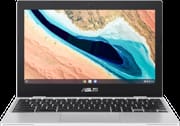 ASUS Chromebook CX1 (CX1101) | |
| Price | List Price: $269.99 Amazon Prices: Loading prices... |
| Model number | CX1101CMA-DB44 |
| Performance Rating | 2.6 |
| Chromebook Plus | No |
| Processor | Dual-core 1.10 Ghz (max 2.80 Ghz) Intel Celeron Processor N4020 |
| RAM | 4 GB |
| Internal Storage | 64 GB eMMC |
| Screen Size | 11.6" |
| Screen Resolution | 1366x768 |
| Screen Type | Anti-glare display, LED Backlit, 220nits |
| Touch Screen | No |
| Stylus / Pen | No Stylus Support |
| Dimensions width x length x thickness | 11.48 x 7.91 x 0.77 inches (291.59 x 200.91 x 19.56 mm) |
| Weight | 2.73 lbs (1.24 kg) |
| Backlit Keyboard | No |
| Webcam | 720p HD |
| WiFi | Wi-Fi 5 (802.11ac) |
| Bluetooth | Bluetooth 5.1 |
| Ethernet | No |
| Cellular Modem | No |
| HDMI | No HDMI |
| USB Ports | 2 USB 3, 2 USB-C USB-C supports display out and power delivery |
| Thunderbolt Ports | No |
| Card Reader | Card Reader |
| Battery | 3 cell, 42WHrs, Li-ion |
| Battery Life | 13.0 hours |
| Fanless | No |
| Auto Update Expiration Date | June, 2029 |
Related Chromebooks
-
 ASUS Chromebook CR11 (CR1104C)The ASUS Chromebook CR11 (CR1104C) is a ruggedized 11.6-inch Chromebook built for students and…
 -
 ASUS Chromebook C203XAThe ASUS Chromebook C203XA is a rugged 11.6-inch education laptop with a MediaTek MT8173C, an…
 -
 Samsung Chromebook 4The Samsung Chromebook 4 is an 11.6-inch Celeron N4000 or N4020 Chromebook with 4GB of RAM, a…
 -
 Acer Gateway Chromebook 311The Acer Gateway Chromebook 311 is an 11.6-inch 1366x768 ChromeOS laptop on an Intel Celeron N4500…
 -
 Dell Chromebook 11 (3100)The Dell Chromebook 11 (3100) is a ruggedized 11.6-inch education Chromebook with rubber bumpers, a…
 -
 Acer Chromebook 311 C723The Acer Chromebook 311 C723 is an 11.6-inch education Chromebook built to MIL-STD-810H durability,…
A rugged shell wrapped around a dual-core Celeron

The transparent silver chassis is plastic, yet it feels sturdy in hand and carries MIL-STD 810H certification, meaning it has been torture-tested against drops, shocks, and temperature extremes. The 11.6-inch footprint holds weight to 2.73 pounds, light enough to slip into a backpack and carry all day without fatigue. ASUS sells this machine on that toughness rather than on materials that feel expensive.
The Intel Celeron N4020 inside is a dual-core chip that runs at 1.1 GHz base and bursts to 2.8 GHz, enough for web browsing, Google Workspace applications, and streaming video. In Speedometer 2.0 benchmarks the CX1101 scores around 44-45 fps. Beebom’s own testing put that at nearly double the older ASUS C223, so even budget silicon has moved forward between generations. The 4GB RAM is adequate for casual use, though keeping dozens of Chrome tabs open brings occasional slowdowns.
Two USB 3.2 Type-A ports and two USB Type-C ports handle peripherals, external displays, and charging. The USB-C ports carry DisplayPort output and power delivery, so modern chargers and dock setups work here. Wi-Fi 5 (802.11ac) and Bluetooth 5.1 cover wireless duties, and with no Wi-Fi 6 support the newest routers bring no benefit. A microSD card reader expands the 64GB eMMC storage. That matters because the internal storage is soldered and cannot be upgraded. The 720p webcam and dual-array microphone handle video calls adequately and lose quality in poor lighting.
Reviewer Insights

9to5Laptops on the student case
9to5Laptops opened by asking whether this is a Chromebook you do not need. Their hands-on review focused on the student and education market this device is built for. The reviewer praised the 180-degree hinge as useful for collaborative work, since students can lay the screen flat for group viewing. They called out the stereo speakers as “surprisingly good” for such an inexpensive device, noting that budget laptops often skimp on audio quality, though the device lacks the power needed for demanding tasks like music production.
9to5Laptops was harder on the display. The 1366x768 resolution looks dated in 2026, with visible pixelation during text-heavy work. The reviewer noted the plastic construction feels cheap in hand despite the military-grade certification, suggesting the durability rating compensates for materials that do not inspire premium confidence. Their conclusion positioned the CX1101 for students who need something that survives backpack life, but cautioned anyone expecting more than bare-minimum computing power.
nerdyneighbor on the blue-tinted screen
nerdyneighbor spent 10 minutes on the CX1 as a “super budget friendly Chromebook” at the $130-$150 price point (when it was available on sale). They emphasized the USB-C charging as a modern feature that budget Chromebooks often lack, praising the convenience of using one charger for multiple devices. The build quality and speaker audio received positive marks, with the reviewer calling it “good for the price” without overpromising.
nerdyneighbor pressed harder on the screen itself. They observed a noticeable blue hue across the display that affects color accuracy and makes extended reading sessions less comfortable. Combined with the low resolution, the display was described as the CX1’s most significant weakness. nerdyneighbor recommended it as a secondary device or for very basic computing needs, not as anyone’s primary work or school machine. For that role, spending slightly more on a device with better display quality would pay dividends in daily usability.
Beebom on the keyboard and the benchmarks
Beebom awarded the CX1101 an 8/10 score in their written review, calling it “an instant buy” for anyone seeking a simple, secure laptop under Rs. 20,000 (approximately $240). Their testing praised the keyboard specifically, noting zero flex and comfortable 1.5mm key travel that makes extended typing sessions pleasant. The trackpad earned similar praise for responsive gesture support and smooth tracking.
Beebom put a number on the N4020’s generational gain. Their Speedometer 2.0 score of 44.2 fps represents an 84% improvement over the previous-generation ASUS C223. Battery life testing showed approximately 8 hours of real-world usage, somewhat below ASUS’s 13-hour claim but still enough for a full day without charging anxiety. Beebom concluded that display quality remains the CX1101’s weak point, with 200-nit brightness and color shifting at off-center viewing angles detracting from an otherwise solid package.
Fone Arena on durability and battery
Fone Arena declared the CX1101 “the best compact Chromebook for less than Rs. 20,000” in their review. Their testing emphasized durability, highlighted the MIL-STD-810H certification, and noted that ASUS subjects these devices to extensive drop and shock testing. They measured approximately 12 hours of battery life, close to ASUS’s claim and enough for a full school or work day, and rated the display average.
Geekbench 5 testing revealed single-core and multi-core scores of 482 and 911 respectively, positioning the N4020 as adequate for Chrome OS’s lightweight demands. Fone Arena appreciated the dual USB-C and dual USB-A port configuration, calling it excellent for users who need to connect various peripherals without dongles. Fone Arena treated the average display quality as a necessary trade-off for the price while recommending the device for students, seniors, and anyone prioritizing durability and battery life over screen quality.
Techniqued on the hinge and viewing angles
Techniqued’s video review of the Indian 4GB/64GB model, launched at Rs 18,999, found the plastic build sturdy and the hinge strong enough to hold firm when opened flat to 180 degrees. The reviewer called the 220-nit HD panel’s brightness adequate for the price, but the colors washed out off-angle, and the reviewer rated the display average.
Customer Reviews
Across 9 ratings on Amazon, the ASUS Chromebook CX1 (CX1101) averages 4 stars. The spread is wide for such a small sample: about two-thirds of those ratings are 5-star, but roughly a sixth land at 1 star, so the ratings are mixed rather than uniformly positive. Only one written review is available, so treat it as a single data point rather than a consensus.
That lone review is critical. A reviewer posting as expectopatronum gave it 1 star (the review is not marked as a verified purchase) and faulted the build, writing that “it is cheap plastic” and that “the keyboard feels cheap,” while allowing that “the only satisfying thing about it is the battery life.” They bought it for under $200 and said they would not have been happy paying retail. With no other owner write-ups to weigh against it, the battery life is the one point even this unhappy buyer credited.
Read more owner reviews on Amazon.
A tough, long-running budget Chromebook with a weak screen
Chrome OS support through June 2029 and MIL-STD 810H construction give this machine years of use as a student, senior, or secondary computer for browsing and light productivity. Battery life and USB-C charging are strong points for a sub-$200 device, and Fone Arena’s 12-hour result backs the first of those up. The 1366x768 display and 4GB RAM cap what it can do, so power users and anyone shopping for a primary work machine should look elsewhere. If you are weighing it against other options, the Chromebook Comparison Chart lays out specs side by side to help you decide.
Frequently Asked Questions
How long will the ASUS Chromebook CX1 (CX1101) receive Chrome OS updates?
Google’s Auto Update Expiration (AUE) database lists this model as supported with Chrome OS updates through June 2029. Until that date it receives security patches, new Chrome OS features, and Android app compatibility updates. After it, the Chromebook keeps working but stops receiving updates.
Can you upgrade the RAM or storage on the ASUS Chromebook CX1 (CX1101)?
No. Both the 4GB RAM and the 64GB eMMC storage are soldered to the motherboard. The microSD card reader is the one way to add room: a 128GB or 256GB card holds offline files, downloaded movies, or Android app data.
Is the ASUS Chromebook CX1 good for students?
Yes, and ASUS built it for that buyer. MIL-STD 810H durability handles drops and backpack abuse, the battery covers a full school day, and the 180-degree hinge helps during group work. At $199 it fits a family budget. The 1366x768 display is the trade-off: fine for schoolwork, weak for art or design classes that need color accuracy.
Does the ASUS Chromebook CX1 (CX1101) have a touchscreen?
No. This is a traditional clamshell without touch or stylus support. The 180-degree hinge lays the screen flat, but the device cannot fold into tablet mode. Buyers who want a touchscreen Chromebook should look at the ASUS Chromebook CX1 (CX1102) or similar models with touch-enabled displays.
What ports does the ASUS Chromebook CX1 (CX1101) have?
Two USB 3.2 Type-A ports, two USB Type-C ports that handle charging, DisplayPort video output, and data transfer, a 3.5mm audio combo jack, and a microSD card reader. That set connects USB drives, external displays, and wired headphones, and expands storage, without dongles or adapters.
How does battery life compare to other budget Chromebooks?
ASUS claims 13 hours. Reviewer testing landed between 8 and 12 hours depending on workload: Fone Arena reached nearly 12 hours, while Beebom saw about 8 hours with heavier use. The 42Wh battery paired with the low-power Celeron N4020 is what stretches a charge that far.