
Acer Gateway Chromebook 311
Updated on

The Acer Gateway Chromebook 311 is a compact and affordable Chromebook designed for users with basic computing needs. As a Gateway-branded variant of the well-known Acer Chromebook 311 line, this device offers a lightweight and portable design. Featuring an 11.6-inch ComfyView display with a resolution of 1366x768, it provides a comfortable viewing experience for everyday tasks like web browsing, email, and light productivity. Powered by the Intel Celeron N4500 processor with 4GB of RAM and 64GB of eMMC storage, the Chromebook is optimized for Chrome OS and delivers smooth and responsive performance for routine activities.
With a long battery life of up to 10 hours, the Gateway Chromebook 311 suits users who need a reliable device throughout the day. While it lacks advanced features like a touchscreen or backlit keyboard, its simplicity and affordability make it a practical choice for students, casual users, and anyone seeking a no-frills Chromebook for basic tasks.
| Pros | Cons |
|---|---|
| Compact and lightweight design, weighing only 2.65 lbs | Non-upgradable storage and RAM |
| Long battery life of up to 10 hours | Low-resolution 1366x768 display |
| Affordable price point | No touchscreen functionality |
| Reliable performance for basic tasks | Limited to one USB-C and one USB 3.0 port |
| Easy to set up and use | No HDMI port for external display connectivity |
| Durable and portable for on-the-go use | No backlit keyboard |
Acer Gateway Chromebook 311 Comparison Chart
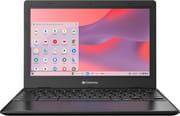 Acer Gateway Chromebook 311 | |
| Price | List Price: $199.99 Amazon Prices: Loading prices... |
| Model number | CBO311-1H-C1MX |
| Performance Rating | 3.1 |
| Chromebook Plus | No |
| Processor | Dual-core 1.10 Ghz (max 2.80 Ghz) Intel Celeron Processor N4500 |
| RAM | 4 GB |
| Internal Storage | 64 GB eMMC |
| Screen Size | 11.6" |
| Screen Resolution | 1366x768 |
| Screen Type | ComfyView |
| Touch Screen | No |
| Stylus / Pen | No Stylus Support |
| Dimensions width x length x thickness | 11.6 x 8.1 x 0.73 inches (294.64 x 205.74 x 18.54 mm) |
| Weight | 2.65 lbs (1.2 kg) |
| Backlit Keyboard | No |
| Webcam | 720p HD |
| WiFi | Wi-Fi 5 (802.11ac) |
| Bluetooth | Bluetooth 5.0 |
| Ethernet | No |
| Cellular Modem | No |
| HDMI | No HDMI |
| USB Ports | 1 USB 3, 1 USB-C |
| Thunderbolt Ports | No |
| Card Reader | Card Reader |
| Battery | Li-ion |
| Battery Life | 10.0 hours |
| Fanless | No |
| Auto Update Expiration Date | June, 2031 |
Related Chromebooks
-
 Acer Chromebook 311 (AMD)The Acer Chromebook 311 combines an 11.6-inch ComfyView screen, robust AMD processing, and 10-hour…
 -
 Acer Chromebook 311 C723The Acer Chromebook 311 C723 is an 11.6-inch education Chromebook built to MIL-STD-810H durability,…
 -
 Dell Chromebook 3120A rugged and affordable 11.6-inch Chromebook with Intel N100 processor, available in clamshell and…
 -
 Lenovo Chromebook 3 11"The Lenovo Chromebook 3 is a sub-$220 11.6-inch ChromeOS laptop with a Celeron N4020, 4GB of RAM,…
 -
 ASUS Chromebook CX1 (CX1101)The ASUS Chromebook CX1 combines a sleek form factor with practical features: an 11.6” anti-glare…
 -
 HP Chromebook 11a (ARM)The HP Chromebook 11a offers an 11.6-inch anti-glare display, 720p HD webcam, and up to 15 hours of…
More Details About the Acer Gateway Chromebook 311
The Acer Gateway Chromebook 311 is built with portability and simplicity in mind. Its 11.6-inch ComfyView display reduces glare, making it easier on the eyes during extended use. While the 1366x768 resolution is modest, it is sufficient for web browsing, streaming videos, and working on documents. The device is powered by the Intel Celeron N4500 processor, a dual-core chip capable of handling everyday computing tasks efficiently. Paired with 4GB of RAM and 64GB of eMMC storage, the Chromebook provides a smooth experience for lightweight activities, though it may not suit resource-intensive applications.
The Gateway Chromebook 311’s connectivity options are practical but limited. It includes one USB-C and one USB 3.0 port, along with a microSD card reader for additional storage flexibility. Wi-Fi 5 and Bluetooth 5.0 ensure reliable wireless connectivity for most modern needs. However, the absence of an HDMI port may be a drawback for users who frequently connect to external displays. Users needing a wired internet connection can add one with a USB Ethernet adapter through the USB-C port. The device also features a 720p HD webcam and a built-in microphone for video calls and virtual meetings.
One of the standout features of this Chromebook is its battery life, which can last up to 10 hours on a single charge. This suits students or professionals who need a device that can keep up with a full day of use without requiring frequent recharging. Its lightweight design, weighing just 2.65 pounds, further enhances its portability, making it easy to carry in a backpack or bag. While it lacks premium features like a touchscreen or backlit keyboard, its straightforward design and reliable performance cater well to users seeking a no-frills Chromebook.
Reviewer Insights on the Acer Gateway Chromebook 311
No established publication or trusted hardware channel has published a hands-on review of this exact Gateway-branded model. The “Gateway Chromebook 311” (model CBO311-1H-C1MX) is a Walmart-oriented rebrand of Acer’s Chromebook 311 line, and that obscurity means there is no independent lab data for it: no measured screen brightness in nits, no timed battery rundown, no benchmark scores tied to this specific SKU. The videos and articles that surface in a search either cover Acer-branded CB311 variants (some with the older Celeron N4000) or are thin affiliate posts that restate the spec sheet without testing anything. Rather than borrow another machine’s numbers, the section below sticks to what can be verified about the hardware and clearly flags the figures that come from the vendor.
The processor sets realistic expectations. The Intel Celeron N4500 is a dual-core, dual-thread Jasper Lake chip with a 1.10 GHz base that bursts to 2.80 GHz inside a 6W power budget. On PassMark’s multithread CPU Mark it scores roughly 1,807, which lands near the bottom of the current Chromebook range. In practice that is enough for a handful of browser tabs, Google Docs, email, and 1080p streaming, but it stalls when you stack heavy sites, large spreadsheets, or several Android apps at once. The fixed 4GB of LPDDR4X memory is the tighter constraint of the two: ChromeOS plus a few tabs can fill it, so this configuration is the part most likely to feel slow over time, and neither the RAM nor the 64GB eMMC storage can be upgraded later.
On the display and battery, treat the marketing with appropriate caution. The panel is an 11.6-inch 1366x768 non-touch ComfyView screen, the same low-resolution matte budget glass Acer has used across this size class for years; no reviewer has measured its brightness or color coverage for this unit, so any nit figure you find online traces to a spec sheet rather than a tested result. Acer’s “up to 10 hours” battery rating is a vendor claim, and real-world endurance on low-power Celeron Chromebooks usually lands a few hours under the headline depending on brightness and workload. One thing buyers can count on is software support: this Chromebook is slated to receive ChromeOS updates, including security patches, through its June 2031 Auto Update Expiration, which gives a cheap machine a genuinely long useful life. Owner feedback, including a genuine negative tail around performance and the screen, is covered in the Customer Reviews section below; this section will be updated if a measured, independent review of the Gateway-branded model is published.
Customer Reviews of the Acer Gateway Chromebook 311
Across 791 ratings on Amazon, the Acer Gateway Chromebook 311 averages 4.2 stars, and the spread tells the real story: 67 percent leave 5 stars while 11 percent leave 1 star, so this is a budget machine that delights some owners and frustrates others. The fans treat it as a no-frills second computer for light tasks. Brenda Uldrick, a verified buyer, called it “Great basic computer for retirees” and said she recommends it “for anyone who needs a basic computer for web surfing, general searches, bill paying, and emailing.” Tracy, also a verified buyer, wrote that it works well for “working from home, online shopping and browsing,” while noting it is “On the small side” given the 11.6-inch frame. Several reviewers flagged easy setup and good battery life as the main draws at this price.
The criticism is just as concrete and worth weighing before you buy. Verified buyer Jazy left a 1-star review titled “Don’t buy this crap!!! I didn’t listen!!!”, calling the machine “TRASH” and complaining that it lags and took “forever to load playstore.” Another verified buyer, wally, gave it 3 stars over a service headache: he “never found the correct L-shaped replacement battery for it anywhere” and just keeps it plugged in. Even some positive owners noted the panel is mediocre; Athena Victory, who otherwise liked hers, said “the screen doesn’t have good contrast and color clarity.” Taken together, the reviews point to a capable, cheap Chromebook for basic browsing and email, paired with enough complaints about sluggish performance and the small, low-contrast screen that the warranty is worth keeping in mind.
Read more owner reviews on Amazon.
Common Themes in Reviews
Across customer reviews, a few common themes emerge. Portability and battery life are repeatedly praised, making the Chromebook a favorite for users who need a dependable device for all-day use. Its simplicity and ease of setup also resonate with those who prefer a no-frills experience. However, while the Chromebook meets expectations for basic tasks, some users have noted its limitations, such as the lack of advanced software compatibility and minimal ports. Despite these drawbacks, the overall sentiment is positive, with many reviewers expressing satisfaction with the device’s performance and value for its price.
Conclusion: Who Should Consider the Acer Gateway Chromebook 311?
The Acer Gateway Chromebook 311 suits users with basic computing needs. Its compact size, long battery life, and affordable price suit students, casual users, and anyone looking for a reliable device for tasks like web browsing, email, and light productivity. The Chromebook’s ease of use and portability are useful for homeschooling or on-the-go work.
However, this Chromebook may not be best for users requiring advanced features or higher performance. The lack of a touchscreen, limited port selection, and non-upgradable storage and RAM could be drawbacks for those with more demanding needs. Users who rely on specific software, such as Apple applications, may find the Chrome OS ecosystem limiting.
The Acer Gateway Chromebook 311 suits those needing a straightforward, low-cost device. If you’re looking for a Chromebook with more advanced features or higher performance, consider exploring other models using Starry Hope’s Chromebook Comparison Tool.
Frequently Asked Questions
Can the storage or RAM be upgraded on the Acer Gateway Chromebook 311?
No, the storage and RAM on this Chromebook are not upgradeable. It has 64GB of eMMC storage and 4GB of RAM, which are fixed. This is common for many Chromebooks and is sufficient for basic tasks like web browsing, email, and light productivity.
Does the Acer Gateway Chromebook 311 have a touchscreen?
No, this Chromebook does not feature a touchscreen. It uses a 11.6-inch ComfyView display with a resolution of 1366x768, designed for comfortable viewing without touch functionality.
How long does the battery last on the Acer Gateway Chromebook 311?
The battery life is up to 10 hours on a single charge. It can last a full day of work, school, or casual use without frequent recharging.
Is the Acer Gateway Chromebook 311 good for homeschooling?
Yes, many users have found this Chromebook to work well for homeschooling. Its portability, ease of use, and long battery life suit students needing a reliable device for online classes and assignments.
Does it support external displays?
The Chromebook does not have an HDMI port, but it does include a USB-C port, which can be used with an appropriate adapter to connect to external displays. Keep in mind that this may require additional accessories.
Can I use Apple-specific software on this Chromebook?
Chrome OS does not support Apple-specific software like Apple+ TV or other macOS/iOS applications. However, depending on your needs, you can access many web-based services and apps through the Chrome browser or the Google Play Store.
What is the end-of-life date for this Chromebook?
The Acer Gateway Chromebook 311 has an Auto Update Expiration (AUE) date of June 2031. This means it will receive Chrome OS updates, including security patches, until then.
Does it have a backlit keyboard?
No, the keyboard on this Chromebook is not backlit. While this may be a drawback for some users, it is a common trade-off in lower-cost Chromebooks like this one. If you need a backlit keyboard, see our list of Chromebooks with backlit keyboards.