
HP Chromebook x2
Updated on

Note: This product has been discontinued. Chrome OS support ended in June 2024, meaning it no longer receives security updates. The information below is kept for historical reference.
The HP Chromebook x2 holds a unique place in Chrome OS history as the world’s first detachable Chromebook. Launched in 2018 at $599, it combined premium build quality with a versatile 2-in-1 form factor that let users switch between laptop productivity and tablet portability. The package included a magnetic keyboard dock and Active Pen stylus, making it a complete solution right out of the box.
HP built this device around a 12.3-inch display with 2400x1600 resolution, the same 3:2 aspect ratio panel found in Google’s Pixelbook and Samsung’s Chromebook Pro. The Intel Core m3-7Y30 processor provided fanless operation while maintaining enough performance for typical Chrome OS workloads. With dual cameras, including a 13MP rear shooter for document scanning, the x2 targeted users who wanted iPad-like versatility with the productivity benefits of Chrome OS.
Pros and Cons
| Pros | Cons |
|---|---|
| Premium aluminum construction with pristine white back | Limited to 32GB storage with no upgrade path |
| Excellent 2K display with vibrant colors and 400-nit brightness | Keyboard lacks backlighting |
| Outstanding tablet mode experience at just 1.6 pounds | Hinge wobbles noticeably in laptop mode |
| Includes keyboard and Active Pen at $599 price point | AES stylus less capable than EMR alternatives for artists |
| Better than average battery life (~10 hours real-world) | Not ideal for lap usage due to weight distribution |
| Fanless, completely silent operation | Chrome OS support has ended (June 2024) |
Related Videos
HP Chromebook x2 Comparison Chart
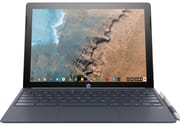 HP Chromebook x2 | |
| Price | List Price: $599.99 Amazon Prices: |
| Model number | X2 12-F014DX / 3PH11UA |
| Performance Rating | 3.6 |
| Chromebook Plus | No |
| Processor | Dual-core 1.00 Ghz (max 2.60 Ghz) Intel Core m3-7Y30 |
| RAM | 4 GB |
| Internal Storage | 32 GB eMMC |
| Screen Size | 12.3" |
| Screen Resolution | 2400x1600 |
| Screen Type | 2K WLED-backlit |
| Touch Screen | Yes |
| Stylus / Pen | Supported |
| Dimensions width x length x thickness | 11.5 x 8.32 x 0.33 inches (292.1 x 211.33 x 8.38 mm) |
| Weight | 3.07 lbs (1.4 kg) |
| Backlit Keyboard | No |
| Webcam | 5MP front-facing, 13MP rear-facing |
| WiFi | 802.11 a/b/g/n/ac 2x2 |
| Bluetooth | Bluetooth 4.2 |
| Ethernet | No |
| Cellular Modem | No |
| HDMI | No HDMI |
| USB Ports | 2 USB-C (with DisplayPort support) |
| Thunderbolt Ports | No |
| Card Reader | microSD Card Reader |
| Battery | 4 cell, 48 Wh, Li-ion |
| Battery Life | 12.5 hours |
| Fanless | Yes |
| Auto Update Expiration Date | June, 2024 |
Related Chromebooks
-
 Lenovo Flex 3i Chromebook 12.2"The Lenovo Flex 3i Chromebook astounds with a 12.2" IPS touch screen, quad-core processing power,…
 -
 HP Chromebook x360 14aSeamlessly switch between work and play with the HP Chromebook x360 14a's versatile 360-degree…
 -
 HP Chromebook x360 14bThe HP Chromebook x360 14b, with its 14-inch WLED-backlit touch screen and 360-degree hinge, offers…
 -
 Samsung Galaxy Chromebook 2 360A budget convertible with a stunning 2560x1600 display that punches above its weight class, though…
 -
 Lenovo 500e Yoga Chromebook (Gen 4)The Lenovo 500e Yoga Chromebook Gen 4 offers a versatile 12.2'' touch IPS display and a garaged EMR…
 -
 ASUS Chromebook Flip C302CAThe ASUS Chromebook Flip C302CA dazzles with its full HD touchscreen and 360-degree hinge.…
Display and Design
The display stands out as one of the HP Chromebook x2’s strongest features. Chrome Unboxed’s review noted that the panel “delivers excellent colors, sharpness, viewing angles, and brightness at 400 nits,” matching the quality of the much more expensive Pixelbook. The 3:2 aspect ratio provides more vertical space for documents and web browsing compared to traditional 16:9 displays, a significant advantage for productivity tasks.
HP used brushed aluminum for the keyboard base and a smooth white ceramic-like finish on the tablet portion. Android Central described the build as “rock solid when used as a laptop,” though the detachable design introduces some inherent compromises. The hinge mechanism attaches magnetically and provides adequate stability on a desk, but wobbles noticeably when typing on your lap.
In tablet mode, the device transforms into something genuinely practical at 1.6 pounds, significantly lighter than the 2.4-pound Pixelbook. Chrome Unboxed’s reviewer noted this was “the first Chromebook to get me to use it in this fashion,” praising the tablet experience for reading, video watching, and casual gaming.
Performance and Battery
The Intel Core m3-7Y30 processor surprised many reviewers with its capable performance. Benchmarks showed Octane scores exceeding 25,000, putting it in the same league as pricier Chromebooks. Chrome Unboxed reported the device felt “very fast and snappy for everyday tasks” despite the passively-cooled design.
Battery life proved another strength, with approximately 10 hours of real-world usage at moderate brightness levels. The 48 Wh battery and efficient processor combine to deliver all-day runtime for most users. HP’s official rating of 12.5 hours aligns with light-use scenarios.
The fanless design means completely silent operation, though it limits sustained peak performance. For typical Chrome OS workloads including web browsing, document editing, Android apps, and media streaming, the Core m3 handles everything smoothly. The capable processor even supports web-based music production on a Chromebook through apps like BandLab and Soundtrap. Heavy multitasking or demanding Android games may reveal the thermal constraints.
Stylus and Creativity Features
HP included an Active Pen with the Chromebook x2, adding significant value compared to competitors that charge extra for stylus accessories. The pen stores in a convenient loop on the keyboard cover, always ready for note-taking or sketching.
However, the AES (Active Electrostatic) technology proves less capable than the EMR pens used on Samsung’s Chromebook Pro. Artists report less precision and fewer pressure levels, making the x2 better suited for annotation and handwriting than serious digital illustration.
The dual camera system includes a 5MP front-facing webcam for video calls and a 13MP rear camera for document scanning. While unusual for a laptop, the rear camera becomes genuinely useful in tablet mode for capturing whiteboards or digitizing paperwork.
Reviewer Perspectives
Chrome Unboxed
Robby Payne gave the HP Chromebook x2 an “A+ for the way this thing is put together,” praising both the construction quality and the thoughtful inclusion of keyboard and stylus at the $599 price point. The review highlighted the tablet mode experience as a breakthrough moment for Chrome OS devices, noting the combination of light weight, quality display, and front-firing speakers made it genuinely enjoyable for content consumption. The main criticisms centered on the wobble issue in laptop mode and the 32GB storage limitation.
Android Central
Tom Westrick awarded 4.5 out of 5 stars, summarizing it as a “great Chromebook, better Android tablet.” The review emphasized how the device excels in both modes rather than compromising on either. The lightweight tablet mode and solid laptop mode impressed, though the lack of keyboard backlighting and limited storage options were noted as weaknesses. The review concluded the x2 particularly appeals to users seeking a single device that adapts to different usage scenarios.
Who Should Consider This Device (Historically)
When available, the HP Chromebook x2 best suited users who valued versatility over raw specifications. The included keyboard and stylus at $599 represented genuine value compared to buying a Pixelbook and its accessories separately. Teachers, students, and mobile professionals who split time between content creation and consumption found the detachable design genuinely useful.
The 32GB storage limitation meant users needed to rely on cloud storage or be selective about Android apps. Power users and those needing developer-oriented Linux apps were better served by devices with more storage and processing headroom.
Frequently Asked Questions
Is the HP Chromebook x2 still supported?
No. Chrome OS support for the HP Chromebook x2 ended in June 2024. The device no longer receives security updates or new features from Google. While it may continue to function, using an unsupported Chromebook for sensitive activities like online banking is not recommended.
Was the HP Chromebook x2 the first detachable Chromebook?
Yes. The HP Chromebook x2 was marketed as the world’s first detachable Chromebook when it launched in 2018. Unlike convertible 2-in-1s that fold backward, the x2’s screen separates completely from the keyboard base to become a standalone tablet.
What display does the HP Chromebook x2 have?
The HP Chromebook x2 features a 12.3-inch 2K display with 2400x1600 resolution and a 3:2 aspect ratio. Reviewers noted it uses the same quality panel found in the Google Pixelbook and Samsung Chromebook Pro/Plus, with 400-nit brightness and excellent color accuracy.
Does the HP Chromebook x2 include a stylus?
Yes. Unlike many competitors, the HP Chromebook x2 includes an Active Pen stylus in the box along with the detachable keyboard. The stylus uses AES technology and stores conveniently in a loop on the keyboard cover.
How much does the HP Chromebook x2 tablet weigh?
The tablet portion alone weighs approximately 1.6 pounds, making it comfortable for extended handheld use. With the keyboard attached, the total weight increases to about 3.07 pounds.
Can you upgrade the storage on the HP Chromebook x2?
No. The 32GB eMMC storage is soldered to the mainboard and cannot be upgraded. However, the device includes a microSD card slot for expandable storage, which helps offset the limited internal capacity.