
Samsung Galaxy Chromebook 2 360
Published on

The Samsung Galaxy Chromebook 2 360 is a compact 12.4-inch convertible built around a 2560x1600 WQXGA touchscreen. Behind that panel sit an Intel Celeron N4500 and 4GB of RAM, an entry-level pairing under a screen well above that class. The 360-degree hinge covers laptop, tent, and tablet modes, the chassis meets MIL-STD-810H durability standards, and the keyboard is spill-resistant. At 2.82 pounds with fanless, silent cooling, it moves easily between a desk and a backpack. Chrome OS updates are guaranteed through June 2031, a long support window for a device at this level. Streaming, web browsing, and note-taking in tablet mode are the jobs it handles comfortably.
Strengths and drawbacks
| Pros | Cons |
|---|---|
| 2560x1600 display with excellent color reproduction (98.1% sRGB) | Underpowered Intel Celeron N4500 struggles with the high resolution |
| MIL-STD-810H durability rating with spill-resistant keyboard | Only 4GB of RAM limits multitasking capability |
| Wi-Fi 6 and optional 4G LTE connectivity | No keyboard backlighting |
| Fanless design runs completely silent | Keyboard keys feel somewhat floaty with noticeable wobble |
| USB-C port on each side for convenient charging | Slow eMMC storage (64GB or 128GB options) |
| Chrome OS updates until June 2031 | Not USI stylus compatible despite convertible form factor |
Related Videos
Samsung Galaxy Chromebook 2 360 Comparison Chart
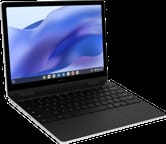 Samsung Galaxy Chromebook 2 360 | Samsung Galaxy Chromebook 2 360 | |
| Price | List Price: $429.99 Amazon Prices: | List Price: $499.99 Amazon Prices: |
| Model number | XE520QEA-KB2US | XE520QEA-KB1US |
| Performance Rating | 2.6 | 2.6 |
| Chromebook Plus | No | No |
| Processor | Dual-core 1.10 Ghz (max 2.80 Ghz) Intel Celeron Processor N4500 | Dual-core 1.10 Ghz (max 2.80 Ghz) Intel Celeron Processor N4500 |
| RAM | 4 GB | 4 GB |
| Internal Storage | 64 GB eMMC | 128 GB eMMC |
| Screen Size | 12.4" | 12.4" |
| Screen Resolution | 2560x1600 | 2560x1600 |
| Screen Type | IPS | IPS |
| Touch Screen | Yes | Yes |
| Stylus / Pen | No Stylus Support | No Stylus Support |
| Dimensions width x length x thickness | 11.33 x 8.13 x 0.67 inches (287.78 x 206.5 x 17.02 mm) | 11.33 x 8.13 x 0.67 inches (287.78 x 206.5 x 17.02 mm) |
| Weight | 2.82 lbs (1.28 kg) | 2.82 lbs (1.28 kg) |
| Backlit Keyboard | No | No |
| Webcam | HD | HD |
| WiFi | Wi-Fi 6 (802.11ax) | Wi-Fi 6 (802.11ax) |
| Bluetooth | Bluetooth 5.1 | Bluetooth 5.1 |
| Ethernet | No | No |
| Cellular Modem | Optional 4G LTE (XE520QEA-KB3US) | Optional 4G LTE (XE520QEA-KB3US) |
| HDMI | No HDMI | No HDMI |
| USB Ports | 1 USB 3, 2 USB-C 2x USB-C with charging and DisplayPort Alt Mode (one on each side), 1x USB 3.2 Type-A | 1 USB 3, 2 USB-C 2x USB-C with charging and DisplayPort Alt Mode (one on each side), 1x USB 3.2 Type-A |
| Thunderbolt Ports | No | No |
| Card Reader | microSD Card Reader | microSD Card Reader |
| Battery | 45.5Wh | 45.5Wh |
| Battery Life | 10 hours | 10 hours |
| Fanless | Yes | Yes |
| Auto Update Expiration Date | June, 2031 | June, 2031 |
Related Chromebooks
-
 Lenovo 500e Yoga Chromebook (Gen 4)The Lenovo 500e Yoga Chromebook Gen 4 offers a versatile 12.2'' touch IPS display and a garaged USI…
 -
 Lenovo Flex 3i Chromebook 12.2"The Lenovo Flex 3i Chromebook 12.2 is a fanless 2-in-1 with a 12.2-inch 1920x1200 IPS touchscreen,…
 -
 Acer Chromebook 311An 11.6-inch Chromebook with an Intel Celeron N4000, 4GB of RAM, a fanless chassis, and up to 10…
 -
 Acer Chromebook Spin 311The Acer Chromebook Spin 311 (CP311-2H) is an 11.6-inch budget convertible with an Intel Celeron…
 -
 ASUS Chromebook Flip C434The 2019 ASUS Chromebook Flip C434 is a 14-inch convertible with a slim-bezel FHD touchscreen, an…
 -
 ASUS Chromebook Flip C214The ASUS Chromebook Flip C214 is a rugged 11.6-inch education convertible with an Intel Celeron…
A 2560x1600 screen bolted to entry-level internals

At 11.33 x 8.13 x 0.67 inches and 2.82 pounds, this convertible fits a daily commute or a classroom desk without much thought. The construction is plastic, and it holds up well for the entry-level positioning. The 360-degree hinge moves smoothly through laptop, tent, and tablet positions. Ports are split across both sides: two USB-C (one per side, so either one charges), a single USB 3.2 Type-A, a microSD card reader, and a combination headphone and microphone jack. The fanless thermal design means nothing spins up under load, so the machine stays silent.
The panel runs 2560x1600 at a 16:10 aspect ratio, with roughly 400 nits of brightness and wide viewing angles. Color coverage reaches 98.1% of the sRGB space, which shows in streaming video and photos. Pushing that many pixels is where the Celeron N4500 and 4GB of RAM run short, and window animations and multitasking lag as a result.
Wi-Fi 6 (802.11ax) and Bluetooth 5.1 cover the wireless side, and Samsung sells an LTE variant (XE520QEA-KB3US) for anyone who needs always-connected mobile broadband. Both USB-C ports carry charging and DisplayPort Alt Mode, so an external display works from either edge of the machine. Neither port supports Thunderbolt or USB4.
Reviewer Insights

Chrome Unboxed: a spectacular screen on puzzling internals
Robby Payne at Chrome Unboxed was impressed by the display quality, noting “This screen is pretty spectacular actually… it’s got excellent viewing angles, really great colors, superb brightness.” The 360-degree convertible hinges earned praise for their sturdiness, and the keyboard deck showed minimal flex during typing.
The performance pairing left him puzzled about Samsung’s target audience. “It feels like they built half of it and then somebody else built the other half and they’re like, I don’t know, put those together and we’ll see what happens,” Robby observed. He criticized the trackpad response as sluggish, a symptom of the underpowered internals trying to drive the high-resolution display, and closed on “I just don’t know who this is for… I don’t understand exactly what Samsung was trying to do with it unfortunately.”
Dropping the resolution recovered speed and battery life
MergeDroid spent two weeks with the device. The reviewer echoed praise for the display, noting “the screen looks really good, perhaps too nice considering the processor and RAM it’s paired with.” Lowering the resolution improved both performance and battery life noticeably.
MergeDroid also pointed to the software support timeline, with Chrome OS updates extending through June 2031, which from 2026 leaves at least five more years of security patches and feature updates. Samsung’s choice of chip drew a complaint: “it’s a shame they didn’t put the Pentium Silver from this generation, the N6000, in this Chromebook instead of the Celeron.”
TechRadar: weak specs cap a design worth liking
TechRadar’s Lewis Maddison gave the Galaxy Chromebook 2 360 a 4 out of 5, summing it up as a device he “loved its design and display, but its weak specs hold it back from true greatness.” His verdict called it “a capable Chromebook with a fantastic design and an excellent touchscreen display” that “can handle light workloads and is a joy to type on despite its small layout,” while singling out the 4GB of RAM as the limiting factor.
Battery life fell short of the 10-hour claim for Trusted Reviews
Trusted Reviews rated the Galaxy Chromebook 2 360 a solid 4 out of 5, calling it “one of the best value Chromebook laptops you can purchase for less than £500, with a high-resolution display that makes it ideal for watching video.” The review appreciated the affordable pricing and versatile 360-degree design for tablet-like use cases. The processor drew criticism for delivering “underwhelming” performance, and battery life fell short of the advertised 10 hours.
Expert Reviews: premium feel and precise sound at a budget price
Expert Reviews awarded the same 4 out of 5 score, concluding “it’s far from perfect but it’s a fine ultraportable Chromebook that gets more right than it gets wrong.” Stuart Andrews highlighted the premium feel despite the budget positioning: “It feels more like a premium Chromebook than it really ought to at this price.” The review praised the fanless cooling that keeps the device quiet and cool, along with the excellent color handling at 98.1% sRGB coverage. The sound system and its precise positioning drew praise as well, which makes this Chromebook a reasonable option for casual music production or audio playback.
A media and note-taking machine with a long support window
A 2560x1600 panel at 98.1% sRGB suits reading, streaming, and marking up documents in tablet mode, and the MIL-STD-810H rating with a spill-resistant keyboard fits a life spent in a backpack. Fanless cooling keeps it silent in a quiet room, the optional LTE variant covers work away from Wi-Fi, and Chrome OS updates through June 2031 keep the software current for years yet. Students should know that like all Chromebooks, the lid sensor can be triggered by magnets: the Chromebook magnet trick is a common classroom prank worth understanding.
Anyone who needs responsive multitasking, Android gaming, or productivity-focused work should look at a machine with at least 8GB of RAM or a stronger processor such as an Intel Core i3 or the Pentium Silver N6000. The eMMC storage is slow, and there is no keyboard backlight. To line this convertible up against other models, see our Chromebook Comparison Chart.
Frequently Asked Questions
What processor does the Galaxy Chromebook 2 360 use?
The Intel Celeron N4500 powers every configuration. It is a dual-core processor with 2 threads that runs at a base clock of 1.1 GHz and boosts up to 2.8 GHz, an entry-level chip designed for basic web browsing and light productivity tasks, scoring approximately 1807 on PassMark’s CPU benchmark.
Can I upgrade the RAM in the Galaxy Chromebook 2 360?
No. The memory is soldered LPDDR4X and cannot be upgraded after purchase. All variants ship with 4GB of RAM, fixed at purchase. Choose the storage configuration (64GB or 128GB) carefully at purchase time, since that cannot be upgraded either.
What ports does the Galaxy Chromebook 2 360 have?
Two USB-C ports (one on each side) support charging and DisplayPort Alt Mode for external displays. Alongside them sit 1 USB 3.2 Type-A port, a microSD card reader for storage expansion, and a combination headphone/microphone jack. There is no HDMI port or Ethernet connection, though you can add wired networking with a USB Ethernet adapter.
When does the Galaxy Chromebook 2 360 stop receiving updates?
Chrome OS updates run until June 2031. That Auto Update Expiration (AUE) date means you’ll get security patches, new features, and performance improvements for approximately five more years from January 2026.
Does the Galaxy Chromebook 2 360 support a stylus?
The touchscreen handles finger input well, but USI stylus input is not supported. If you need pen support for drawing or note-taking, you’ll need to look at other Samsung Chromebooks like the Galaxy Chromebook or Galaxy Chromebook Go that include stylus compatibility.
Does the Galaxy Chromebook 2 360 have LTE cellular connectivity?
Yes. Samsung offers an LTE-enabled variant of the Galaxy Chromebook 2 360 (model XE520QEA-KB3US) with 4G mobile broadband support. The standard Wi-Fi-only models (XE520QEA-KB2US and XE520QEA-KB1US) do not include cellular connectivity. The LTE model is typically more expensive and requires a separate data plan.
Is the Samsung Galaxy Chromebook 2 360 good for students?
MIL-STD-810H military-grade durability, a spill-resistant keyboard, and a 2.82-pound weight all point at classroom use, and the sharp display makes reading documents comfortable. The 4GB of RAM slows down with many browser tabs or Android apps open at once.