
Lenovo Chromebook S330
Updated on

Note: Google has set the Lenovo Chromebook S330’s Auto Update Expiration (AUE) date to June 2027, so units still in service continue to receive Chrome OS security updates until then. These extended updates focus on security and may reduce Android (Google Play) app support.
A fanless 14-inch budget laptop with two screen options
Released in early 2019 at prices between $170 and $280, the S330 targeted students, casual users, and families looking for an affordable entry point into the Chromebook ecosystem. 9to5Google’s Damien Wilde called it “the benchmark for budget laptops,” praising its no-frills approach to budget computing without trying to oversell its capabilities.
Two configurations shipped: a base model with a 1366x768 HD display and 32GB of storage, and an upgraded version with a 1920x1080 Full HD anti-glare screen and 64GB. Both carried 4GB of RAM and the ARM-based MediaTek M8173C, a quad-core chip running at 1.70GHz. The chassis is fanless, so the machine makes no noise at all, which suits a library desk or a shared workspace.
Pros and Cons
| Pros | Cons |
|---|---|
| Responsive keyboard with good travel | Battery life falls short of 10-hour claims (6-7 hours actual) |
| Full HDMI port (rare at this price) | Sluggish performance, especially on battery power |
| Solid plastic construction with soft-touch palm rest | Display brightness and viewing angles are limited |
| Fanless, completely silent operation | Audio quality described as “hollow and flat” |
| USB-C with Power Delivery and DisplayPort | No keyboard backlight |
| SD card reader for storage expansion | Performance bottleneck with FHD resolution |
Related Videos
Lenovo Chromebook S330 Comparison Chart
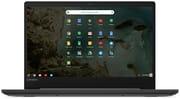 Lenovo Chromebook S330 | Lenovo Chromebook S330 | |
| Price | List Price: $279.99 Amazon Prices: | List Price: $249.99 Amazon Prices: |
| Model number | 81JW0000US | 81JW0001US |
| Performance Rating | 2.2 | 2.2 |
| Chromebook Plus | No | No |
| Processor | Quad-core 1.70 Ghz (max 2.10 Ghz) MediaTek MT8173C | Quad-core 1.70 Ghz (max 2.10 Ghz) MediaTek MT8173C |
| RAM | 4 GB | 4 GB |
| Internal Storage | 64 GB eMMC | 32 GB eMMC |
| Screen Size | 14" | 14" |
| Screen Resolution | 1920x1080 | 1366x768 |
| Screen Type | TN anti-glare | TN anti-glare |
| Touch Screen | No | No |
| Stylus / Pen | No Stylus Support | No Stylus Support |
| Dimensions width x length x thickness | 12.8 x 9.1 x 0.8 inches (325.12 x 231.14 x 20.32 mm) | 12.8 x 9.1 x 0.8 inches (325.12 x 231.14 x 20.32 mm) |
| Weight | 3.3 lbs (1.5 kg) | 3.3 lbs (1.5 kg) |
| Backlit Keyboard | No | No |
| Webcam | 1280×720 | 1280×720 |
| WiFi | 802.11ac (2x2) | 802.11ac (2x2) |
| Bluetooth | Bluetooth 4.1 | Bluetooth 4.1 |
| Ethernet | No | No |
| Cellular Modem | No | No |
| HDMI | Full-Size HDMI | Full-Size HDMI |
| USB Ports | 1 USB 3, 1 USB-C (USB-C port is USB 3.1 Gen 2 with DisplayPort 1.2 support and power delivery) | 1 USB 3, 1 USB-C (USB-C port is USB 3.1 Gen 2 with DisplayPort 1.2 support and power delivery) |
| Thunderbolt Ports | No | No |
| Card Reader | SD | SD |
| Battery | 3 cell, 45 WHr, Lithium-ion | 3 cell, 45 WHr, Lithium-ion |
| Battery Life | 10.0 hours | 10.0 hours |
| Fanless | Yes | Yes |
| Auto Update Expiration Date | June, 2027 | June, 2027 |
Related Chromebooks
-
 ASUS Chromebook C423The ASUS Chromebook C423 pairs a 14-inch 1366x768 display with a dual-core Celeron N3350, 4GB of…
 -
 HP Chromebook 14 (AMD)The HP Chromebook 14 (AMD) is a fanless 14-inch Chromebook built on the AMD A4-9120C APU with…
 -
 ASUS Chromebook C403The ASUS Chromebook C403 is a fanless 14-inch education Chromebook with an anti-glare 1366x768…
 -
 Lenovo Flex 3 ChromebookThe Lenovo Flex 3 Chromebook is a fanless 11.6-inch convertible with an IPS touchscreen, a MediaTek…
 -
 Lenovo 14e Chromebook (Gen 3)The Lenovo 14e Chromebook Gen 3 is a 14-inch education laptop sold in Intel N100 and N200 builds…
 -
 Acer Gateway Chromebook 314The Acer Gateway Chromebook 314 is a 14-inch ChromeOS laptop on Acer's Chromebook 314 chassis with…
The Full HD panel is worth the upgrade
The 14-inch screen gives enough room for productivity work. The base HD model at 1366x768 resolution provided functional visuals for basic tasks; the Full HD panel gave sharper text for long sessions. Techaeris reviewer Jason Bouwmeester found that setting the FHD display to 1536x864 provided the optimal balance between clarity and comfortable reading, noting the anti-glare coating produced crisp visuals in various lighting conditions.
Lenovo built the S330 with a textured plastic lid that resisted fingerprints and minor scuffs, a practical choice for a device likely to end up in backpacks and handled by multiple family members. The soft-touch palm rest lifts the feel of an otherwise budget chassis. At 3.3 pounds and measuring 12.8 by 9.1 by 0.8 inches, it was portable enough for daily carrying without being light by modern standards.
Where the MediaTek chip runs out of room
Techaeris testing revealed that web pages loaded slower than expected, with noticeable typing delays appearing when using web-based applications like Office Online. Those delays grew worse on battery power than plugged in, which points to aggressive power management on an already modest processor.
The FHD panel and the MediaTek chip together create a bottleneck that shows up as general sluggishness. Several browser tabs at once, or a content management system or a complex spreadsheet, are where the machine starts to stall. For basic browsing, document editing, and media consumption it holds up, but it was never built for demanding workflows.
Chrome OS keeps its speed over the years rather than degrading as updates pile up, which helps a machine with this little headroom. Android apps through the Play Store widen what it can do, though how well any given app runs depends on whether the developer optimized it for ARM.
The keyboard is the strongest part of the chassis
9to5Google noted the keyboard as “my favorite portion of the entire package,” praising the responsive keys with good travel distance that made extended typing sessions comfortable. The full-size layout included Chrome OS-specific shortcut keys in the top row, maintaining the familiar Chromebook experience without cramping the main key spacing.
The touchpad does not match it. Basic navigation works fine, but precision pointing takes more effort than the keyboard does. The 180-degree hinge folds the screen flat against the back, useful for sharing content in collaborative settings or adjusting viewing angles in cramped spaces.
Battery life lands short of the ten-hour claim
Lenovo marketed the S330 with “up to 10 hours” of battery life. Techaeris measured approximately 6 hours during typical web-based work, while 9to5Google achieved around 7 hours of actual usage. Either result meant a mid-day charge for anyone away from an outlet through a full school or work day.
Sleep drain is the other issue. Techaeris documented the battery dropping from 40% to 4% over just two days in sleep mode, far more drain than expected for a device supposedly in low-power state. Charging took 2-3 hours to reach full capacity via the USB-C port, which also supported Power Delivery and DisplayPort output for connecting external displays.
Full-size HDMI, USB-A, and an SD card slot
The left side houses a USB-C port supporting USB 3.1 Gen 2 speeds, Power Delivery charging, and DisplayPort 1.2 video output, plus a full-size USB-A 3.0 port and a full-size HDMI port. The right side carries a full-size SD card reader, a 3.5mm combo audio jack, and a Kensington lock slot.
Wireless connectivity included 802.11ac Wi-Fi with 2x2 MIMO antenna configuration and Bluetooth 4.1. For wired network access, a USB Ethernet adapter could be connected through the USB-A or USB-C ports. The 720p webcam sits at the top of the display and, together with the dual 2W speakers, handles video calls, though audio quality was described as “hollow and flat”.
Reviewer Perspectives
9to5Google
Damien Wilde’s testing focused on everyday tasks like web browsing, document editing, and media consumption, finding the S330 handled these without major complaints. The keyboard quality particularly stood out, making the S330 a reasonable choice for users who prioritize typing comfort over raw performance. He noted that things loaded “a little slower” but emphasized that buyers “won’t be disappointed overall” given the price point. The inclusion of a full HDMI port earned special praise as a feature rarely found at this price.
In his video review, Wilde got around 7 hours of battery regularly against Lenovo’s 10-hour claim, and about 3 hours for a full charge over USB-C. He also saw battery drain with the lid closed and suggested shutting the machine down instead.
Techaeris
Jason Bouwmeester took a more critical stance and emphasized the gap between marketing claims and real-world performance. His detailed testing revealed consistent performance throttling on battery power, typing delays in web applications, and battery life that fell well short of advertised figures. While acknowledging the solid build quality and reasonable pricing, he concluded it was “a bit hard to recommend the S330 given performance and battery concerns, even at discounted pricing.”
Lon.TV
Lon Seidman reviewed the $189 entry model with the 1366x768 TN panel, 4GB of RAM, and 64GB of eMMC. He expected 8 to 10 hours with the display dimmed and basic browsing, recorded a Speedometer score of 45.2, and saw dropped frames on 1080p60 YouTube video. He found the keyboard comfortable though not backlit and the trackpad “a pleasure to use,” and recommended the roughly $100 step up to the 1080p panel for daily-driver use.
Chrome Unboxed
Chrome Unboxed tested the $169 Walmart model as a Roblox machine for kids. The reviewer called the HD screen “as bad as any Chromebook we’ve ever reviewed,” with poor viewing angles and washed-out color, but praised the soft-touch palm rest, the keyboard, and the trackpad. Roblox ran with good frame rates on the MediaTek chip, and its keyboard and trackpad controls worked without a touchscreen.
A schoolwork machine with a low multitasking ceiling
The S330 made sense for budget-conscious buyers who needed a secondary device for basic tasks and for families looking for a durable Chromebook for kids for schoolwork. The solid keyboard made it reasonable for writing papers and taking notes, while the HDMI port allowed easy connection to classroom projectors or home televisions. It was a poor fit for anyone who ran many browser tabs at once, who wanted a sharper display, or who spent full school or work days away from power outlets.
If you are weighing it against other options, our Chromebook Comparison Chart lets you sort and filter by specs, price, and features to find the right fit.
Frequently Asked Questions
Is the Lenovo Chromebook S330 still worth buying?
Google has set the S330’s Auto Update Expiration date to June 2027, so it continues to receive Chrome OS security updates until then. If you own one, it remains usable for everyday tasks; after June 2027 it should not be used for sensitive activities like banking.
How long does the S330 battery last?
Despite Lenovo’s claim of up to 10 hours, real-world testing by reviewers showed 6-7 hours of actual battery life during typical web-based work. Battery drain in sleep mode was also higher than expected.
Can the S330 run Android apps?
Yes, the S330 supports Android apps through the Google Play Store. However, app performance varies because the MediaTek M8173C is an ARM processor, and not all Android apps are optimized for this architecture or larger laptop screens.
Does the S330 have a touchscreen?
No. The S330 has a standard 14-inch non-touch display, available in either 1366x768 HD or 1920x1080 Full HD resolution.
Can you upgrade the RAM or storage on the S330?
No, the 4GB RAM is soldered to the motherboard and cannot be upgraded. The 32GB or 64GB eMMC storage is also not user-replaceable. However, you can expand storage using the built-in SD card reader or USB drives.
Which display resolution should I choose for the S330?
If you can find the Full HD (1920x1080) model, it offers noticeably sharper text and images compared to the base HD (1366x768) version. However, the higher resolution may slightly impact performance due to the modest MediaTek processor.