
Lenovo Flex 3 Chromebook
Updated on

The Lenovo Flex 3 Chromebook is a 2020-era 11.6-inch convertible Chromebook built around a MediaTek ARM processor (MT8173C on the original launch SKUs, MT8183 on later 11M836 refreshes). Lenovo positioned it as an entry-level school and family device: 4GB of RAM, 32GB or 64GB of eMMC storage, an IPS touchscreen, a 360-degree hinge that lets the lid fold flat into tablet mode, and a fanless chassis that makes no noise even under load. Chrome OS updates are guaranteed through June 2030.
Lenovo has moved its budget lineup to the 12.2-inch Intel-based Flex 3i for newer model years, so the MediaTek Flex 3 is increasingly a used-market device: marketplace third-party listings on Amazon are common, but Amazon’s own warehouse no longer carries fresh stock. It still makes sense as a hand-me-down to a young student, a backup browser machine, or a cheap second device for travel, given how long the Auto Update Expiration runway runs.
| Pros | Cons |
|---|---|
| Long ChromeOS support runway (AUE June 2030) | Thick bezels around the 11.6-inch panel |
| Silent fanless chassis | 1366x768 resolution feels dated in 2026 |
| Convertible 360-degree hinge | 4GB RAM ceiling, no upgrade path |
| Real-world battery measured at 13+ hours (NotebookCheck) | Slow MicroSD reader and no HDMI port on 11M836 |
| Bright IPS panel for the price class | Weak downward-firing speakers |
| Comfortable, responsive keyboard | MediaTek processor limits Linux and heavy web app performance |
Related Videos
Lenovo Flex 3 Chromebook Comparison Chart
 Lenovo Flex 3 Chromebook | 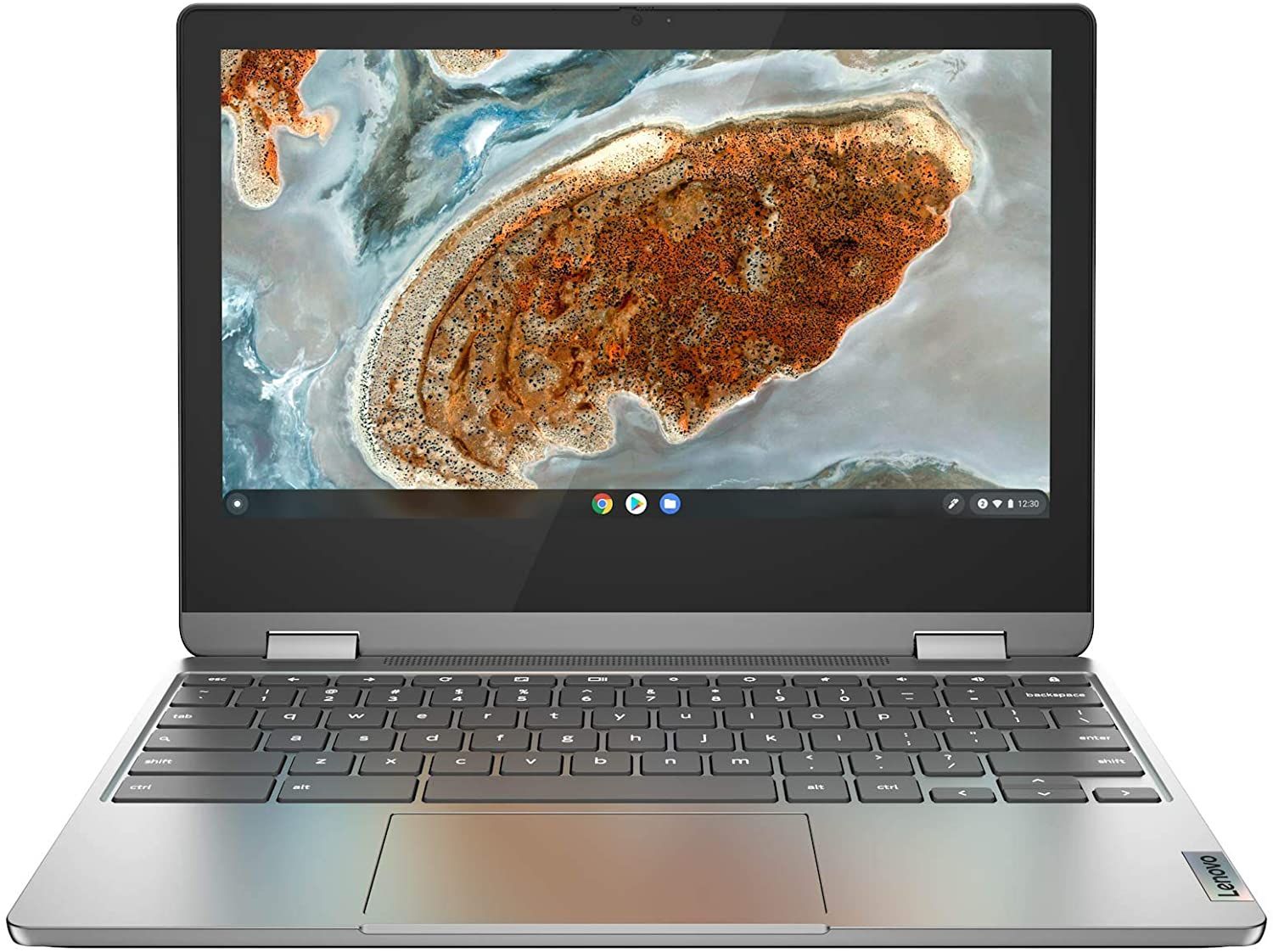 Lenovo Flex 3 Chromebook | 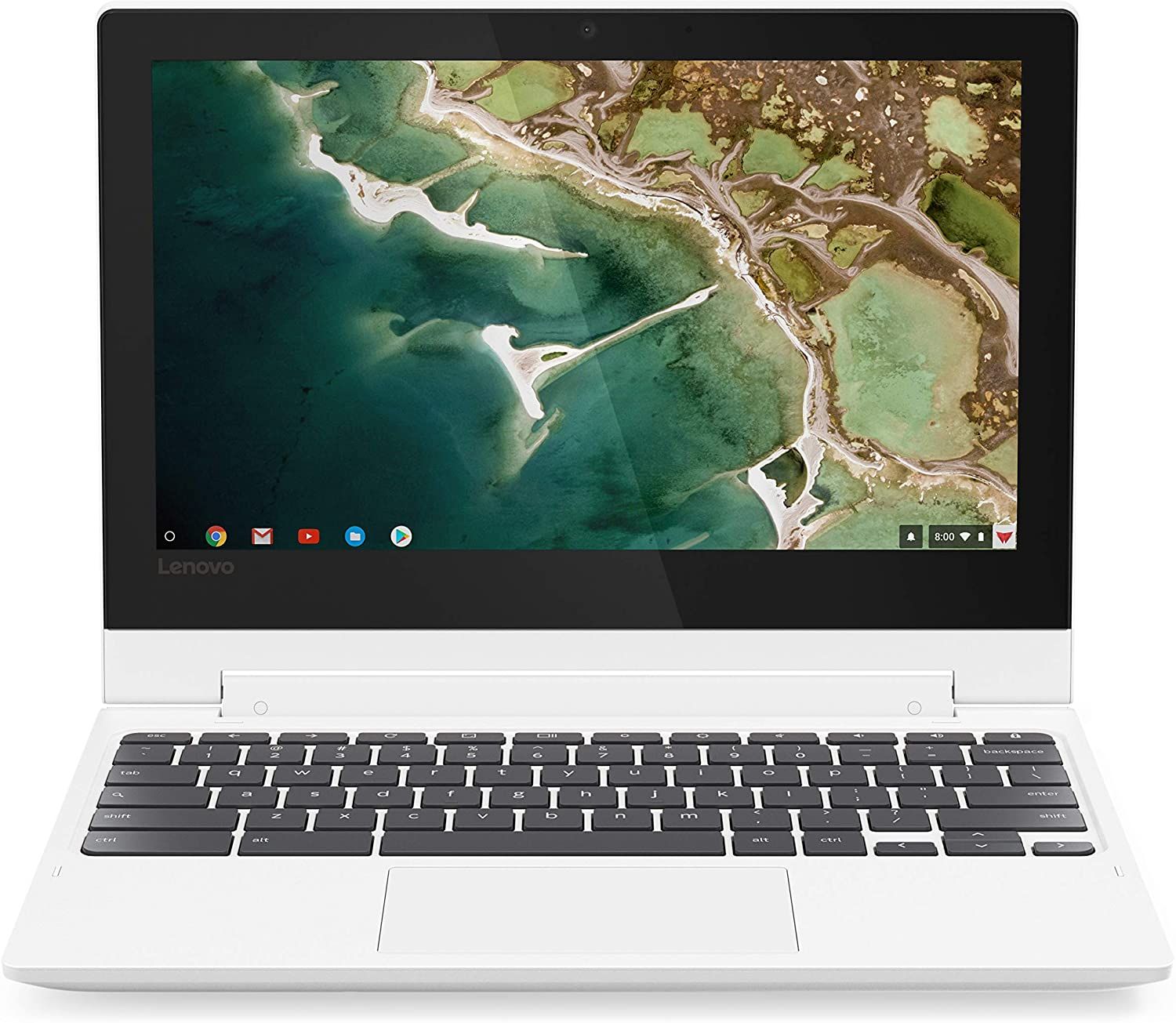 Lenovo Flex 3 Chromebook | Lenovo Flex 3 Chromebook | |
| Price | List Price: $279.00 Amazon Prices: Loading prices... | List Price: $329.00 Amazon Prices: | List Price: $289.00 Amazon Prices: Loading prices... | List Price: $279.99 Amazon Prices: |
| Model number | 82HG0000US | 82KM0004US | 82HG0006US | 11M836 |
| Performance Rating | 2.2 | 3.2 | 2.2 | 3.2 |
| Chromebook Plus | No | No | No | No |
| Processor | Quad-core 1.70 Ghz (max 2.10 Ghz) MediaTek MT8173C | Octa-core 2.00 Ghz (max 2.00 Ghz) MediaTek MT8183 | Quad-core 1.70 Ghz (max 2.10 Ghz) MediaTek MT8173C | Octa-core 2.00 Ghz (max 2.00 Ghz) MediaTek MT8183 |
| RAM | 4 GB | 4 GB | 4 GB | 4 GB |
| Internal Storage | 32 GB eMMC | 64 GB eMMC | 64 GB eMMC | 64 GB eMMC |
| Screen Size | 11.6" | 11.6" | 11.6" | 11.6" |
| Screen Resolution | 1366x768 | 1366x768 | 1366x768 | 1366x768 |
| Screen Type | IPS | IPS | IPS | IPS |
| Touch Screen | Yes | Yes | Yes | Yes |
| Stylus / Pen | No Stylus Support | No Stylus Support | No Stylus Support | No Stylus Support |
| Dimensions width x length x thickness | 11.5 x 8.48 x 0.77 inches (292.1 x 215.39 x 19.56 mm) | 11.5 x 8.48 x 0.77 inches (292.1 x 215.39 x 19.56 mm) | 11.5 x 8.48 x 0.77 inches (292.1 x 215.39 x 19.56 mm) | 11.22 x 7.95 x 0.73 inches (284.99 x 201.93 x 18.54 mm) |
| Weight | 2.64 lbs (1.2 kg) | 2.64 lbs (1.2 kg) | 2.64 lbs (1.2 kg) | 2.65 lbs (1.2 kg) |
| Backlit Keyboard | No | No | No | No |
| Webcam | 720p | 720p | 720p | 720p |
| WiFi | WiFi 5 (802.11 ac) | WiFi 5 (802.11 ac) | WiFi 5 (802.11 ac) | WiFi 5 (802.11 ac) |
| Bluetooth | Bluetooth 4.2 | Bluetooth 4.2 | Bluetooth 4.2 | Bluetooth 4.2 |
| Ethernet | No | No | No | No |
| Cellular Modem | No | No | No | No |
| HDMI | Full-Size HDMI | No HDMI | Full-Size HDMI | No HDMI |
| USB Ports | 1 USB 3, 1 USB-C (USB-C charging) | 2 USB 3, 1 USB-C (USB-C charging) | 1 USB 3, 1 USB-C (USB-C charging) | 2 USB 3, 1 USB-C (USB-C charging) |
| Thunderbolt Ports | No | No | No | No |
| Card Reader | SD | microSD Card Reader | SD | microSD Card Reader |
| Battery | 3 cell, Lithium-ion | 3 cell, Lithium-ion | 3 cell, Lithium-ion | 3 cell, 42 Wh, Lithium-ion |
| Battery Life | 10.0 hours | 10.0 hours | 10.0 hours | 16 hours |
| Fanless | Yes | Yes | Yes | Yes |
| Auto Update Expiration Date | June, 2030 | June, 2030 | June, 2030 | June, 2030 |
Related Chromebooks
-
 Acer Chromebook Spin 11 CP311The Acer Chromebook Spin 11 combines functionality and portability with its 11.6-inch touch IPS…
 -
 Lenovo 300e Yoga Chromebook Gen 4The Lenovo 300e Yoga Chromebook Gen 4 is a rugged 11.6-inch education convertible with a MediaTek…
 -
 Lenovo Chromebook 3 11"The Lenovo Chromebook 3 11 is a fanless 11.6-inch Chromebook with an Intel Celeron N4020, 4GB of…
 -
 Acer Chromebook 311An 11.6-inch Chromebook with an Intel Celeron N4000, 4GB of RAM, a fanless chassis, and up to 10…
 -
 ASUS Chromebook Flip CR1The ASUS Chromebook Flip CR1 (CR1100FKA) is a rugged 11.6-inch education convertible on an Intel…
 -
 Samsung Chromebook Plus v2The Samsung Chromebook Plus v2 is a fanless 12.2-inch convertible Chromebook with an Intel Celeron…
The screen swings a full 360 degrees, so the device works as a clamshell laptop, props tent-style for media viewing, or folds flat into a thick tablet. Despite the bargain-bin price, Lenovo still includes a 720p webcam, a 3.5mm combo audio jack, and a built-in SD or MicroSD card reader depending on which version you have. Cooling is entirely passive, with no fan and no vents, so the chassis stays silent in a quiet classroom or library.
Reviewers’ Opinions
In a detailed review by HardwareSense, the Lenovo Flex 3 Chromebook was described as “the ultimate budget machine” and recommended for students on a tight budget. The reviewer, Ivan, praised the Chromebook’s comfortable and responsive keyboard and battery life, lasting up to 10 hours with light work and media consumption. He also appreciated the device’s silent cooling solution, which suits classroom use.
On the screen, Ivan noted that the resolution of 1366x768 is outdated and could have been at least 1080p. He also mentioned that while the MediaTek MT8173C processor, 4GB of DDR3 RAM, and 64GB of eMMC storage aren’t the fastest, they are sufficient for schoolwork, email checking, internet browsing, and app installation from the Play Store.
Ivan concluded that the Lenovo Flex 3 Chromebook is worthwhile for those on a strict budget. He said, “For $200, would I recommend it? Yeah, absolutely, if you’re in a very strict budget, and you cannot spend more than $200-$220, and you absolutely need a new device, to send your kid back to school, or to do school work, or if you wanna do light work on the go, this device can definitely do it.” See our best Chromebooks under $200 guide for more options.
NotebookCheck’s Allen Ngo put the later 11M836 revision (with the eight-core MediaTek MT8183 in place of the launch MT8173C) through a full lab review and scored it 80 of 100, calling it “a better Chromebook than the Acer Chromebook Spin 311” thanks to a brighter panel and a built-in MicroSD slot. The review measured 13 hours and 15 minutes of real-world WiFi browsing on the 40.9Wh battery, well above Lenovo’s 10-hour rating on this under-$300 convertible. Display brightness landed at 290 to 306 nits with a 1162:1 contrast ratio and a 16ms response time.
Ngo was less impressed with the physical proportions. The Flex 3 weighs in at 1.237 kg (about 2.73 lb) and the bezels are thick enough that, as he put it, “though this is an 11.6-inch laptop, the thick bezels make the system feel like a 13.3-inch laptop instead.” He also flagged a slow MicroSD card reader at 18.5MB/s (rivals push 30 to 57MB/s), weak bass response from the downward-firing speakers, and the lack of a built-in HDMI port: external displays require a USB-C adapter. The fanless thermals stay reasonable, peaking around 41C on the top surface and a cool 22C on the palmrests during max load, so the chassis stays comfortable even when the chip is working hard.
The Flex 3 is a no-frills convertible designed for grade-schoolers, travel duty, or as a cheap secondary machine, and it performs that role well. If you need anything more performance-intensive (heavy multitasking, Linux apps, Android gaming beyond casual titles), the MediaTek ceiling will show itself quickly. See our best Chromebooks for kids guide for similar budget convertibles worth comparing.
Customer Reviews
Across 902 ratings on Amazon, the Lenovo Flex 3 Chromebook averages 4.6 stars, with 76 percent of reviewers leaving five stars and only 4 percent leaving one or two. The recurring praise centers on value for the money, the convertible touchscreen, and battery life that meets or beats the rating. Bryan, a verified buyer replacing a nine-year-old Samsung, wrote “for the price I wanted to spend this little baby is great” and noted “It advertised as 10 hours but I am getting close to 12 on half brightness.” Several parents bought it for school: verified buyer Jacky said “what sold me on this was the touchscreen,” explaining her kindergartner could trace letters on screen “much better” than with a touchpad.
The complaints cluster around warranty service and region. Verified buyer Tony, who titled his four-star review a warning, found his unit reading as out of warranty and added “The speakers suck, so I splurged and spent 16 bucks on bluetooth”; Paul Brockett liked the machine but hit a registration loop and Lenovo customer service he found “lacking.” The two one-star reviews both come from outside the US: one Mexican buyer reported a failure at four months with warranty support “limitada solo para USA,” and a Singapore buyer called it a “Horrible product” with Zoom and Google Docs not working. If you buy outside the United States or lean on Lenovo support, weigh those notes; the bulk of domestic reviewers are satisfied.
Read more owner reviews on Amazon.
A Cheap Convertible for Kids and Travel Duty
The Flex 3 suits users who need an inexpensive device for schoolwork, email checking, and internet browsing. Users who require more advanced features or faster performance may consider other options. Specs sit side by side with other models in Starry Hope’s Chromebook comparison chart.
Frequently Asked Questions
What is the screen size of the Lenovo Flex 3 Chromebook?
It has an 11.6-inch IPS touchscreen, small enough to slide into a school bag.
Can I upgrade the storage on the Lenovo Flex 3 Chromebook?
No. The eMMC storage is soldered in at either 32GB or 64GB, depending on the model. The built-in card reader takes an SD or MicroSD card for extra space.
Does the Lenovo Flex 3 Chromebook have a backlit keyboard?
No, there is no keyboard backlight, though Ivan at HardwareSense called the keys comfortable and responsive. If a backlit keyboard matters to you, see our list of Chromebooks with backlit keyboards.
What type of processor does the Lenovo Flex 3 Chromebook have?
A MediaTek M8173C on the launch SKUs, and the eight-core MT8183 on the later 11M836 revision. Neither chip is fast, but both cover schoolwork, document creation, browsing, and media.
How long does the battery last on the Lenovo Flex 3 Chromebook?
Lenovo rates it at 10 hours of light work and media playback. NotebookCheck measured 13 hours and 15 minutes of WiFi browsing on the 11M836 revision.
Can I use the Lenovo Flex 3 Chromebook as a tablet?
Yes. The 360-degree hinge folds the screen flat against the back of the keyboard for tablet use, and it also stands tent-style for watching video.
Does the Lenovo Flex 3 Chromebook have a webcam?
Yes, a 720p webcam sits above the screen, enough for class and video calls.
Is the Lenovo Flex 3 Chromebook fanless?
Yes, cooling is entirely passive and silent. Ngo measured a peak of about 41C on the top surface under full load.