
HP Chromebook 11a (ARM)
Updated on

The HP Chromebook 11a (ARM) is a small, fanless 11.6-inch Chromebook that trades speed and screen quality for long battery life, which makes it a reasonable pick for students and casual users. It runs on the MediaTek MT8183, an 8-core ARM chip, and HP rates the battery at up to 15 hours 45 minutes. HP launched it in 2020 and added more SKUs in 2022. Every model has a dim 220-nit screen: most are non-touch, and seven use an IPS touchscreen with better viewing angles. Every model has 4GB of RAM, which limits multitasking but is enough for web browsing and document work.
Note: HP no longer manufactures this model, so new stock is limited. Its ChromeOS updates run through June 2030, so it is still a supported device.
| Pros | Cons |
|---|---|
| Long battery life (Chrome Unboxed estimated 11 to 13 hours; Beebom saw more than 13) | Non-touch panel has poor viewing angles and washed-out colors |
| Light (2.36 lb) and fanless, silent operation | 4GB RAM only; limited heavy multitasking |
| Rigid chassis for the price | 32-64GB eMMC pushes you to cloud storage |
| ChromeOS updates through June 2030 | No backlit keyboard |
| Trackpad reviewers liked | Just one USB-A and one USB-C, both USB 2.0; no HDMI |
| MT8183 fine for browsing and documents | Dim 220-nit screen; hard to use outdoors |
Related Videos
HP Chromebook 11a (ARM) Comparison Chart
14 configurations
| Configuration | Storage | Screen | List price | Amazon price | Compare |
|---|---|---|---|---|---|
 11a-na0110nr / 60G05UA 11a-na0110nr / 60G05UA | 64 GB eMMC | 1366x768 touch | $329.99 | Details
| |
 11a-na0100nr / 60G04UA 11a-na0100nr / 60G04UA | 64 GB eMMC | 1366x768 touch | $329.99 | Details
| |
| 11a-na0090nr / 60G03UA | 64 GB eMMC | 1366x768 | $269.99 | Details
| |
| 11a-na0080nr / 60G02UA | 64 GB eMMC | 1366x768 | $269.99 | Details
| |
| 11a-na0050nr / 1F6G1UA#ABA | 32 GB eMMC | 1366x768 touch | $259.99 | Details
| |
 11a-na0030nr / 1F6F8UA#ABA 11a-na0030nr / 1F6F8UA#ABA | 32 GB eMMC | 1366x768 | $219.99 | Details
| |
| 11a-na0021nr / 241T0UA#ABA | 32 GB eMMC | 1366x768 | $259.99 | Loading... | Details
|
| 11a-na0070nr / 60G00UA | 64 GB eMMC | 1366x768 | $269.99 | Details
| |
 11a-na0010nr / 1F6F4UA#ABA 11a-na0010nr / 1F6F4UA#ABA | 32 GB eMMC | 1366x768 | $219.99 | Loading... | Details
|
| 11a-na0040nr / 1F6F9UA#ABA | 32 GB eMMC | 1366x768 touch | $259.99 | Details
| |
| 11a-na0027nr / 657X9UA | 32 GB eMMC | 1366x768 | $249.00 | Details
| |
| 11a-na0060nr / 1F6G3UA#ABA | 32 GB eMMC | 1366x768 touch | $299.99 | Details
| |
| 11a-na0036nr / 18J39UA | 32 GB eMMC | 1366x768 touch | --- | Details
| |
| 11a-na0120nr / 60G01UA | 64 GB eMMC | 1366x768 touch | --- | Details
|
Specs shared by every configuration
| Performance Rating | 3.2 |
|---|---|
| Chromebook Plus | No |
| Processor | Octa-core 2.00 Ghz (max 2.00 Ghz) MediaTek MT8183 |
| RAM | 4 GB |
| Screen Size | 11.6" |
| Screen Resolution | 1366x768 |
| Stylus / Pen | No Stylus Support |
| Dimensions width x length x thickness | 11.22 x 7.59 x 0.66 inches (284.99 x 192.79 x 16.76 mm) |
| Weight | 2.36 lbs (1.07 kg) |
| Backlit Keyboard | No |
| Webcam | 720p HD |
| WiFi | 802.11 a/b/g/n/ac (2x2) |
| Bluetooth | Bluetooth 4.2 |
| Ethernet | No |
| Cellular Modem | No |
| HDMI | No HDMI |
| USB Ports | 1 USB 2.0, 1 USB-C (both ports are USB 2.0; USB-C handles charging and DisplayPort 1.1 output) |
| Thunderbolt Ports | No |
| Card Reader | microSD Card Reader |
| Battery | 2 cell, 37Whrs, Li-ion |
| Battery Life | 15.75 hours |
| Fanless | Yes |
| Auto Update Expiration Date | June, 2030 |
Related Chromebooks
-
 HP Fortis Flip G1m 11 inch ChromebookThe HP Fortis Flip G1m 11 inch Chromebook is a rugged convertible 2-in-1 built for K-12 classrooms,…
 -
 Lenovo 100e Chromebook Gen 4The Lenovo 100e Chromebook Gen 4 is a rugged, fanless 11.6 inch ARM Chromebook built for K-12…
 -
 Acer Chromebook 311 C723The Acer Chromebook 311 C723 is an 11.6-inch education Chromebook built to MIL-STD-810H durability,…
 -
 Dell Chromebook 11 (3100)The Dell Chromebook 11 (3100) is a ruggedized 11.6-inch education Chromebook with rubber bumpers, a…
 -
 Acer Chromebook 311 (CO731)The Acer Chromebook 311 (CO731) is a fanless 11.6-inch Chromebook with an Intel Celeron N4500, 4GB…
 -
 ASUS Chromebook CR11 (CR1104C)The ASUS Chromebook CR11 (CR1104C) is a ruggedized 11.6-inch Chromebook built for students and…
A light plastic 11-incher built around battery life

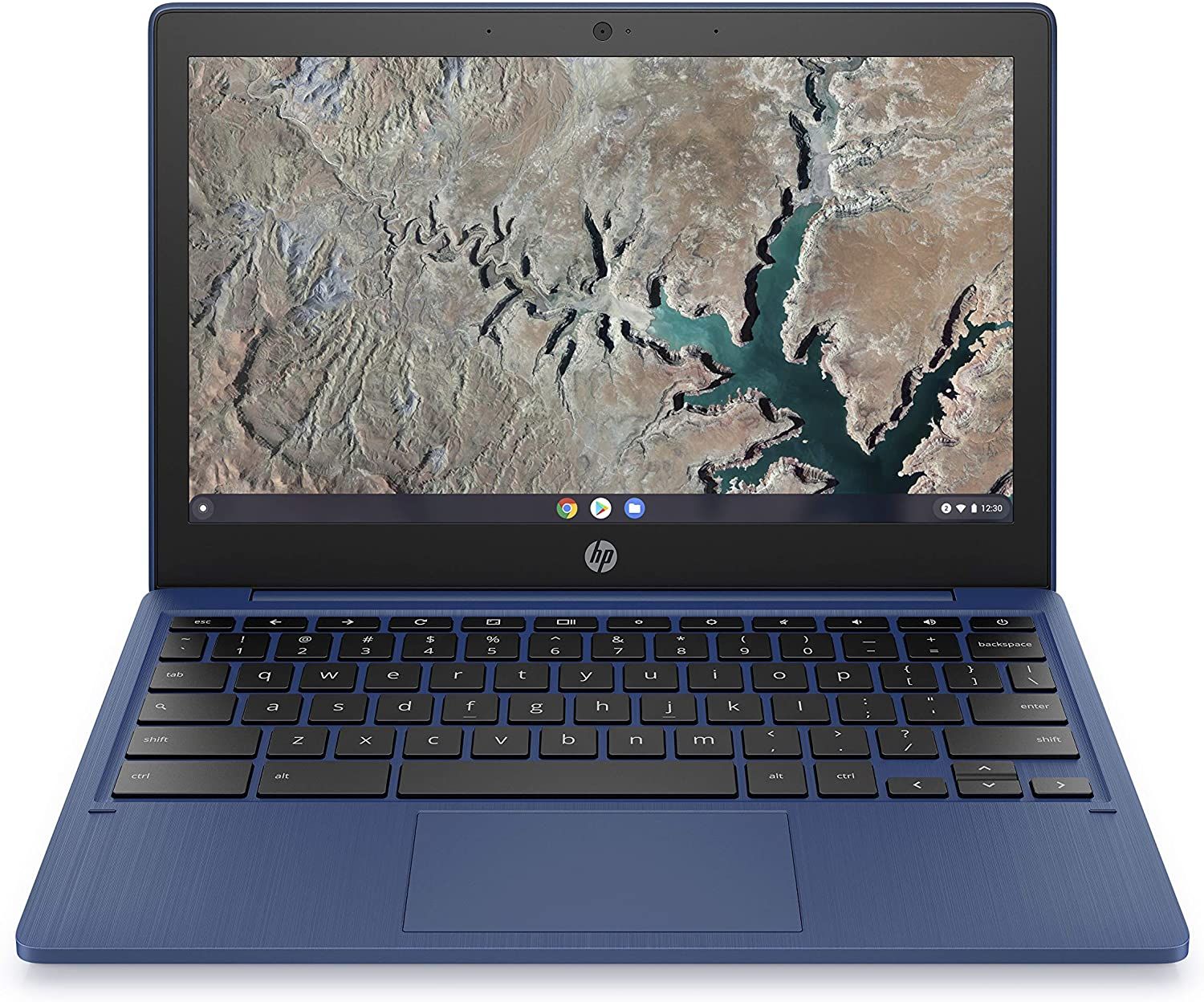
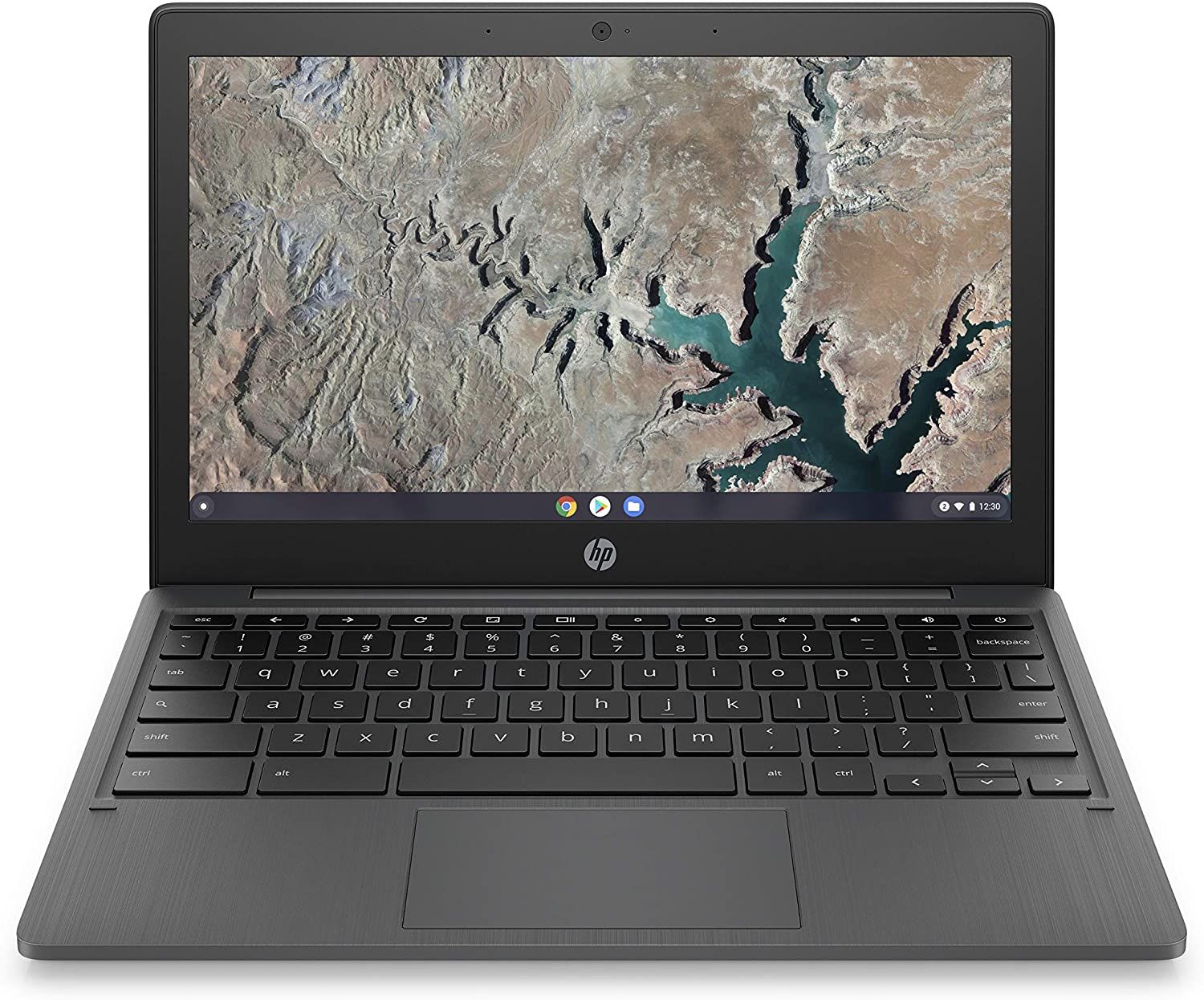
At 11.22 x 7.59 x 0.66 inches and 2.36 pounds, the chassis slips easily into a bag. The plastic shell (Snow White, Ash Gray, or Indigo Blue) is reasonably rigid for a budget Chromebook and built to take everyday handling rather than to feel premium. It has no fan, only a heat sink, so it runs silent.
The MediaTek MT8183 (an octa-core ARM chip) with 4GB of onboard LPDDR4x memory and Mali-G72 graphics runs ChromeOS smoothly for browsing, documents, and media, holding up across a handful of tabs but not heavy multitasking. Chrome Unboxed found the 11a feels snappier than the similarly-specified Lenovo Chromebook Duet, crediting the lower 1366x768 screen, which it estimated means “about a 55% reduction in the actual number of pixels” to push compared with the Duet’s 1920x1200 panel.
For ports it has one USB-C (charging and DisplayPort 1.1 output), one USB-A, a combo audio jack, and a microSD reader. HP lists both USB ports as USB 2.0, so file copies to an external drive are slow. There is no HDMI, so an external monitor needs a USB-C adapter, and a wired connection needs a USB Ethernet adapter. Wi-Fi 5 (2x2) and Bluetooth 4.2 cover wireless, and the 720p webcam is fine for calls. HP rates the 37Wh, 2-cell battery at up to 15 hours 45 minutes of mixed use; Chrome Unboxed estimated 11-13 hours in regular use, and Beebom reported more than 13 hours of video and browsing.
The non-touch 11.6-inch panel is rated at 220 nits and 45% NTSC. It is dim and hard to use outdoors, and Chrome Unboxed identified it as a TN panel with poor viewing angles and washed-out colors. The touch models use an IPS panel at the same 220 nits with 50% NTSC coverage, so they look better from an angle but are no brighter. Both panels run at 1366x768, which is adequate for reading, document work, and streaming.
Reviewer Insights

Chrome Unboxed
Chrome Unboxed tested an Indigo Blue unit with 64GB of storage. Its verdict: “So, is this Chromebook worth the asking price? 100% it is!” The reviewer liked the blue color, noting that “adding a splash of color really does affect the way you perceive a Chromebook,” and found the chassis rigid with little flex. He estimated 11-13 hours of battery life with regular use, short of HP’s claim but still all-day, and praised the trackpad for its smooth surface and click. He called the non-touch screen a TN panel with poor viewing angles and a washed-out look, and pointed to the IPS touchscreen version as the better display. His conclusion: “Whether it acts as a secondary device around the house or a decent performer for the kids, the HP 11a deserves your attention.”
In the companion video, he flexed the chassis on camera (“I was really surprised with how rigid the thing feels”) and repeated the performance point: “this chromebook feels a lot faster than the duet even though they’re the exact same processor.” He also said he would not buy it as an Android-first device: it runs quite a few Android apps, but without a touchscreen, apps that are not optimized for a keyboard and trackpad are harder to get around in.
Beebom
After using it as his daily driver, the Beebom reviewer (testing an Indian-market touchscreen model with 64GB of storage) said “in my use the laptop easily lasts well over 13 hours while watching videos and browsing the internet.” After a multitasking test, he said “the hp chromebook 11a can easily handle multitasking and will definitely be able to handle your workload for online classes.” On the touchscreen, he said the touch response is decent, but he mostly used the trackpad because the hinge does not fold into a tablet. He also noted the thick screen bezels, the average speakers, and the slower eMMC storage.
MergeDroid
MergeDroid bought a UK-market non-touch model as a grade A refurbished unit. On the build: “the build quality feels sturdy but not great. It’s very plasticky.” He found the keys shallow, liked the trackpad for the price, and put performance on par with the ASUS Chromebook Spin 311, which uses the same MT8183. His summary of where it fits: “it’s a great machine to just have on the couch as an option. It’s a great portable travel machine.”
Better as a hand-me-down than a new buy
The two things this machine still does well are battery life (Chrome Unboxed estimated 11 to 13 hours, enough for a full school day) and ChromeOS support through June 2030. That makes a used unit a sensible pick for a student. Do not pay new-Chromebook money for it today; the dim 220-nit screen and 4GB of RAM were compromises at launch. If you find one, the touch models are worth the small premium for their IPS panel.
To compare it with current models, the Chromebook Comparison Chart lets you filter by screen, RAM, and battery life.
Frequently Asked Questions
How long does the HP Chromebook 11a battery last?
HP rates it at up to 15 hours 45 minutes of mixed use. Chrome Unboxed estimated 11-13 hours with regular use, and Beebom reported more than 13 hours of video and browsing. A full school day without the charger is realistic.
Can the HP Chromebook 11a run Android apps?
Yes. The Google Play Store is supported, and the MediaTek MT8183 is an ARM chip, so Android apps run natively. With 4GB of RAM, lightweight apps are fine; demanding games and heavier productivity apps can slow down.
Is the HP Chromebook 11a good for students?
For K-12 work, yes. At 2.36 lb it fits a backpack easily, the battery lasts a full day of classes, and ChromeOS handles Google Classroom and educational apps. The 11.6-inch display feels cramped for long research or writing sessions.
Can I expand the storage on the HP Chromebook 11a?
The internal eMMC storage (32GB or 64GB depending on variant) is not upgradeable. The microSD reader adds space for offline files, photos, and media, and Google Drive is built into ChromeOS for everything else.
How long will the HP Chromebook 11a receive ChromeOS updates?
The 11a-na0 models with the MediaTek MT8183 get ChromeOS automatic updates through June 2030, covering security patches and new features. After that date the Chromebook keeps working but stops receiving updates.
Can I connect the HP Chromebook 11a to an external monitor?
Yes, through the USB-C port, which supports DisplayPort 1.1 output. There is no HDMI port, so you need a USB-C to HDMI or USB-C to DisplayPort adapter to extend or mirror the screen.