
Acer Chromebook Spin 311
Updated on

The Acer Chromebook Spin 311 (CP311-3H) is an 11.6-inch budget convertible built on MediaTek’s MT8183, the chip also sold as Kompanio 500. It was released on June 23, 2020 with 4GB of RAM, a touchscreen that folds all the way back, and a fanless chassis. TechRadar and Android Central (4.5/5) reviewed it as a small, inexpensive machine that covers everyday tasks, which is the job a budget Chromebook is bought to do. Chrome OS updates run through June 2030, so units still in service have years of patches ahead of them.
| Pros | Cons |
|---|---|
| Battery life: LaptopMedia measured 20 hours of web browsing on a single charge | Dim display at 214.4 cd/m² brightness (NotebookCheck); ~296 nits center max per LaptopMedia |
| Completely silent fanless operation with no moving parts | Thick bezels significantly reduce usable screen area |
| Lightweight at 2.64 lb per Acer’s spec (LaptopMedia weighed 1.05 kg, about 2.31 lb) | No microSD card slot limits storage expansion options |
| Antimicrobial Corning Gorilla Glass touchscreen for durability | Only 4GB RAM configuration available; no upgrade path |
| Quick USB-C charging, fully charged in 2 hours (TechRadar) | Loses a USB port when charging via USB-C |
| Convertible 2-in-1 design with 360-degree hinge flexibility | Touchpad drew sharp criticism in Android Police’s month-long review |
Related Videos
Acer Chromebook Spin 311 Comparison Chart
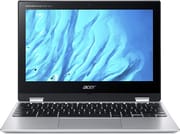 Acer Chromebook Spin 311 | Acer Chromebook Spin 311 | Acer Chromebook Spin 311 | |
| Price | List Price: $299.99 Amazon Prices: | List Price: $249.99 Amazon Prices: Loading prices... | List Price: $399.99 Amazon Prices: Loading prices... |
| Model number | CP311-3H-K6XD / NX.HUVAA.004 | CP311-3H-K4S1 | CP311-3H-K5WQ |
| Performance Rating | 3.2 | 3.2 | 3.2 |
| Chromebook Plus | No | No | No |
| Processor | Octa-core 2.00 Ghz (max 2.00 Ghz) MediaTek MT8183 | Octa-core 2.00 Ghz (max 2.00 Ghz) MediaTek MT8183 | Octa-core 2.00 Ghz (max 2.00 Ghz) MediaTek MT8183 |
| RAM | 4 GB | 4 GB | 4 GB |
| Internal Storage | 64 GB eMMC | 32 GB eMMC | 64 GB eMMC |
| Screen Size | 11.6" | 11.6" | 11.6" |
| Screen Resolution | 1366x768 | 1366x768 | 1366x768 |
| Screen Type | IPS | IPS | IPS |
| Touch Screen | Yes | Yes | Yes |
| Stylus / Pen | No Stylus Support | No Stylus Support | No Stylus Support |
| Dimensions width x length x thickness | 11.42 x 8.11 x 0.74 inches (290.07 x 205.99 x 18.8 mm) | 11.42 x 8.11 x 0.74 inches (290.07 x 205.99 x 18.8 mm) | 11.42 x 8.11 x 0.74 inches (290.07 x 205.99 x 18.8 mm) |
| Weight | 2.64 lbs (1.2 kg) | 2.64 lbs (1.2 kg) | 2.64 lbs (1.2 kg) |
| Backlit Keyboard | No | No | No |
| Webcam | HD | HD | HD |
| WiFi | Wi-Fi 5 (802.11ac) | Wi-Fi 5 (802.11ac) | Wi-Fi 5 (802.11ac) |
| Bluetooth | Bluetooth 4.2 | Bluetooth 4.2 | Bluetooth 4.2 |
| Ethernet | No | No | No |
| Cellular Modem | No | No | No |
| HDMI | No HDMI | No HDMI | No HDMI |
| USB Ports | 1 USB 2.0, 1 USB-C (with DisplayPort and charging) | 1 USB 2.0, 1 USB-C (with DisplayPort and charging) | 1 USB 2.0, 1 USB-C (with DisplayPort and charging) |
| Thunderbolt Ports | No | No | No |
| Card Reader | No Card Reader | No Card Reader | No Card Reader |
| Battery | 2 cell, 4670 mAh, Lithium Ion | 2 cell, 4670 mAh, Lithium Ion | 2 cell, 4670 mAh, Lithium Ion |
| Battery Life | 16.0 hours | 16.0 hours | 16.0 hours |
| Fanless | Yes | Yes | Yes |
| Auto Update Expiration Date | June, 2030 | June, 2030 | June, 2030 |
Related Chromebooks
-
 Acer Chromebook 311An 11.6-inch Chromebook with an Intel Celeron N4000, 4GB of RAM, a fanless chassis, and up to 10…
 -
 Acer Chromebook Spin 311The Acer Chromebook Spin 311 (CP311-2H) is an 11.6-inch budget convertible with an Intel Celeron…
 -
 Lenovo 300e Yoga Chromebook Gen 4The Lenovo 300e Yoga Chromebook Gen 4 is a rugged 11.6-inch education convertible with a MediaTek…
 -
 ASUS Chromebook Flip C214The ASUS Chromebook Flip C214 is a rugged 11.6-inch education convertible with an Intel Celeron…
 -
 HP Fortis Flip G1m 11 inch ChromebookThe HP Fortis Flip G1m 11 inch Chromebook is a rugged convertible 2-in-1 built for K-12 classrooms,…
 -
 Lenovo 100e Chromebook Gen 4The Lenovo 100e Chromebook Gen 4 is a rugged, fanless 11.6 inch ARM Chromebook built for K-12…
An eight-core MediaTek chip that trades speed for silence
The MT8183 pairs four Cortex-A73 performance cores with four Cortex-A53 efficiency cores, which covers web browsing with numerous tabs, Google Workspace applications, video streaming, and Android apps from the Play Store. Every configuration ships the same 4GB of LPDDR4X, soldered to the board, so anyone who runs into that ceiling has no upgrade path and has to change machines.
The chassis is fanless, so the machine stays silent under every workload, which suits a library desk or a classroom. Sustained heavy processing brings thermal throttling, though the light tasks this Chromebook was built for rarely run long enough to reach it. Android and Linux app launches lag on the way up; once an app is running, everyday work feels smooth.
The CP311-3H is the ARM successor to the Intel-powered CP311-2H. LaptopMedia’s launch review found the MediaTek silicon a meaningful performance regression versus the older Intel Celeron N4000 model in CPU and GPU benchmarks. The switch brought a large gain in battery life and removed the fan, on a machine asked to handle light workloads.
A dim 1366x768 panel under Gorilla Glass
The 11.6-inch IPS touchscreen runs at 1366x768. That resolution keeps power draw down and sits within what the ARM chip’s GPU can drive, and the IPS panel holds viewing angles as the 360-degree hinge rotates the screen into tablet position. NotebookCheck’s testing measured brightness at just 214.4 cd/m², well below the 300 cd/m² typically needed for comfortable indoor use in bright conditions. LaptopMedia measured 296 nits in the screen center, and their tested sRGB coverage of 54% puts color-critical work out of reach.
Antimicrobial Corning Gorilla Glass covers the touchscreen, a useful surface on a machine sold to schools. The thick bezels reviewers criticized eat into usable screen area, though they leave somewhere to hold the machine in tablet mode. The plastic chassis measures 0.74 inches at its thickest point, which kept the price down.
Twenty hours of browsing from a 36.5 Wh pack
Acer claimed up to 16 hours of runtime from the 4670 mAh two-cell pack (NotebookCheck measured the same cell as a 36.5 Wh unit), and independent testing came close to that figure. LaptopMedia measured 20 hours of continuous web browsing and 19 hours and 20 minutes of video playback. Android Police’s Kent Duke, after a month of daily use, reported comfortably hitting the advertised 15-hour mark in mixed work. TechRadar’s video-playback testing showed about 8 hours; the lower figure is consistent with continuous high-brightness video draining the battery faster than the typical reading or document workload that produced LaptopMedia’s 20-hour result.
Those hours come from efficient ARM silicon, a low display resolution, and a 36.5Wh battery that does not have much to push. USB-C charging brings the pack from empty to full in about 2 hours, and short top-ups during breaks are enough to keep it going. The single USB-C port handles charging as well as data, so the machine loses a port whenever it is plugged in, and the only other port is one USB 2.0 Type-A. There is no microSD slot to fall back on.
Reviewer Insights
Android Police: Kent Duke, December 2020 praised the battery and panned the touchpad
Android Police’s Kent Duke spent a full month with the CP311-3H before writing his review. His verdict was a 7.5 out of 10, scored as a cautious “Maybe”.
The battery and silent operation drew unreserved praise. Duke wrote: “The battery is phenomenal. It comfortably reached the advertised fifteen-hour mark.” On the fanless design, he noted: “The Chromebook can passively cool without fans, making it dead silent while in use.” Build quality earned a similar nod: “It uses a plastic body that feels durable and solid.” Keyboard feel was a pleasant surprise at the price: “The typing experience on the Spin 311 isn’t ‘Pixelbook good,’ but it’s still great.”
The touchpad, however, was a serious problem. Duke called it “the Achilles’ heel of this Chromebook” and wrote that “the touchpad experience is abysmal.” He added that “at best, it is barely functional, which can be a big deal-breaker for many.” The 1366x768 display drew a similar complaint after long-term use: “The pixelation on images and grainy text are very noticeable and distracting.”
Lab numbers, and a preference for the Intel predecessor, from LaptopMedia: Alex Iliev and Kroum Nikolov, June 2020
LaptopMedia put the machine through their lab on launch day. Their tested brightness reached 296 nits at the center of the screen with a 274 nits average across the panel surface, slightly better than NotebookCheck’s later measurement, and their battery testing produced the 20-hour web-browsing and 19-hour-20-minute video-playback figures cited above.
The reviewers criticized how the MediaTek silicon compared to the Intel chip in the predecessor. In their verdict they wrote that compared to the older CP311-2H, the new ARM machine gave “a lot lower performance” in both CPU and GPU work, and they singled out the integrated graphics: “Its integrated ARM Mali-G72 MP3 is nowhere near the performance shown by the Intel UHD Graphics 600, seen on the predecessor.”
The keyboard drew a measured complaint about consistency: “Although the key travel is long, and the sizing of the keycaps is actually good, the inconsistency of the clicks, themselves, makes the keyboard uncomfortable for long typing sessions.” On build, they noted that the laptop felt too thick for an 11-inch class device at roughly 20mm, “and the build is entirely made out of plastic.” Their bottom line was understated: “At the end of the day, we are a little disappointed with this notebook.”
Worth keeping in service until the 2030 update cutoff
Released in mid-2020, this model arrived while schools were buying affordable devices in volume for remote learning. The Gorilla Glass, the folding hinge, and the all-day battery gave children a device that could survive being carried in a backpack and used throughout a school day.
With Chrome OS updates guaranteed through June 2030, units still in service continue to receive security patches and new features. The 4GB RAM limitation increasingly shows its age as Chrome OS and web applications have grown more demanding, particularly for users who like to keep many tabs open or run Android apps alongside browsing.
If you are weighing it against other options, the Chromebook Comparison Chart puts specs side by side to help you find the right fit.
Frequently Asked Questions
When does the Acer Chromebook Spin 311 (CP311-3H) stop getting Chrome OS updates?
The official Auto Update Expiration (AUE) date is June 2030, per Google’s Chrome Enterprise device list. After that date the device will no longer receive new Chrome OS feature or security updates, but will continue to function. The CP311-3H is distinct from the older Intel-based CP311-2H, which has a different AUE.
Can I upgrade the RAM or storage on the Spin 311?
No. The CP311-3H ships with 4GB of LPDDR4X RAM and 32GB or 64GB of eMMC storage, both of which are soldered to the mainboard and not user-replaceable. If you need more than 4GB of memory or more than 64GB of storage, you will need a different Chromebook.
Is the Spin 311 good enough for school or college work in 2026 and beyond?
For light schoolwork (web browsing, Google Docs, video conferencing, streaming, and most Android apps from the Play Store), the Spin 311 still holds up. For workloads that involve many simultaneous tabs, video editing, or heavy Linux app use, the 4GB of RAM and the MT8183’s modest performance will struggle. It is best suited to single-task, browser-centric use.
Which variant should I look for: 32GB or 64GB?
The 32GB CP311-3H-K4S1 and the 64GB CP311-3H-K6XD or K5WQ all share the same processor, RAM, and chassis. The only meaningful difference is storage. If you save most of your files in Google Drive or other cloud services, 32GB is workable. If you plan to install many Android apps or store offline media, the 64GB version is the safer pick.
Does the Spin 311 work with a stylus?
No. While the screen is touch-capable and supports the 360-degree convertible tablet mode, the CP311-3H does not include or support an active pen. The touchscreen is intended for finger input only.
How does the MediaTek MT8183 compare to the Intel chip in the CP311-2H?
The CP311-3H trades raw CPU and GPU performance for dramatically better battery life and fanless silent operation. LaptopMedia’s launch review documented a meaningful performance drop compared to the Intel Celeron N4000 in the predecessor, particularly in graphics, where the Mali-G72 MP3 lags behind Intel’s UHD Graphics 600. For typical Chromebook workloads, the difference is rarely noticeable; for performance-sensitive tasks, the older Intel model was the faster machine.
Is there a backlit keyboard option?
None of the CP311-3H configurations include a backlit keyboard. If keyboard backlighting is important to you, look at higher-tier Chromebooks like the Acer Chromebook Plus 514 or similar mid-range models.
What is the difference between the Spin 311 (CP311-3H) and newer Acer Chromebook Spin models?
The CP311-3H is the 2020 ARM-based 11.6-inch convertible covered on this page. Acer has since released several newer Spin models with larger displays, newer Intel or MediaTek processors, and 8GB+ RAM options. If you are shopping today and want a new Chromebook, those successor models offer meaningful upgrades in performance, RAM, and display quality. The CP311-3H still fits owners replacing an existing unit and for buyers who want the all-day battery and silent fanless operation at a budget price.