
Lenovo N42-20 Chromebook
Updated on

Note: The Lenovo N42-20 Chromebook has been discontinued and is no longer available for purchase new. Chrome OS support ended in June 2021. This page is maintained for historical reference.
The Lenovo N42-20 Chromebook launched in May 2016 as part of Lenovo’s education-focused N-Series lineup, designed specifically for K-12 classroom deployments. This 14-inch Chromebook was built from the ground up to survive the rigors of student use, featuring a rubber-bumpered chassis, reinforced corners, and a spill-resistant keyboard rated for up to 330ml of liquid. The N42-20 paired Intel’s Celeron N3060 processor with 4GB of RAM and 16GB of eMMC storage, providing enough performance for basic educational tasks while keeping costs low enough for large-scale school deployments. At 3.3 pounds with a fanless design, the N42-20 offered silent operation that made it suitable for quiet classroom environments where noise from cooling fans could be distracting.
| Pros | Cons |
|---|---|
| Fanless design ensures completely silent operation | Low-resolution 1366x768 display with basic viewing angles |
| Rubber bumpers and reinforced corners for durability | Dual-core Celeron N3060 is very slow by modern standards |
| Spill-resistant keyboard (330ml) protects against accidents | Only 16GB eMMC storage limits offline file storage |
| Generous 10-hour rated battery life for all-day use | No touchscreen option available |
| Full-size HDMI port for easy projector connections | Chrome OS support ended June 2021 |
| 802.11ac WiFi provides faster wireless than many 2016 competitors | 3.3 pounds is relatively heavy for classroom carry |
Lenovo N42-20 Chromebook Comparison Chart
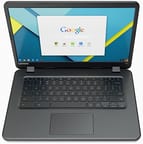 Lenovo N42-20 Chromebook | |
| Price | List Price: $229.99 Amazon Prices: Loading prices... |
| Model number | --- |
| Performance Rating | 2.4 |
| Chromebook Plus | No |
| Processor | Dual-core 1.60 Ghz (max 2.48 Ghz) Intel Celeron Processor N3060 |
| RAM | 4 GB |
| Internal Storage | 16 GB eMMC |
| Screen Size | 14" |
| Screen Resolution | 1366x768 |
| Screen Type | LED |
| Touch Screen | No |
| Stylus / Pen | No Stylus Support |
| Dimensions width x length x thickness | 13.1 x 9.1 x 0.9 inches (332.74 x 231.14 x 22.86 mm) |
| Weight | 3.3 lbs (1.5 kg) |
| Backlit Keyboard | No |
| Webcam | 1280x720 |
| WiFi | 802.11 a/b/g/n/ac |
| Bluetooth | Bluetooth 4.1 |
| Ethernet | No |
| Cellular Modem | No |
| HDMI | Full-Size HDMI |
| USB Ports | 2 USB 3 |
| Thunderbolt Ports | No |
| Card Reader | SD |
| Battery | 3 cell, 45 Wh, Lithium-ion |
| Battery Life | 10.0 hours |
| Fanless | Yes |
| Auto Update Expiration Date | June, 2021 |
Related Chromebooks
-
 ASUS Chromebook C423The ASUS Chromebook C423 packs a 14-inch HD display, Intel Celeron power, and 10-hour battery life…
 -
 HP Chromebook 14 (AMD)The HP Chromebook 14 combines a 14-inch WLED-backlit display, TrueVision HD webcam, and fanless…
 -
 HP Chromebook 14The HP Chromebook 14 was a popular budget Chromebook known for its WLED-backlit display,…
 -
 ASUS Chromebook C403The ASUS Chromebook C403 shines with a 14-inch anti-glare display, robust 12-hour battery life, and…
 -
 Lenovo Flex 3 ChromebookThe Lenovo Flex 3 Chromebook hits the sweet spot with its 11.6-inch IPS touchscreen, 4GB RAM, and…
 -
 Lenovo 14e Chromebook (Gen 3)Lightweight and versatile, the Lenovo 14e Chromebook features a 14-inch FHD IPS touch display,…
Lenovo N42-20 Design and Durability
The Lenovo N42-20 Chromebook was engineered with education environments at the forefront of its design. Lenovo incorporated rubber bumpers along the edges and reinforced corners to protect against drops and impacts—a common occurrence when devices are used by students day after day. The chassis met MIL-STD-810G military durability standards for shock and vibration resistance, giving IT administrators confidence that the devices could withstand typical classroom abuse.
The spill-resistant keyboard was a particularly thoughtful inclusion for education deployments. Rated to channel up to 330ml of liquid away from internal components, the N42-20 could survive a knocked-over water bottle or juice box without suffering permanent damage. The keyboard itself used a standard chiclet layout without backlighting, which kept costs down and reduced potential failure points.
At 13.1 inches wide, 9.1 inches deep, and 0.9 inches thick, the N42-20 was reasonably compact for a 14-inch device. However, the 3.3-pound weight made it heavier than many competing 11-inch Chromebooks that were popular in education at the time. Lenovo positioned the ports practically: full-size HDMI on one side for presentations, two USB 3.0 ports for accessories (which could also support a USB Ethernet adapter for wired networking), a full-size SD card slot for storage expansion, and a combo headphone/microphone jack.
Performance Considerations
The Intel Celeron N3060 processor was Intel’s entry-level Braswell chip, featuring two cores running at 1.6 GHz with burst speeds up to 2.48 GHz. This processor provided adequate performance for the basic computing tasks expected in 2016 classrooms—web browsing, Google Docs, educational web applications—but would struggle with anything more demanding. Opening more than four or five browser tabs simultaneously could noticeably slow the system, and multitasking between multiple applications was not the N42-20’s strength.
The 4GB of RAM provided reasonable headroom for Chrome OS’s lightweight memory requirements during the device’s supported lifespan. However, the 16GB eMMC storage was limiting even by 2016 standards. This minimal capacity encouraged heavy reliance on Google Drive and cloud storage, which was appropriate for the always-connected school environments where the N42-20 was deployed. The SD card slot offered some relief for users who needed local storage for larger files.
One advantage the N42-20 held over some competitors was its fanless thermal design. The Celeron N3060’s low power consumption (6W TDP) allowed Lenovo to cool the system passively without fans. This meant completely silent operation—a genuine benefit in quiet classroom settings and libraries where cooling fan noise could distract students or disturb testing environments.
Display and Connectivity
The 14-inch LED display delivered a standard 1366x768 resolution that was common across budget Chromebooks in 2016. While the larger screen size compared to 11-inch alternatives made text easier to read and provided more workspace for documents, the low resolution meant relatively large pixels were visible up close. The anti-glare coating helped reduce reflections in bright classroom lighting, though the display offered limited viewing angles typical of budget panels.
Wireless connectivity was a relative strength for the N42-20’s price point. The inclusion of 802.11ac WiFi (along with a/b/g/n compatibility) provided faster wireless speeds than many competing education Chromebooks that were still limited to 802.11n. This was particularly valuable in schools with dense WiFi deployments where network congestion could slow down older wireless standards. Bluetooth 4.1 enabled connections to wireless peripherals when needed.
The 720p webcam and built-in microphone supported video conferencing and distance learning applications, though image quality was basic. The full-size HDMI port proved valuable for connecting to classroom projectors and interactive displays without requiring adapters—a practical consideration for teachers using the device for instruction.
Battery and Education Deployment
Lenovo rated the N42-20 for up to 10 hours of battery life with its 45Wh 3-cell lithium-ion battery. This all-day runtime was essential for education deployments where students might not have access to charging throughout the school day. The fanless design contributed to battery efficiency by eliminating the power draw of cooling fans. In practice, battery life varied based on screen brightness, WiFi activity, and the age of the battery itself.
The N42-20 was part of Lenovo’s broader strategy to capture the growing education Chromebook market in 2016. It launched alongside the smaller N22 Chromebook, giving schools options for different grade levels and use cases. Lenovo designed these devices for easy management through Google’s Chrome Management Console, with features that allowed IT administrators to deploy policies, install extensions, and manage fleets of devices across an entire district.
Legacy and End of Support
Chrome OS support for the Lenovo N42-20 Chromebook ended in June 2021, providing approximately five years of automatic updates from Google. After this Auto Update Expiration (AUE) date, the device no longer receives security updates, bug fixes, or new Chrome OS features. This makes the N42-20 unsuitable for continued use in environments where security is a concern, particularly in schools subject to student data protection requirements.
The N42-20 serves as an example of purpose-built education Chromebooks from the mid-2010s era. While its specifications are obsolete by modern standards—limited processing power, minimal storage, and low-resolution display—the device fulfilled its intended role as a durable, manageable, and affordable tool for K-12 digital learning. Schools that deployed the N42-20 have since transitioned to newer devices with faster processors, more storage, touchscreens, and extended support timelines that better serve contemporary educational needs.
Frequently Asked Questions
Can I still use the Lenovo N42-20 Chromebook?
While the Lenovo N42-20 Chromebook will still power on and run Chrome OS, it reached its Auto Update Expiration (AUE) date in June 2021. This means it no longer receives security updates or new features. Using an unsupported Chromebook carries security risks, and we recommend upgrading to a newer device for continued safe use.
What processor does the Lenovo N42-20 Chromebook have?
The Lenovo N42-20 Chromebook uses an Intel Celeron Processor N3060 dual-core chip running at 1.6 GHz with burst speeds up to 2.48 GHz. This was Intel’s entry-level Braswell processor designed for basic computing tasks like web browsing and document editing.
Can I upgrade the RAM or storage on the Lenovo N42-20?
No, the Lenovo N42-20 Chromebook’s 4GB RAM and 16GB eMMC storage are soldered to the motherboard and cannot be upgraded. However, you can expand storage using the full-size SD card slot for additional file storage.
Does the Lenovo N42-20 have a touchscreen?
No, the Lenovo N42-20 Chromebook does not have a touchscreen. It features a standard 14-inch LED display with 1366x768 resolution. Lenovo offered other models with touchscreen options, but the N42-20 was designed as a non-touch education device.
Is the Lenovo N42-20 Chromebook fanless?
Yes, the Lenovo N42-20 features a completely fanless design for silent operation. The Intel Celeron N3060 processor’s low 6W TDP allows passive cooling without fans, making it ideal for quiet classroom and library environments.
How durable is the Lenovo N42-20 Chromebook?
The Lenovo N42-20 was built for education environments with rubber bumpers, reinforced corners, and a spill-resistant keyboard rated for up to 330ml of liquid. It met MIL-STD-810G military standards for shock and vibration resistance. However, as a discontinued device, replacement parts are no longer readily available.
What ports are available on the Lenovo N42-20 Chromebook?
The Lenovo N42-20 includes a full-size HDMI port, two USB 3.0 ports, a full-size SD card slot, and a combo headphone/microphone jack. Note that it does not have USB-C ports, as those weren’t common on Chromebooks until later years.