
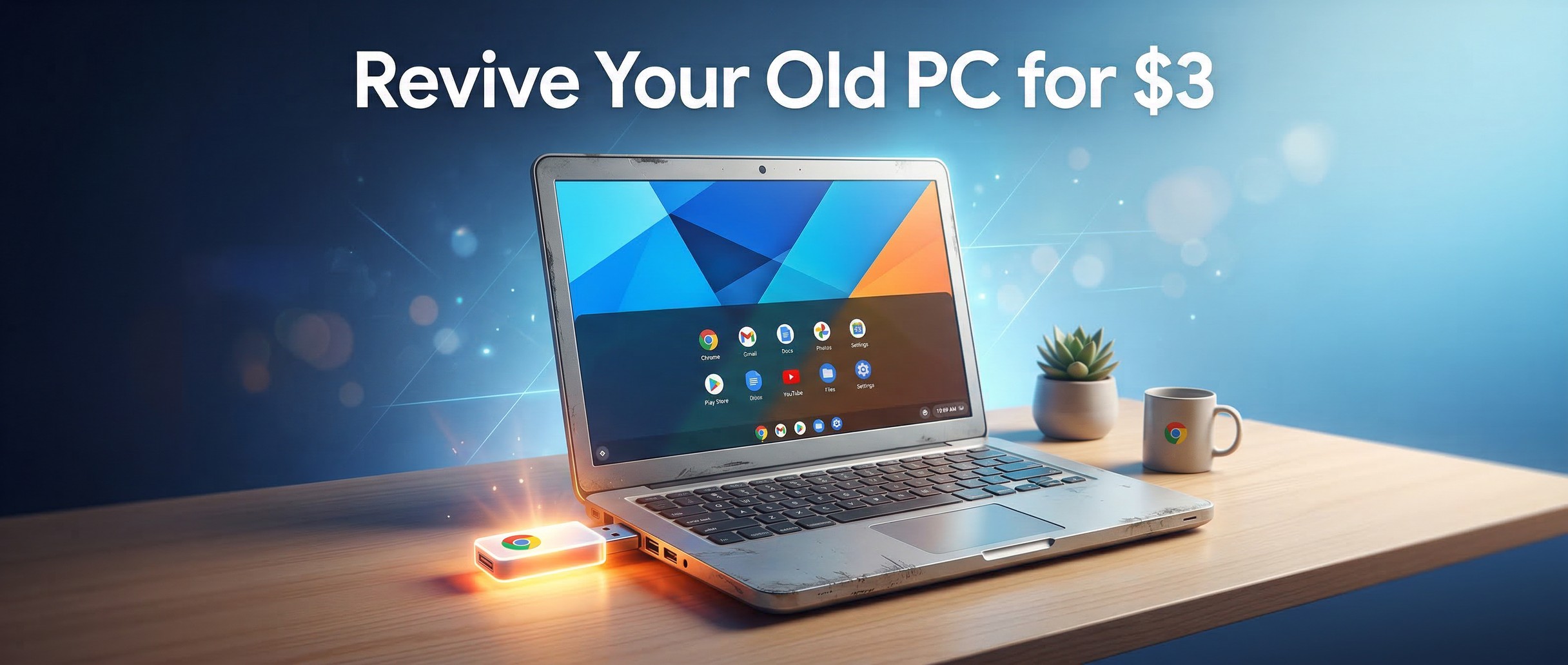
Somewhere in your house there’s an old laptop that Windows left behind. Maybe it’s a perfectly functional Dell from 2017 that Microsoft decided wasn’t good enough for Windows 11. Maybe it’s a ThinkPad your company retired when IT couldn’t justify keeping it on an unsupported operating system. The screen works, the keyboard works, the battery still holds a decent charge. The only thing wrong with it is that the software running on it stopped receiving security updates in October 2025, and the hardware doesn’t meet the arbitrary requirements for the replacement.
Google thinks it has a solution, and it costs three dollars.
The $3 Stick That Started a Conversation
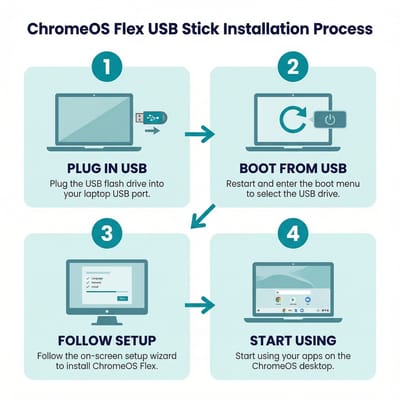
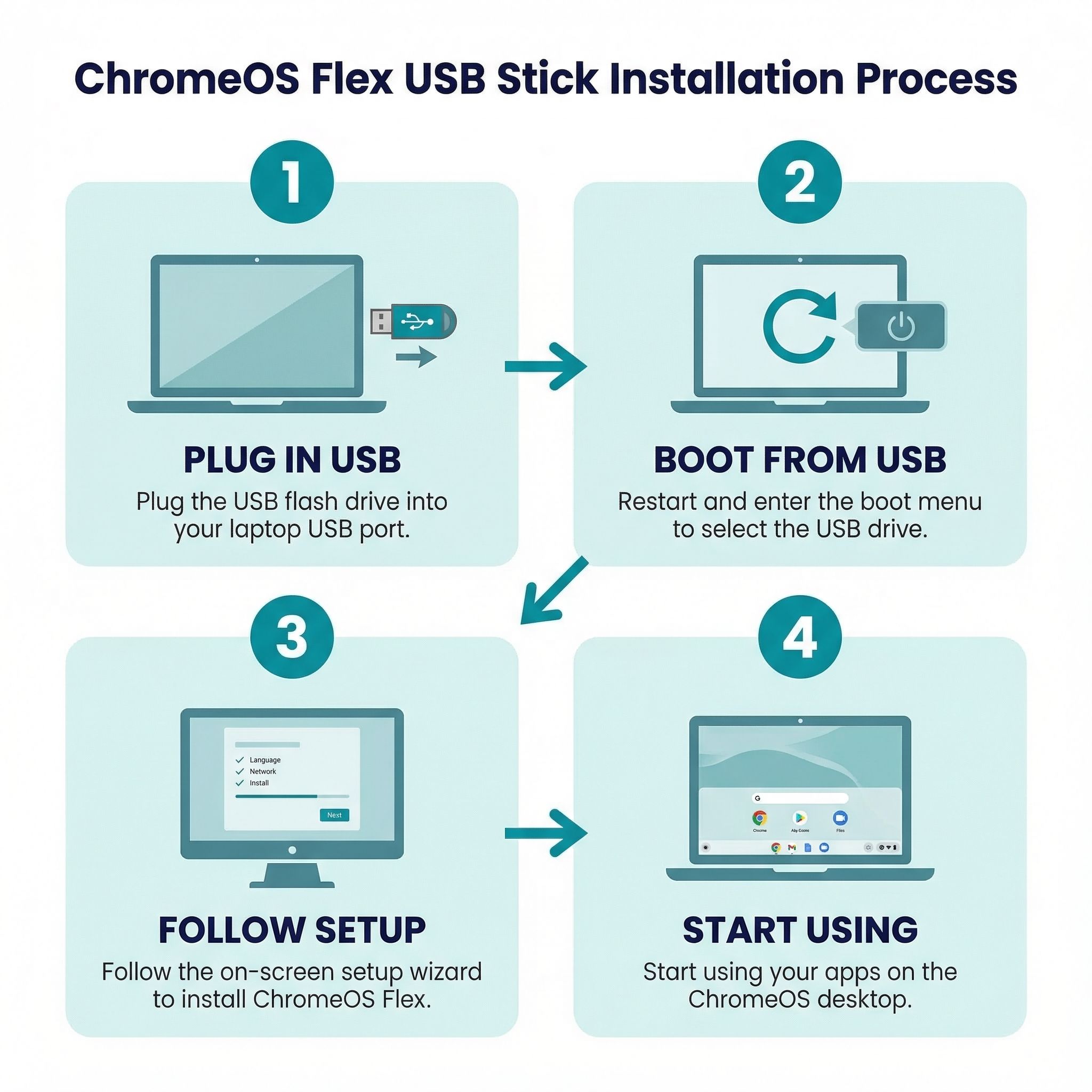
At the Slow Tech Uprising summit in Barcelona — an event hosted by Back Market that deliberately coincided with Mobile World Congress 2026 — Google and the refurbished electronics marketplace announced a partnership to sell USB sticks preloaded with ChromeOS Flex, Google’s lightweight operating system designed to run on older hardware. The pitch is simple: plug the stick into your old PC, follow the prompts, and twenty minutes later you have what is essentially a Chromebook. No monthly fees, no subscriptions, no catch beyond the fact that your hard drive gets wiped in the process.
Back Market CEO Thibaud Hug de Larauze framed the initiative in environmental terms: “Extending the life of existing technology is one of the most immediate ways to reduce e-waste.” Google’s Senior Director Alexander Kuscher struck a similar chord, noting that “millions of laptops are approaching the end of their supported operating systems, even though the hardware is still perfectly fine.” The initial run is just 3,000 units going on sale March 30, with plans to expand based on demand. At that scale, this is less a product launch and more a proof of concept — a statement piece designed to get people thinking about alternatives to the upgrade treadmill.
The marketing even includes a USB stick displayed behind glass with the tagline “break in case of obsolescence,” which is clever enough that you almost forget it’s an advertisement for a free operating system someone put on a three-dollar flash drive.
Why This Matters Now: The Windows 10 Cliff
To understand why a $3 USB stick is generating headlines, you need to understand the scale of the problem it’s trying to solve. Microsoft ended security support for Windows 10 on October 14, 2025, and the transition to Windows 11 has been anything but smooth. Windows 11 requires a TPM 2.0 security chip, Secure Boot capability, and specific processor generations that exclude millions of machines manufactured before 2018. As of late 2025, roughly 40 percent of PCs worldwide were still running Windows 10, and while that number has been declining, it still represents an enormous installed base of perfectly functional hardware that Microsoft has effectively orphaned.
Microsoft did offer an Extended Security Updates program — free for users who sign in with a Microsoft account, or $30 per device as a standalone purchase — but that buys only one additional year of patches through October 2026. After that, the security door closes for good, and the choice becomes stark: buy a new computer, install a different operating system, or accept the growing risk of running unpatched software connected to the internet.
This is the context that makes a $3 ChromeOS Flex stick newsworthy. It’s not just about the stick itself. It’s about the hundreds of millions of computers that suddenly need a path forward, and the fact that Google is positioning its lightweight, cloud-first operating system as the easiest one.
What ChromeOS Flex Actually Is (and Isn’t)
ChromeOS Flex is Google’s version of ChromeOS — the same operating system that runs on Chromebooks — adapted to install on non-Chromebook hardware. It traces its roots to Neverware’s CloudReady, an independent project that Google acquired in 2020 and folded into its official product line. The core experience is familiar to anyone who’s used a Chromebook: you get Chrome as your primary application platform, web apps for productivity, and Google’s automatic update infrastructure keeping things patched and secure.
What you don’t get is important to understand before you wipe your hard drive. ChromeOS Flex does not include Google Play or Android app support. If you depend on specific Android apps on your current Chromebook, those won’t be available here. Certain hardware-specific features like fingerprint readers, discrete GPUs, and some trackpad gestures may not work on every machine. Performance is heavily dependent on your hardware — Google recommends a minimum of 4GB of RAM and a solid-state drive for a smooth experience, and processors made before 2010 may struggle.
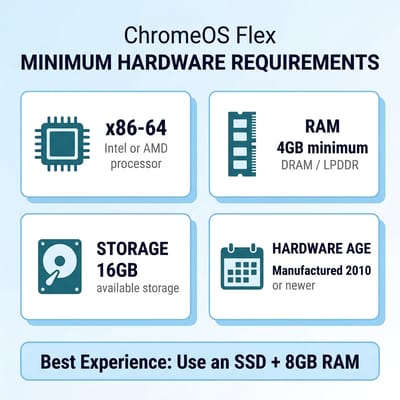
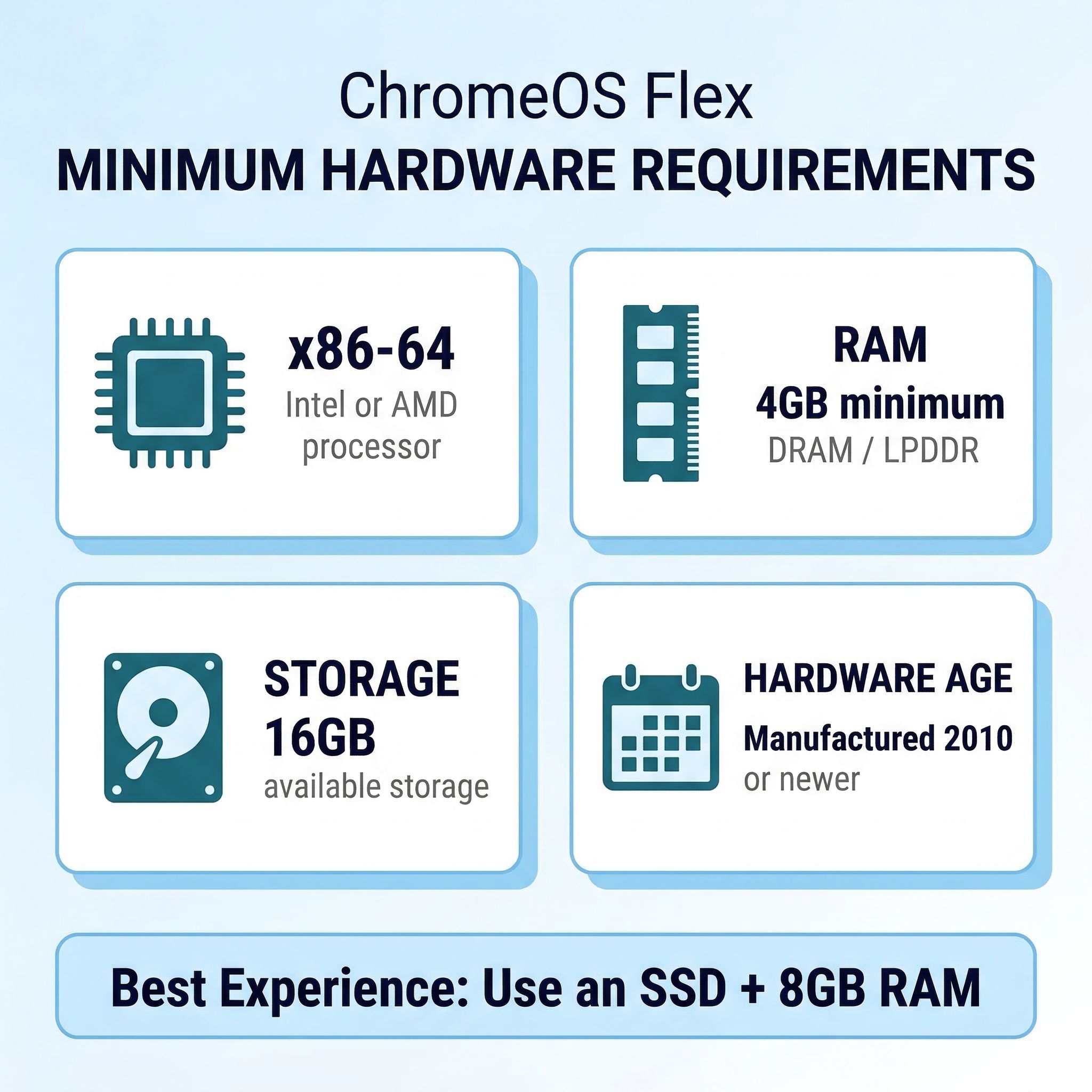
The good news is that for the core use case — web browsing, email, document editing, video streaming, video calls — ChromeOS Flex works remarkably well on hardware that Windows 11 refuses to touch. An old Core i5 laptop from 2015 that Microsoft considers obsolete can run ChromeOS Flex as snappily as a midrange Chromebook sold in stores today. Google maintains an extensive certified models list covering hundreds of specific machines, though the OS will install on most x86-64 hardware whether it’s officially certified or not. The gamble with uncertified hardware is usually WiFi and trackpad drivers — the two components that cause the most grief when they don’t work out of the box.
Cloud gaming is another bright spot that catches people by surprise. While you can’t run native PC games, services like GeForce NOW and Xbox Cloud Gaming work through the browser, meaning that old laptop can potentially stream modern titles at better quality than its original operating system could ever render locally. We’ve covered GeForce NOW’s performance on Chromebooks extensively, and the experience on ChromeOS Flex hardware is essentially identical — any machine with a decent internet connection and a screen can become a capable cloud gaming terminal.
The Honest Question: $3 Stick or Free DIY?
Here’s the thing that makes the $3 ChromeOS Flex stick simultaneously clever and a little absurd: anyone with a Chrome browser and a spare USB drive can create the exact same installer for free right now. Google’s Chromebook Recovery Utility, available as a Chrome extension, walks you through the process step by step. Select “Google ChromeOS Flex” from the manufacturer dropdown, pick your USB drive, click create, and wait about ten minutes. You end up with an identical bootable installer.
So who is the $3 stick actually for? It’s for the person who just read that paragraph and felt their eyes glaze over. It’s for the grandparent whose grandson said “just install Chrome OS Flex on it” and then didn’t answer their follow-up questions. It’s for the small business owner who knows their old office laptops still work but doesn’t have an IT department to flash operating systems. Back Market is betting that the convenience of a ready-made, plug-and-play USB drive is worth three dollars to people who would never navigate to a Chrome extension, understand what “boot from USB” means, or feel confident wiping their own hard drive without someone else’s packaging telling them it’s okay.
That’s actually a reasonable bet. The technical barrier to creating your own ChromeOS Flex installer is low by tech enthusiast standards, but the tech enthusiast standard is wildly disconnected from what most people are comfortable doing with their computers. If your audience is people who already know how to flash an OS, they don’t need this product. If your audience is the other several hundred million Windows 10 users, a physical product with simple instructions is genuinely useful.
Who Should Do This (and Who Shouldn’t)
ChromeOS Flex makes the most sense for a specific set of users with a specific set of needs. If your computing life revolves around the browser — Gmail, Google Docs, YouTube, Netflix, news sites, social media — then an old laptop running ChromeOS Flex will feel almost indistinguishable from a new Chromebook. The operating system boots fast, stays responsive, and receives regular security updates from Google.
It’s an especially compelling option for older family members who mostly browse the web and check email — we’ve written a complete setup guide for seniors that applies equally well to ChromeOS Flex machines. ChromeOS is meaningfully harder to infect with malware than Windows, the interface is simpler, and you can set it up and largely forget about it. If you’ve ever been the family tech support person for a relative’s Windows machine, the appeal of converting them to something that essentially maintains itself is hard to overstate.
Where ChromeOS Flex falls short is anywhere you need specific desktop software. QuickBooks, Photoshop, most tax preparation software, specialized engineering tools, desktop versions of Office (as opposed to the web versions) — none of these run on ChromeOS Flex. If your work depends on a particular Windows application, this isn’t your path. You also lose local file management flexibility. ChromeOS is designed around cloud storage, and while it has a local file system, the experience is built around the assumption that your documents live in Google Drive.
It’s worth noting that ChromeOS Flex isn’t the only alternative for old PCs. Linux distributions like Ubuntu and Linux Mint offer a middle ground with fuller application compatibility and a more traditional desktop experience, though they require more technical confidence to install and maintain. For people comfortable with that tradeoff, Linux might actually be the better choice. ChromeOS Flex’s advantage isn’t that it’s the most capable option — it’s that it’s the simplest one.
The Elephant in the Room: How Long Will ChromeOS Flex Last?
There’s a question hanging over this entire conversation that deserves honest treatment. Google has confirmed that ChromeOS and Android are merging into a unified platform codenamed Aluminium OS, with the transition beginning in 2026. When Google eventually consolidates onto an Android-based desktop operating system, what happens to ChromeOS Flex?
Google has publicly stated that ChromeOS Flex will continue to be supported, and there’s no announced end date. But Google also has a well-documented history of discontinuing products, and the company’s long-term roadmap for an operating system that was itself an acquisition (via Neverware’s CloudReady) is genuinely uncertain. On the Hacker News discussion about the $3 stick, one commenter memorably described the situation as “fighting obsolescence with the most likely to become obsolete OS.”
That said, the practical risk is lower than it sounds. Even if Google eventually sunsets ChromeOS Flex, it would almost certainly provide years of notice, and the hardware you’re installing it on was already at the end of its supported life under Windows. You’re not making a twenty-year commitment here. You’re giving a laptop that was headed for the recycling bin another two, three, maybe five years of productive use. If ChromeOS Flex gets you three more years out of a machine that was otherwise e-waste, that’s a win regardless of what happens to the OS afterward.
The Bigger Picture: E-Waste and the Upgrade Treadmill
The United Nations estimated that the world generated 62 million metric tons of electronic waste in 2022, with e-waste volumes growing five times faster than formal collection and recycling rates. We’ve written extensively about the Chromebook e-waste crisis and the waves of pandemic-era devices hitting their expiration dates, and the Windows 10 end-of-support situation is the same dynamic playing out on a massively larger scale.
What makes the Back Market partnership interesting isn’t the USB stick itself — it’s what it represents. Back Market already sells refurbished laptops with ChromeOS Flex pre-installed, and this pilot is clearly a marketing vehicle designed to raise awareness of that broader business. The $3 stick is loss-leader pricing for an idea: that the laptop you already own might be fine, it just needs different software. Whether Back Market’s commercial motivations diminish the genuineness of the environmental message is a question readers can answer for themselves, but the underlying point — that we throw away too many functional computers because of software decisions rather than hardware failures — is hard to argue with.
If you have an old laptop gathering dust and your computing needs are primarily web-based, ChromeOS Flex is worth trying. You can create the installer yourself for free using the Chromebook Recovery Utility, or wait until March 30 and grab one of the 3,000 pilot sticks from Back Market for $3. Either way, you might be surprised at how much life is left in a machine that Microsoft said was done. And if you decide you want the real Chromebook experience with Android apps and guaranteed long-term support, that old-laptop-turned-Chromebook might just convince you that your next computer should be an actual one.


