

Short Answer:
Yes. SMB file shares (the protocol Windows, Samba, and most NAS boxes use) mount directly inside the ChromeOS Files app with nothing extra to install. Open the Files app, click the three-dot menu in the top right, choose Add new service > SMB file share, and point it at your server. Google Drive and Microsoft OneDrive also show up in the Files sidebar, and the older File System Provider extensions still cover SFTP and WebDAV.
Long Answer:
When this answer was first written in 2015, native network shares simply did not exist on ChromeOS. The only thing you could reach was Google Drive, and accessing a Windows server meant hunting down a third-party extension that may or may not work. That changed for good in 2019: Google built SMB support straight into the Files app, and it has been a standard, reliable feature ever since.
To connect to a Windows or Samba share today, open the Files app, click the three-dot overflow menu in the upper right, and select Add new service > SMB file share. You will be asked for the file share URL, which uses the familiar \\server\sharename format (a host name, a smb:// address, or a plain IP address all work). Enter a display name if you want one, supply the username and password the server expects, and decide whether to save those credentials. The share then appears in the left sidebar of the Files app just like Downloads or Google Drive, and you can drag files in and out, open documents directly, and browse subfolders without any further setup. Managed Chromebooks in schools and businesses can have these shares pushed out automatically through the Google Admin console, so students and staff see their department drives without touching a single setting.
For everything that is not SMB, you have two solid paths. Microsoft OneDrive is now integrated into ChromeOS directly: sign in once and your OneDrive files appear in the Files app alongside Google Drive, which is handy if your office lives in Microsoft 365. For SFTP, FTP, or WebDAV servers, the File System Provider API is still the mechanism, and small extensions from the Chrome Web Store mount those connections into the same Files app sidebar. If your data lives in Dropbox, the cleanest option is the Dropbox Android app from the Play Store, which adds Dropbox as a location in Files (our older Dropbox Integration for Chromebooks walkthrough covers the background). The Linux development environment runs in its own container, so if you want a mounted SMB share visible to a Linux app, you have to share that folder with Linux from the Files app right-click menu first. That same folder-sharing step applies to any Linux app that saves files locally, including a torrent client running on your Chromebook.
Recommended Chromebooks for Network File Sharing
If you’re planning to use network file shares regularly, especially for business or professional work, consider a Chromebook Plus model with strong performance and connectivity options:
ASUS ExpertBook CX54 Chromebook Plus
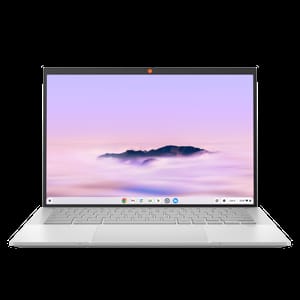
The ASUS ExpertBook CX54 is purpose-built for business users, offering excellent connectivity with Thunderbolt 4 ports, WiFi 6E, and a premium build. It’s for users who need to access corporate file servers and handle multiple network connections simultaneously.
For a less expensive option with great versatility, the Lenovo Chromebook Plus 2-in-1 14 provides solid performance and convertible functionality, suitable for both network file access and productivity tasks.


