
Acer Chromebook 712
Updated on

The Acer Chromebook 712 is a robust, education-centric Chromebook that boasts a 12-inch IPS display, an Intel Celeron 5205U Processor, and a 3:2 aspect ratio. Engineered with durability in mind, it delivers solid performance and enjoys Google support until 2030. The device is equipped with USB Type-C, USB Type-A, and a microSD card slot, and comes in configurations with 4GB or 8GB of RAM and 32GB or 64GB of storage.
| Pros | Cons |
|---|---|
| MIL-STD 810G durability survives 48-inch drops (EdTech Magazine testing) | Lower HD+ resolution (1366x912) limits screen sharpness |
| 330ml spill-resistant keyboard with drainage system (Chrome Unboxed) | Pricier than some budget educational Chromebooks at $329 |
| 10th-gen Intel Comet Lake processor outperforms typical EDU chips | Base model lacks touchscreen capability |
| 3:2 aspect ratio provides 18% more vertical space for productivity | Bulky ruggedized design adds weight at 3.31 lbs |
| Pick-resistant mechanically-anchored keys prevent student tampering | Keyboard is not backlit for low-light use |
| Google support until June 2030 ensures long-term value | Limited to 4GB RAM in base configuration |
Related Videos
Acer Chromebook 712 Comparison Chart
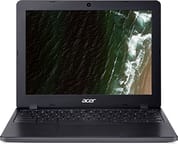 Acer Chromebook 712 | |
| Price | List Price: $329.99 Amazon Prices: Loading prices... |
| Model number | C871-C85K / NX.HQEAA.001 |
| Performance Rating | 3.1 |
| Chromebook Plus | No |
| Processor | Dual-core 1.90 Ghz Intel Celeron Processor 5205U |
| RAM | 4 GB |
| Internal Storage | 32 GB eMMC |
| Screen Size | 12" |
| Screen Resolution | 1366x912 |
| Screen Type | IPS |
| Touch Screen | No |
| Stylus / Pen | No Stylus Support |
| Dimensions width x length x thickness | 11.7 x 9 x 0.85 inches (297.18 x 228.6 x 21.59 mm) |
| Weight | 3.31 lbs (1.5 kg) |
| Backlit Keyboard | No |
| Webcam | 720p HD |
| WiFi | IEEE 802.11 a/b/g/n/ac/ax |
| Bluetooth | Bluetooth 5.0 |
| Ethernet | No |
| Cellular Modem | No |
| HDMI | No HDMI |
| USB Ports | 1 USB 3, 2 USB-C (supports DisplayPort) |
| Thunderbolt Ports | No |
| Card Reader | microSD Card Reader |
| Battery | 3 cell, Lithium-ion |
| Battery Life | 12.0 hours |
| Fanless | Yes |
| Auto Update Expiration Date | June, 2030 |
Related Chromebooks
-
 Acer Chromebook 311 C723Maximize your study sessions with the Acer Chromebook 311. MIL-STD durability, anchored keys, and a…
 -
 Acer Chromebook 311 (CO731)The Acer Chromebook 311 (CO731) delivers fanless, silent operation in a compact 11.6-inch package,…
 -
 Samsung Chromebook 4The Samsung Chromebook 4 shines with its compact design, sturdy build, and budget-friendly price.…
 -
 Lenovo Flex 3i Chromebook 12.2"The Lenovo Flex 3i Chromebook astounds with a 12.2" IPS touch screen, quad-core processing power,…
 -
 ASUS Chromebook CR11 (CR1104C)The ASUS Chromebook CR11 (CR1104C) is a ruggedized 11.6-inch Chromebook built for students and…
 -
 Dell Chromebook 3120A rugged and affordable 11.6-inch Chromebook with Intel N100 processor, available in clamshell and…
Detailed Insights into the Acer Chromebook 712

The Acer Chromebook 712 distinguishes itself with its resilience and rugged features, specifically designed to endure the demanding classroom environment. It can withstand up to 130 lbs of downward pressure, verified through hands-on testing by Chrome Unboxed. The keyboard incorporates specially-designed pick-resistant keys with mechanical anchoring that students simply cannot pry off, a feature Acer developed after observing how students actually use their devices in classroom settings. The keyboard also tolerates water spills up to 330ml thanks to a gutter system that routes liquid out the bottom of the chassis. The moisture-resistant trackpad offers additional protection against accidental spills and sweaty hands. Teachers managing these devices should know about the Chromebook magnet trick, a harmless prank where students place magnets on classmates’ Chromebooks to trigger the lid sensor and put them to sleep.
Beyond basic durability, the device has been extensively drop-tested from heights up to 48 inches on all edges and corners. It holds a MIL-STD 810G rating, ensuring resistance to sand, dirt, dust, humidity, and extreme temperatures. The reinforced hinge design extends to the top of the screen, enabling the device to be picked up and held horizontally by the display alone without damage. Rubberized shock-absorbing bumpers around the chassis provide additional protection during the inevitable drops and bumps of daily student use.
Performance-wise, the Chromebook 712 features 10th-generation Intel Comet Lake processors, a significant departure from the less expensive, less powerful Apollo or Gemini Lake chips commonly found in most educational Chromebooks. This processor upgrade enables smoother multitasking, better app performance, and the ability to handle demanding web applications. EdTech Magazine’s testing confirmed that 3D modeling via SketchUp Free ran smoothly, and video editing with WeVideo allowed completion of a 30-second video in less than five minutes with transitions and effects. The 3:2 aspect ratio IPS display provides 18% more vertical viewing space than traditional 16:9 screens, reducing scrolling and improving productivity for document-heavy schoolwork.
Reviewer Insights on the Acer Chromebook 712

Chrome Unboxed’s Perspective
Robby Payne from Chrome Unboxed conducted extensive hands-on durability testing of the Chromebook 712, including having a staff member stand on the device to test its 130 lbs downward force rating. The device passed with no issues. He attempted to remove the specially-anchored keys multiple times and declared that “whatever magic they’ve got going on with the way that the keys are attached to the keyboard, there’s just no way to get anything under there.” The review praised the decision to use Comet Lake processors instead of typical budget EDU chipsets, noting that “Acer’s made the choice to go with Comet Lake processors instead of the standard low-end Intel chipsets.” His overall conclusion was enthusiastic: “It looks like Acer has a winner on its hands.”
Chrome Unboxed also published a detailed written review describing the device as possibly “kid-proof.” They noted that “Acer has managed to possibly build a kid-proof Chromebook” and that “the Acer Chromebook 712 packs in more ruggedness and durability than any Chromebook we’ve ever seen.” The review highlighted the strategic alignment with Google’s 8-year auto-update policy, making it a smart long-term purchase for schools at its $329.99 starting price.
EdTech Magazine’s Perspective
Buzz Garwood from EdTech Magazine conducted real-world classroom testing of the Chromebook 712. The review included drop tests from 48 inches and water resistance tests where 10 ounces were poured over the keyboard. The device continued functioning normally after both tests. Garwood was particularly impressed with performance capabilities, noting that “Performance was as smooth and fluid as a desktop application” when testing 3D modeling software. For video editing, he reported “I completed a 30-second video in less than five minutes with transitions and effects.” The review praised the 3:2 aspect ratio display for reducing scrolling needs and the 180-degree opening that allows flat positioning for student collaboration.
Legit Reviews’ Perspective
Shane McGlaun from Legit Reviews described the Chromebook 712 as “a solid Chromebook for parents needing something that can stand up to kids or for schools looking for something for students.” The review highlighted the multiple processor options ranging from Intel Celeron 5205U to Core i3-10110U, providing flexibility for different performance and budget needs. The forward-looking Wi-Fi 6 dual-band support, multiple USB-C ports, and child safety certifications demonstrate Acer’s focus on real-world student usage scenarios. While there is no built-in Ethernet port, the USB ports support a USB Ethernet adapter for wired networking in lab environments.
Across all reviews, the consensus is clear: the Acer Chromebook 712 sets a new standard for educational Chromebook durability while delivering performance that exceeds typical budget education devices.
Customer Reviews of the Acer Chromebook 712
Amazon customers have responded positively to the Acer Chromebook 712, with many highlighting its exceptional durability and classroom-ready design. Parents and school IT administrators frequently mention the peace of mind that comes with the MIL-STD 810G rating and spill-resistant keyboard. Several reviewers noted that their students have dropped the device multiple times with no damage, validating Acer’s durability claims in real-world conditions.
The 3:2 aspect ratio display receives particular praise from users who work with documents and educational software, with many commenting that the extra vertical screen space reduces scrolling and improves productivity. Students and teachers appreciate the 12-hour battery life that easily lasts through a full school day without needing to find an outlet.
Some customers noted that the base 4GB RAM configuration can feel limiting when running multiple Android apps simultaneously, though basic Chromebook tasks like web browsing, Google Docs, and classroom apps run smoothly. The lack of touchscreen on the base model was mentioned as a minor disappointment by some users, particularly those accustomed to touch interaction on tablets and phones.
Conclusion
The Acer Chromebook 712 represents one of the most thoughtfully designed educational Chromebooks on the market. With its MIL-STD 810G certification, 330ml spill resistance, pick-resistant keyboard, and ability to withstand 130 lbs of downward pressure, it’s genuinely built to survive the rigors of daily classroom use. The choice of 10th-generation Intel Comet Lake processors over cheaper budget chips delivers noticeably better performance for demanding educational applications.
The 3:2 aspect ratio display provides a productivity advantage for document-heavy schoolwork, and the 12-hour battery life ensures students won’t need to search for outlets during the school day. With Google support extending until June 2030, schools and families can be confident this investment will remain secure and up-to-date for years to come. At a starting price of $329.99, the Chromebook 712 offers excellent value for its durability and performance combination, making it a top choice for education environments where devices need to survive enthusiastic student use.