
Acer Chromebook 13
Updated on

Note: The Acer Chromebook 13 CB5-311 has been discontinued and reached its Auto Update Expiration (AUE) date in September 2019. Chrome OS no longer receives security updates on this device. This page is maintained for historical reference.
The Acer Chromebook 13 CB5-311 arrived in late 2014 as a significant departure from the Chromebook norm. It was the first 13-inch Chromebook from Acer and the first to use NVIDIA’s Tegra K1 ARM processor instead of Intel’s ubiquitous Celeron chips. At a time when most Chromebooks clustered around the 11-inch form factor, this model offered a larger workspace while promising impressive battery life of up to 13 hours. Pricing started at $249, making it competitive with smaller Intel-based alternatives. The Tegra K1’s 192-core Kepler GPU also promised better graphics performance than typical Chromebook integrated graphics, though real-world results proved more nuanced.
| Pros | Cons |
|---|---|
| Completely silent fanless operation | ARM processor limits compatibility with some Linux apps |
| Exceptional 10-13 hour battery life | Performance often matched rather than exceeded Intel alternatives |
| Slim 0.71” profile with clean design | Display viewing angles limited on TN panel |
| Full-size HDMI for easy display connections | No USB-C ports (2014 design) |
| Available with 1080p full-HD display option | 2GB RAM models feel constrained with multiple tabs |
| 802.11ac WiFi for faster wireless speeds | Chrome OS support ended September 2019 |
Related Videos
Acer Chromebook 13 Comparison Chart
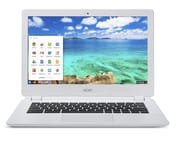 Acer Chromebook 13 | Acer Chromebook 13 | Acer Chromebook 13 | Acer Chromebook 13 | |
| Price | List Price: $299.99 Amazon Prices: | List Price: $249.00 Amazon Prices: | List Price: $349.99 Amazon Prices: | List Price: $379.99 Amazon Prices: |
| Model number | CB5-311-T9B0 / NX.MPRAA.012 | CB5-311-T7NN / NX.MPRAA.001 | CB5-311P-T9AB/ NX.MRDAA.003 | CB5-311-T1UU / NX.MPRAA.007 |
| Performance Rating | 2.0 | 2.0 | 2.5 | 2.5 |
| Chromebook Plus | No | No | No | No |
| Processor | Quad-core 2.10 Ghz NVIDIA Tegra K1 CD570M-A1 | Quad-core 2.10 Ghz NVIDIA Tegra K1 CD570M-A1 | Quad-core 2.10 Ghz NVIDIA Tegra K1 CD570M-A1 | Quad-core 2.10 Ghz NVIDIA Tegra K1 CD570M-A1 |
| RAM | 2 GB | 2 GB | 4 GB | 4 GB |
| Internal Storage | 16 GB | 16 GB | 16 GB | 32 GB |
| Screen Size | 13.3" | 13.3" | 13.3" | 13.3" |
| Screen Resolution | 1920x1080 | 1366x768 | 1366x768 | 1920x1080 |
| Screen Type | Active Matrix TFT Color LCD | Active Matrix TFT Color LCD | Active Matrix TFT Color LCD | Active Matrix TFT Color LCD |
| Touch Screen | No | No | Yes | No |
| Stylus / Pen | No Stylus Support | No Stylus Support | No Stylus Support | No Stylus Support |
| Dimensions width x length x thickness | 12.9 x 9 x 0.71 inches (327.66 x 228.6 x 18.03 mm) | 12.9 x 9 x 0.71 inches (327.66 x 228.6 x 18.03 mm) | 12.9 x 9 x 0.71 inches (327.66 x 228.6 x 18.03 mm) | 12.9 x 9 x 0.71 inches (327.66 x 228.6 x 18.03 mm) |
| Weight | 3.31 lbs (1.5 kg) | 3.31 lbs (1.5 kg) | 3.31 lbs (1.5 kg) | 3.31 lbs (1.5 kg) |
| Backlit Keyboard | No | No | No | No |
| Webcam | No Webcam | No Webcam | No Webcam | No Webcam |
| WiFi | 802.11 a/b/g/n/ac | 802.11 a/b/g/n/ac | 802.11 a/b/g/n/ac | 802.11 a/b/g/n/ac |
| Bluetooth | Bluetooth 4.0 | Bluetooth 4.0 | Bluetooth 4.0 | Bluetooth 4.0 |
| Ethernet | No | No | No | No |
| Cellular Modem | No | No | No | No |
| HDMI | Full-Size HDMI | Full-Size HDMI | Full-Size HDMI | Full-Size HDMI |
| USB Ports | 2 USB 3 | 2 USB 3 | 2 USB 3 | 2 USB 3 |
| Thunderbolt Ports | No | No | No | No |
| Card Reader | SD | SD | SD | SD |
| Battery | 4 cell, 3220 mAh, Lithium-ion | 4 cell, 3220 mAh, Lithium-ion | 4 cell, 3220 mAh, Lithium-ion | 4 cell, 3220 mAh, Lithium-ion |
| Battery Life | 11.0 hours | 13 hours | 11.0 hours | 11.0 hours |
| Fanless | Yes | Yes | Yes | Yes |
| Auto Update Expiration Date | September, 2019 | September, 2019 | September, 2019 | September, 2019 |
Related Chromebooks
-
 Acer Chromebook 315The Acer Chromebook 315 shines with its vivid 15.6-inch FHD IPS display, 10-hour battery life, and…
 -
 Acer Chromebook 514The Acer Chromebook 514 shines with its Full HD IPS touch display, fanless design for silent…
 -
 HP Chromebook 14The HP Chromebook 14 was a popular budget Chromebook known for its WLED-backlit display,…
 -
 ASUS Chromebook C403The ASUS Chromebook C403 shines with a 14-inch anti-glare display, robust 12-hour battery life, and…
 -
 ASUS Chromebook C423The ASUS Chromebook C423 packs a 14-inch HD display, Intel Celeron power, and 10-hour battery life…
 -
 HP Chromebook 14 (AMD)The HP Chromebook 14 combines a 14-inch WLED-backlit display, TrueVision HD webcam, and fanless…
Acer Chromebook 13 Design and Build Quality
Acer adopted an understated aesthetic for the Chromebook 13, featuring a white plastic chassis with clean lines that avoided the chunky appearance of many contemporary budget laptops. The 0.71-inch thickness created a surprisingly slim profile for a 13-inch device, while the 3.31-pound weight remained portable enough for daily carry despite being heavier than 11-inch competitors like the Samsung Chromebook 2. The Verge’s Dan Seifert noted that “The Chromebook 13 has the best design this side of the Pixel,” praising the clean aesthetic that avoided the budget feel of many competitors.
The keyboard offered full-size keys with comfortable spacing for extended typing sessions. The travel was adequate for document work, though Engadget’s Dana Wollman observed that the shallow key travel occasionally caused missed keystrokes during fast typing. The trackpad received consistent praise across reviews for accurate tracking and responsive gesture support, matching the quality found on more expensive laptops.
Port selection included two USB 3.0 ports, a full-size HDMI output, SD card reader, and combo audio jack. The absence of USB 2.0 ports wasn’t a limitation given the faster USB 3.0 standard, and the full-size HDMI port proved more convenient than the micro-HDMI found on many ultraportables. The fanless design enabled completely silent operation—a notable advantage for use in libraries, classrooms, or quiet offices.
NVIDIA Tegra K1 Performance
The NVIDIA Tegra K1 processor represented a departure from the Intel Celeron chips dominating the Chromebook market in 2014. This quad-core ARM Cortex-A15 chip ran at 2.1 GHz and featured a 192-core Kepler GPU—the same graphics architecture found in NVIDIA’s desktop GPUs. On paper, this suggested meaningful graphics advantages over Intel’s integrated HD Graphics, and WebGL benchmarks did show improvements: Engadget tested animated WebGL demos running at 50-60 fps versus 24 fps on comparable Intel systems.
However, the real-world story proved more complicated. The Verge found that “streaming music shouldn’t stutter every time you open a new tab or launch a Chrome app, but it does on the Chromebook 13.” Basic JavaScript benchmarks showed the Tegra K1 performing similarly to Intel Bay Trail Celerons rather than surpassing them. Dan Seifert summarized: “Switching back to the [Acer C720] was like cutting the parachute off of a drag racing car.”
NotebookCheck’s testing provided extensive benchmark data, showing the Chromebook 13 scoring 6,843 on Octane v2 and 1,255 on Peacekeeper—adequate for basic tasks but not the leap forward NVIDIA’s marketing suggested. The Tegra K1 handled simple multitasking acceptably, but users who frequently kept more than eight tabs open or ran demanding web applications would notice limitations.
The 2GB RAM configuration proved particularly constrained. While Chrome OS manages memory efficiently, the combination of limited RAM and the Tegra K1’s characteristics meant the 4GB models offered noticeably better day-to-day performance for users who did more than basic browsing.
Display Options and Quality
Acer offered the Chromebook 13 in two display configurations: a standard 1366x768 panel and a 1920x1080 full-HD option for a $20 premium. Both used TN (twisted nematic) LCD technology, which offered fast response times but compromised viewing angles and color accuracy compared to IPS panels that would become standard in later premium Chromebooks.
The matte finish on both display options reduced glare effectively, making the screen usable in bright environments or under overhead lighting. NotebookCheck measured brightness at 242 cd/m², adequate for indoor use though struggling in direct sunlight. Color reproduction was limited, typical of TN panels, making the Chromebook 13 unsuitable for color-sensitive work like photo editing.
The 1080p option improved text sharpness and provided more screen real estate for web content, but The Verge noted that Chrome OS’s lack of UI scaling at the time meant interface elements appeared quite small, potentially straining eyes during extended use. Users choosing between configurations needed to weigh pixel density against interface usability—a trade-off that later Chrome OS updates with scaling support would resolve, though after this device’s support period ended.
Battery Life and Thermal Performance
Battery life stood out as one of the Chromebook 13’s genuine strengths. Acer rated the device for up to 13 hours with the 768p display or 11 hours with the 1080p panel. Real-world testing largely validated these claims: Engadget recorded 10 hours 7 minutes with the 1080p display under their standard workload, while The Verge achieved an impressive 11 hours 50 minutes in their testing. NotebookCheck’s WiFi surfing test yielded 10 hours 4 minutes—genuinely all-day battery life that few laptops of any type could match in 2014.
The fanless design meant completely silent operation under all conditions, which reviews universally praised. NotebookCheck’s thermal testing showed the device barely warming up even under load, with maximum surface temperatures of 35°C—cool enough to use comfortably on a lap. Power consumption stayed under 10 watts in typical use, contributing to the impressive battery life and enabling the passive cooling approach.
Reviewer Perspectives
Three major technology publications reviewed the Acer Chromebook 13 at launch, reaching generally similar conclusions about its strengths and limitations.
NotebookCheck awarded the Chromebook 13 a 78% score, calling it “a compelling option for users seeking a silent, cool-running laptop with strong battery performance.” Their extensive testing confirmed the Tegra K1 performed comparably to Intel Bay Trail processors for typical tasks, while noting the Kepler GPU handled WebGL content and casual games smoothly. They found the keyboard “responsive for extended typing sessions” but criticized the “flimsy plastic construction” that allowed noticeable chassis flex.
Engadget concluded the Chromebook 13 was “a worthwhile product despite not fully delivering on manufacturer promises.” Dana Wollman appreciated the value proposition, noting “at a fraction of the cost of that metal beast [the Chromebook Pixel], the all-plastic Acer Chromebook 13 presents a powerful value option.” However, she tempered expectations about performance, finding that JavaScript benchmarks didn’t show the advantages NVIDIA had promised.
The Verge was more critical, scoring the device 7/10 and concluding it “falls short on the most important promise of all: providing the best web browsing experience you can get on a Chromebook.” Dan Seifert praised the design and battery life but found the inconsistent performance frustrating, particularly when simple multitasking like browsing while streaming music caused stuttering. His most pointed observation: the Chromebook 13 felt “a beat or two behind” Intel-powered alternatives despite similar benchmark scores.
Acer Chromebook 13 Legacy
The Acer Chromebook 13 CB5-311 holds a notable place in Chromebook history as one of the few devices to use NVIDIA’s mobile processors, part of a brief period when Google explored ARM alternatives to Intel’s dominance in the category. The Tegra K1’s mixed results—strong GPU performance offset by inconsistent CPU behavior—demonstrated that benchmark advantages didn’t always translate to user experience improvements.
Chrome OS support ended in September 2019, following Google’s Auto Update Expiration policy that provided approximately five years of updates for devices of this era. After this date, the device no longer receives security updates, bug fixes, or new features. While the Chromebook 13 will continue to function, using an unsupported device carries security risks, particularly for activities involving sensitive information like banking or personal data.
For users seeking a modern 13-inch Chromebook, current options offer dramatically improved performance with Intel Core or MediaTek Kompanio processors, USB-C charging, higher-quality IPS displays, and support extending into the 2030s. The Acer Chromebook Spin 513 offers a spiritual successor with ARM-based performance and convertible functionality, while various options from ASUS, HP, and Lenovo provide alternatives in the 13-14 inch category.
Frequently Asked Questions
Can I still use the Acer Chromebook 13 CB5-311?
The Acer Chromebook 13 CB5-311 will still power on and run Chrome OS, but it reached its Auto Update Expiration (AUE) date in September 2019. This means it no longer receives security updates or new Chrome OS features. Using an unsupported Chromebook carries significant security risks, especially for activities involving sensitive information. We strongly recommend upgrading to a newer device with active support.
What processor does the Acer Chromebook 13 have?
The Acer Chromebook 13 CB5-311 uses an NVIDIA Tegra K1 processor, specifically the CD570M-A1 variant. This quad-core ARM Cortex-A15 chip runs at 2.1 GHz and features a 192-core Kepler GPU. It was one of the few Chromebooks to use NVIDIA’s mobile processors instead of Intel chips.
Does the Acer Chromebook 13 have a touchscreen?
No, the Acer Chromebook 13 CB5-311 does not have a touchscreen. It features a standard 13.3-inch display available in either 1366x768 or 1920x1080 resolution. Touch-enabled Chromebooks in this size class arrived later with devices like the Acer Chromebook R13 convertible.
Can I upgrade the RAM or storage on the Acer Chromebook 13?
No, the Acer Chromebook 13’s RAM and eMMC storage are soldered to the motherboard and cannot be upgraded. The device was available with either 2GB or 4GB of RAM, and 16GB or 32GB of storage depending on the model. You can expand storage using the SD card slot, which supports full-size SD cards.
What ports does the Acer Chromebook 13 have?
The Acer Chromebook 13 CB5-311 includes two USB 3.0 ports, a full-size HDMI port for external displays, an SD card reader, and a combo headphone/microphone jack. It does not have USB-C ports, which weren’t standard on Chromebooks when this model launched in 2014.
How long does the Acer Chromebook 13 battery last?
Acer rated the Chromebook 13 for up to 13 hours with the 768p display or 11 hours with the 1080p option. Independent testing by Engadget and The Verge confirmed 10-12 hours of real-world battery life, which was exceptional for 2014. On older units, battery capacity will have degraded significantly from these original specifications.
Why did NVIDIA stop making Chromebook processors?
The Tegra K1 used in the Acer Chromebook 13 was one of few NVIDIA chips to appear in Chromebooks. While the processor showed promise in graphics-heavy tasks, its real-world web browsing performance matched rather than exceeded Intel alternatives. Combined with Intel’s strong position in the laptop market and Chrome OS’s optimization for Intel architectures, NVIDIA focused on other markets like gaming and automotive rather than competing for Chromebook design wins.