
Acer Chromebook 715
Updated on

The Acer Chromebook 715 pairs a full aluminum unibody with a 15.6-inch Full HD IPS display and a keyboard that carries a numeric keypad, a first for Chromebooks when it launched. The Intel Core i3-8130U keeps up with browser tabs, document editing, and Android apps. That full keyboard and keypad point the CB715 at desk work: spreadsheets, reports, and coursework for students. NotebookCheck rated it 82.8% and called it “perhaps the current pinnacle of Chromebooks.” The display is the weak point, and it is what keeps this an indoor laptop.
| Pros | Cons |
|---|---|
| Aluminum unibody construction with MIL-STD-810G durability (Android Police) | Display limited to 250 nits brightness with weak color accuracy (TechRadar, Laptop Mag) |
| Full keyboard with numeric keypad and comfortable tactile keys (Android Police) | Webcam produces digital noise in mid-tones (NotebookCheck) |
| Battery life of 9-11 hours depending on usage (Laptop Mag, Android Police) | eMMC storage delivers slower performance than NVMe SSDs (TechRadar) |
| Responsive Gorilla Glass trackpad with accurate multitouch gestures (Android Police) | Carries a serious premium cost (TechRadar) |
| Built-in fingerprint reader for quick, secure sign-in (NotebookCheck) | Limited port selection with sparse legacy options (NotebookCheck) |
| Five-stage backlit keyboard for low-light environments (NotebookCheck) | Only 180-degree lid opening with excessive flex when twisted (NotebookCheck) |
Related Videos
Acer Chromebook 715 Comparison Chart
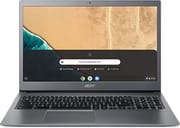 Acer Chromebook 715 | Acer Chromebook 715 | |
| Price | List Price: $749.99 Amazon Prices: | List Price: $499.99 Amazon Prices: Loading prices... |
| Model number | 715 CB715-1W-59YQ / NX.HB2AA.003 | CB715-1W-35ZK / NX.HB3AA.007 |
| Performance Rating | 6.8 | 3.6 |
| Chromebook Plus | No | No |
| Processor | Quad-core 1.60 Ghz (max 3.40 Ghz) Intel Core i5-8250U | Dual-core 2.20 Ghz (max 3.40 Ghz) Intel Core i3-8130U |
| RAM | 16 GB | 4 GB |
| Internal Storage | 64 GB eMMC | 128 GB eMMC |
| Screen Size | 15.6" | 15.6" |
| Screen Resolution | 1920x1080 | 1920x1080 |
| Screen Type | IPS | IPS |
| Touch Screen | No | No |
| Stylus / Pen | No Stylus Support | No Stylus Support |
| Dimensions width x length x thickness | 14.4 x 9.8 x 0.7 inches (365.76 x 248.92 x 17.78 mm) | 14.4 x 9.8 x 0.7 inches (365.76 x 248.92 x 17.78 mm) |
| Weight | 4.3 lbs (1.95 kg) | 4.3 lbs (1.95 kg) |
| Backlit Keyboard | Yes | Yes |
| Webcam | HD | HD |
| WiFi | Wi-Fi 5 (802.11ac with 2x2 MU-MIMO) | Wi-Fi 5 (802.11ac with 2x2 MU-MIMO) |
| Bluetooth | Bluetooth 4.2 | Bluetooth 4.2 |
| Ethernet | No | No |
| Cellular Modem | No | No |
| HDMI | No HDMI | No HDMI |
| USB Ports | 1 USB 3, 2 USB-C (USB-C supports DisplayPort and charging) | 1 USB 3, 2 USB-C (USB-C supports DisplayPort and charging) |
| Thunderbolt Ports | No | No |
| Card Reader | microSD Card Reader | microSD Card Reader |
| Battery | 4 cell, Lithium-ion | 4 cell, Lithium-ion |
| Battery Life | 11.0 hours | 11.0 hours |
| Fanless | Yes | Yes |
| Auto Update Expiration Date | June, 2028 | June, 2028 |
Related Chromebooks
-
 Acer Chromebook 15 315The Acer Chromebook 15 315 combines a comfortable 15.6'' ComfyView display and fanless design for…
 -
 Acer Chromebook 315 (CB315-5H/5HT)A budget-friendly 15.6-inch Chromebook with Intel N100 processor, FHD IPS display, WiFi 6E, and…
 -
 Samsung Chromebook 4+The Samsung Chromebook 4+ is a fanless 15.6-inch FHD Chromebook with an Intel Celeron N4000, dual…
 -
 HP Chromebook 15 (15a-na2)The HP Chromebook 15 (15a-na2) is a fanless 15.6-inch Chromebook with an Intel N200, 8GB of DDR5, a…
 -
 ASUS Chromebook CX1 (CX1500)The ASUS Chromebook CX1 (CX1500) is a 15.6-inch full HD Chromebook with a number pad, an Intel…
 -
 Lenovo 3i ChromebookThe Lenovo 3i Chromebook offers a large 15.6-inch anti-glare FHD display with a numeric keypad,…
Aluminum shell, Core i3 speed, and a 250-nit panel
A matte finish over the all-aluminum unibody resists fingerprints, and the panel gaps stay tight all the way around, with no plastic anywhere on the shell. At 4.3 pounds it is a middleweight among 15.6-inch laptops, heavy enough to sit steady on a desk and still light enough to carry daily. MIL-STD-810G certification covers drops, shocks, and temperature extremes, which is worth having for anyone who travels with the machine or works in rough conditions.
The dual-core, four-thread Core i3-8130U handles complex Google Sheets documents, 4K video playback, and multiple browser tabs without stuttering. NotebookCheck’s review unit, the higher-specified Core i5-8350U model, posted a WebXPRT 2015 score of 501 points, outperforming competitive models like the Dell Inspiron 7486. The 4GB or 16GB RAM configurations (depending on variant) handle typical multitasking scenarios smoothly, though power users may prefer the 16GB version for running Android apps and Linux containers simultaneously.
Connectivity options include two USB-C 3.1 Gen1 ports with power delivery and DisplayPort output, one USB-A 3.1 port, a microSD card reader, and a headphone/microphone combo jack. The USB-A port eliminates the need for dongles when connecting legacy peripherals. Wi-Fi 5 (802.11ac with 2x2 MU-MIMO) and Bluetooth 4.2 provide wireless connectivity, though the lack of Wi-Fi 6 may feel dated for enterprise deployments. Like most Chromebooks, there is no built-in Ethernet port, so enterprise users needing a wired connection should pick up a USB Ethernet adapter. The microSD card reader achieves 51.4 MB/s transfer speeds according to NotebookCheck testing, which falls below average performance for external storage workflows.
The 15.6-inch IPS panel runs at 1920x1080 with reasonable viewing angles, but brightness maxes out at around 250 nits according to calibrated testing. That is enough for an office with controlled lighting and not enough in a bright room or beside a window. NotebookCheck measured a color deviation (deltaE) of 4.83, so text documents and spreadsheets look fine while photo editing and design work will not get accurate color.
Reviewer Insights
NotebookCheck’s Technical Analysis
NotebookCheck’s review awards the Chromebook 715 an 82.8% overall rating, calling it “perhaps the current pinnacle of Chromebooks” and “easily one of the best Chromebooks on the market.” They measured display brightness averaging 247.5 cd/m2 with a maximum of 311.1 nits, resulting in outdoor visibility challenges. The contrast ratio of 976:1 and color accuracy scoring of 4.83 deltaE prove acceptable for general productivity but fall short for color-critical work. The reviewer particularly praised the five-stage backlit keyboard with its crisp, well-sized keys and integrated numeric keypad, noting the reliable fingerprint reader that enables quick sign-ins. However, they criticized the soldered RAM and storage that prevent user upgrades, with only the wireless card being replaceable.
Android Police’s Hands-On Experience
Android Police’s review describes the keyboard as “one of the best keyboards I’ve used on a laptop,” with the reviewer achieving 94 words per minute during typing tests. The large Gorilla Glass trackpad receives praise for its smooth surface and accurate tracking. Battery life testing showed 9 hours at 75% screen brightness, dropping to 6.5 hours at maximum brightness. Despite the premium build quality and input devices, the reviewer finds the Chromebook 715 “tough to recommend” due to its underwhelming display, noting that “colors are dull, the screen doesn’t get bright enough, and the pixel density is a bit coarse” for a device at this price point.
TechRadar’s Business Perspective
TechRadar’s review rates the device 3.5 out of 5 stars, characterizing it as “a powerful, premium Chromebook” that arrives at a serious premium cost. They highlight the powerful Intel CPU and excellent battery life as key strengths, while criticizing the poor screen quality and weak storage performance. The reviewer notes that the device suits users prioritizing processing power and battery longevity but willing to accept display limitations.
Laptop Mag’s Productivity Assessment
Laptop Mag awards 4 out of 5 stars with the tagline “Durable, premium simplicity.” The review praises the over 10 hours of battery life and premium chassis construction while noting the dim display and poor audio quality as significant drawbacks. The review also calls out the integrated number pad for data entry and spreadsheet work.
Customer Reviews
Across 38 ratings on Amazon, the Acer Chromebook 715 averages 4.3 stars, though the spread is wider than that number suggests: 64 percent leave five stars while roughly one in eight rate it two stars or one star. The positive reviews center on the keyboard, the large screen, and quick everyday performance. Kaaren Arndt, a verified buyer switching over from Windows PCs, wrote “I like the keyboard, and the large screen” and reported being able to “create, save, print and email docs” without trouble. JoLoLo, another verified purchaser, was “very impressed all-in-all,” citing “Short boot up time, apps launch quickly,” and recommended it for anyone who wants to “Surf the web, get email even do banking and shopping online without many hassles.”
The lower ratings name specific limitations. A verified buyer posting as Amazon Customer flagged battery life, writing “Battery does’nt have too much capacity.” The harshest review, from a verified buyer, complained that the laptop’s Core i3 and RAM felt wasted under Chrome OS and that it began to “run like a damn toaster after 1 week of use.” One three-star reviewer was simply disappointed it was not a touchscreen. With only 38 ratings, the sample is small.
Read more owner reviews on Amazon.
An indoor machine with support to June 2028
Soldered RAM and eMMC storage lock in whatever configuration a buyer picks on day one, so the 16GB build has more headroom for Android apps and Linux than the 4GB one, and neither changes the panel that keeps this at an indoor desk. Battery life of 9-11 hours covers a work day without a charger. Chrome OS support runs through June 2028, the last date this 8th-generation Intel hardware gets security updates. Other models line up side by side in the Chromebook Comparison Chart.
Frequently Asked Questions
Does it have a numeric keypad?
It was the world’s first Chromebook with a full-sized numeric keypad, which is the piece that matters for data entry and spreadsheet work. Android Police called it “one of the best keyboards I’ve used on a laptop.” Five-stage backlighting covers low-light rooms.
How long will this Chromebook receive updates?
Google has set the Auto Update Expiration date for June 2028, meaning it will continue receiving Chrome OS updates, security patches, and new features until that date.
Is the display suitable for outdoor use?
Outdoor visibility is a weakness. NotebookCheck measured peak brightness at only 247.5 cd/m2 average (311.1 nits maximum), which creates visibility challenges in bright environments. Plan on a desk with controlled office lighting.
Can I upgrade the RAM or storage?
No. NotebookCheck’s teardown confirms that both RAM and eMMC storage are soldered to the motherboard and cannot be upgraded, leaving the wireless card as the only user-replaceable part.
What battery life can I expect?
Battery life ranges from 9-11 hours depending on screen brightness and usage patterns. Android Police achieved 9 hours at 75% screen brightness, with endurance dropping to around 6.5 hours at maximum brightness. Laptop Mag reported over 10 hours in their testing. The 4-cell lithium-ion battery covers a full work day for most people.
Is this Chromebook good for video conferencing?
The webcam is a noted weakness. NotebookCheck says the 720p webcam’s image processor creates “lots of digital noise, particularly in mid-tones,” making it disappointing for business video calls. An external webcam is the fix if video calls are a daily task.
Does it support Android apps and Linux?
Both run here: Android apps come from the Google Play Store, and Linux applications run in the Chrome OS Linux container. The Core i3 handles Android apps smoothly, and the Linux side opens up developer tooling.