
Lenovo IdeaPad Flex 3i Chromebook 15.6"
Published on

The Lenovo IdeaPad Flex 3i Chromebook 15.6” takes the convertible 2-in-1 formula that made the smaller 12.2” Flex 3i popular and stretches it into a full-size laptop chassis with a dedicated numeric keypad. The Intel Pentium Silver N6000 inside is a four-core Jasper Lake chip that lands well below modern Core i3 silicon on benchmarks, so this Chromebook lives squarely in the budget tier rather than chasing the Chromebook Plus crowd. The 360-degree hinge still lets it flip into tent and tablet modes, the chassis includes a full-size HDMI port and a microSD slot, and Google has committed to Chrome OS updates through June 2031. Shoppers who want a big touchscreen ChromeOS machine for browsing and classroom work, and who need a number pad without paying for a faster CPU, are the audience this 15.6” model was built for.
Pros and cons
| Pros | Cons |
|---|---|
| Full-size keyboard with dedicated numeric keypad, unusual on Chromebooks | TN panel has weak viewing angles and washed-out color compared to IPS |
| 360-degree convertible hinge enables laptop, tent, stand, and tablet modes | Single USB-C port doubles as the only charging input, so it’s side-dependent |
| Full-size HDMI port plus microSD reader on a 15” chassis | Pentium Silver N6000 (PassMark ~2,955) is slow under heavy multitasking |
| Upward-firing speakers on the keyboard deck for cleaner audio | Webcam tops out at 720p with a manual privacy shutter, no 1080p option |
| Chrome OS updates and security patches through June 2031 | eMMC storage is noticeably slower than the NVMe SSDs in pricier Chromebooks |
| Wi-Fi 6 and Bluetooth 5.1 keep wireless connectivity respectable for the tier | No backlit keyboard and no USI stylus support despite the touchscreen |
Related Videos
Lenovo IdeaPad Flex 3i Chromebook 15.6" Comparison Chart
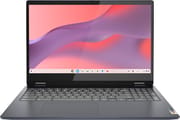 Lenovo IdeaPad Flex 3i Chromebook 15.6" | |
| Price | List Price: $349.00 Amazon Prices: Loading prices... |
| Model number | 82T3001NUS |
| Performance Rating | 4.4 |
| Chromebook Plus | No |
| Processor | Quad-core 1.10 Ghz (max 3.30 Ghz) Intel Pentium Silver N6000 |
| RAM | 8 GB |
| Internal Storage | 128 GB eMMC |
| Screen Size | 15.6" |
| Screen Resolution | 1920x1080 |
| Screen Type | TN |
| Touch Screen | Yes |
| Stylus / Pen | No Stylus Support |
| Dimensions width x length x thickness | 14.25 x 9.76 x 0.75 inches (361.95 x 247.9 x 19.05 mm) |
| Weight | 3.53 lbs (1.6 kg) |
| Backlit Keyboard | No |
| Webcam | 720p |
| WiFi | Wi-Fi 6 (802.11ax) |
| Bluetooth | Bluetooth 5.1 |
| Ethernet | No |
| Cellular Modem | No |
| HDMI | Full-Size HDMI |
| USB Ports | 2 USB 3, 1 USB-C USB-C 3.2 Gen 1 supports Power Delivery and DisplayPort |
| Thunderbolt Ports | No |
| Card Reader | microSD Card Reader |
| Battery | 47Wh, Li-polymer |
| Battery Life | 10 hours |
| Fanless | No |
| Auto Update Expiration Date | June, 2031 |
Related Chromebooks
-
 Lenovo IdeaPad Flex 5iThe Lenovo IdeaPad Flex 5i Chromebook is a 13.3-inch convertible with an 11th-gen Intel Core…
 -
 Lenovo IdeaPad 3i ChromebookThe Lenovo IdeaPad 3i Chromebook is a 15.6-inch Full HD Chromebook with an Intel Celeron N4500 and…
 -
 Acer Chromebook Spin 713The Acer Chromebook Spin 713 boasts a vivid 13.5-inch 2256x1504 IPS touch display, versatile 2-in-1…
 -
 Acer Chromebook Spin 314The Acer Chromebook Spin 314 is a budget 14-inch convertible Chromebook with a 360-degree hinge, a…
 -
 ASUS Chromebook Flip CX5 (CX5400)The ASUS Chromebook Flip CX5 (CX5400) is a fanless 14-inch aluminum convertible sold with an Intel…
 -
 ASUS Chromebook CX1 (CX1500)The ASUS Chromebook CX1 (CX1500) is a 15.6-inch full HD Chromebook with a number pad, an Intel…
One charging side and a chip that stalls past six tabs
The chassis measures 14.25 x 9.76 x 0.75 inches and weighs roughly 3.53 pounds, which is on the lighter end for a 15.6” laptop but still well above most 13” and 14” Chromebooks. The shell is all plastic in a dark blue / storm grey finish, and reviewers consistently describe it as solid for the price rather than flimsy. Hinges feel firm enough to hold the screen in tent and stand modes for movie watching, though several reviewers note visible screen wobble when tapping near the top of the display in laptop mode, a consequence of the larger panel mass on a plastic frame. Port layout includes a full-size HDMI 1.4 output, two USB-A 3.2 Gen 1 ports, a single USB-C 3.2 Gen 1 port that doubles as the charging input, a combo audio jack, and a microSD card reader; that single USB-C port is the most-cited usability complaint, since charging only works on the side where the port lives.
The Intel Pentium Silver N6000 is a four-core, four-thread Jasper Lake processor with a 1.1 GHz base clock and a 3.3 GHz burst. PassMark scores the N6000 at roughly 2,955 multi-thread, which puts it below newer Intel N100 and N200 chips that show up in the 12.2” Flex 3i and most 2025 budget Chromebooks. In real-world use the chip handles a handful of tabs, Google Docs, classroom apps, and streaming video without obvious slowdowns, but performance degrades quickly when you push past five or six active tabs or run Android games and Linux apps at the same time. Battery life sits in the 6 to 8 hour range under mixed real-world use, short of the 10-hour marketing figure, with the 47 Wh battery accepting a 45 W USB-C fast charger.
The Intel-based wireless module supports Wi-Fi 6 (802.11ax) and Bluetooth 5.1, which is sufficient for most home and classroom networks but not Wi-Fi 6E or Bluetooth 5.3. There is no built-in Ethernet jack; users who need a wired connection will need a USB Ethernet adapter plugged into one of the USB-A ports or the lone USB-C port. Storage is fixed eMMC and the RAM is soldered, so neither can be upgraded later.
Reviewer Insights
Shane Craig’s Perspective
Shane Craig tested the 15.6” model with the 8 GB RAM upgrade and came away mostly positive. He specifically called out the unusual decision to ship 8 GB rather than the budget-Chromebook standard 4 GB as the single most important reason to pick this configuration: “I did not want a four gigabyte RAM device in anything; even a Chromebook that seems like too little for me.” The upward-facing speakers on the keyboard deck also earned praise relative to the down-firing speakers on most cheap laptops.
He documented intermittent trackpad lag and cursor stuttering when the system was under load, screen wobble during touch input near the top of the panel, and slightly warm color reproduction on the display. His verdict was a qualified recommendation: “Buy it with the knowledge of what it is right now. You’re likely to have a few glitches here and there.”
MergeDroid’s Perspective
MergeDroid ran the most technically detailed review of the 15.6” N6000 model, including opening the chassis to fix a loose trackpad and benchmarking dual-monitor output through a USB-C hub. He confirmed the panel is a TN type rather than IPS: “this particular one is TN rather than IPS so it does look a bit washed out and viewing angles are not so great,” and measured screen brightness at roughly 220 nits, which is dim by current standards. He also confirmed the AUE date through June 2031, calling the long software-support runway one of the device’s strongest selling points.
On the positive side, MergeDroid highlighted the full-size keyboard with dedicated numeric keypad as the standout feature for productivity, called out the physical webcam privacy shutter, and praised Wi-Fi 6 support and a solid plastic chassis at the price. He flagged the single USB-C port and the inability to charge from either side as the most annoying real-world limitation, and noted that the trackpad on his unit shipped with a loose feel that required a manual adjustment under the chassis.
The 8 GB upgrade is where the two reviews split
Buyers used to Core i-series machines or IPS panels will find the N6000 processor and the TN display the weak points. What this model offers over a smaller or older device in the same budget is the keyboard with numpad, the 360-degree hinge, and the long AUE runway. Shane treats the 8 GB RAM upgrade as essential; MergeDroid notes the 4 GB base config can still handle classroom workloads.
Customer Reviews
Across 332 ratings on Amazon, the Lenovo IdeaPad Flex 3i Chromebook 15.6” averages 4.2 stars, with 68 percent of reviewers leaving 5 stars and 10 percent leaving 1 star. The five-star reviews cluster on the large touchscreen, the speed of the 8GB configuration, and the price. A verified buyer named Mark Fay wrote, “With 8G Ram, it never bogs down, even with multiple windows open and a lot of low-med level processing. The touch screen works great, keys feel fantastic, track-pad is perfect,” and Ruby, also a verified buyer, said the “15.6-inch touchscreen is huge and clear, making it easy to work or watch movies.” The most common complaint among otherwise satisfied owners is the lack of a backlit keyboard; both Mark Fay and a reviewer posting as Know-it-all flag the missing lit keys as their one regret.
A verified buyer named Lakeisha Jones liked the laptop but reported, “the charger does NOT work,” and a verified reviewer in Singapore left 3 stars after the “Display died in less than 6 months” (Amazon refunded the return). The harshest review, a 1-star from verified buyer Cyndi Reed, complains about speed: “If this thing were any slower it would run backwards.” The pattern across these reviews is a well-liked entry-level machine with a handful of owners hitting hardware or expectation problems, mostly strong scores set against a meaningful 10 percent at 1 star.
Read more owner reviews on Amazon.
Best for big-screen browsing and spreadsheet entry
This model suits buyers who need a large 15.6” ChromeOS laptop with a numeric keypad and a 360-degree hinge, and who will accept a slower N6000 chip and a TN panel as the trade for that combination. It is a sensible pick for students who want a big keyboard for spreadsheets and for households that want a couch-and-kitchen ChromeOS device with an HDMI port for the TV.
Heavy tab use, display quality, backlit keys, and a sharper webcam are all better served elsewhere. The smaller Lenovo Flex 3i Chromebook 12.2” uses the newer Intel N100 chip and an IPS panel in a more portable shell, and a Chromebook Plus model with a Core i3 or Ultra processor will run rings around this configuration if budget allows. For shoppers comparing budget 15-inch ChromeOS options, the Chromebook Comparison Chart is the fastest way to weigh this model against alternatives in the same tier.
Frequently Asked Questions
What processor does the Lenovo Flex 3i 15.6” use?
The 15.6” Flex 3i ships with the Intel Pentium Silver N6000, a four-core, four-thread Jasper Lake chip running at 1.1 GHz base and 3.3 GHz burst. PassMark scores it at roughly 2,955 multi-thread, which is slower than newer Intel N100 and N200 chips and far below any Core i3 or Core Ultra processor. The N6000 handles light browsing, document work, and video playback comfortably but slows down under heavy multitasking.
Can I upgrade the RAM or storage in the Lenovo Flex 3i 15.6”?
No. The RAM is soldered to the motherboard and the eMMC storage is also non-removable, so you cannot expand either after purchase. The microSD slot accepts cards for extra file storage but does not act as system storage. Buyers should pick the highest RAM and storage tier they can afford at purchase time.
What ports does the Lenovo Flex 3i 15.6” include?
Port selection covers one USB-C 3.2 Gen 1 with Power Delivery and DisplayPort, two USB-A 3.2 Gen 1 ports, a full-size HDMI 1.4 output, a combo headphone and microphone jack, and a microSD card reader. The single USB-C port doubles as the charging input, so the laptop can only be charged from the side where the port is located.
When does the Lenovo Flex 3i 15.6” stop receiving updates?
Google’s Auto Update Expiration (AUE) for this model is June 2031. Until then, the device receives the latest Chrome OS feature releases and security patches. After AUE, Chrome OS continues to function but no longer ships official updates from Google.
Does this Chromebook run Android and Linux apps?
Yes to both. The 15.6” Flex 3i runs Android apps from the Google Play Store with stable support, and it can enable the Linux (Crostini) development environment for command-line tools and Linux desktop applications. Performance on heavier Android games or compiling Linux workloads is constrained by the Pentium Silver N6000 rather than by software support.
Is the display IPS or TN?
Hands-on reviewers including MergeDroid confirm the 15.6” panel on this N6000 configuration is a TN type rather than IPS, with measured brightness around 220 nits. Viewing angles are narrower than an IPS panel and color reproduction skews slightly warm, which is a meaningful compromise for buyers used to higher-quality displays.
Does the keyboard have a number pad?
Yes. The 15.6” chassis carries a full-size keyboard with a dedicated numeric keypad, which is unusual on Chromebooks at any price. The keys themselves are not backlit, and the rightmost number-pad column is slightly compressed to fit the chassis. Buyers who specifically need a numpad for spreadsheets or data entry will appreciate the layout choice.