
Acer Chromebook Spin 713
Updated on

The Acer Chromebook Spin 713 (CP713-2W) earned widespread acclaim as a “flagship killer” when it launched, delivering premium features for far less than competitors like the Google Pixelbook Go. Built around Intel’s 10th Gen Core i5-10210U processor and featuring a 13.5-inch 3:2 aspect ratio display, this convertible Chromebook quickly became a favorite among productivity-focused users who wanted high-end performance without the thousand-dollar price tag. The military-grade durability (MIL-STD 810G compliance) adds practical ruggedness that many premium Chromebooks lack, a plus for students, professionals, and anyone who needs a reliable workhorse.
| Pros | Cons |
|---|---|
| 13.5” 3:2 display with 2256x1504 resolution and 450+ nits brightness | Speakers are notably weak and tinny with virtually no bass |
| Priced at $629, undercuts competitors by $200-400 | No fingerprint reader for quick biometric login |
| MIL-STD 810G durability rating (survives 4ft drops, 130lb pressure) | No included stylus despite USI support |
| Full-size HDMI port eliminates need for dongles | Some build quality “rough edges” vs ultra-premium devices |
| 10+ hours real-world battery life | Design is utilitarian |
| Fast NVMe storage and responsive performance | 720p webcam quality is mediocre |
Related Videos
Acer Chromebook Spin 713 Comparison Chart
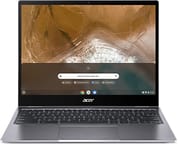 Acer Chromebook Spin 713 | Acer Chromebook Spin 713 | Acer Chromebook Spin 713 | |
| Price | List Price: $899.99 Amazon Prices: | List Price: $699.99 Amazon Prices: Loading prices... | List Price: $629.00 Amazon Prices: Loading prices... |
| Model number | CP713-2W-568T | CP713-2W-38P1 / NX.HQBAA.001 | CP713-2W-5874 |
| Performance Rating | 5.6 | 4.6 | 4.9 |
| Chromebook Plus | No | No | No |
| Processor | Quad-core 1.60 Ghz (max 4.20 Ghz) Intel Core i5-10210U Processor | Dual-core 2.10 Ghz (max 4.10 Ghz) Intel Core i3-10110U Processor | Quad-core 1.60 Ghz (max 4.20 Ghz) Intel Core i5-10210U Processor |
| RAM | 16 GB | 8 GB | 8 GB |
| Internal Storage | 256 GB NVMe SSD | 256 GB NVMe SSD | 128 GB NVMe SSD |
| Screen Size | 13.5" | 13.5" | 13.5" |
| Screen Resolution | 2256x1504 | 2256x1504 | 2256x1504 |
| Screen Type | IPS | IPS | IPS |
| Touch Screen | Yes | Yes | Yes |
| Stylus / Pen | Supported | Supported | Supported |
| Dimensions width x length x thickness | 11.8 x 9.3 x 0.66 inches (299.72 x 236.22 x 16.76 mm) | 11.8 x 9.3 x 0.66 inches (299.72 x 236.22 x 16.76 mm) | 11.8 x 9.3 x 0.66 inches (299.72 x 236.22 x 16.76 mm) |
| Weight | 3.2 lbs (1.45 kg) | 3.2 lbs (1.45 kg) | 3.2 lbs (1.45 kg) |
| Backlit Keyboard | Yes | Yes | Yes |
| Webcam | HD | HD | HD |
| WiFi | IEEE 802.11 a/b/g/n/ac/ax | IEEE 802.11 a/b/g/n/ac/ax | IEEE 802.11 a/b/g/n/ac/ax |
| Bluetooth | Bluetooth 5.0 | Bluetooth 5.0 | Bluetooth 5.0 |
| Ethernet | No | No | No |
| Cellular Modem | No | No | No |
| HDMI | Full-Size HDMI | Full-Size HDMI | Full-Size HDMI |
| USB Ports | 1 USB 3, 2 USB-C (Charging and DisplayPort over USB-C) | 1 USB 3, 2 USB-C (Charging and DisplayPort over USB-C) | 1 USB 3, 2 USB-C (Charging and DisplayPort over USB-C) |
| Thunderbolt Ports | No | No | No |
| Card Reader | microSD Card Reader | microSD Card Reader | microSD Card Reader |
| Battery | 3 cell, Lithium-ion | 3 cell, Lithium-ion | 3 cell, Lithium-ion |
| Battery Life | 10.0 hours | 10.0 hours | 10.0 hours |
| Fanless | No | No | No |
| Auto Update Expiration Date | June, 2030 | June, 2030 | June, 2030 |
Related Chromebooks
-
 Acer Chromebook Spin 314The Acer Chromebook Spin 314 is a budget 14-inch convertible Chromebook with a 360-degree hinge, a…
 -
 Acer Chromebook Vero 514The Acer Chromebook Vero 514 blends sustainability with performance. Sporting a Full HD IPS…
 -
 Lenovo IdeaPad Flex 5iThe Lenovo IdeaPad Flex 5i Chromebook is a 13.3-inch convertible with an 11th-gen Intel Core…
 -
 Lenovo Flex 5 ChromebookThe Lenovo Flex 5 Chromebook is a 2020 convertible with a 13.3-inch FHD IPS touchscreen, Intel Core…
 -
 ASUS Chromebook Flip CX5 (CX5400)The ASUS Chromebook Flip CX5 (CX5400) is a fanless 14-inch aluminum convertible sold with an Intel…
 -
 Acer Chromebook Spin 314 (2024)A 14-inch convertible Chromebook with a 16:10 WUXGA touch display, 360-degree hinge, and software…
Detailed Insights into the Acer Chromebook Spin 713

The Acer Chromebook Spin 713 represents a thoughtful evolution from its predecessor, the Spin 13, with approximately 50% smaller display bezels that allow for a more compact overall footprint while maintaining that productivity-friendly 13.5-inch screen size. The aluminum lid and bottom panel provide structural rigidity and a premium feel, though the plastic keyboard deck keeps weight manageable at 3.2 pounds. The MIL-STD 810G certification is not just marketing speak. This Chromebook is engineered to withstand drops from four feet onto a hard surface and can handle 130 pounds of downward pressure on the closed lid, enough for the rigors of daily commutes, coffee shop work sessions, and classroom use.
The 360-degree convertible hinge operates smoothly and holds the display securely at any angle, whether you are using it in traditional laptop mode, tent mode for presentations, or fully folded as a tablet for note-taking with a USI stylus. One clever design detail that reviewers praised is the strategic placement of the power button between the volume rocker and USB-C ports on the side, which prevents accidental shutdowns when you are plugging in accessories. The backlit keyboard offers satisfying travel and tactile feedback that makes extended typing sessions comfortable, while the Gorilla Glass trackpad is large, responsive, and handles multi-finger gestures without issue. Chrome Unboxed’s Robby Payne called it a “massive all gorilla glass trackpad that has been wonderful to use” in their in-depth review.
Port selection on the Spin 713 is unusually complete for a thin-and-light Chromebook of this era. You get a full-size HDMI Type-A port that eliminates the need for dongles when connecting to external displays, one USB 3.0 Type-A port for legacy peripherals, two USB-C ports supporting charging and DisplayPort output, a microSD card slot for expandable storage, and a combo audio jack. WiFi 6 and Bluetooth 5.0 ensure fast wireless connectivity, though there is no Ethernet port for those who need wired networking. A USB Ethernet adapter can fill that gap via the USB-A port. The lack of Thunderbolt is the main port-related compromise, but at this price point, that is an understandable tradeoff.
Reviewer Insights on the Acer Chromebook Spin 713

Chrome Unboxed’s Perspective
After making the Spin 713 his daily driver, Robby Payne at Chrome Unboxed called it “easily one of the best buys and one of the best things that you could spend your money on right now in the Chrome OS ecosystem.” He was most effusive about the display, which he measured “around 450 nits or so of brightness” and called “by far my favorite feature of this device,” noting that its 13.5-inch 3:2 panel is “just as tall as” a 15.6-inch 16:9 screen, which transforms productivity tasks like document editing and web browsing. On performance he was blunt: “internally this thing is an absolute monster,” it “chews through everything,” and he “easily” got 10 hours of battery.
Payne did not shy away from criticism. He said the speakers are “kind of quiet really tinny have no base response” and “almost unusable in most circumstances,” recommending headphones for media. He also flagged “some rough edges here and there, some parts where things just don’t quite come together,” concluding that the Spin 713 “feels, looks and performs like a thousand dollar Chromebook” while running “circles around other things that are four and five hundred dollars.”
Kevin Tofel’s Perspective
Kevin Tofel at About Chromebooks provided benchmark data showing the Spin 713 substantially outperforming the Pixelbook Go across all tests, with Octane 2.0 scores of 44,778 versus 26,822. He emphasized that a similar configuration of the older Spin 13 launched at $800-$900, meaning buyers are getting more for less with the newer model. His real-world battery testing yielded 8-9 hours of actual usage, which aligns closely with Acer’s 10-hour claim.
Tofel praised the larger trackpad compared to the previous generation and noted the thoughtful port placement that prevents accidental power-offs. His primary criticisms echoed other reviewers: no fingerprint reader (found on comparably priced competitors), unchanged speaker quality from the previous model, and no included stylus despite USI support. His verdict: “I don’t think you can buy a better Chrome OS laptop for $629.”
PCWorld’s Perspective
Ashley Biancuzzo at PCWorld awarded the device 4 out of 5 stars, calling it “probably the best display I’ve ever seen on a Chromebook.” Her battery life testing in the CrXPRT 2 benchmark yielded nearly 14 hours, with real-world usage closer to 10 hours. She described the keyboard and trackpad as “an absolute joy to use” and praised the aluminum chassis build quality. Her main criticisms focused on the utilitarian design aesthetic, lack of a webcam privacy shutter, and fan noise under heavier workloads. The glossy display finish can also create reflections in bright sunlight.
Customer Reviews of the Acer Chromebook Spin 713
Across 449 ratings on Amazon, the Acer Chromebook Spin 713 averages 4.1 stars. The spread is mostly positive (65 percent five stars) but carries a real failure tail: 13 percent leave one star, most over hardware that died early. The praise centers on the display, speed, and build. B. Smith, a verified buyer, wrote “The screen is extremely bright and sharp. Battery life is excellent. The metal chassis is solid.” Don Cederlund, a verified buyer, called it “Hands down the best chromebook! Lightening fast, Beautiful display and very user friendly,” and Peter Belelius, another verified buyer, called it a “stunning laptop” and “an absolute top scorer” among the Chromebooks he has owned.
The complaints fall into two buckets: audio and reliability. The speakers come up repeatedly; one long-term reviewer, Thameur Belghith, titled his five-star review “Almost perfect, but subpar audio,” and Jeff Bay, a verified buyer, noted that “people complain about the ‘poor’ sound quality of the speakers” (though he just pairs Bluetooth earphones). The one-star reviews name early hardware failures: Don Cederlund’s screen developed “a crack in the screen that seemed to expand almost over night,” and a verified buyer posting as momstufz titled a one-star review “Will not charge after 5 months, do not buy,” adding that the unit “Glitches and kicks you off of apps constantly” and “Heats up easily.” Weigh the strong display-and-speed praise against that reliability tail.
Read more owner reviews on Amazon.
Conclusion
The Acer Chromebook Spin 713 (CP713-2W) offers a premium Chromebook experience without the premium price tag. The combination of a best-in-class 3:2 display, military-grade durability, fast 10th Gen Intel performance, and comprehensive port selection suits students, professionals, and general productivity users alike. While the speakers are a genuine weakness and the design prioritizes function over flash, these are acceptable tradeoffs given the overall package and price point.
For users who primarily use headphones or external speakers and prioritize productivity over media consumption, the Spin 713 is an easy recommendation. The 8GB RAM configuration handles Chrome OS workloads effortlessly, including multiple browser tabs, Android apps, and Linux applications. If you can find one at a discounted price, it remains one of the best values in the Chromebook market, though buyers should also consider the 2021 refresh (CP713-3W) if Thunderbolt 4 connectivity is important to your workflow.
To see how the Spin 713 stacks up against the full field, the Chromebook Comparison Chart lets you sort and filter by specs, price, and features side by side.
Frequently Asked Questions
Can I use a stylus with the Acer Chromebook Spin 713?
Yes, the Chromebook Spin 713 supports USI (Universal Stylus Initiative) styluses for drawing, note-taking, and navigation. However, no stylus is included in the box, so you will need to purchase one separately. Any USI-compatible stylus will work.
How long will the Acer Chromebook Spin 713 receive updates?
The CP713-2W model has an Auto Update Expiration (AUE) date of June 2030. This means it will receive Chrome OS updates, security patches, and new features until that date, providing approximately ten years of support from its original release.
Is the RAM or storage upgradeable on this Chromebook?
No, both the RAM and internal storage are soldered to the motherboard and cannot be upgraded after purchase. You should choose the configuration that meets your needs upfront. The microSD card slot can provide additional storage for files, but it will not be as fast as the internal NVMe SSD.
Can I connect external monitors to the Chromebook Spin 713?
Yes, you can connect external monitors via the built-in HDMI port or through either USB-C port using DisplayPort over USB-C. This allows for dual external monitor setups if needed. The HDMI port supports standard HDMI displays directly without adapters.
What is the difference between the Spin 713 (CP713-2W) and Spin 713 (CP713-3W)?
The CP713-2W (2020 model) features a 10th Gen Intel Core i5-10210U processor and USB-C 3.2 ports. The CP713-3W (2021 model) upgraded to an 11th Gen Intel processor and added Thunderbolt 4 support for faster data transfer and expanded docking options. Both share the same excellent 13.5-inch 3:2 display.
Is the Acer Chromebook Spin 713 good for students?
The Spin 713 is excellent for students due to its MIL-STD 810G military-grade durability, long battery life (8-10 hours), and productivity-focused 3:2 display that shows more content without scrolling. The convertible design allows tablet mode for note-taking with a USI stylus. The main consideration is the weak speakers, which may require headphones for video lectures.