
Acer Chromebook Spin 314
Updated on

The Acer Chromebook Spin 314 is a 14-inch 2-in-1 convertible Chromebook with a 360-degree hinge, so it works as a laptop, tablet, tent, or stand. It runs on an Intel Pentium Silver N6000 quad-core processor and targets students and budget-conscious users who want a flexible everyday device. Its standout is longevity: ChromeOS updates run through June 2031, which is unusually long for a budget Chromebook. This is the standard Spin 314 (CP314), not a Chromebook Plus.
| Pros | Cons |
|---|---|
| Long software support until June 2031 (Google AUE) | HD resolution (1366x768) may look fuzzy on 14” screen |
| Responsive touchscreen with Corning Gorilla Glass | Weighs 3.42 lbs, heavier than some 14” alternatives |
| WiFi 6 and Bluetooth 5.0 for modern connectivity | Only one USB-C port limits peripheral options |
| Backlit keyboard for typing in low light | 720p webcam falls short of modern standards |
| USI stylus compatibility for note-taking | Can get warm under sustained workloads |
| Good port selection with HDMI and USB-A ports | Base model performance limited for heavy multitasking |
Related Videos
Acer Chromebook Spin 314 Comparison Chart
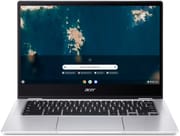 Acer Chromebook Spin 314 | Acer Chromebook Spin 314 | Acer Chromebook Spin 314 | |
| Price | List Price: $399.99 Amazon Prices: Loading prices... | List Price: $379.99 Amazon Prices: | List Price: $479.99 Amazon Prices: |
| Model number | CP314-1H-P1Q5 / NX.AY4AA.005 | CP314-1H-P9G7 / NX.AY4AA.004 | CP314-1HN-P5NE / NX.AZ3AA.001 |
| Performance Rating | 5.3 | 4.0 | 4.0 |
| Chromebook Plus | No | No | No |
| Processor | Quad-core 1.10 Ghz (max 3.30 Ghz) Intel Pentium Silver N6000 | Quad-core 1.10 Ghz (max 3.30 Ghz) Intel Pentium Silver N6000 | Quad-core 1.10 Ghz (max 3.30 Ghz) Intel Pentium Silver N6000 |
| RAM | 8 GB | 4 GB | 4 GB |
| Internal Storage | 128 GB | 128 GB | 128 GB |
| Screen Size | 14" | 14" | 14" |
| Screen Resolution | 1366x768 | 1366x768 | 1366x768 |
| Screen Type | LCD | LCD | LCD |
| Touch Screen | Yes | Yes | Yes |
| Stylus / Pen | Supported | Supported | Supported |
| Dimensions width x length x thickness | 12.9 x 9 x 0.78 inches (327.66 x 228.6 x 19.81 mm) | 12.9 x 9 x 0.78 inches (327.66 x 228.6 x 19.81 mm) | 12.9 x 9 x 0.78 inches (327.66 x 228.6 x 19.81 mm) |
| Weight | 3.42 lbs (1.55 kg) | 3.42 lbs (1.55 kg) | 3.42 lbs (1.55 kg) |
| Backlit Keyboard | Yes | Yes | Yes |
| Webcam | No Webcam | No Webcam | No Webcam |
| WiFi | Wi-Fi 6 (802.11ax) | Wi-Fi 6 (802.11ax) | Wi-Fi 6 (802.11ax) |
| Bluetooth | Bluetooth 5.0 | Bluetooth 5.0 | Bluetooth 5.0 |
| Ethernet | No | No | No |
| Cellular Modem | No | No | No |
| HDMI | Full-Size HDMI | Full-Size HDMI | Full-Size HDMI |
| USB Ports | 2 USB 3, 1 USB-C | 2 USB 3, 1 USB-C | 2 USB 3, 1 USB-C |
| Thunderbolt Ports | No | No | No |
| Card Reader | microSD Card Reader | microSD Card Reader | microSD Card Reader |
| Battery | 3 cell, Li-ion | 3 cell, Li-ion | 3 cell, Li-ion |
| Battery Life | 10.0 hours | 10.0 hours | 10.0 hours |
| Fanless | No | No | No |
| Auto Update Expiration Date | June, 2031 | June, 2031 | June, 2031 |
Related Chromebooks
-
 Acer Chromebook Spin 713The Acer Chromebook Spin 713 boasts a vivid 13.5-inch 2256x1504 IPS touch display, versatile 2-in-1…
 -
 Acer Chromebook Vero 514The Acer Chromebook Vero 514 blends sustainability with performance. Sporting a Full HD IPS…
 -
 ASUS Chromebook Flip CX5 (CX5400)Maximize productivity with the ASUS Chromebook Flip CX5, boasting a versatile touchscreen, backlit…
 -
 ASUS Chromebook Flip CX1 (CX1400)The ASUS Chromebook Flip CX1 (CX1400) is a 14-inch convertible 2-in-1 with a 360-degree FHD…
 -
 Acer Chromebook Spin 314 (2024)A 14-inch convertible Chromebook with a 16:10 WUXGA touch display, 360-degree hinge, and software…
 -
 HP Chromebook x360 14b (2024)The HP Chromebook x360 14b series offers versatile 2-in-1 convertible designs with 360-degree…
Detailed Insights into the Acer Chromebook Spin 314

The Spin 314’s design reflects Acer’s focus on practical durability rather than premium aesthetics. Built with a solid plastic chassis, the convertible hinge allows for laptop, tent, stand, and tablet modes, making it adaptable to various use cases from presentations to content consumption. The 14-inch display features Corning Gorilla Glass protection and touch capability, though reviewers note the 1366x768 HD resolution leaves text and images looking somewhat soft compared to Full HD alternatives in the same price bracket.
Under the hood, the Intel Pentium Silver N6000 processor delivers quad-core performance at up to 3.3 GHz burst speed, handling Chrome OS efficiently for typical workloads like web browsing, document editing, and video streaming. The 8GB LPDDR4X memory in the higher-spec variant provides adequate headroom for multiple browser tabs and Android apps, while 128GB eMMC storage offers sufficient space for offline files and applications.
Connectivity options are comprehensive for a budget Chromebook. The inclusion of WiFi 6 (Intel AX201) ensures fast wireless performance, while a full-size HDMI port eliminates the need for dongles when connecting to external displays. Two USB 3.0 Type-A ports accommodate peripherals like mice and flash drives, and can also support a USB Ethernet adapter for wired networking. The single USB-C port for charging and data transfer has drawn criticism from reviewers who prefer dual USB-C options for flexibility. The microSD card slot provides expandable storage, and the backlit keyboard addresses nighttime typing needs that many budget Chromebooks overlook.
Reviewer Insights on the Acer Chromebook Spin 314

MergeDroid’s Perspective
MergeDroid provides a detailed hands-on review praising Acer’s decision to bring the convertible Spin design to the 314 series. Despite the all-plastic construction, he finds the device feels solid and well-built for its price point. He reviewed the Full HD IPS configuration and called the display “a strong point,” along with the USI stylus support. Note that the configuration on this page (and the listing below) is the 1366x768 HD panel rather than the Full HD screen MergeDroid praised.
On performance, MergeDroid notes “Performance of the Spin 314 has been decent” for everyday tasks, though he observed the device can get warm under sustained load. The upward-firing speakers and large OceanGlass touchpad receive positive mentions. However, he points out limitations including only one USB-C port and the absence of a webcam privacy slider. His verdict: “I’m really pleased with the build quality and the decisions Acer have made with this one,” while recommending buyers also check out competing options like the HP x360 14b.
TechRadar’s Assessment
According to TechRadar, the Acer Chromebook Spin 314 represents “the laptop I wish I’d had as a student.” Their review emphasizes the device’s exceptional portability, describing it as barely over a foot long, merely 0.81 inches thick, and weighing a featherweight that makes it easy to take anywhere. TechRadar praises the “satisfying keyboard and thin design” that “come together to bring a portable, quirky, and professional laptop that’ll get you through the work or school day with one charge.”
The review specifically highlights the touch display for reading digital textbooks and annotating notes, calling it “a breeze” to use. They also note the “glass-like trackpad is a joy to use.” While acknowledging Chrome OS limitations compared to Windows or macOS, TechRadar concludes the Spin 314 would be “the perfect laptop for young students, hybrid workers, or people who are looking to break into the world of ChromeOS.”
Customer Reviews of the Acer Chromebook Spin 314
Across 299 ratings on Amazon, the Acer Chromebook Spin 314 averages 4.3 stars, with 68 percent of reviewers leaving five stars and 8 percent leaving one. The strongest praise centers on the 2-in-1 form factor and the value: several owners like flipping the screen back to use it as a tablet, and Peter J. Schulte, a verified buyer who caught his on sale, called it a “Lots of fun 2-in-1 for CHEAP.” Bob-L, another verified buyer, gave it four stars and reported good day-to-day performance and endurance: “it’s faster than the 8MB Lenovos I had, lighter and the battery easily lasts 10 hours.”
The recurring complaint is the screen. Bob-L conceded it plainly (“The comments about the screen are accurate: it’s not terrible but certainly not top of the line”), and Alicia J. Cooper, a verified buyer, dropped to three stars over it, writing that “the resolution seems very off, words and pictures seem slightly pixelated.” A few owners also reported outright hardware failures: Deborah Straub left one star after buying it as a gift, saying “The second week in January the laptop broke, screen went black.” So the picture is genuinely mixed: a well-liked budget convertible for light work, with a mediocre display and some reports of early breakage. Read more owner reviews on Amazon.
Conclusion
The Acer Chromebook Spin 314 is a sensible budget 2-in-1 for students and everyday work. The convertible design, the backlit keyboard, the full-size HDMI, and the long June 2031 update window are its real strengths, and the N6000 is enough for browsing, documents, and video. Both reviewers above landed on a positive read for the price.
The main caveats are the display and the weight: the 1366x768 panel looks soft on a 14-inch screen (owners and reviewers agree), and at 3.42 lbs it is not the lightest. If display sharpness matters most, the Full HD configuration of this model, the HP Chromebook x360 14b, or a Chromebook Plus device are worth a look. Before buying, check the exact configuration (screen resolution and backlit keyboard vary by SKU).
If you are weighing several models at once, the Chromebook Comparison Chart lets you view specs side by side to find the best fit.
Frequently Asked Questions
How long will the Acer Chromebook Spin 314 receive software updates?
The Acer Chromebook Spin 314 (CP314-1H) will receive automatic updates from Google until June 2031. This Auto Update Expiration (AUE) date ensures you’ll get security patches and Chrome OS feature updates for over 7 years from the original release, making it one of the longer-supported budget Chromebooks available.
Can I use a stylus with the Acer Chromebook Spin 314?
Yes, the Spin 314 supports USI (Universal Stylus Initiative) styluses. This allows you to use any USI-compatible pen for note-taking, drawing, or annotating documents. Note that a stylus is not included in the box, so you’ll need to purchase one separately. Customers report good stylus sensitivity and responsiveness on the Corning Gorilla Glass touchscreen.
Is the Acer Chromebook Spin 314 good for students?
The Spin 314 is well-suited for students, particularly for writing papers, research, and online learning. TechRadar described it as “the laptop I wish I’d had as a student.” Its 2-in-1 design allows switching between laptop and tablet modes for different tasks, and the all-day battery life means you won’t need to hunt for outlets during classes. The touchscreen works well for reading digital textbooks and taking handwritten notes with a USI stylus.
What ports does the Acer Chromebook Spin 314 have?
The Spin 314 includes a full-size HDMI port for connecting to monitors and TVs, two USB 3.0 Type-A ports for peripherals, one USB-C port (for charging, data, and display output), a microSD card slot for expandable storage, and a 3.5mm combo audio jack. The full-size HDMI is particularly useful since many budget Chromebooks require dongles for video output.
Does the keyboard have a backlight?
The higher-spec variants of the Spin 314 (like the CP314-1H-P1Q5 with 8GB RAM) include a backlit keyboard. However, some base models lack this feature. If backlit keys are important for your nighttime typing, verify this feature is included in the specific model you’re purchasing.
How does the Acer Chromebook Spin 314 compare to the HP Chromebook x360 14b?
Both are popular 14-inch convertible Chromebooks in the budget category. The Spin 314 offers longer software support (2031 vs varies by HP model), a full-size HDMI port, and similar performance. MergeDroid recommends checking both options before purchasing, as the HP x360 14b may offer better display options or pricing depending on sales. The main differences come down to display resolution, keyboard feel, and personal design preferences.