
Acer Chromebook Plus Spin 514
Updated on

The Acer Chromebook Plus Spin 514 (CP514-5HN) is a 14-inch ARM convertible built on the MediaTek Kompanio Ultra 910, which carries a 50 TOPS NPU for on-device AI. Its 360-degree hinge moves between laptop, tablet, tent, and stand modes. The 1920x1200 configuration pairs Wi-Fi 7 with a 120Hz touchscreen, and Chrome OS updates run through June 2035, which makes it a long-lived pick for students and people who live in Google’s ecosystem. Chrome Unboxed rated it 4.5 out of 5 and called the Acer “the undeniable answer for anyone who wants that same incredible Kompanio Ultra performance in a flexible, 2-in-1 convertible form factor.”
Pros and Cons
| Pros | Cons |
|---|---|
| MediaTek Kompanio Ultra 910 with a 50 TOPS NPU for on-device AI | No fingerprint reader or face unlock on Adam Doud’s config; a fingerprint reader is optional |
| Wi-Fi 7 and a touchscreen up to 120Hz (1920x1200 panel) | Chassis feels plasticky and a little cheap (Adam Doud) |
| 360-degree convertible hinge | Speakers are loud but weak; use headphones |
| All-day battery (Adam Doud got 8-10 hours per charge) | No HDMI, no SD card reader (USB-C only for displays) |
| 12 months of Google AI Pro (2TB storage) included | Can get bogged down on heavy-duty work (Adam Doud) |
| Backlit keyboard and USI pen support | Backlight is hard to read in a lit room (Chrome Unboxed) |
| Chrome OS updates through June 2035 | Adam Doud would rather see it priced around $599 |
Related Videos
Acer Chromebook Plus Spin 514 Comparison Chart
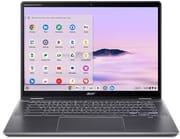 Acer Chromebook Plus Spin 514 | |
| Price | List Price: Amazon Prices: Best Buy: Loading price... |
| Model number | CP514-5HN |
| Performance Rating | 5.1 |
| Chromebook Plus | No |
| Processor | Octa-core 3.62 Ghz MediaTek Kompanio Ultra 910 |
| RAM | 12 GB |
| Internal Storage | 256 GB |
| Screen Size | 14" |
| Screen Resolution | 1920x1200 |
| Screen Type | No Screen |
| Touch Screen | Yes |
| Stylus / Pen | Supported |
| Dimensions width x length x thickness | 12.32 x 9.13 x 0.61 inches (312.93 x 231.9 x 15.49 mm) |
| Weight | 3 lbs (1.36 kg) |
| Backlit Keyboard | Yes |
| Webcam | No Webcam |
| WiFi | Wi-Fi 7 (802.11be) |
| Bluetooth | Bluetooth 5.4 |
| Ethernet | No |
| Cellular Modem | No |
| HDMI | No HDMI |
| USB Ports | 2 USB 3, 2 USB-C 2x USB-A 3.2 Gen 1 (5Gbps), 2x USB-C 3.2 Gen 2 (charging and display on both). No HDMI or SD card reader. |
| Thunderbolt Ports | No |
| Card Reader | No Card Reader |
| Battery | No Battery |
| Battery Life | Unknown |
| Fanless | No |
| Auto Update Expiration Date | June, 2035 |
Related Chromebooks
-
 Acer Chromebook Spin 314The Acer Chromebook Spin 314 is a budget 14-inch convertible Chromebook with a 360-degree hinge, a…
 -
 Acer Chromebook Plus Spin 714The Acer Chromebook Plus Spin 714 is a 3.21-pound aluminum-panelled convertible with an Intel Core…
 -
 ASUS Chromebook CX14 (CX1405)The ASUS Chromebook CX14 (CX1405) offers a solid, portable design with a 180-degree hinge and…
 -
 ASUS Chromebook Flip CX5 (CX5400)The ASUS Chromebook Flip CX5 (CX5400) is a fanless 14-inch aluminum convertible sold with an Intel…
 -
 Lenovo Chromebook Plus 14" OLEDThe Lenovo Chromebook Plus 14 is a fanless 14-inch OLED touchscreen Chromebook with a MediaTek…
 -
 HP Chromebook 14a (2022)The 2022 HP Chromebook 14a (14a-na0 platform) pairs a quad-core Intel Celeron N4120 with 4GB RAM,…
A 50 TOPS ARM chip in a thin 3-pound convertible
The MediaTek Kompanio Ultra 910 is an octa-core ARM chip clocked up to 3.62 GHz with a 50 TOPS NPU. XDA notes the NPU “can help with on-device AI, but most of Gemini’s AI features are cloud-based,” so the bundled 12 months of Google AI Pro does not depend on it. ARM-native Android apps run smoothly, and for everyday browsing, documents, and media it has plenty of headroom. Adam Doud of Benefit of the Doud, who used it on and off for about six weeks and as his primary machine on a couple of trips to New York, called it “not super great powered” and said it “can get bogged down when you’re trying to do some heavy duty stuff.”
The 14-inch display uses a 16:10 aspect ratio for extra vertical room. Both the XDA and Chrome Unboxed review units shipped with a 1920x1200 (WUXGA) 120Hz touchscreen, and XDA notes you can also order the 514-5HN “with a 2.8K display if you need the extra pixels”; Acer’s launch spec sheet lists that panel as 2880x1800 at 60Hz. The 360-degree hinge handles all four modes, and at 3 pounds and 0.61 inches thick it is easy to carry. Adam Doud said Acer’s reviewer guide does not identify the casing material, and reported that “it feels plasticky” and “it kind of sounds plasticky.” He called it “fairly durable,” but said it “also feels a little bit, you know, squishy and a little bit cheap.” Chrome Unboxed, in its video review, identifies the lid and bottom as brushed aluminum and calls the chassis “thin, rigid, and feels premium,” with “little to no flex.” MergeDroid also credits the aluminum lid and bottom: “It always felt quality when I’ve picked it up.” The webcam has a physical privacy shutter, and the OceanGlass touchpad is made from ocean-bound plastic.
Wi-Fi 7 and Bluetooth 5.4 cover wireless, and the port selection is short. XDA’s specifications list two USB-C 3.2 Gen 2 ports, two USB-A 3.2 Gen 1 ports, a headphone jack, and a Kensington lock slot, and Adam Doud’s hands-on walkthrough shows the same layout. Acer’s spec sheet says both USB-C ports carry DisplayPort and Power Delivery. There is no HDMI output and no SD card reader, so external monitors and card transfers run through USB-C. Adam Doud noted that it charges over USB-C with the included 65W adapter; MergeDroid notes that new laptops like this one no longer ship with a USB-C charger in the UK and Europe. Adam Doud got through “several eight hour shifts” on a charge, landing him at “8 to 10 hours, give or take,” and Acer rates the 1920x1200 model at up to 17 hours of web browsing. The DTS-tuned speakers, in his words, “are loud, but not really all that great,” so headphones are the better call for media and music production.
Reviewer Insights
Benefit of the Doud
Adam Doud of Benefit of the Doud used the $699 unit (12GB/256GB) on and off for about six weeks, and it was his primary machine on a couple of trips to New York. Because his workflow lives entirely in Google, he found it a strong fit: “since my entire workflow is basically based in Google, this laptop is great for me.” He also pointed out that buyers get 12 months of Google AI Pro, which he described as Google’s 2TB storage plan with advanced Gemini features. He got “several eight hour shifts” of battery, which he summed up as “8 to 10 hours, give or take.” The chassis “feels plasticky” and “kind of sounds plasticky,” and on the missing fingerprint reader he said, “I just think we’re at a point where biometrics should no longer be an option.” He also warned the speakers “are loud, but not really all that great” and suggested headphones.
XDA Developers
In its written review, XDA Developers scored the Spin 514 9/10 and called it “a versatile, convertible powerhouse,” highlighting the Kompanio Ultra 910’s 50 TOPS NPU. XDA recommends it for buyers who do not need the full Windows application suite and who want all-day battery for productivity or education. Its review unit used the 1920x1200 120Hz panel, with a 2.8K option available.
Chrome Unboxed
Chrome Unboxed rated it 4.5 out of 5, calling the Acer “the undeniable answer for anyone who wants that same incredible Kompanio Ultra performance in a flexible, 2-in-1 convertible form factor.” They called it “a solid value” at its $699 MSRP and added, “Even at $699, this Chromebook is easily one of the best overall values in the space right now.” They also noted it regularly drops to $499, where “this Chromebook becomes such an easy recommendation.”
Chrome Unboxed’s video review covers a few months of use and rates the 120Hz panel above its resolution: “Everything from scrolling web pages to system animations is just buttery smooth.” The reviewer “was easily able to get through two full work days before really needing to reach for a charger,” and rates the keyboard “one of the best I’ve ever used on an Acer device.” Two things drew complaints: the speakers “just lack fullness and bass” next to the Lenovo Chromebook Plus 14’s, and the backlight works in the dark but “the combination of the gray keycaps and the white backlight make key symbols incredibly hard to see in a well-lit room.” USI pen support is there, and input “feels very instant” for sketching or marking up a PDF.
MergeDroid
MergeDroid used a 12GB unit with the 2880x1800 60Hz panel for a few weeks and tested it against the Lenovo Chromebook Plus 14, which uses the same processor; Geekbench and Speedometer 3.1 showed no clear difference between them. Looping 4K YouTube video at the Acer’s full 340 nits, the Acer lasted 8 hours and 11 minutes to the Lenovo’s 9 hours and 41 minutes, though in daily use the reviewer “was always getting into a second day of on and off general use before feeling the need to charge it.” Charging was slow: 30 minutes on a 65W charger got it back “up to just 38% of its battery.” The rear USB-C port ran the reviewer’s 4K monitor at 60Hz, but the port closer to the user “couldn’t quite negotiate 60 hertz” until a dock was connected. MergeDroid found the speakers “okay, but lacking in any richness or hint of bass,” and the optional fingerprint reader “really useful for quickly unlocking the Chromebook.”
A long-supported convertible for the Google ecosystem
Someone who lives in Google’s ecosystem and wants a convertible with a long support window gets the Kompanio Ultra 910, a battery that lasts a workday, a 120Hz touchscreen on the 1920x1200 model, and Chrome OS updates through June 2035. Chrome Unboxed found the chassis rigid and premium where Adam Doud found it plasticky, Adam Doud’s configuration has no fingerprint reader or face unlock, the speakers want headphones for media, and the port set has no HDMI or SD card reader.
On price, Chrome Unboxed and Adam Doud differ. Chrome Unboxed called it “easily one of the best overall values in the space right now” even at the $699 MSRP, and “such an easy recommendation” at $499. Adam Doud would rather see it priced at around $599 because it is “not super great powered.” Starry Hope’s Chromebook Comparison Chart lines it up against other models.
Frequently Asked Questions
How long will the Acer Chromebook Plus Spin 514 receive Chrome OS updates?
It receives automatic Chrome OS updates through June 2035, about a decade of support for this 2025 model. This Auto Update Expiration (AUE) date is a future date, so the device is still fully supported with security patches and new features.
Can the Spin 514 run Android apps and Linux applications?
Yes. As a Chromebook Plus device it supports Android apps from the Google Play Store and Linux development environments through the built-in Linux container. Because the Kompanio Ultra 910 is an ARM chip, Android apps run natively without a translation layer.
What display does the Acer Chromebook Plus Spin 514 have?
A 14-inch 1920x1200 (WUXGA) touchscreen at 120Hz, in a 16:10 aspect ratio, on the review units from XDA and Chrome Unboxed. XDA notes the 514-5HN can also be ordered with a 2.8K panel; Acer’s launch spec sheet lists it as 2880x1800 at 60Hz.
Does it have HDMI or an SD card reader?
No. Per XDA’s specifications and Adam Doud’s hands-on walkthrough, the ports are two USB-C, two USB-A 3.2 Gen 1, a headphone jack, and a Kensington lock. There is no HDMI output and no SD card reader, so external monitors connect over USB-C.
Can I upgrade the RAM or storage?
No. The LPDDR5X RAM and UFS storage are soldered, so pick your configuration at purchase. Reviewed units came with 12GB of RAM and 256GB of storage; charging is over USB-C with the included 65W adapter.
Does the Spin 514 have a fingerprint reader?
A fingerprint reader is optional. Adam Doud’s review unit has no fingerprint reader and no face unlock, so you sign in with a PIN, password, or a paired Android phone. Adam Doud called the missing fingerprint sensor “kind of a bummer” and said “biometrics should no longer be an option.” MergeDroid’s unit with the 2880x1800 panel has the optional fingerprint reader, which the reviewer found “really useful for quickly unlocking the Chromebook.”