
HP Chromebook 14a (2022)
Updated on

The HP Chromebook 14a is a budget-friendly 14-inch laptop aimed at students, kids, and anyone who lives mostly in the browser. It runs on a quad-core Intel Celeron N4120 (Gemini Lake Refresh) paired with 4GB of RAM and 64GB of eMMC storage, with a claimed battery life of up to 14 hours. At 3.22 lbs it falls in the middle of the 14-inch class: lighter than most Windows machines that size, heavier than a true ultraportable.
This page covers the 2022 model year refresh of the 14a-na0 platform: SKUs 14a-na0210nr, 14a-na0226nr, 14a-na0230nr, 14a-na0240nr, and 14a-na0280nr. These all share the N4120 chip. They are not the same as the 14a-na1xxx series (which uses the Celeron N4500 or N5100) or the more recent 14a-nf0xxx generation (which uses Intel’s newer N100). If you are cross-shopping by display size, double-check the model number sticker. The full 14a family is genuinely sprawling.
Pros and Cons of HP Chromebook 14a
| Pros | Cons |
|---|---|
| Long battery life (HP rates up to 14 hours) | 4GB of RAM caps how many Chrome tabs run before swap pressure shows |
| Lightweight at 3.22 lbs for a 14-inch chassis | Most SKUs use a 1366x768 panel at 220 nits; dim outdoors |
| USB-C Power Delivery on both Type-C ports | 64GB of eMMC and no SD card reader limits offline media |
| Cheap to replace if it lives in a backpack | No HDMI port; external displays need a USB-C adapter |
| Chrome updates supported through June 2029 | Soldered RAM and storage; you cannot upgrade later |
HP Chromebook 14a (2022) Comparison Chart
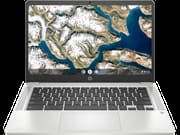 HP Chromebook 14a (2022) | HP Chromebook 14a (2022) | HP Chromebook 14a (2022) | HP Chromebook 14a (2022) | HP Chromebook 14a (2022) | |
| Price | List Price: $229.99 Amazon Prices: Loading prices... | List Price: $299.99 Amazon Prices: Loading prices... | List Price: $349.99 Amazon Prices: | List Price: $399.99 Amazon Prices: | List Price: $349.99 Amazon Prices: Loading prices... |
| Model number | 14a-na0210nr / 60F58UA | 14a-na0226nr / 677J1UA | 14a-na0230nr / 60F61UA | 14a-na0280nr / 60F98UA | 14a-na0240nr / 60F62UA |
| Performance Rating | 4.0 | 4.0 | 4.0 | 4.0 | 4.0 |
| Chromebook Plus | No | No | No | No | No |
| Processor | Quad-core 1.10 Ghz (max 2.60 Ghz) Intel Celeron Processor N4120 | Quad-core 1.10 Ghz (max 2.60 Ghz) Intel Celeron Processor N4120 | Quad-core 1.10 Ghz (max 2.60 Ghz) Intel Celeron Processor N4120 | Quad-core 1.10 Ghz (max 2.60 Ghz) Intel Celeron Processor N4120 | Quad-core 1.10 Ghz (max 2.60 Ghz) Intel Celeron Processor N4120 |
| RAM | 4 GB | 4 GB | 4 GB | 4 GB | 4 GB |
| Internal Storage | 64 GB eMMC | 64 GB eMMC | 64 GB eMMC | 64 GB eMMC | 64 GB eMMC |
| Screen Size | 14" | 14" | 14" | 14" | 14" |
| Screen Resolution | 1366x768 | 1366x768 | 1366x768 | 1920x1080 | 1366x768 |
| Screen Type | BrightView 220 nits | BrightView 220 nits | BrightView 220 nits | BrightView 220 nits | BrightView 220 nits |
| Touch Screen | No | No | Yes | No | Yes |
| Stylus / Pen | No Stylus Support | No Stylus Support | No Stylus Support | No Stylus Support | No Stylus Support |
| Dimensions width x length x thickness | 12.82 x 8.6 x 0.7 inches (325.63 x 218.44 x 17.78 mm) | 12.82 x 8.6 x 0.7 inches (325.63 x 218.44 x 17.78 mm) | 12.82 x 8.6 x 0.7 inches (325.63 x 218.44 x 17.78 mm) | 12.82 x 8.6 x 0.7 inches (325.63 x 218.44 x 17.78 mm) | 12.82 x 8.6 x 0.7 inches (325.63 x 218.44 x 17.78 mm) |
| Weight | 3.22 lbs (1.46 kg) | 3.22 lbs (1.46 kg) | 3.22 lbs (1.46 kg) | 3.22 lbs (1.46 kg) | 3.22 lbs (1.46 kg) |
| Backlit Keyboard | No | No | No | No | No |
| Webcam | 720p HD | 720p HD | 720p HD | 720p HD | 720p HD |
| WiFi | Wi-Fi 5 (802.11ac) | Wi-Fi 5 (802.11ac) | Wi-Fi 5 (802.11ac) | Wi-Fi 5 (802.11ac) | Wi-Fi 5 (802.11ac) |
| Bluetooth | Bluetooth 5.0 | Bluetooth 5.0 | Bluetooth 5.0 | Bluetooth 5.0 | Bluetooth 5.0 |
| Ethernet | No | No | No | No | No |
| Cellular Modem | No | No | No | No | No |
| HDMI | No HDMI | No HDMI | No HDMI | No HDMI | No HDMI |
| USB Ports | 1 USB 3, 2 USB-C (USB-C Power Delivery, DisplayPort 1.2) | 1 USB 3, 2 USB-C (USB-C Power Delivery, DisplayPort 1.2) | 1 USB 3, 2 USB-C (USB-C Power Delivery, DisplayPort 1.2) | 1 USB 3, 2 USB-C (USB-C Power Delivery, DisplayPort 1.2) | 1 USB 3, 2 USB-C (USB-C Power Delivery, DisplayPort 1.2) |
| Thunderbolt Ports | No | No | No | No | No |
| Card Reader | No Card Reader | No Card Reader | No Card Reader | No Card Reader | No Card Reader |
| Battery | 2 cell, 47 Wh, Li-ion | 2 cell, 47 Wh, Li-ion | 2 cell, 47 Wh, Li-ion | 2 cell, 47 Wh, Li-ion | 2 cell, 47 Wh, Li-ion |
| Battery Life | 14.0 hours | 14.0 hours | 14.0 hours | 14.0 hours | 14.0 hours |
| Fanless | No | No | No | No | No |
| Auto Update Expiration Date | June, 2029 | June, 2029 | June, 2029 | June, 2029 | June, 2029 |
Related Chromebooks
-
 HP Chromebook 14a (2023)The HP Chromebook 14a balances performance and portability with its 14-inch display, 47 Wh battery…
 -
 HP Chromebook 14 G6The HP Chromebook 14 G6 offers a 14-inch anti-glare TN display, Wi-Fi 5 connectivity, and up to…
 -
 Acer Chromebook 514 (ARM)The Acer Chromebook 514 (ARM) is a 14-inch Chromebook on the MediaTek Kompanio 828, with an…
 -
 ASUS Chromebook CM14The ASUS Chromebook CM14 is a sub-$300 14-inch Chromebook built around a MediaTek Kompanio 520,…
 -
 Acer Chromebook Spin 314The Acer Chromebook Spin 314 is a budget 14-inch convertible Chromebook with a 360-degree hinge, a…
 -
 ASUS Chromebook Flip CX1 (CX1400)The ASUS Chromebook Flip CX1 (CX1400) is a 14-inch convertible 2-in-1 with a 360-degree FHD…
Diving Deeper into the HP Chromebook 14a
The 14a is designed for everyday tasks: web browsing, email, Google Docs, light Android apps. The 14-inch anti-glare panel is comfortable indoors at its 220-nit rating, but it is the kind of display you notice when you take it onto a patio in summer. The 1366x768 resolution on four of the five SKUs also shows: text is readable but never sharp, and side-by-side document work is tight. The 14a-na0280nr is the lone SKU in this generation that bumps to 1920x1080, and it is the one to chase if budget allows.
Connectivity is reasonable for the price. The device pairs WiFi 5 with Bluetooth 5.0, runs a 720p HD webcam for video calls, and exposes one USB 3.0 Type-A port plus two USB-C ports that both support Power Delivery and DisplayPort 1.2. There is no HDMI port and no Ethernet jack: anyone who needs a wired LAN connection will need a USB Ethernet adapter in one of the Type-A or Type-C ports. Either USB-C port can charge the laptop, which is a small ergonomic win that more expensive Chromebooks sometimes get wrong.
Build quality lands where you would expect for a budget machine. The chassis is plastic, the lid flexes, and the keyboard is flat with no backlighting, but the keys travel well enough for long writing sessions and the trackpad has predictable click weight rather than the spongy feel that often sneaks into sub-$300 laptops. There is no number pad.
Who is the HP Chromebook 14a For?
The HP Chromebook 14a is a great choice for students and professionals who need a reliable device for everyday tasks. Its long battery life makes it ideal for those always on the go. The device is also suitable for users who prefer a lightweight laptop to carry around.
However, users who need a device for heavy multitasking or high-end gaming might want to look elsewhere, as the Chromebook’s performance might not meet their needs. Similarly, if you need a laptop with a lot of storage space, look for better options on our Chromebook comparison app.
Reviewer Insights
Coverage of this exact 2022 N4120 generation is thin on the ground. Mainstream review outlets (TechRadar, NotebookCheck, Laptop Mag, Tom’s Guide) skipped these specific SKUs in favor of the slightly newer 14a-na1 and 14a-nf0 models. What follows draws on the one long-form hands-on of the underlying chassis and on the buyer ratings bound to the SKUs themselves.
Lon.TV: hands-on with the 14a-na0 chassis
The most useful long-form review of this chassis is still Lon Seidman’s Lon.TV walkthrough of the 14a-na0020nr, the dual-core Celeron N4000 predecessor that shares this generation’s case, display, and port layout. Seidman says the body is “made out of plastic but it doesn’t feel like a cheap plastic to me, it’s got a nice rugged feel to it,” and confirms the 14-inch panel “is running at 1366 by 768 (that is essentially a 720p display).” He flags the chassis SD card slot next to the right-side USB-C: “you could augment its onboard storage and put movies and media on there using one of those little cards.” His battery read on the underlying platform tracks with HP’s claim: “HP is rating the battery life at around 13 hours, I think you’ll get close to that in real world usage.” (HP rates the 2022 N4120 build slightly higher, at up to 14 hours.) Three things from Seidman’s unit do NOT carry over to the SKUs on this page: his review unit had a microSD card slot, a backlit keyboard, and Bang & Olufsen speakers, all of which the 2022 14a-na0210nr / 226nr / 230nr / 240nr / 280nr drop (this generation ships with no card reader). Cross-check before buying if those matter to you. The practical difference at the silicon level is that the quad-core N4120 takes the edge off the multi-tab Chrome slowdowns Seidman flagged with the dual-core N4000.
Amazon buyer ratings
Buyer feedback on the two highest-volume SKUs lines up with that read. As of June 2026, the 14a-na0226nr (Ash Gray, v2 on this page) sits at 4.3 out of 5 stars across roughly 3,000 Amazon reviews (3,011 as of this update), the largest sample by far in this family, pooled across the N4120 14a color variants that share its listing. The 14a-na0210nr (Mineral Silver, v1) carries 4.2 stars on a much smaller 15-review base. The Mineral Silver 14a-na0230nr, Ceramic White 14a-na0240nr, and Forest Teal 14a-na0280nr color variants have too few ratings to read into individually. The dominant positive themes across the volume listings are long real-world battery life (a full school or work day on a charge), Chrome OS feeling snappy for the price, and USB-C charging from either port being convenient. The most common gripe is the 1366x768 panel on the four non-FHD SKUs. A smaller cluster of buyers mention an occasional flaky power button on units that have spent a few hundred cycles in a backpack. None of that is unique to this model: it is the usual budget-Chromebook trade-off list.
Frequently Asked Questions
Q: What is the screen size of the HP Chromebook 14a?
A: The HP Chromebook 14a has a 14-inch screen.
Q: Does the HP Chromebook 14a have a touch screen?
A: The standard model of the HP Chromebook 14a does not have a touch screen. However, there is a variation of this model that does include a touch screen.
Q: How much storage does the HP Chromebook 14a have?
A: The HP Chromebook 14a has 64GB of eMMC storage.
Q: Can the storage of the HP Chromebook 14a be upgraded?
A: No, the storage of the HP Chromebook 14a cannot be upgraded.
Q: Does the HP Chromebook 14a have a webcam?
A: Yes, the HP Chromebook 14a has a 720p HD webcam.
Q: What is the battery life of the HP Chromebook 14a?
A: The HP Chromebook 14a has a battery life of up to 14 hours.
Q: What is the weight of the HP Chromebook 14a?
A: The HP Chromebook 14a weighs 3.22 lbs.
Q: Does the HP Chromebook 14a have a number pad on its keyboard?
A: No, the HP Chromebook 14a has no number pad on its keyboard.
Q: When will the HP Chromebook 14a reach its end of life?
A: According to Google’s Auto Update Expiration database for the 14a-na0 platform, this model receives Chrome OS updates through June 2029. After that date the device keeps working but stops receiving new ChromeOS releases and security patches. See our Chromebook auto-update expiration explainer for what that means in practice.