
Acer Chromebook 314
Updated on

The Acer Chromebook 314 puts a 14-inch Full HD IPS display, a rated 12.5 hours of battery, and two USB-C ports into a low-cost notebook aimed at students, families, and everyday users. The C933 series comes in two builds: the C933-P36S with 8GB of memory and 64GB of storage, and the C933T with 4GB and 32GB. Chrome OS keeps web browsing, document editing, and streaming within reach of both.
| Pros | Cons |
|---|---|
| Excellent all-day battery life, 13.5 hours in Trusted Reviews’ testing | No touchscreen option on this model series |
| Sharp 1920x1080 IPS display with good viewing angles | No backlit keyboard for low-light typing |
| Solid build quality with premium-feeling design (UNTITLED review) | eMMC storage tops out at 64GB and cannot be replaced |
| Versatile USB-C ports with DisplayPort and charging support | 720p webcam quality is mediocre for video calls |
| Gorilla Glass trackpad provides smooth, accurate input | No HDMI port for direct monitor connection |
| Lightweight at 3.75 lbs for a 14-inch notebook | Auto Update Expiration in June 2029 |
Related Videos
Acer Chromebook 314 Comparison Chart
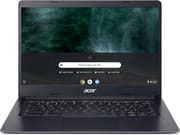 Acer Chromebook 314 | Acer Chromebook 314 | |
| Price | List Price: $499.99 Amazon Prices: | List Price: $399.99 Amazon Prices: Loading prices... |
| Model number | C933-P36S | C933T-C0C1 / NX.HR4AA.001 |
| Performance Rating | 3.9 | 3.4 |
| Chromebook Plus | No | No |
| Processor | Quad-core 1.10 Ghz (max 3.10 Ghz) Intel Pentium Silver N5030 Processor | Quad-core 1.10 Ghz (max 2.60 Ghz) Intel Celeron Processor N4120 |
| RAM | 8 GB | 4 GB |
| Internal Storage | 64 GB eMMC | 32 GB eMMC |
| Screen Size | 14" | 14" |
| Screen Resolution | 1920x1080 | 1920x1080 |
| Screen Type | IPS | IPS |
| Touch Screen | No | No |
| Stylus / Pen | No Stylus Support | No Stylus Support |
| Dimensions width x length x thickness | 12.8 x 9.1 x 0.78 inches (325.12 x 231.14 x 19.81 mm) | 12.8 x 9.1 x 0.78 inches (325.12 x 231.14 x 19.81 mm) |
| Weight | 3.75 lbs (1.7 kg) | 3.75 lbs (1.7 kg) |
| Backlit Keyboard | No | No |
| Webcam | 1280x720 | 1280x720 |
| WiFi | 802.11 a/b/g/n/ac | 802.11 a/b/g/n/ac |
| Bluetooth | Bluetooth 4.0 | Bluetooth 4.0 |
| Ethernet | No | No |
| Cellular Modem | No | No |
| HDMI | No HDMI | No HDMI |
| USB Ports | 2 USB 3, 2 USB-C (with DisplayPort and charging) | 2 USB 3, 2 USB-C (with DisplayPort and charging) |
| Thunderbolt Ports | No | No |
| Card Reader | microSD Card Reader | microSD Card Reader |
| Battery | 3 cell, Lithium Ion | 3 cell, Lithium Ion |
| Battery Life | 12.5 hours | 12.5 hours |
| Fanless | No | No |
| Auto Update Expiration Date | June, 2029 | June, 2029 |
Related Chromebooks
-
 Acer Chromebook 314The Acer Chromebook 314 (CB314) is a fanless 14-inch laptop with an Intel Celeron N4000, sold in…
 -
 Acer Chromebook 314 (CB314-4H/4HT)A budget-friendly 14-inch Chromebook with Intel Alder Lake-N processors, WiFi 6E, and software…
 -
 HP Chromebook 14a (14a-nf series)The HP Chromebook 14a (14a-nf series) spans two tiers of the same chassis: an Amazon-exclusive…
 -
 Samsung Galaxy Chromebook Go 14"The Samsung Galaxy Chromebook Go 14 is a budget 14-inch Chromebook with an Intel Celeron N4500, a…
 -
 HP Chromebook 14 G7The HP Chromebook 14 G7 packs a 14-inch anti-glare WLED screen, Wi-Fi 6, a 720p HD webcam, and…
 -
 ASUS Chromebook C424The ASUS Chromebook C424 boasts a crisp 14-inch FHD anti-glare display, durable spill-resistant…
A matte Full HD panel, four USB ports, and no HDMI

The chassis carries a clean, professional look that UNTITLED’s reviewer said does not read as a Chromebook. Its 14-inch panel runs 1920x1080 on IPS, so viewing angles stay wide and colors hold together for the price class. The screen has no touch layer, and the matte finish keeps glare down through a long work session. Key travel is comfortable for steady typing, though nothing on the keyboard lights up, so a dim room means typing by feel. At 3.75 lbs it stays easy to carry for a 14-inch notebook.
The 8GB C933-P36S runs an Intel Pentium Silver N5030, and the 4GB C933T runs an Intel Celeron N4120. Trusted Reviews reported Geekbench 5 scores of 428 (single-core) and 799 (multi-core), which sits in budget-Chromebook territory. Both builds keep a handful of browser tabs, streaming video, and Play Store Android apps moving without stalling. The 8GB build is the one to buy if several apps and a full set of tabs are open at the same time; 4GB suits one task at a time.
Two USB-C ports carry DisplayPort output and USB Power Delivery charging, and two USB-A 3.0 ports take older peripherals. The microSD reader adds storage next to the 32GB or 64GB of soldered eMMC. There is no HDMI jack, so an external display needs a USB-C adapter, and wired networking needs a USB ethernet adapter. Wireless is 802.11 a/b/g/n/ac with Bluetooth 4.0, a generation behind the Wi-Fi 6 radios in newer Chromebooks.
Reviewer Insights

TechRadar on the display and the missing touchscreen
TechRadar’s Rob Dwiar awarded the Chromebook 314 a score of 4.5 out of 5 stars, describing it as “a tremendous Chromebook harboring great performance and battery life.” Dwiar praised the bright, crisp display and the laptop-like design. His criticisms centered on the lack of touchscreen functionality and fingerprint reader.
Trusted Reviews ran it 13.5 hours before shutdown
A 4.5 out of 5 came from Trusted Reviews’ Reece Bithrey, who called it “one of the best Chromebooks out there for those on a tight budget.” His testing revealed 13.5 hours of continuous use before shutdown. Bithrey noted the sturdy construction and comprehensive port selection as strengths, making it “ideal for students looking for a laptop to pick up and pop in a bag.” He acknowledged display limitations on lower-spec models but praised the overall value at the sub-$300 price point.
UNTITLED singled out the trackpad and the build
UNTITLED’s review examined the Celeron N4000 configuration from a budget-buyer’s perspective. The reviewer was impressed by the solid build, stating “it doesn’t necessarily look like it should be a Chromebook” and calling it “a mobile computing beast.” The Gorilla Glass trackpad and comprehensive port selection stood out to him, with the keyboard and trackpad together earning an “absolutely brilliant” verdict. The review framed the Chromebook 314 as a machine built to “do the basics well”: web browsing, email, and document work.
Customer Reviews
Across 7 ratings on Amazon, the Acer Chromebook 314 averages 4.4 stars, with the bulk of those ratings sitting at four or five stars and none below three. Seven ratings is a handful of owner impressions, not a broad verdict. A verified buyer who goes by “laptop” gave it four stars and wrote, “This laptop works great for my needs. Unfortunately, after about a month of use I needed to buy a new charger as the one it came with stopped charging.” They noted the USB-C port made the replacement charger easy and cheap to source, and closed by saying they were happy with the purchase.
A verified buyer posting as “Amazon Customer” gave it five stars and wrote, “This Acer Chromebook is exactly what I needed to replace my Android tablet,” adding that Google Play store Android apps “work a lot better than on android tablets” and pointing out you can add an Ethernet port through a USB adapter. Only two written reviews are on file, so the charger failure is the one owner-reported problem to weigh. Read more owner reviews on Amazon.
Buy the 8GB build, and plan on a USB-C adapter
The Full HD IPS panel, the battery, and the port layout suit students, budget-conscious families, and anyone who wants a straightforward Chrome OS machine. The tradeoff is everything the C933 series leaves out: no touchscreen, no backlit keyboard, no HDMI, and a webcam that stops at 720p.
Spend the extra on the 8GB C933-P36S if Android apps and a dozen tabs are the normal workload; the 4GB C933T is enough for one job at a time. Chrome OS updates run to June 2029.
To see how it stacks up against other options, our Chromebook Comparison Chart lets you sort and filter by specs, price, and features side by side.
Frequently Asked Questions
Can I upgrade the RAM or storage on the Acer Chromebook 314?
No. The RAM is soldered to the motherboard and the eMMC storage is not user-replaceable, so whichever build you buy is the one you keep. Pick the 8GB variant if you expect to need the memory. For files, the microSD slot and cloud storage are the ways to add room.
How long will the Acer Chromebook 314 receive software updates?
The C933 series carries an Auto Update Expiration (AUE) date of June 2029. Chrome OS features, security patches, and bug fixes arrive until then. The machine keeps working after that date, but Google stops shipping updates to it.
Can the Acer Chromebook 314 run Android apps?
Yes, through the Google Play Store. Most Android applications download and run, though apps built around touch input feel different on a machine with no touchscreen. The 8GB variant holds up better when Android apps and Chrome tabs are open together.
Is the Acer Chromebook 314 good for students?
Trusted Reviews praised it as “ideal for students looking for a laptop to pick up and pop in a bag.” The 12+ hour battery life covers a full school day, the 14-inch display is comfortable for long reading and writing sessions, and Chrome OS gives easy access to Google Workspace for education.
Can I connect an external monitor to the Acer Chromebook 314?
Yes, through either USB-C port, both of which support DisplayPort Alt Mode. There is no dedicated HDMI port, so plan on a USB-C to HDMI adapter or a USB-C cable to a compatible monitor. Chrome OS can then extend or mirror the desktop onto that screen.
How does the Acer Chromebook 314 compare to the Acer Chromebook 315?
Screen size is the main difference: 14 inches on the 314, 15.6 inches on the Chromebook 315. The 315 weighs more and takes up more desk and bag space. Processors and features line up closely at their respective price points, so the choice comes down to portability on the 314 against screen room on the 315.