
Acer Chromebook 314 (CB314-4H/4HT)
Updated on

The Acer Chromebook 314 is the 2023 refresh of Acer’s 14-inch Chromebook line, moving it onto Intel Alder Lake-N processors and WiFi 6E. Two builds exist: the CB314-4H pairs the Intel Processor N100 with a non-touch 1920x1080 IPS panel, and the CB314-4HT pairs the Intel Core i3-N305 with a touchscreen version of the same 14-inch screen. Both carry an Auto Update Expiration date of June 2033. That makes either one a workable pick for students, remote workers, and everyday productivity.
Pros and Cons
| Pros | Cons |
|---|---|
| Long software support through June 2033 | No keyboard backlighting |
| WiFi 6E wireless | Plastic build feels budget-oriented |
| OceanGlass touchpad is smooth and accurate | No HDMI port, so monitors need a USB-C adapter |
| USB-C charging on both sides | 720p webcam at 60fps with temporal noise reduction |
| MIL-STD 810H certified durability | Thick screen bezels look dated |
| Upward-firing DTS speakers | eMMC storage is slower than an NVMe SSD |
Related Videos
Acer Chromebook 314 (CB314-4H/4HT) Comparison Chart
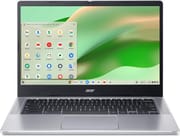 Acer Chromebook 314 (CB314-4H) | Acer Chromebook 314 (CB314-4HT) | |
| Price | List Price: $299.99 Amazon Prices: Loading prices... | List Price: $449.99 Amazon Prices: Loading prices... |
| Model number | CB314-4H-C2UW | CB314-4HT-32X6 |
| Performance Rating | 2.9 | 5.9 |
| Chromebook Plus | No | No |
| Processor | Quad-core 3.40 Ghz (max 3.40 Ghz) Intel Processor N100 | Octa-core 1.80 Ghz (max 3.80 Ghz) Intel Core i3-N305 |
| RAM | 4 GB | 8 GB |
| Internal Storage | 64 GB eMMC | 128 GB eMMC |
| Screen Size | 14" | 14" |
| Screen Resolution | 1920x1080 | 1920x1080 |
| Screen Type | IPS | IPS |
| Touch Screen | No | Yes |
| Stylus / Pen | No Stylus Support | No Stylus Support |
| Dimensions width x length x thickness | 12.87 x 8.86 x 0.81 inches (326.9 x 225.04 x 20.57 mm) | 12.87 x 8.86 x 0.81 inches (326.9 x 225.04 x 20.57 mm) |
| Weight | 3.15 lbs (1.43 kg) | 3.15 lbs (1.43 kg) |
| Backlit Keyboard | No | No |
| Webcam | 720p 60fps | 720p 60fps |
| WiFi | Wi-Fi 6E (802.11ax) | Wi-Fi 6E (802.11ax) |
| Bluetooth | Bluetooth 5.1 | Bluetooth 5.1 |
| Ethernet | No | No |
| Cellular Modem | No | No |
| HDMI | No HDMI | No HDMI |
| USB Ports | 2 USB 3, 2 USB-C 2x USB-C 3.2 Gen 1 with DisplayPort and Power Delivery, 2x USB-A 3.2 Gen 1 | 2 USB 3, 2 USB-C 2x USB-C 3.2 Gen 1 with DisplayPort and Power Delivery, 2x USB-A 3.2 Gen 1 |
| Thunderbolt Ports | No | No |
| Card Reader | microSD Card Reader | microSD Card Reader |
| Battery | 50Wh | 50Wh |
| Battery Life | 11 hours | 11 hours |
| Fanless | No | No |
| Auto Update Expiration Date | June, 2033 | June, 2033 |
Related Chromebooks
-
 Acer Chromebook 314The Acer Chromebook 314 is a 14-inch budget Chromebook with a 1920x1080 IPS display, an Intel…
 -
 Acer Gateway Chromebook 314The Acer Gateway Chromebook 314 is a 14-inch ChromeOS laptop on Acer's Chromebook 314 chassis with…
 -
 ASUS Chromebook C424The ASUS Chromebook C424 boasts a crisp 14-inch FHD anti-glare display, durable spill-resistant…
 -
 HP Chromebook 14a (14a-nf series)The HP Chromebook 14a (14a-nf series) spans two tiers of the same chassis: an Amazon-exclusive…
 -
 HP Chromebook 14a (ne Series)The HP Chromebook 14a (ne series) is a 14-inch ChromeOS laptop on an Intel Celeron N4500 with 4GB…
 -
 Samsung Galaxy Chromebook Go 14"The Samsung Galaxy Chromebook Go 14 is a budget 14-inch Chromebook with an Intel Celeron N4500, a…
A plastic 14-inch body with USB-C on both sides

The chassis measures 12.87 x 8.86 x 0.81 inches and weighs 3.15 pounds, reasonably portable for a 14-inch notebook. It is mostly plastic in a silver finish that shows fingerprints. Hi-Tech.ua noted the build passes MIL-STD 810H durability testing and features a spill-resistant keyboard rated for up to 330ml of liquid. Vents at the rear push warm air away from the user, and the DTS-tuned speakers sit on the keyboard deck firing upward rather than down through the base. The touchpad uses Acer’s OceanGlass surface, made from recycled ocean-bound plastics.
The base model runs the Intel Processor N100, 4 cores and 4 threads, for a PassMark score around 5,305. The touchscreen variant steps up to the Intel Core i3-N305, 8 cores and 8 threads, at roughly 9,577 on PassMark. In the Chrome Unboxed video review, the i3-N305 configuration came close to Chromebook Plus performance and handled multitasking and Android apps without stumbling. That build has the headroom for a large tab count, for Linux applications, and for browser-based music production in DAWs like BandLab and Soundtrap.
Wireless is WiFi 6E (802.11ax) and Bluetooth 5.1. The ports are two USB-C 3.2 Gen 1 with DisplayPort Alt Mode and Power Delivery, one per side, two USB-A 3.2 Gen 1, a microSD card reader, and a 3.5mm headphone and microphone combo jack. Hi-tech.ua called out the symmetrical USB-C placement, which lets you charge from whichever side the outlet is on. Nothing here drives a monitor directly, since there is no HDMI port, so an external display needs a USB-C adapter or a USB-C monitor. A wired network connection works the same way, through a USB Ethernet adapter on either the USB-C or USB-A side.
Reviewer Insights

Chrome Unboxed on the i3-N305 build
Chrome Unboxed tested the CB314-4H with the Intel Core i3-N305 configuration. The reviewer described it as “more of an entry-level Chromebook but with some higher spec internals, those that on paper to me would even qualify this as a Chromebook Plus.” On the touchpad, the reviewer said “the trackpad is really excellent and although the name ocean glass refers to it being made from recycled bottles… it does still feel really high quality.”
The same reviewer said the plastic build “feels solid enough in the build but a little cheapy at the same time.” The reviewer picked out the 1080p FHD webcam with its manual privacy shutter as a step up from the 720p cameras common on Chromebooks, noted the speakers are “directed out to the rear of the Chromebook not just underneath,” and said the IPS display “seems bright enough to me for general indoor use” while falling short of the vibrancy of premium panels.
Hi-Tech.ua on speed, battery, and the missing backlight
Hi-tech.ua credited the machine with “high speed of operation and responsiveness” on web-based workflows, and rated its cost-to-functionality ratio and its symmetrical port arrangement with USB-C on both sides highly. The reviewer measured around 7.5 hours of continuous office work on a charge, against Acer’s claim of up to 11 hours in lighter use.
The missing keyboard backlight drew the review’s one complaint, “the only and main remark about this model.” The reviewer found the display’s color palette adequate for productivity but “not suitable for high-quality movie watching,” and flagged the eMMC storage as slower and potentially less reliable than SSD alternatives while still sufficient for ChromeOS workloads. The reviewer’s verdict was that the machine “is perfect for office, daily tasks related to texts, organization and participation in information processes.”
Customer Reviews
Across 42 ratings on Amazon, the Acer Chromebook 314 (CB314-4H/4HT) averages 4.7 stars, with 83 percent of raters leaving five stars and the rest at four or three (no one- or two-star ratings in the distribution). The praise centers on value and durability for light use. MP, a verified buyer, wrote that they “got this on sale and it worked as good as other Chromebooks I’ve had, even a $400 one from a few years ago,” with the only miss being a backlit keyboard. Michael DeVore, also a verified buyer, called it a “Quiet and powerful Chromebook,” noted the speakers are weak (true of most laptops he says), and reported that after “over 6 months it is still same as new.” Robert Duhon, a verified owner, kept his short: “bin using over a year. love it.”
Several owners were caught off guard that this configuration is not a touchscreen. Michelle E, a verified buyer who still left five stars, said it is “fine for surfing and social interactions” but added “Wish it had touch screen capability.” R. Miller, a verified buyer who rated it three stars, flagged that the “somewhat confusing specs seem to combine two models” and that Amazon’s bot wrongly confirmed it was a touchscreen, though the machine “seems to be functioning well for my wife.” If a touchscreen matters to you, confirm the variant before buying; the CB314-4H is the non-touch model.
Read more owner reviews on Amazon.
A low-cost 14-inch built to stay supported until 2033
Between the two builds, the i3-N305 touchscreen model is the one worth paying up for: 8 cores against 4, 8GB of memory against 4GB, and touch input on the same 14-inch panel. The N100 non-touch model covers browsing, documents, and video, and it is the cheaper way onto the June 2033 update date that both builds share.
There is no keyboard backlight and no HDMI port, the eMMC storage is slower than the NVMe drives in pricier machines, and the bezels around the display are thick. Sustained Linux development work belongs on a Chromebook Plus device with more memory and faster storage.
Our Chromebook Comparison Chart lines it up against the other 14-inch models.
Frequently Asked Questions
What processor does the Acer Chromebook 314 (CB314-4H/CB314-4HT) use?
Two, depending on the model. The CB314-4H non-touch model uses the Intel Processor N100 with 4 cores and 4 threads, scoring approximately 5,305 on PassMark. The CB314-4HT touchscreen model uses the Intel Core i3-N305 with 8 cores and 8 threads, scoring approximately 9,577 on PassMark. Both chips are from Intel’s Alder Lake-N generation.
Can I upgrade the RAM in the Acer Chromebook 314?
No. The memory is soldered and cannot be changed after purchase, so the configuration you buy is the one you keep. The CB314-4H-C2UW ships with 4GB RAM and the CB314-4HT-32X6 with 8GB RAM.
What ports does the Acer Chromebook 314 have?
2x USB-C 3.2 Gen 1 with DisplayPort Alt Mode and Power Delivery, one on each side, 2x USB-A 3.2 Gen 1, a microSD card reader, a 3.5mm headphone and microphone combo jack, and a Kensington lock slot. There is no HDMI port, so external displays need a USB-C connection or an adapter.
How long will the Acer Chromebook 314 (CB314-4H) receive updates?
Its Auto Update Expiration (AUE) date is June 2033. Until then, the device receives ChromeOS updates, which cover new features, security patches, and bug fixes.
Does the Acer Chromebook 314 have a touchscreen?
It depends on the model. The CB314-4HT-32X6 variant includes a touchscreen, while the CB314-4H-C2UW does not. Check the model number carefully when purchasing: models with “4HT” have touch capability, while “4H” models are non-touch.
Does the Acer Chromebook 314 have a backlit keyboard?
No. Neither the CB314-4H nor the CB314-4HT has keyboard backlighting, and hi-tech.ua called it the main drawback of the model. If you often work in a dark room, look at alternatives with backlit keyboards instead.
Is the Acer Chromebook 314 a Chromebook Plus?
No, neither model carries the Chromebook Plus certification, and the base model misses requirements such as an FHD webcam. Chrome Unboxed did find that the i3-N305 variant with 8GB RAM performs close to Chromebook Plus levels.