
ThinkCentre Chromebox
Updated on

Note: The Lenovo ThinkCentre Chromebox has been discontinued and is no longer available for purchase. Chrome OS support ended in June 2020. This page is maintained for historical reference.
The Lenovo ThinkCentre Chromebox arrived in 2015 as one of the first business-focused Chrome OS desktops. Its standout feature was the 1-liter “Tiny” form factor, measuring just 7 x 7.2 x 1.65 inches and weighing around 2 pounds. Lenovo designed this specifically for education and enterprise environments where simplified management and compact footprints matter more than raw processing power. What made the ThinkCentre Chromebox unique was its integration with Lenovo’s ThinkVision Tiny-in-One monitors. The Chromebox could slide into a dedicated slot on the back of compatible displays, essentially creating a Chrome OS all-in-one computer without the typical all-in-one limitations.
| Pros | Cons |
|---|---|
| Extremely compact 1L form factor with VESA mount compatibility | Bluetooth 4.0 had documented connectivity issues |
| Unique Tiny-in-One monitor integration for all-in-one setups | Limited to 16GB SSD storage with no card reader |
| Four USB 3.0 ports for peripherals | Chrome OS support ended June 2020 |
| Included wired keyboard and mouse in the box | External WiFi antenna required for wireless |
| Fast boot times (5-10 seconds to usable desktop) | No internal speakers |
| Gigabit Ethernet and DisplayPort for enterprise use | Basic Celeron processor limits multitasking |
Related Videos
Hardware and Connectivity
The base model shipped with an Intel Celeron 3205U processor at 1.5GHz, while higher-end configurations offered an Intel Core i3-5005U at 2.0GHz. RAM options included 2GB or 4GB of DDR3, and all variants came with 16GB of SSD storage. The limited local storage was by design since Chrome OS relied heavily on Google Drive’s 100GB cloud allocation that came bundled with the device.
Port selection was generous for a Chrome OS device of this era. Four USB 3.0 ports provided connectivity for peripherals, with one port offering enhanced charging power for devices like phones and tablets. Video output came via both HDMI and DisplayPort, the latter being a clear signal of Lenovo’s enterprise targeting since most consumer devices omitted DisplayPort entirely. Gigabit Ethernet provided reliable wired networking without needing a separate Ethernet adapter, while an external screw-on antenna handled 802.11n WiFi.
Reviewer Insights
Android Authority’s testing uncovered a significant Bluetooth issue that plagued some units. Bailey Stein reported experiencing cursor flickering and random keyboard disconnections when using Bluetooth peripherals, eventually disabling Bluetooth entirely and relying on the included wired keyboard and mouse. The reviewer noted: “Hopefully Lenovo can resolve these issues in the future so that users can use Bluetooth reliably.”
Performance-wise, BJTechNewsHD documented boot times of approximately 7 seconds and achieved an Octane benchmark score of 17,003 on the Core i3 variant. For Chrome OS workloads like document editing, email, and web browsing, reviewers found the performance more than adequate.
CNET’s Dan Ackerman positioned the device as “not the most exciting computer in the world” but acknowledged it served its purpose well: getting people online affordably with minimal IT overhead. At $200 for the base Celeron model and $235-$340 for Core i3 configurations, the pricing was competitive for enterprise and education deployments.
BizTech Magazine and EdTech Magazine both emphasized the management benefits for IT departments. Automatic OS updates, centralized device management through Google Admin Console, and inherent malware resistance made the Chromebox attractive for organizations tired of maintaining traditional Windows desktops.
Legacy and Context
The ThinkCentre Chromebox represented an early experiment in bringing Chrome OS to the desktop form factor for business use. While the hardware has long since become obsolete, the modular Tiny-in-One concept influenced later Chrome OS device designs. Organizations that deployed these devices got several years of low-maintenance computing before the June 2020 AUE deadline ended security updates.
For historical context, this Chromebox competed against ASUS and HP Chromeboxes of the same era, as well as budget Windows mini PCs. The Celeron 3205U processor it contained was adequate for Chrome OS but would struggle with more demanding modern web applications and browser-based tools.
ThinkCentre Chromebox Comparison Chart
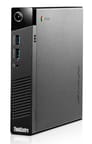 ThinkCentre Chromebox | ThinkCentre Chromebox | |
| Price | List Price: $229.99 Amazon Prices: | List Price: $199.99 Amazon Prices: |
| Model number | 10H50003US | 10H50005US |
| Performance Rating | 2.7 | 2.2 |
| Chromebook Plus | No | No |
| Processor | Dual-core 1.50 Ghz Intel Celeron 3205U | Dual-core 1.50 Ghz Intel Celeron 3205U |
| RAM | 4 GB | 2 GB |
| Internal Storage | 16 GB SSD (upgradable) | 16 GB SSD (upgradable) |
| Screen Size | No Screen | No Screen |
| Screen Resolution | No Screen | No Screen |
| Screen Type | No Screen | No Screen |
| Touch Screen | No | No |
| Stylus / Pen | No Stylus Support | No Stylus Support |
| Dimensions width x length x thickness | 7 x 7.2 x 1.65 inches (177.8 x 182.88 x 41.91 mm) | 7 x 7.2 x 1.65 inches (177.8 x 182.88 x 41.91 mm) |
| Weight | unknown | unknown |
| Backlit Keyboard | No | No |
| Webcam | No Webcam | No Webcam |
| WiFi | 802.11 b/g/n | 802.11 b/g/n |
| Bluetooth | Bluetooth 4.0 | Bluetooth 4.0 |
| Ethernet | Yes | Yes |
| Cellular Modem | No | No |
| HDMI | Full-Size HDMI | Full-Size HDMI |
| USB Ports | 4 USB 3 | 4 USB 3 |
| Thunderbolt Ports | No | No |
| Card Reader | No Card Reader | No Card Reader |
| Battery | No Battery | No Battery |
| Battery Life | 0.0 hours | 0.0 hours |
| Fanless | No | No |
| Auto Update Expiration Date | June, 2020 | June, 2020 |
Related Chromebooks
-
 Lenovo ThinkCentre M60q ChromeboxLenovo's first Chromebox in seven years delivers 12th-gen Intel power in a compact 1-liter desktop…
 -
 ASUS Chromebox 5The ASUS Chromebox 5 delivers modern desktop Chrome OS performance with 12th-gen Intel processors,…
 -
 Acer Chromebox Mini CXM1The Acer Chromebox Mini CXM1 delivers enterprise-grade digital signage in an ultra-compact fanless…
 -
 Lenovo 3i ChromebookThe Lenovo 3i Chromebook offers a large 15.6-inch anti-glare FHD display with a numeric keypad,…
 -
 Lenovo Chromebox MicroAn ultra-compact, fanless Chromebox designed for digital signage and specialized deployments,…
 -
 Acer Chromebox CXI5A compact Chrome OS desktop with 12th Gen Intel processors, USB4 connectivity, and support through…
Frequently Asked Questions
When did the Lenovo ThinkCentre Chromebox reach end of life?
The Lenovo ThinkCentre Chromebox reached its Auto Update Expiration (AUE) date in June 2020. After this date, Google stopped providing security and feature updates for the device. Using an unsupported Chrome OS device carries security risks.
What processor did the ThinkCentre Chromebox use?
The base model used an Intel Celeron 3205U at 1.5GHz, while higher-end models featured an Intel Core i3-5005U at 2.0GHz. Both were dual-core processors from Intel’s Broadwell generation designed for low-power desktop use.
Could the ThinkCentre Chromebox connect to any monitor?
Yes, the Chromebox could connect to any monitor via HDMI or DisplayPort. However, it also featured unique integration with Lenovo’s ThinkVision Tiny-in-One monitors, where the Chromebox could slide into the back of the display to create an all-in-one configuration.
What were the main issues with the ThinkCentre Chromebox?
Reviewers documented Bluetooth connectivity problems including cursor flickering and random disconnections. Android Authority recommended using the included wired peripherals instead of Bluetooth devices. The 16GB storage was also limiting, and there was no memory card reader for expansion.
Is the Lenovo ThinkCentre Chromebox still worth buying?
No. The ThinkCentre Chromebox stopped receiving Chrome OS updates in June 2020, making it unsuitable for secure use. Using an unsupported Chrome OS device exposes you to unpatched security vulnerabilities. Consider modern Chromebox options from ASUS or HP instead.