
Lenovo ThinkCentre M60q Chromebox
Updated on

The Lenovo ThinkCentre M60q Chromebox is Lenovo’s return to the Chromebox market after a seven-year gap, built on the 1-liter Tiny chassis the company uses for its Windows ThinkCentre desktops. The base build runs an Intel Celeron 7305, the middle build an Intel Core i3-1215U, and the top build an Intel Core i5-1235U. WiFi 6E, Bluetooth 5.1, and support for up to four independent displays cover the connectivity side, and a ChromeOS keyboard and mouse ship in the box. The chassis sits behind a monitor or on a desk corner, so schools, offices, digital signage, and thin-client deployments are the intended fit.
Pros and Cons
| Pros | Cons |
|---|---|
| 1-liter Tiny chassis with a vertical stand included | No built-in speakers or microphone |
| Core i5-1235U build reaches 10 cores and 12 threads | Celeron 7305 build’s 64GB eMMC cannot be upgraded |
| WiFi 6E and Bluetooth 5.1 on an Intel AX211 card | WiFi ran inconsistently in XDA Developers’ testing |
| Six USB Type-A ports plus USB-C with DisplayPort 1.4 | No webcam, so video calls need an external one |
| Drives up to four independent displays | Intel UHD Graphics struggles with graphics-heavy work |
| ChromeOS keyboard and mouse included | Vertical stand is not attached to the unit |
Lenovo ThinkCentre M60q Chromebox Comparison Chart
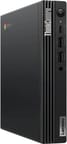 Lenovo ThinkCentre M60q Chromebox | Lenovo ThinkCentre M60q Chromebox | Lenovo ThinkCentre M60q Chromebox | |
| Price | List Price: Amazon Prices: | List Price: Amazon Prices: | List Price: Amazon Prices: |
| Model number | 12C6001UCA | 12C6001VCA | 12C6001SUS |
| Performance Rating | 3.3 | 7.1 | 8.3 |
| Chromebook Plus | No | No | No |
| Processor | 5-core 0.90 Ghz (max 1.10 Ghz) Intel Celeron Processor 7305 | Hexa-core 3.30 Ghz (max 4.40 Ghz) Intel Core i3-1215U Processor | Deca-core 3.30 Ghz (max 4.40 Ghz) Intel Core i5-1235U |
| RAM | 4 GB | 8 GB | 16 GB |
| Internal Storage | 64 GB eMMC | 128 GB NVMe SSD (upgradable) | 256 GB NVMe SSD (upgradable) |
| Screen Size | No Screen | No Screen | No Screen |
| Screen Resolution | No Screen | No Screen | No Screen |
| Screen Type | No Screen | No Screen | No Screen |
| Touch Screen | No | No | No |
| Stylus / Pen | No Stylus Support | No Stylus Support | No Stylus Support |
| Dimensions width x length x thickness | 7 x 7.16 x 1.33 inches (177.8 x 181.86 x 33.78 mm) | 7 x 7.16 x 1.33 inches (177.8 x 181.86 x 33.78 mm) | 7 x 7.16 x 1.33 inches (177.8 x 181.86 x 33.78 mm) |
| Weight | 2.35 lbs (1.07 kg) | 2.35 lbs (1.07 kg) | 2.35 lbs (1.07 kg) |
| Backlit Keyboard | No | No | No |
| Webcam | No Webcam | No Webcam | No Webcam |
| WiFi | Wi-Fi 6E (802.11ax) | Wi-Fi 6E (802.11ax) | Wi-Fi 6E (802.11ax) |
| Bluetooth | Bluetooth 5.1 | Bluetooth 5.1 | Bluetooth 5.1 |
| Ethernet | Yes | Yes | Yes |
| Cellular Modem | No | No | No |
| HDMI | Full-Size HDMI | Full-Size HDMI | Full-Size HDMI |
| USB Ports | 6 USB 3, 1 USB-C Front: 1x USB-C 3.2 Gen 2 (supports DisplayPort 1.4), 2x USB 3.2 Gen 2 (Type-A). Rear: 4x USB 3.2 Gen 1 (Type-A). | 6 USB 3, 1 USB-C Front: 1x USB-C 3.2 Gen 2 (supports DisplayPort 1.4), 2x USB 3.2 Gen 2 (Type-A). Rear: 4x USB 3.2 Gen 1 (Type-A). | 6 USB 3, 1 USB-C Front: 1x USB-C 3.2 Gen 2 (supports DisplayPort 1.4), 2x USB 3.2 Gen 2 (Type-A). Rear: 4x USB 3.2 Gen 1 (Type-A). |
| Thunderbolt Ports | No | No | No |
| Card Reader | No Card Reader | No Card Reader | No Card Reader |
| Battery | No Battery | No Battery | No Battery |
| Battery Life | Unknown | Unknown | Unknown |
| Fanless | No | No | No |
| Auto Update Expiration Date | June, 2032 | June, 2032 | June, 2032 |
Related Chromebooks
-
 ASUS Chromebox 5The ASUS Chromebox 5 is a Chrome OS desktop with 12th Gen Intel processors, Thunderbolt 4, Wi-Fi…
 -
 Lenovo Chromebox MicroThe Lenovo Chromebox Micro is a fanless 6.4 x 3.1 x 0.8 inch ChromeOS desktop built on the Intel…
 -
 Lenovo IdeaPad 3i ChromebookThe Lenovo IdeaPad 3i Chromebook is a 15.6-inch Full HD Chromebook with an Intel Celeron N4500 and…
 -
 Acer Chromebox CXI5A compact Chrome OS desktop with 12th Gen Intel processors, USB-C with DisplayPort output, and…
 -
 Lenovo 100e Chromebook Gen 4The Lenovo 100e Chromebook Gen 4 is a rugged, fanless 11.6 inch ARM Chromebook built for K-12…
 -
 ASUS Chromebox 5aThe ASUS Chromebox 5a is a compact Chrome OS desktop built on 13th Gen Intel chips from the Celeron…
Six USB-A ports in a 1-liter chassis, with SSD upgrades on the i3 and i5

The chassis measures 7.0 x 7.16 x 1.33 inches and weighs 2.35 pounds, and it comes from the Tiny line Lenovo built for its Windows ThinkCentre desktops. The front panel carries two USB 3.2 Gen 2 Type-A ports, a USB-C port with DisplayPort 1.4 support, and a combo audio jack. The rear panel adds four USB 3.2 Gen 1 ports, a full-size HDMI output, a DisplayPort 1.4 output, Gigabit Ethernet, and a Kensington lock slot. An internal cooling fan maintains thermal performance, though reviewers note it runs quietly under normal workloads.
The base configuration runs the Intel Celeron 7305, a 5-core hybrid chip with one performance core and four efficiency cores. The Intel Core i3-1215U in the middle build moves that to 6 cores and 8 threads, and the Intel Core i5-1235U at the top runs 10 cores and 12 threads. XDA Developers found the 12th-generation Intel CPUs handled web browsing with multiple tabs, document editing, and video streaming without trouble. Intel UHD Graphics covers those basics and struggles once a workload leans on the GPU.
An Intel AX211 card supplies WiFi 6E (802.11ax) and Bluetooth 5.1. Six Type-A ports and one Type-C port that doubles as a DisplayPort 1.4 output make up the USB layout. The Core i3 and Core i5 builds put storage on an M.2 NVMe slot, so an aftermarket SSD swap stays possible later. The Celeron 7305 build uses 64GB of eMMC that cannot be upgraded, so the capacity you buy on that build is the capacity you keep.
Reviewer Insights

XDA Developers
Arif Bacchus at XDA Developers tested the Core i3-1215U configuration and awarded it an 8 out of 10 rating. The review praised the compact form factor and included accessories, noting “It was a pleasure to prop the ThinkCentre M60q to the side of my monitor and use it the month that I had it.” Productivity performance from the 12th-generation Intel CPU was the highlight.
Bacchus also hit WiFi inconsistency during testing and noted the lack of built-in speakers. “Still, for everyday web browsing, and general productivity with Android apps and more, this is one great and modern Chromebox.” The bundled ChromeOS keyboard and mouse got a positive mention as a value-add for buyers starting fresh.
Storage Review
Tom Fenton at Storage Review tested the M60q as an enterprise thin client for virtual desktop infrastructure (VDI) deployments. The review highlighted its excellent build quality and attention to detail, along with very low CPU and memory utilization during standard tasks. “Lenovo packed a lot of performance into such a tiny system.”
That VDI testing also surfaced Chrome OS limitations, including issues with the native Horizon client that was designed for mobile devices. Fenton still praised Chrome OS as “fast and stable” with minimal IT support requirements. The locked-down nature of Chrome OS provides inherent resistance to large-scale virus attacks.
Customer Reviews
Owner reviews split over the enterprise management license this box ships with. IT and education buyers treat that license as a selling point. Aaron Jacks, a verified buyer who deployed a classroom lab, wrote “I just rolled out 10 of these in a lab at school” and noted the included enterprise management license saved him money per machine. Home buyers land the other way. Psirus, also a verified purchaser, gave it 2 stars and warned the unit “can’t be configured for standard independent use,” calling it “a dealbreaker for any like me who want to use it free-standing” because the listing does not flag that limitation.
A third verified reviewer rated it 3 stars and pinned the frustration on ChromeOS rather than the hardware, citing dropped support for a fairly recent printer and the lack of support for things like DVD drives. Only a handful of reviews exist, so the sample is small. Buyers who want a managed, enterprise-style deployment are satisfied; anyone expecting a freely configurable standalone desktop should check the management restrictions first.
Take the Core i3 build and plan on external speakers
The Core i3-1215U build clears everyday ChromeOS work, its storage sits on an M.2 NVMe slot instead of soldered eMMC, and it is the configuration XDA Developers scored 8 out of 10. The Core i5-1235U adds cores for heavier multitasking, and the Celeron 7305 build locks you into 64GB of eMMC from day one.
There are no speakers, no microphone, and no webcam, so a USB webcam and either headphones or powered speakers on the combo jack are part of the setup cost.
For those comparing options, see our Chromebook Comparison Chart to find the best match for your needs.
Frequently Asked Questions
What processor options are available for the Lenovo ThinkCentre M60q Chromebox?
The ThinkCentre M60q Chromebox is available with three processor options: Intel Celeron 7305 (5 cores, 5 threads), Intel Core i3-1215U (6 cores, 8 threads), and Intel Core i5-1235U (10 cores, 12 threads). All three use Intel’s 12th-generation Alder Lake hybrid architecture, combining performance and efficiency cores for improved multitasking.
Can I upgrade the RAM and storage in the ThinkCentre M60q Chromebox?
The Core i3 and Core i5 configurations use M.2 NVMe SSDs that can be upgraded to larger capacities. However, the Celeron configuration uses 64GB eMMC storage that is soldered and cannot be upgraded. RAM is upgradeable on all models via SO-DIMM slots.
What ports does the Lenovo ThinkCentre M60q Chromebox have?
The M60q includes six USB Type-A ports (2x USB 3.2 Gen 2 on front, 4x USB 3.2 Gen 1 on rear), one USB-C 3.2 Gen 2 port with DisplayPort 1.4 support, one full-size HDMI port, one DisplayPort 1.4 output, Gigabit Ethernet, a combo headphone/microphone jack, and a Kensington lock slot.
How many displays can the ThinkCentre M60q Chromebox support?
Four displays run at once, driven from the HDMI port, the DisplayPort 1.4 output, and the USB-C DisplayPort output. That covers multi-monitor productivity desks and digital signage walls.
What is the Auto Update Expiration (AUE) date for the ThinkCentre M60q Chromebox?
The Lenovo ThinkCentre M60q Chromebox has an Auto Update Expiration date of June 2032, so Chrome OS updates and security patches run until then.
What’s included in the box with the ThinkCentre M60q Chromebox?
The box holds the Chromebox unit, a dedicated Chrome OS wired keyboard, a USB mouse, a 90W Slim Tip power adapter, a vertical stand, and a quick start guide. Nothing else is needed to get to a desktop except a display and a cable.
Does the ThinkCentre M60q Chromebox have a built-in webcam or speakers?
No, the ThinkCentre M60q Chromebox does not include a built-in webcam, microphone, or speakers. For video conferencing, you’ll need to add an external USB webcam and either external speakers or headphones connected via the combo audio jack.