
Samsung Chromebook 2 13.3"
Updated on

Note: The Samsung Chromebook 2 13.3” has been discontinued and is no longer available for purchase. Chrome OS support ended in June 2019. This page is maintained for historical reference.
The Samsung Chromebook 2 13.3” arrived in 2014 as Samsung’s attempt to bring premium aesthetics to the Chromebook market. Priced at $399.99, the device combined a distinctive faux-leather lid design with a 1920x1080 full HD display at a time when most Chromebooks topped out at 1366x768. The Samsung Exynos 5 Octa 5800 ARM-based processor promised efficient, fanless operation, while the slim 0.65-inch profile and 3.06-pound weight positioned it as a more sophisticated alternative to the plastic-heavy budget Chromebooks dominating the market. This was Samsung’s bet that users would pay more for a Chromebook that didn’t look or feel like a netbook, and reviewers at the time praised the ambition even while noting some compromises in execution.
| Pros | Cons |
|---|---|
| Premium faux-leather design resists fingerprints and scratches | 1080p display has poor viewing angles, colors wash out when tilted |
| Full HD 1920x1080 display was uncommon in 2014 Chromebooks | Exynos 5 Octa processor slower than Intel alternatives |
| Excellent keyboard with good travel and spacing | Only microSD card slot, no full-size SD reader |
| Spacious, responsive trackpad with smooth multi-touch | $399 price premium for ARM-based performance |
| Strong 8+ hour battery life tested by reviewers | 16GB storage requires heavy cloud reliance |
| Completely silent fanless operation | Chrome OS support ended June 2019 |
Related Videos
Samsung Chromebook 2 13.3" Comparison Chart
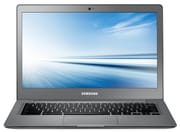 Samsung Chromebook 2 13.3" | |
| Price | List Price: $399.99 Amazon Prices: |
| Model number | XE503C32-K01US |
| Performance Rating | 2.5 |
| Chromebook Plus | No |
| Processor | Quad-core 2.00 Ghz Samsung Exynos 5 Octa 5800 |
| RAM | 4 GB |
| Internal Storage | 16 GB eMMC |
| Screen Size | 13.3" |
| Screen Resolution | 1920x1080 |
| Screen Type | LED |
| Touch Screen | No |
| Stylus / Pen | No Stylus Support |
| Dimensions width x length x thickness | 8.8 x 12.7 x 0.65 inches (223.52 x 322.58 x 16.51 mm) |
| Weight | 3.06 lbs (1.39 kg) |
| Backlit Keyboard | No |
| Webcam | 720p HD |
| WiFi | 802.11 a/b/g/n/ac |
| Bluetooth | Bluetooth 4.0 |
| Ethernet | No |
| Cellular Modem | No |
| HDMI | Full-Size HDMI |
| USB Ports | 1 USB 2.0, 1 USB 3 |
| Thunderbolt Ports | No |
| Card Reader | microSD Card Reader |
| Battery | 2 cell, 4700 mAh 35.6 Wh, Li-Po |
| Battery Life | 8.5 hours |
| Fanless | Yes |
| Auto Update Expiration Date | June, 2019 |
Related Chromebooks
-
 Samsung Chromebook Plus v2The Samsung Chromebook Plus v2 is a fanless 12.2-inch convertible Chromebook with an Intel Celeron…
 -
 HP Chromebook 14 (AMD)The HP Chromebook 14 (AMD) is a fanless 14-inch Chromebook built on the AMD A4-9120C APU with…
 -
 Samsung Galaxy Chromebook 2The Samsung Galaxy Chromebook 2 is a 13.3-inch 2-in-1 with a vivid 1080p QLED touchscreen, an…
 -
 ASUS Chromebook C423The ASUS Chromebook C423 pairs a 14-inch 1366x768 display with a dual-core Celeron N3350, 4GB of…
 -
 ASUS Chromebook C403The ASUS Chromebook C403 is a fanless 14-inch education Chromebook with an anti-glare 1366x768…
 -
 Acer Chromebook 315The Acer Chromebook 315 (CB315-4H) is a fanless 15.6-inch FHD IPS Chromebook with an Intel Celeron…
Design and Build Quality
Samsung took a different approach with the Chromebook 2, wrapping the lid in a textured faux-leather material that evoked the company’s Galaxy Note tablets of that era. Engadget’s Dana Wollman noted that “the textured material does a good job masking fingerprints. Scratches, too.” The design successfully distinguished the Chromebook 2 from competitors, though some reviewers found the combination of faux leather and plastic elsewhere on the chassis created a slightly disjointed aesthetic.
At 0.65 inches thick and 3.06 pounds, the Chromebook 2 13.3” achieved a reasonably slim profile for a 13-inch laptop in 2014. The dimensions measured 12.7 inches wide by 8.8 inches deep, making it portable enough for students and commuters while offering more screen real estate than the 11-inch Chromebooks that dominated the budget market. The fanless design meant completely silent operation, a genuine advantage for library work or quiet offices.
Display Strengths and Weaknesses
The 1920x1080 LED display was the Chromebook 2’s headline feature. At a time when competing Chromebooks like the Toshiba Chromebook 2 and Acer C720 offered only 1366x768 panels, Samsung bet that users would appreciate sharper text and more workspace. TIME’s Jared Newman confirmed this was “the only Chromebook with 1080p” when it launched.
However, the panel’s viewing angles proved problematic. Newman described them as “atrocious,” noting that “colors wash out” when the screen is tilted. Engadget’s testing reached the same conclusion, finding that “the display quality lags behind pixel count” and that “viewing angles are poor.” The 250-nit brightness also required running at 50-60% indoors, according to Notebooks.com’s Kevin Purcell. Users directly in front of the screen saw crisp text and reasonable colors, but any angle deviation quickly degraded the experience. Text also appeared small by default at 1080p on a 13.3-inch panel, with Newman noting he needed to adjust Chrome’s zoom to 125% for comfortable reading.
Performance and the Exynos Compromise
The Samsung Exynos 5 Octa 5800 represented Samsung’s big.LITTLE architecture, with eight CPU cores divided between high-performance and power-efficient clusters. In practice, Chrome OS only used four cores simultaneously at the time. Benchmarks placed the Exynos behind Intel’s Haswell-based Celerons that powered competitors, though real-world browsing performance proved adequate for most tasks.
Notebooks.com’s testing with the Octane JavaScript benchmark yielded a score of 7,112, and Purcell observed that “the Samsung Chromebook 2 won’t win a benchmark or specs war against the competition, but real-world performance matters more and this machine holds up well.” The ARM architecture did cause occasional sluggishness on JavaScript-heavy websites and limited compatibility with some Chrome extensions that expected x86 processors. However, for the core Chromebook use case of web browsing, email, and Google Docs, the Exynos proved acceptable.
The 4GB of RAM provided adequate headroom for Chrome OS, while the 16GB eMMC storage demanded that users embrace cloud storage. Samsung included 100GB of Google Drive storage for two years to offset the limited local capacity. The microSD card slot allowed storage expansion, though reviewers like Purcell noted the absence of a full-size SD reader as a limitation.
Keyboard and Trackpad Excellence
Multiple reviewers singled out the keyboard as a highlight. Engadget’s Wollman praised it as “just as good as any keyboard you’d find on a more expensive laptop,” with good travel and key spacing. TIME’s Newman agreed, calling out the “superior keyboard with excellent travel and minimal flex.” For writers and students doing extensive typing, the Chromebook 2 delivered an experience that justified its premium positioning.
The trackpad earned similar praise, with reviews highlighting smooth multi-touch gestures and responsive tracking. Chrome OS’s trackpad gestures for navigating between tabs and accessing the overview screen worked reliably, contributing to a polished overall input experience that belied the Chromebook’s price point.
Battery Life and Connectivity
Samsung quoted 8.5 hours of battery life, and independent testing validated these claims. Engadget’s battery rundown test achieved 8 hours and 22 minutes of continuous video playback, while other reviewers consistently reported exceeding 8 hours in mixed usage. The efficient Exynos processor and moderate-brightness display contributed to genuine all-day battery life that let users leave their chargers at home.
Connectivity included 802.11 a/b/g/n/ac WiFi with 2x2 MIMO, making the Chromebook 2 one of the earlier Chromebooks to support the faster AC standard. Bluetooth 4.0 handled wireless peripherals. The port selection was adequate but not generous: one USB 2.0, one USB 3.0, full-size HDMI for external displays, and a microSD card slot. A combo headphone/microphone jack and 720p webcam rounded out the specifications.
What Reviewers Said
The critical consensus acknowledged the Chromebook 2’s design ambitions while questioning whether the performance justified the $399 price point.
Engadget’s Dana Wollman spent a week with the device, streaming Netflix and multitasking between tabs. Her verdict: “At $400, it doesn’t feel like a netbook; it feels like a proper laptop.” She praised the design and keyboard but noted the display’s poor viewing angles as a significant weakness.
Notebooks.com’s Kevin Purcell found it “a fine choice for most people” thanks to the keyboard quality and design, particularly recommending it for “writers or students” as “one of the best 13-inch plus machines” despite the Exynos processor’s benchmark disadvantages.
TIME’s Jared Newman called it “frustratingly close” to being the ultimate mid-range Chromebook, appreciating the “solidly-built machine with an impressive balance of weight and battery life” but disappointed that the 1080p display’s viewing angle issues undermined its key advantage.
Legacy and End of Support
Chrome OS support for the Samsung Chromebook 2 13.3” ended in June 2019, following Google’s Auto Update Expiration policy. After this date, the device no longer receives security updates or new Chrome OS features, making it unsuitable for continued use where security matters.
The Chromebook 2 represented an interesting moment in Chromebook history. Samsung attempted to prove that premium design could command premium prices in a market that largely competed on cheapness. While the execution had flaws, particularly the display viewing angles that undermined its headline feature, the device demonstrated that Chromebooks could aspire to more than disposable netbook status. Samsung would later exit the Chromebook market in North America, making devices like the Chromebook 2 historical artifacts of the company’s brief but ambitious Chrome OS era.
For those weighing current options, our Chromebook Comparison Chart lets you filter and sort today’s models side by side.
Frequently Asked Questions
Can I still use the Samsung Chromebook 2 13.3”?
While the Samsung Chromebook 2 13.3” will still power on and run Chrome OS, it reached its Auto Update Expiration (AUE) date in June 2019. This means it no longer receives security updates or new features. Using an unsupported Chromebook carries security risks, and we recommend upgrading to a newer device.
What processor does the Samsung Chromebook 2 have?
The Samsung Chromebook 2 13.3” uses a Samsung Exynos 5 Octa 5800 processor. This ARM-based chip features eight cores in a big.LITTLE configuration, though Chrome OS at the time only utilized four cores simultaneously. The Exynos offered efficient, fanless operation but delivered lower benchmark scores than Intel Celeron alternatives available in 2014.
Does the Samsung Chromebook 2 have a good display?
The Samsung Chromebook 2 features a 13.3-inch 1920x1080 full HD LED display, which was a premium specification for Chromebooks in 2014. However, reviewers consistently noted poor viewing angles that caused colors to wash out when the screen was tilted. The display looks sharp when viewed straight-on but disappoints at off-angles.
How long does the Samsung Chromebook 2 battery last?
Samsung rated the Chromebook 2 13.3” for 8.5 hours of battery life, and independent testing from Engadget confirmed over 8 hours of continuous video playback. The efficient Exynos processor and fanless design contributed to excellent real-world battery performance. On older units, battery capacity will have degraded significantly from the original specification.
Can I upgrade the RAM or storage on the Samsung Chromebook 2?
No, the Samsung Chromebook 2’s 4GB RAM and 16GB eMMC storage are soldered to the motherboard and cannot be upgraded. You can expand storage using the microSD card slot for additional file storage, and Samsung originally included 100GB of Google Drive storage for two years to help offset the limited local capacity.
What is the Samsung Chromebook 2’s faux-leather lid?
Samsung wrapped the Chromebook 2’s lid in a textured faux-leather material similar to what appeared on Samsung’s Galaxy Note tablets of that era. This design choice distinguished the Chromebook 2 from plastic competitors and helped resist fingerprints and scratches, though some reviewers found the premium aesthetic didn’t quite match the plastic used elsewhere on the chassis.
What ports does the Samsung Chromebook 2 have?
The Samsung Chromebook 2 13.3” includes one USB 2.0 port, one USB 3.0 port, a full-size HDMI port, a microSD card slot, and a combo headphone/microphone jack. Note that it does not have USB-C ports, as those weren’t common on Chromebooks until 2016 and later.