
Samsung Chromebook Plus v2
Updated on

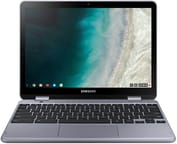
Samsung’s second-generation premium 2-in-1 Chromebook dropped the ARM chip of the original in favor of an Intel Celeron 3965Y. Released in 2018, the 12.2-inch convertible runs a 16:10 display at 1920x1200, carries a built-in stylus that never needs charging, and pairs a 13MP world-facing camera with a front-facing one. It now sells well below the original $499-$599 MSRP, which puts pen support within reach of a budget buyer.
| Pros | Cons |
|---|---|
| Excellent keyboard with great click and travel (Chrome Unboxed ranked it second only to the Pixelbook) | No keyboard backlighting limits usability in low-light conditions |
| Built-in stylus that never needs charging, stows in the chassis | Build quality varies by version (Stealth Silver has aluminum deck, Light Titan is all-plastic) |
| Bright 12.2” display with 16:10 aspect ratio and 300+ nits brightness | Both USB-C ports located on the same side limits flexibility |
| Fanless, silent operation for quiet environments | Only 4GB RAM is limiting for multitasking with many tabs |
| Includes USB-A port for legacy peripherals | 32-64GB eMMC storage fills up quickly |
| 13MP rear camera useful for document scanning | Front camera is only 1MP with poor quality |
Related Videos
Samsung Chromebook Plus v2 Comparison Chart
 Samsung Chromebook Plus v2 | Samsung Chromebook Plus v2 | Samsung Chromebook Plus v2 | Samsung Chromebook Plus v2 | Samsung Chromebook Plus v2 | |
| Price | List Price: $599.99 Amazon Prices: Loading prices... | List Price: $499.99 Amazon Prices: Loading prices... | List Price: $279.99 Amazon Prices: Loading prices... | List Price: $549.99 Amazon Prices: Loading prices... | List Price: $599.99 Amazon Prices: Loading prices... |
| Model number | XE525QBB-K01US | XE521QAB-K01US | XE520QAB-K01US | XE520QAB-K03US | XE520QAB-K02US |
| Performance Rating | 2.3 | 2.3 | 2.3 | 2.3 | 2.3 |
| Chromebook Plus | No | No | No | No | No |
| Processor | Dual-core 1.50 Ghz Intel Celeron 3965Y | Dual-core 1.50 Ghz Intel Celeron 3965Y | Dual-core 1.50 Ghz Intel Celeron 3965Y | Dual-core 1.50 Ghz Intel Celeron 3965Y | Dual-core 1.50 Ghz Intel Celeron 3965Y |
| RAM | 4 GB | 4 GB | 4 GB | 4 GB | 4 GB |
| Internal Storage | 32 GB eMMC | 32 GB eMMC | 32 GB eMMC | 64 GB eMMC | 64 GB eMMC |
| Screen Size | 12.2" | 12.2" | 12.2" | 12.2" | 12.2" |
| Screen Resolution | 1920x1200 | 1920x1200 | 1920x1200 | 1920x1200 | 1920x1200 |
| Screen Type | LED | LED | LED | LED | LED |
| Touch Screen | Yes | Yes | Yes | Yes | Yes |
| Stylus / Pen | Supported | Supported | Supported | Supported | Supported |
| Dimensions width x length x thickness | 8.19 x 11.34 x 0.7 inches (208.03 x 288.04 x 17.78 mm) | 8.19 x 11.34 x 0.7 inches (208.03 x 288.04 x 17.78 mm) | 8.19 x 11.34 x 0.7 inches (208.03 x 288.04 x 17.78 mm) | 8.19 x 11.34 x 0.7 inches (208.03 x 288.04 x 17.78 mm) | 8.19 x 11.34 x 0.7 inches (208.03 x 288.04 x 17.78 mm) |
| Weight | 2.93 lbs (1.33 kg) | 2.93 lbs (1.33 kg) | 2.93 lbs (1.33 kg) | 2.93 lbs (1.33 kg) | 2.93 lbs (1.33 kg) |
| Backlit Keyboard | No | No | No | No | No |
| Webcam | 1MP front-facing, 13MP rear-facing | 1MP front-facing, 13MP rear-facing | 1MP front-facing, 13MP rear-facing | 1MP front-facing, 13MP rear-facing | 1MP front-facing, 13MP rear-facing |
| WiFi | 802.11 a/b/g/n/ac 2x2 | 802.11 a/b/g/n/ac 2x2 | 802.11 a/b/g/n/ac 2x2 | 802.11 a/b/g/n/ac 2x2 | 802.11 a/b/g/n/ac 2x2 |
| Bluetooth | Bluetooth 4.0 | Bluetooth 4.0 | Bluetooth 4.0 | Bluetooth 4.0 | Bluetooth 4.0 |
| Ethernet | No | No | No | No | No |
| Cellular Modem | No | No | No | No | No |
| HDMI | No HDMI | No HDMI | No HDMI | No HDMI | No HDMI |
| USB Ports | 1 USB 3, 2 USB-C (up to 5Gbps, 4K display out with optional adapter) | 1 USB 3, 2 USB-C (up to 5Gbps, 4K display out with optional adapter) | 1 USB 3, 2 USB-C (up to 5Gbps, 4K display out with optional adapter) | 1 USB 3, 2 USB-C (up to 5Gbps, 4K display out with optional adapter) | 1 USB 3, 2 USB-C (up to 5Gbps, 4K display out with optional adapter) |
| Thunderbolt Ports | No | No | No | No | No |
| Card Reader | microSD Card Reader | microSD Card Reader | microSD Card Reader | microSD Card Reader | microSD Card Reader |
| Battery | 2 cell, 39 Wh, Lithium Ion | 2 cell, 39 Wh, Lithium Ion | 2 cell, 39 Wh, Lithium Ion | 2 cell, 39 Wh, Lithium Ion | 2 cell, 39 Wh, Lithium Ion |
| Battery Life | 9.0 hours | 9.0 hours | 9.0 hours | 9.0 hours | 9.0 hours |
| Fanless | Yes | Yes | Yes | Yes | Yes |
| Auto Update Expiration Date | August, 2027 | August, 2027 | August, 2027 | August, 2027 | August, 2027 |
Related Chromebooks
-
 Acer Chromebook Spin 11 CP311The Acer Chromebook Spin 11 combines functionality and portability with its 11.6-inch touch IPS…
 -
 Lenovo Flex 3 ChromebookThe Lenovo Flex 3 Chromebook is a fanless 11.6-inch convertible with an IPS touchscreen, a MediaTek…
 -
 Samsung Galaxy Chromebook 2 360A budget convertible with a sharp 2560x1600 display well above its price class, paired with…
 -
 Lenovo 500e Yoga Chromebook (Gen 4)The Lenovo 500e Yoga Chromebook Gen 4 offers a versatile 12.2'' touch IPS display and a garaged USI…
 -
 Samsung Chromebook 4The Samsung Chromebook 4 is an 11.6-inch Celeron N4000 or N4020 Chromebook with 4GB of RAM, a…
 -
 ASUS Chromebook Flip CR1The ASUS Chromebook Flip CR1 (CR1100FKA) is a rugged 11.6-inch education convertible on an Intel…
A fanless convertible with the stylus stored onboard

The aluminum lid and keyboard deck on the Stealth Silver version give the machine a refined feel. Samsung shipped two builds under one name. The Stealth Silver model, sold mainly through Best Buy, has the aluminum keyboard deck, while the Light Titan variant sold through Amazon uses all-plastic construction. Both share the same footprint at 11.34 x 8.19 x 0.7 inches and weigh under 3 pounds, light enough to carry all day in a backpack alongside books.
The Intel Celeron 3965Y is a marked step up from the ARM chip in the original Chromebook Plus. The dual-core processor clocks at 1.5GHz and delivers Octane 2.0 scores around 14,000-15,000, which is mid-range for Chromebooks of its era. That covers 10-15 browser tabs, basic productivity apps, and Android applications from the Play Store. Chrome Unboxed noted the device “stayed snappy enough to handle multiple tabs, a graphic editor, IDE, music playback simultaneously.” Push past moderate multitasking and the 4GB of RAM becomes the ceiling, with slowdowns showing up under heavy tab loads or demanding Android apps.
The 12.2-inch IPS panel runs 1920x1200 in a 16:10 aspect ratio, giving more vertical space for documents and long web pages than a 16:9 screen of the same size. Brightness measures between 300-350 nits depending on the review source, enough indoors and short of what direct sunlight demands. The touch layer works with the included Samsung PEN, which uses EMR technology for precise input without a battery. The pen stows directly in the chassis and ejects with a push, so it is on hand whenever the screen folds back. Color accuracy and viewing angles hold up well, though they do not match the AMOLED panels in Samsung’s later Galaxy Chromebook line.
Connectivity covers two USB-C ports, one USB-A port, a microSD card slot, and a headphone jack. The USB-A port takes older peripherals without an adapter, including a USB Ethernet adapter for wired network access. Both USB-C ports sit on the same side, which gets awkward when a charger and an external display need the machine at once. Wireless is 802.11ac Wi-Fi and Bluetooth 4.0, the 2018 standard and a generation behind Wi-Fi 6. Battery life ranges from 7-10 hours depending on usage patterns, with Chrome Unboxed reporting about 8 hours of typical mixed use.
Reviewer Insights

Chrome Unboxed’s Perspective
Chrome Unboxed put most of its review on the input hardware. Reviewer Robby Payne stated that “Samsung killed it on input methods,” noting the keyboard offers great click and travel that ranks “second only to the Pixelbook” in the Chrome OS ecosystem. He called the trackpad responsive and resistant to oils. Sound quality also impressed, with the speakers delivering “much more depth” than competing Chromebooks. He criticized the $499 launch price at the time and told buyers to wait for the $425-$450 range, where “this discussion changes a bit.” Their benchmark testing showed Octane scores around 14,000 and Speedometer results of 70-75.
Chrome Unboxed also published a critical follow-up video titled “Don’t Buy Until You Watch This,” reporting that Samsung manufactured two different versions of the Chromebook Plus v2 with significantly different build quality. That discrepancy wasn’t widely publicized by Samsung, and Chrome Unboxed recommended that buyers specifically seek out the Stealth Silver version for the better build quality.
Android Central’s Perspective
Android Central gave it 4.5 out of 5 stars, calling it “one of 2018’s best” Chromebooks. Reviewer Jerry Hildenbrand praised the solid aluminum build quality and noted the device feels “light and comfortable to hold” despite its convertible design. He credited the legacy USB 3.0 port with keeping existing peripherals usable. His review acknowledged limitations including the 32GB base storage capacity and lack of keyboard backlighting, but concluded that Samsung delivered “everything you need and most everything you would want.”
Digital Trends’ Perspective
Digital Trends rated the device 6 out of 10. Reviewer Mark Coppock appreciated the solid build quality and all-day battery life but found the keyboard “cramped” and lacking “responsive feel,” where Payne had praised it. He wrote that the Intel processor improved speed over the ARM-based original at the cost of battery life, and that the design lacked visual distinction in a crowded Chromebook market.
Customer Reviews
Across 65 ratings on Amazon, the Samsung Chromebook Plus v2 averages 4.2 stars, with 67 percent at five stars and another 14 percent at four. Daniel Hebb, a verified buyer, called it a “Good small screen netbook for using while sitting outside or watching TV” and noted that it “doesn’t heat up, hinges hold their place.” Verified buyer Johann Mitchell, a self-described professional typesetter, singled out the keyboard, writing that “The keys on the keyboard are not perfectly flat. They have a shallow indent on the tops of them,” which he said let him touch-type reliably where flat keys do not. One review (from Alison Martinez) is written in Spanish and is also positive about the size and touchscreen.
The 4.2 average also covers 11 percent one-star ratings, and the harshest of those describe a specific listing rather than the hardware. Verified buyer Robert P. received a 2018 unit billed as a 2019 model that arrived scratched and mismatched (“Ran ‘Extremely’ slow”) and warned “Buyer beware.” Separately, verified buyer theresa cutret bought it expecting carrier support and was told otherwise, writing “Verizon that it is not compatible with Verizon.” If you are buying for cellular use, confirm carrier compatibility before you order. Read more owner reviews on Amazon.
Still a sensible pen Chromebook under $300
Bluetooth 4.0 and Wi-Fi 5 date this machine, and a 2018 convertible is never going to feel quick next to current silicon. The keyboard and trackpad are as good as they were at launch, the 16:10 screen is roomier than the panel size suggests, and the stylus lives in the chassis instead of in a bag pocket waiting for a charge.
Shoppers should seek out the Stealth Silver variant for its aluminum deck. Chrome OS updates run through August 2027, which leaves supported life for sketching or handwritten note-taking on a second machine priced under $300. To see how it stacks up against current models, the Chromebook Comparison Chart is a useful starting point.
Frequently Asked Questions
What is the difference between the Stealth Silver and Light Titan versions?
Build quality. The Stealth Silver version (XE521QAB series, primarily sold at Best Buy) features an aluminum keyboard deck, while the Light Titan version (XE520QAB series) uses all-plastic construction throughout. Specifications otherwise match, and Chrome Unboxed recommends the Stealth Silver for its more premium feel.
Can the RAM or storage be upgraded?
No. Both the 4GB RAM and the eMMC storage are soldered to the motherboard. The microSD card slot can expand storage for media files and some Android apps, but the base storage and memory are fixed.
Does the included stylus need to be charged?
No, the included Samsung PEN uses EMR (Electromagnetic Resonance) technology that draws power from the display rather than a battery. It stows inside the chassis and ejects with a push mechanism, so it is always ready to use.
How long will the Samsung Chromebook Plus v2 receive updates?
Google’s Auto Update Expiration policy sets the cutoff at August 2027 for Chrome OS updates and security patches. After that date the device keeps working, without new features or security updates from Google.
Is this Chromebook good for students?
It suits students who need a light machine for note-taking, web browsing, and document work, and the built-in stylus handles handwritten notes. The missing keyboard backlight makes late-night study sessions harder, and the August 2027 update expiration has to fit the length of the degree.
Can this Chromebook run Android apps?
Android apps install from the Google Play Store, and the touchscreen and stylus suit tablet-optimized ones. Storage is the constraint, since 32-64GB fills up quickly once several apps are installed, and performance-intensive games struggle on the Intel Celeron 3965Y processor with 4GB RAM.