
Minisforum AtomMan X7 Ti
Published on

The Minisforum AtomMan X7 Ti redefines what a mini PC can be by cramming an Intel Core Ultra 9 185H processor, a built-in 4-inch touchscreen, and a 1080P webcam into a compact aluminium chassis. This premium system is built for power users and creators who want workstation-class performance with features normally reserved for laptops, including Windows Hello facial recognition, a fingerprint reader, and a physical privacy shutter for the camera. The OCuLink port opens the door to external GPU expansion with bandwidth rivaling direct PCIe connections, while dual 5GbE Ethernet and WiFi 7 handle demanding networking tasks. Whether you’re editing 4K video, running local AI workloads, or building a compact home office that doubles as a video conferencing station, the AtomMan X7 Ti delivers a unique combination of power and versatility that no other mini PC currently matches.
Pros and Cons of the Minisforum AtomMan X7 Ti
| Pros | Cons |
|---|---|
| Built-in 4-inch touchscreen for real-time system monitoring and power mode switching | Difficult to disassemble for upgrades (glued rubber feet, many screws) |
| Integrated 1080P webcam with Windows Hello and physical privacy shutter | Fan noise becomes noticeable under heavy load, especially in performance mode |
| OCuLink port provides up to 63Gbps bandwidth for superior eGPU performance | Larger than many competing mini PCs at 5.71 x 5.71 x 1.91 inches |
| Dual 5GbE Ethernet with link aggregation up to 10Gbps | Intel Arc integrated graphics still have driver issues in some games |
| WiFi 7 and Bluetooth 5.4 for future-proof wireless connectivity | Touchscreen software customization options are limited |
| Fingerprint reader and dual microphones built into the chassis | SD card slot limited to UHS-I speeds |
Related Videos
Minisforum AtomMan X7 Ti Comparison Chart
 Minisforum AtomMan X7 Ti | Minisforum AtomMan X7 Ti | |
| Price | List Price: Amazon Prices: Loading prices... | List Price: Amazon Prices: Loading prices... |
| Version | Barebone | 32GB/1TB |
| Perfomance Rating | 8.8 | 9.5 |
| Operating System | Windows 11 Pro | Windows 11 Pro |
| Processor | Sixteen-core 2.30 Ghz (max 5.10 Ghz) Intel Core Ultra 9 Processor 185H | Sixteen-core 2.30 Ghz (max 5.10 Ghz) Intel Core Ultra 9 Processor 185H |
| GPU | Integrated Intel Arc graphics | Integrated Intel Arc graphics |
| RAM | 0 GB DDR5 SO-DIMM | 32 GB DDR5 SO-DIMM, 2-channel (Dual-channel DDR5-5600) |
| Internal Storage | 0 GB | 1 TB NVMe PCIe 4.0 |
| Dimensions width x length x thickness | 5.71 x 5.71 x 1.91 inches (145.03 x 145.03 x 48.51 mm) | 5.71 x 5.71 x 1.91 inches (145.03 x 145.03 x 48.51 mm) |
| Weight | 1.9 lbs (0.86 kg) | 1.9 lbs (0.86 kg) |
| WiFi | Wi-Fi 7 (802.11be) | Wi-Fi 7 (802.11be) |
| Bluetooth | Bluetooth 5.4 | Bluetooth 5.4 |
| Ethernet | 2 Ethernet ports at 5 Gbps | 2 Ethernet ports at 5 Gbps |
| HDMI | 1 Full-Size HDMI Port | 1 Full-Size HDMI Port |
| DisplayPort | 1 DisplayPort | 1 DisplayPort |
| VGA | No VGA Ports | No VGA Ports |
| USB Ports | 1 USB 2.0, 3 USB 3, 2 USB 4, 2 USB-C | 1 USB 2.0, 3 USB 3, 2 USB 4, 2 USB-C |
| Thunderbolt Ports | No | No |
| Internal SATA Ports | No SATA ports | No SATA ports |
| Card Reader | SD Card Reader | SD Card Reader |
| Headphone Jack | combo | combo |
| Fanless | No | No |
| VESA Mount | Yes | Yes |
| In the Box | AtomMan X7 Ti Mini PC, 120W power adapter, vertical stand, HDMI cable, user manual | AtomMan X7 Ti Mini PC, 120W power adapter, vertical stand, HDMI cable, user manual |
| Expandability | RAM upgradeable to 96GB via 2x DDR5 SO-DIMM slots (DDR5-5600), dual M.2 PCIe 4.0 NVMe slots, OCuLink port for external GPU expansion | RAM upgradeable to 96GB via 2x DDR5 SO-DIMM slots (DDR5-5600), dual M.2 PCIe 4.0 NVMe slots, OCuLink port for external GPU expansion |
Related Mini PCs
-
 MINISFORUM UN1290The MINISFORUM UN1290 delivers desktop-class Intel Core i9-12900HK performance in a compact 0.9L…
 -
 MINISFORUM Venus UN1265Introducing the MINISFORUM Venus UN1265 Mini PC: a powerhouse in a pint-sized package. Equipped…
 -
 Beelink SER6 MAXExperience powerful multitasking with the Beelink SER6 MAX Mini PC, featuring an AMD Ryzen 9…
 -
 GEEKOM Mini IT13Meet the GEEKOM Mini IT13: a space-efficient powerhouse with up to an Intel Core i9-13900H, 64GB…
 -
 KAMRUI AM21 Mini PCCompact yet powerful, the KAMRUI AM21 features up to 64GB DDR5 RAM, dual 4K HDMI outputs, and a…
 -
 Machenike Machcreator Mini2The Machenike Machcreator Mini2 packs AMD Ryzen 9 7940HS power into an impressively compact 0.33L…
Detailed Insights into the Minisforum AtomMan X7 Ti

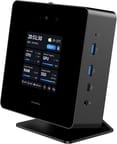
The AtomMan X7 Ti measures 5.71 x 5.71 x 1.91 inches and weighs 1.9 pounds, making it noticeably larger than budget mini PCs but still compact enough to sit comfortably on a desk. The aluminium chassis gives it a premium feel, and Minisforum clearly designed this machine to be seen rather than hidden behind a monitor. The front panel houses the 4-inch touchscreen, two USB 3.2 Gen 2 Type-A ports, one USB4 port with DisplayPort Alt Mode, a 3.5mm combo audio jack, and the integrated 1080P camera flanked by dual microphones. Around back you’ll find a second USB4 port, USB 3.2 Gen 1 Type-A, USB 2.0, HDMI 2.1, DisplayPort 2.0, dual 5GbE Ethernet, and the OCuLink expansion port. The included vertical stand props the unit at an angle that positions the camera toward the user while improving airflow through the top-mounted exhaust vents.
At the heart of this system lies the Intel Core Ultra 9 185H with 16 cores and 22 threads, capable of boosting up to 5.1GHz with a configurable TDP up to 65 watts. The AtomMan X7 Ti scored approximately 29,402 on PassMark’s CPU benchmark, placing it firmly in the upper tier of mobile processors. In real-world testing, reviewers found the system runs at a sustained 65 watts without thermal throttling when properly ventilated, delivering strong multi-threaded performance for video editing, 3D rendering, and productivity workloads. The Intel Arc integrated graphics handle 4K video editing with hardware-accelerated Quick Sync encoding, making it particularly capable for content creators. A triple copper heat pipe cooling system manages thermals effectively, though the fans will spin up audibly under sustained heavy loads.
Connectivity is exceptional for a mini PC in this class. WiFi 7 (802.11be) delivers wireless speeds up to 5.8Gbps with 320MHz channel support, while Bluetooth 5.4 handles peripherals. The dual 5GbE Ethernet ports support link aggregation for up to 10Gbps of wired throughput, a rare feature at this size. Storage expansion comes via two M.2 PCIe 4.0 NVMe slots (one 2280 and one 2230), and the system supports up to 96GB of DDR5-5600 RAM through dual SO-DIMM slots. The full-size SD card reader rounds out the connectivity, though it’s limited to UHS-I speeds according to reviewer testing.
Reviewer Insights on the Minisforum AtomMan X7 Ti

Video Review Highlights
The first reviewer called the AtomMan X7 Ti “one of the most interesting AI mini PCs” they’ve ever tested, praising the built-in touchscreen and biometric security features as standout innovations. Their hands-on testing revealed one of the fastest Windows Hello sign-in experiences they’d encountered, noting that “sometimes even the laptops don’t open as fast.” The teardown revealed a thoughtfully engineered interior with a triple copper heat pipe cooling system, though the reviewer expressed concern about thermal throttling observed at relatively low temperatures during certain workloads. They particularly valued the dual 5Gbps Ethernet ports supporting link aggregation and the WiFi 7 support for future-proof wireless connectivity.
A second detailed review focused on the practical aspects of living with the AtomMan X7 Ti as a daily driver. The OCuLink port earned praise as “a straight PCIe connection which is pretty nice” for external GPU setups, offering significant bandwidth advantages over USB4. However, the reviewer noted disappointment with the noise levels, suggesting that “if this was sitting on my desk next to my monitor I think it would get annoying” during performance mode operation. The physical disassembly revealed that maintenance is genuinely difficult, with rubber feet that must be peeled off and complex internal layering that makes accessing the CMOS battery and WiFi card challenging.
A third reviewer provided detailed benchmarking data and eGPU testing through the OCuLink port. They confirmed the system “will run at 65 Watts all day without thermal throttling” in its performance profile, and praised the three switchable power modes accessible directly from the touchscreen. Their eGPU testing demonstrated that OCuLink provides approximately 60Gbps of bandwidth, delivering measurably better performance than USB4 or Thunderbolt 4 connections. The reviewer noted that while Intel Arc integrated graphics still struggle with driver optimization in certain titles like Cyberpunk 2077, the system excels at video editing workloads.
A fourth in-depth review demonstrated significant performance gains when pairing the AtomMan X7 Ti with an RTX 4090 via OCuLink, validating the expansion port as a serious feature rather than a marketing gimmick. The reviewer highlighted that 4K video editing was “very quick to export” with Intel Arc graphics handling hardware acceleration efficiently. They confirmed the VESA mount capability and documented the triple heat pipe cooling system, though they noted that the rubber feet are “a pain to remove” for internal access and the secondary M.2 slot is a less common 2230 size.
A fifth review offered a balanced assessment, acknowledging the AtomMan X7 Ti as having “a unique gimmick that’s well implemented” while also documenting practical concerns. Gaming benchmarks showed strong performance in most titles, though DX11 titles like League of Legends exposed weaknesses in Intel Arc’s driver stack. The reviewer praised the metal construction, comprehensive port selection, and reliable WiFi 7 and Bluetooth performance. Their disassembly revealed fragile internal ribbon cables, warning users to “watch out for the ribbon cable, which is impossible to put back in” when attempting upgrades.
TechRadar
According to TechRadar, the AtomMan X7 Ti is “a gorgeously made machine” with a remarkably powerful Ultra 9 processor, though the review noted that the performance gap between the Ultra 9 and Ultra 7 variants is modest. Writer Mark Pickavance praised the aluminium case construction, WiFi 7 support, dual M.2 slots, and dual 5GbE LAN as standout features. The review highlighted some practical limitations including the need to remove the feet for internal access, the absence of Thunderbolt ports, and display software that needs additional polish.
XDA Developers
XDA Developers awarded the AtomMan X7 Ti an impressive 9 out of 10 score, with reviewer Joao Carrasqueira declaring it “absolutely the PC I want to have at my desk now.” The review praised the fantastic performance, thoughtful design with the integrated webcam and Windows Hello support, and the comprehensive port selection including dual 5Gbps Ethernet. The reviewer noted the larger size compared to other mini PCs and suggested the built-in screen could be more useful with additional software customization options.
Across multiple reviews, consensus points to the built-in touchscreen, integrated webcam with Windows Hello, and OCuLink expansion as the AtomMan X7 Ti’s primary differentiators. Fan noise under load and the difficulty of internal access for upgrades appeared consistently as areas for improvement. Reviewers generally agreed that while the Intel Core Ultra 9 185H delivers impressive multi-threaded performance, the Intel Arc integrated graphics remain a mixed bag with occasional driver quirks in specific games.
Customer Reviews of the Minisforum AtomMan X7 Ti
Amazon customers have rated the AtomMan X7 Ti 4.2 out of 5 stars based on 70 reviews. The most praised aspects include the powerful performance, compact form factor, and excellent value for users who need workstation-class capabilities in a small package. Buyers particularly appreciate the quiet operation during most workloads, with one reviewer calling it “a beast of a mini pc” and the fastest system they’ve tested, while another praised its ability to handle resource-intensive astrophotography processing better than comparable laptops at a lower cost.
However, some customers note reliability concerns, with one user experiencing a blue screen failure attributed to a faulty SSD. Thermal management under sustained heavy graphical loads has been flagged by some owners, with occasional overheating or shutdowns during prolonged gaming sessions. The built-in LED patterns and spiderweb casing design have proven polarizing, with some users finding the aesthetic appealing while others prefer a more understated look.
Overall, the customer sentiment is positive, with most buyers finding the AtomMan X7 Ti delivers on its promise of high performance in a compact package. Users who purchased the barebone version and installed their own RAM and high-speed SSD report the best experiences, with several noting the system handles demanding workloads like 4K video processing and Monero mining with ease. Minisforum’s customer service has also received praise for being proactive in resolving issues.
Conclusion
The Minisforum AtomMan X7 Ti stands out as a premium mini PC for power users who value innovative features alongside raw performance. Its combination of the Intel Core Ultra 9 185H processor, built-in 4-inch monitoring touchscreen, integrated 1080P webcam with Windows Hello, and OCuLink expansion makes it unlike anything else on the market. Content creators working with 4K video, professionals who need a compact video conferencing workstation, and enthusiasts who want eGPU expandability will find the AtomMan X7 Ti exceptionally well-suited to their needs.
That said, users who prioritize easy upgradeability or need whisper-quiet operation during sustained heavy loads should consider alternatives. The glued rubber feet and complex internal layout make RAM and SSD upgrades a significant undertaking, and the fan noise in performance mode may bother those with sensitive hearing. Buyers focused purely on raw CPU performance per dollar, without need for the touchscreen or webcam features, might find better value in simpler designs from other manufacturers.
For those who want the most feature-rich mini PC available with Intel Meteor Lake performance, dual 5GbE networking, and the flexibility to add an external GPU via OCuLink, the AtomMan X7 Ti is a compelling choice. Its unique feature set makes it particularly attractive as a compact home office hub that can handle everything from video calls to content creation to light gaming. For those comparing options, see our Mini PC Comparison Chart to find the best match for your needs.
Frequently Asked Questions
What processor does the Minisforum AtomMan X7 Ti use?
The AtomMan X7 Ti is powered by the Intel Core Ultra 9 185H, featuring 16 cores (6 Performance, 8 Efficiency, 2 Low-Power) and 22 threads with a base clock of 2.3GHz and boost up to 5.1GHz. This Meteor Lake processor handles demanding productivity, content creation, and multitasking workloads efficiently, scoring approximately 29,402 on PassMark’s CPU benchmark. The configurable TDP ranges from 45W to 65W depending on the selected performance profile.
Can I upgrade the RAM in the AtomMan X7 Ti?
Yes, the AtomMan X7 Ti supports RAM upgrades via two DDR5 SO-DIMM slots with a maximum capacity of 96GB at DDR5-5600 speeds. However, accessing the internals requires removing glued rubber feet and numerous small screws, which multiple reviewers described as a difficult and time-consuming process. If you purchase the barebone version, you’ll need to install your own RAM and SSD before first use.
What ports does the Minisforum AtomMan X7 Ti have?
The AtomMan X7 Ti features an extensive port selection. The front panel includes two USB 3.2 Gen 2 Type-A ports, one USB4 port with DisplayPort Alt Mode and Power Delivery, and a 3.5mm combo audio jack. The rear provides one USB4 port, one USB 3.2 Gen 1 Type-A, one USB 2.0, HDMI 2.1, DisplayPort 2.0, dual 5GbE Ethernet, and an OCuLink (PCIe 4.0 x4) expansion port. A full-size SD card reader is also included.
What’s included in the box with the AtomMan X7 Ti?
The AtomMan X7 Ti comes with the mini PC unit, a 120W power adapter, a vertical display stand that angles the unit toward the user for camera and screen visibility, an HDMI cable, and a user manual. The barebone version does not include RAM, storage, or an operating system, which must be purchased separately.
What is OCuLink and how does it work on the AtomMan X7 Ti?
OCuLink (Optical Copper Link) is a high-speed interconnect that provides PCIe 4.0 x4 bandwidth of approximately 63Gbps, significantly faster than USB4 or Thunderbolt 4. On the AtomMan X7 Ti, the rear OCuLink port allows you to connect an external GPU enclosure for dramatically improved graphics performance. Reviewers demonstrated that pairing the system with a high-end GPU like the RTX 4090 via OCuLink delivers measurably better performance than using USB4, making it a viable option for gaming or GPU-accelerated workloads.
What does the built-in touchscreen on the AtomMan X7 Ti do?
The 4-inch 480P touchscreen on the front of the AtomMan X7 Ti displays real-time system information including CPU usage, GPU usage, RAM utilization, SSD capacity, fan speed, and system temperatures. You can also use it to switch between three performance profiles (Energy Saving at 45W, Balanced, and Performance at 65W) without needing to open any software. The screen operates independently and does not require additional drivers or applications to function.
How many displays can the AtomMan X7 Ti support?
The AtomMan X7 Ti can drive up to four external displays simultaneously through its HDMI 2.1 port, DisplayPort 2.0 port, and two USB4 ports that support DisplayPort Alt Mode. This makes it suitable for multi-monitor productivity setups. Note that the built-in 4-inch status screen operates independently and does not count against the external display limit.