
Asustor Flashstor 6 Gen2
Published on

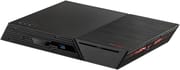
The Asustor Flashstor 6 Gen2 (FS6806X) is a flat NAS that holds six M.2 NVMe SSDs and no hard drives. It suits people who edit or move large files over 10GbE and want storage that stays quiet, with processor headroom for Docker containers and a virtual machine. Its Ryzen Embedded chip has no graphics, so Plex and Jellyfin get no hardware transcoding. That one omission rules it out as a media server for anyone who streams to devices that need transcoded video.
Pros and Cons
| Pros | Cons |
|---|---|
| Six M.2 2280 NVMe slots, all PCIe 4.0 | Slots mix x4, x2, and x1 lanes, which limits RAID across all six |
| 10GbE port that reviewers saw reach its limit in file copies | Only one network port, so no failover |
| Two USB4 ports for fast external storage | USB4 cannot connect directly to another computer |
| RAM takes ECC modules, up to 64GB | Reviewers report the stock 8GB module is not ECC |
| Reviewers call it very quiet, and KitGuru measured 13.1W idle | No hardware transcoding and no video output |
| Three-year warranty that survives a third-party OS install, per NASCompares | Plastic chassis and M.2 latches drew complaints from Android Central |
Asustor Flashstor 6 Gen2 Comparison Chart
 Asustor Flashstor 6 Gen2 | |
| Price | List Price: $999.00 Amazon Prices: Loading prices... |
| Version | 8GB, diskless |
| Drive Bays | None |
| M.2 Slots | 6 x M.2 NVMe, storage pool only PCIe 4.0: 1x x4, 3x x2, 2x x1 |
| Max Raw Capacity | 48 TB |
| Included Drives | None (diskless) |
| System Drive | 8GB eMMC |
| Processor | Quad-core 2.30 Ghz (max 3.80 Ghz) AMD Ryzen Embedded V3C14 |
| Hardware Transcoding | No (CPU has no integrated graphics) |
| RAM | 8 GB DDR5 SO-DIMM Max 64 GB, 2 slots DDR5-4800; takes ECC, stock 8GB reported non-ECC |
| ECC Memory | Yes (ECC SO-DIMM) |
| Network Ports | 1 x 10GbE RJ45 |
| PCIe Slot | No |
| Expansion Unit | AS5004U over USB, up to 12 bays |
| Operating System | ADM 5 |
| Third-Party OS | Yes (Allowed; no video output complicates setup) |
| File Systems | Btrfs, ext4 (External: FAT32, NTFS, exFAT, HFS+, EXT3, EXT4, Btrfs) |
| USB Ports | 3 USB 3, 2 USB-C (2 USB4) Front: 1x USB-A. Rear: 2x USB-A, 2x USB4 |
| Thunderbolt Ports | No |
| HDMI | No |
| WiFi | No |
| Idle Power | 13.1 W (Six 2TB Gen4 SSDs, idle, KitGuru at the wall) |
| Load Power | 32.8 W (Six 2TB Gen4 SSDs, CrystalDiskMark writes, KitGuru at the wall) |
| Power Supply | 90W external |
| Noise | 18.6 dB (Maker spec; test conditions not stated) |
| Dimensions width x length x thickness | 12.1 x 7.6 x 1.9 inches (307.34 x 193.04 x 48.26 mm) |
| Weight | 3.1 lbs (1.41 kg) |
| Released | November 2024 at $999 |
| In the Box | Main unit, 90W adapter, Cat 6a cable, power cord tie, quick guide. |
| Expandability | RAM to 64GB (2x SO-DIMM). 6x M.2 2280, heatsinks sold separately. AS5004U units over USB. |
Six M.2 slots with three lane widths

Asustor’s spec sheet lists one PCIe 4.0 x4 slot, three x2 slots, and two x1 slots. All six take M.2 2280 drives only. TechRadar worked out that even an x1 slot, at about 2,000MB/s, is faster than the roughly 1,200MB/s peak of the 10GbE port, so one drive in any slot can fill the network link. The split matters most for fast external USB4 storage and for arrays that span slots of different speeds. With 8TB drives in every slot, TechRadar puts the ceiling at 48TB before any RAID protection. There are no SATA bays, so that is the internal limit.
Four screws hold a panel on the underside, so you need a screwdriver to reach the slots, and that panel also carries the 80mm fan. Inside, each drive is held by a tool-free plastic latch in place of a screw. KitGuru cooled mainstream SSDs with the fan alone and advises buying Asustor’s optional heatsinks for high-end drives or very high throughput work. No heatsinks come in the box.
Ryzen Embedded V3C14, memory, and ECC

The V3C14 has four Zen 3 cores and eight threads, runs from 2.3GHz to 3.8GHz, and carries a 15W TDP, according to AMD’s product brief. AMD’s V3000 family dates from about 2022, so this is an older design, and AMD plans embedded parts like it for long product lifecycles. Its PassMark CPU score of 11,812 is close to the 12,543 of the Core i5-1235U in the UGREEN DXP480T Plus and nearly three times the 4,066 of the Celeron N5105 in the first Flashstor 6. With no graphics engine, it cannot transcode in hardware, which TechRadar counts against it for Plex, and Android Central points Plex users to an Intel model.
The NAS ships with one 8GB DDR5-4800 SO-DIMM and has a second slot, for 64GB in total. Asustor’s launch announcement says both Gen2 models support 64GB of ECC memory, but it names ECC as the included memory only on the 12-slot model. TechRadar, Profesional Review, and NASCompares all describe this model’s stock module as standard memory, while KitGuru lists it as ECC. If you want ECC, budget for your own modules, because Asustor says ECC turns off when non-ECC memory is installed or mixed in.
One 10GbE port and two USB4 ports
The rear has the 10GbE port (10G, 2.5G, 1G, and 100M), two USB4 ports, and two USB-A ports at 10Gbps. A third USB-A port sits on the front. The 12-slot model has a second 10GbE port. TechRadar notes that replacing the first generation’s dual 2.5GbE ports with one 10GbE port removes failover and SMB multi-channel, and that the HDMI and optical audio ports are gone too.
USB4 runs at 20Gbps per channel and 40Gbps per port, and Asustor says it works with USB4 and Thunderbolt devices. TechRadar and NASCompares both describe plugging a computer straight into these ports, but AMD and Asustor list host-to-host connections as unsupported on this chip, so treat USB4 as a port for external devices. For hard drives, Android Central suggests USB4, and Asustor names its AS5004U expansion unit over USB.
Power, noise, and cooling
KitGuru measured 13.1W at idle, 27.2W during reads, and 32.8W during writes at the wall with six 2TB Gen4 SSDs. Asustor’s own figures are 17.9W in operation, 1.2W asleep, and 18.6 dB, with no test conditions stated. A 90W external adapter supplies the power.
Two fans sit in the base: a 70mm blower for the CPU and an 80mm fan over the SSDs, whose speed can be set in ADM. TechRadar says the NAS borders on silent even when worked hard, and Profesional Review calls it very quiet.
ADM software and other operating systems
The NAS runs Asustor’s ADM 5, with Btrfs and ext4 listed for internal drives and no ZFS. Plex and Tailscale went on without trouble for Android Central, which still saw a few rough edges. ADM has improved but remains short of the advanced features in Synology and QNAP software, by NASCompares’ assessment.
Asustor’s warranty terms say third-party modifications do not void the warranty, though damage they cause is not covered, and Asustor does not provide technical support for third-party operating systems. NASCompares says the warranty protection extends to installing TrueNAS, Unraid, or OpenMediaVault. With no video output, reaching the BIOS takes extra parts. NASCompares describes using an M.2 adapter and a low-power graphics card, and says its own testing of this was not finished.
Reviewer Insights
TechRadar
Mark Pickavance scored the FS6806X 4 out of 5 overall, with 5 for performance and 3 for value. On speed he wrote: “For those needing a NAS to saturate a 10GbE network or multiple networks with adapters, the FS6806X is more than up to the task.” The price, about double the first generation’s, drew his main complaint: “Overall, the FS6806X isn’t the excellent value for money that its Gen1 brother still represents.” He also lists the M.2 2280-only slots, the missing video output, and the lack of ECC memory as reasons to avoid it.
KitGuru
Simon Crisp’s review gave it 8 out of 10 and called it “a much more capable beast than the original.” In real-file tests over 10GbE, 13 write transfers passed 1GB/s, with a fastest write of 1,173MB/s and a fastest read of 1,183MB/s. Writing and reading encrypted folders was noticeably slower than unencrypted ones. Expense is the only con he lists.
Android Central
Harish Jonnalagadda’s review liked the performance and thermals and disliked the construction: “The build quality isn’t the best; there’s a noticeable flex to the chassis, and it doesn’t quite have the same sturdiness as other NAS models I tested.” The M.2 latches were a particular problem: “I broke two mounts just by pulling back after installing SSDs, and it is annoying.” He tested it with WD SN770 drives on a 10GbE network, and he rates TerraMaster’s F8 SSD Plus as the better value.
Profesional Review
This Spanish-language review scored it 87% and measured file transfers of 1.1GB/s in both directions, the limit of the 10GbE port. It recommends the NAS for content creators and demanding use. It faults the non-ECC stock memory, and it finds this model somewhat expensive given how close it sits to the 12-slot model in price.
NASCompares
NASCompares’ Before You Buy video covers the Gen2 series, and its hands-on testing centers on the 12-slot model. On the six-slot model, it comments on the non-ECC memory and the price. On the chip, the host said “the lack of integrated Graphics will pose a problem” for Plex transcoding, and on cost he said “the price point for the Gen 2 is definitely not impressing some users.” His view is that you buy this NAS more for the hardware than the software.
Should you buy it?
The Flashstor 6 Gen2 makes sense for a small studio or home lab that already runs 10GbE and wants more SSDs than a four-slot NAS holds, in a case that stays close to silent. ECC support is a further reason if you will buy the modules yourself. Value is the weak point at a $999 list price. TechRadar scores it 3 out of 5 there, and Android Central rates TerraMaster’s F8 SSD Plus as the better value.
Skip it if you need Plex transcoding, two network ports, or the most capacity per dollar. The UGREEN DXP480T Plus has four slots with Intel Quick Sync, and the Beelink ME Mini takes six M.2 drives with a slower Intel N150 and 2.5GbE. Asustor also showed a Flashstor Gen 3 prototype at Computex 2026 with a Ryzen 5 Pro 8640U and HDMI output, with no final price or retail date in that report. The NVMe NAS guide and the NAS comparison chart cover the rest of the field.
Frequently Asked Questions
Does the Flashstor 6 Gen2 come with ECC memory?
Probably not. Three of the four reviews above that cover the stock 8GB module describe it as standard memory, so plan to buy your own modules if you need ECC.
Can it transcode video for Plex or Jellyfin?
Not in hardware. The Ryzen Embedded V3C14 has no integrated graphics. Android Central set up Plex and found it worked as a server, without hardware transcoding.
How much storage can six M.2 slots hold?
48TB before RAID protection, using six 8TB M.2 2280 drives. AS5004U units add hard drive bays over USB, and Asustor rates the system for up to 12 bays with expansion units.
Are all six M.2 slots the same speed?
No. One slot gets four PCIe 4.0 lanes, three get two, and two get one. Discussing the same mixed-lane design on the 12-slot model, NASCompares suggests separate storage pools of similar-speed slots over one RAID across every slot.
Can I connect a computer directly over USB4?
No. Connect the computer over the 10GbE port instead, and keep USB4 for external USB4 and Thunderbolt devices.
Can I install TrueNAS or Unraid?
Yes. The hardware warranty stays in place, per NASCompares, but Asustor will not give technical support for a third-party OS. Plan on an M.2 adapter and a low-power graphics card to reach the BIOS.
What comes in the box?
KitGuru’s unit came with the NAS, a 90W power adapter, a Cat 6a Ethernet cable, a power cord tie, and a quick installation guide. Drives and heatsinks are not included.