

An NVMe NAS holds M.2 SSDs instead of 3.5-inch hard drives. That makes it small, fast, and close to silent, and it makes every terabyte cost several times more than it would on spinning disks. The boxes on sale in 2026 range from a 3.9-inch cube with a low-power Intel chip to a 10GbE workstation box with a laptop Core i5, and the right one depends mostly on how fast your network is.
Prices below are list prices from the makers’ stores, or launch prices where noted. Current prices are on the linked product pages, and the NAS comparison chart has an “All-flash” filter that lists the NAS models without hard drive bays.
NVMe NAS models compared
These four all-flash boxes cover the range on sale in late 2026, from a 2.5GbE cube to a 10GbE box with eight slots. “Lanes per slot” is how much PCIe bandwidth each M.2 slot gets, which sets the ceiling for one drive.
| Model | M.2 slots | Lanes per slot | Network | Processor | Power at idle | Price |
|---|---|---|---|---|---|---|
| UGREEN DXP480T Plus | 4 | 2x PCIe 4.0 x4, 2x PCIe 3.0 x2 | 1x 10GbE, 2x Thunderbolt 4 | Core i5-1235U | about 18W | $899.99 |
| Beelink ME Mini | 6 | 1x PCIe 3.0 x2, 5x PCIe 3.0 x1 | 2x 2.5GbE | Intel N150 | about 11W | from $259 |
| Asustor Flashstor 6 Gen2 | 6 | 1x PCIe 4.0 x4, 3x x2, 2x x1 | 1x 10GbE | Ryzen Embedded V3C14 | 17.9W rated in operation | $899 to $999 at launch |
| TerraMaster F8 SSD Plus | 8 | PCIe 3.0 x1 each, four behind a switch | 1x 10GbE | Core i3-N305 | about 20W | $799.99 at launch |
Specs for the Flashstor 6 Gen2 come from Asustor’s spec page, and for the F8 SSD Plus from Liliputing’s review. The power figures are reviewer measurements with SSDs installed, except the Flashstor’s, which is Asustor’s rated operating power.
Some hard drive NAS boxes also take NVMe SSDs as a separate fast pool. That is a different purchase, and for a large library it is often the better one:
| Model | Hard drive bays | M.2 slots for a pool | Network | List price |
|---|---|---|---|---|
| UGREEN DXP4800 Plus | 4 | 2x PCIe 4.0 | 10GbE + 2.5GbE | $656.99 |
| TerraMaster F4-425 Plus | 4 | 3x PCIe 3.0 x1 | 2x 5GbE | $649.99 |
| AOOSTAR WTR MAX | 6 | 5x PCIe 4.0 x1 or x2 | 2x 10GbE SFP+ | from $659 |
| Synology DS925+ | 4 | 2x, Synology SSDs only | 2x 2.5GbE | $700 |
The Synology DS925+ has accepted third-party hard drives since DSM 7.3, but its M.2 slots still need SSDs from Synology’s own compatibility list for a new pool or cache, so an NVMe pool on it means buying Synology’s drives.
The UGREEN DXP480T Plus is our pick for a 10GbE network
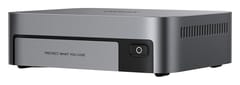
UGREEN NASync DXP480T Plus
Editor's ChoiceVideo and large photo libraries edited straight off the NAS are what the DXP480T Plus is built for. Its aluminum case, about the footprint of a Mac mini, holds four M.2 2280 slots next to a 10GbE port and two Thunderbolt 4 ports. UGREEN’s operating system lives on a separate 128GB SSD, so all four slots hold data. The Core i5-1235U is a 2022 laptop chip with ten cores and Intel Quick Sync, so the box can also run Docker apps, a small virtual machine, and Plex or Jellyfin with hardware transcoding.
Liliputing measured it close to the limit of its network port, copying a 100GB file at 1.09GB/s one way and 1.15GB/s the other over 10GbE. A direct Thunderbolt cable from an Intel NUC reached 1.51GB/s. Liliputing also measured about 18W at idle and about 55W during the copy, with noise under 30 dBA at idle and 42 dBA during the copy.
There is only one wired network port, so link aggregation and a separate management network are out. Slots 3 and 4 run at PCIe 3.0 x2, far less bandwidth than slots 1 and 2. Over 10GbE that gap disappears, but it shows up in work done on the box itself. The fan sits so close to the drives that TechRadar could not refit the cover over an SSD with a low heatsink, so plan on bare drives with the thermal pads UGREEN includes.
Four slots also cap capacity. UGREEN rates the box for 32TB with four 8TB drives, which is a large SSD bill. In How-To Geek’s 2024 review, setting up Plex took a 16-step Docker process, so expect some setup work if you are new to NAS software.
The Beelink ME Mini idles near 11W with six M.2 slots
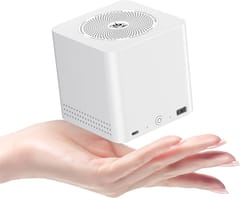
On a 2.5GbE network the Beelink ME Mini’s slower slots cost nothing you would notice, and its low power draw counts for more. Beelink built it as a 3.9-inch cube around an Intel N150, with two 2.5GbE ports and a built-in power supply. List prices run from $259 to $359 for the N150 models, depending on memory and the bundled SSD.
Level1Techs measured about 11W at the wall under a light load, and the reviewer behind Liliputing’s review reported 11.5W at idle with six SSDs in RAID 50 in a follow-up comment. Both figures are below the DXP480T Plus’s 18W, and a NAS draws that power around the clock. Beelink ships it with Windows 11 Pro, and it runs TrueNAS, OpenMediaVault, Unraid, or plain Linux off the 64GB eMMC so the six slots stay free for data.
Five of the six slots run at PCIe 3.0 x1, about 1GB/s each, and the sixth at x2, which is still faster than the network ports. A 2.5GbE port tops out near 0.3GB/s, and Liliputing measured 294MB/s per port in iperf3. Inside the box, Liliputing’s six-drive RAID 50 read at about 3GB/s. You would feel the x1 slots in local work like a ZFS scrub or a rebuild, not when opening files from a laptop.
The memory is soldered at 12GB or 16GB, so pick 16GB if you plan to run ZFS or several containers. With all six slots full, drives can drop out. One Amazon buyer running TrueNAS with every slot filled reported the system “kept degrading/dropping my drives,” and another had a drive disconnect “atleast once a day” and suspected overheating. Liliputing’s unit ran without that problem, so it may come down to drive choice and airflow, but leave a slot empty or use lower-power SSDs if you want margin. If you would rather build your own, our guide to running a mini PC as a NAS covers the maintenance that comes with it.
Asustor adds ECC memory, and TerraMaster fits eight slots
ECC memory support, up to 64GB, is the main reason to pick the Asustor Flashstor 6 Gen2 (FS6806X) over the UGREEN. Its six M.2 slots mix lanes (one PCIe 4.0 x4, three x2, two x1), and it pairs a quad-core Ryzen Embedded V3C14 with a 10GbE port and two USB4 ports. TechRadar’s review found a much better processor and faster networking than the first Flashstor 6, at about double its price. Asustor’s spec sheet lists an 8GB ECC module, though TechRadar’s review unit came with standard DDR5, so check what ships in yours. The V3C14 has no graphics engine, so Plex cannot transcode on it in hardware, and Asustor notes that its USB4 ports cannot connect directly to a computer.
The TerraMaster F8 SSD Plus, which launched at $799.99, has the most slots here: eight M.2 slots on a Core i3-N305. The N305 has only nine PCIe 3.0 lanes, so each slot gets one lane, and four of the eight connect through a PCIe switch. With 16GB of DDR5 and a 10GbE port, that layout still fills the network link: Liliputing measured 1,236MB/s reads on a network share and about 1GB/s on a 100GB copy, at 19.7W idle. Its reviewer also criticized TerraMaster’s app selection, its weak virtualization, and the plastic case.
Match the M.2 slots to the network port
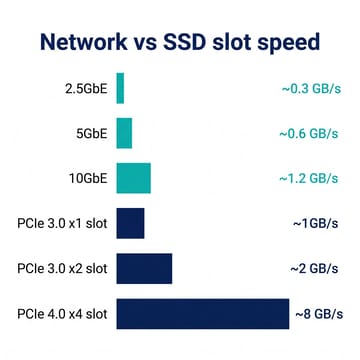
Every file you open from a NAS crosses the network, so the network port sets the speed you feel. A 2.5GbE link carries about 0.3GB/s in real transfers, 5GbE about 0.6GB/s, and 10GbE about 1.2GB/s. A single PCIe 3.0 lane carries about 1GB/s, and a PCIe 4.0 x4 slot about 8GB/s. Even the slowest M.2 slot on this list outruns a 2.5GbE or 5GbE port, and several x1 drives in a RAID together fill a 10GbE port.
On a 2.5GbE network, paying for PCIe 4.0 x4 slots buys nothing you can see from your laptop, and the money is better spent on capacity or a cheaper box. On 10GbE, the lane count still matters less than the network port, as the F8 SSD Plus shows with its x1 slots. Faster slots help with work the NAS does on its own: rebuilding a RAID after a drive swap, scrubbing a ZFS pool, or running virtual machines from the SSDs. They also help over Thunderbolt, which only the DXP480T Plus offers among these boxes.
Check your own network before you buy. If your computer, your switch, and the NAS are not all 10GbE, the link runs at the slowest of them. Our look at 10GbE versus 2.5GbE for a home NAS covers what the upgrade costs on the computer and switch side.
SSDs cost several times more per terabyte than hard drives
The box is the smaller part of the bill. In October 2026, Gen4 NVMe drives sell for roughly $125 to $180 per terabyte in DropReference’s US listings, after NAND shortages pushed SSD prices up through 2026. New NAS hard drives such as the Seagate IronWolf run roughly $35 to $50 per terabyte in Storage Disk Prices’ listings. Flash costs about two and a half to five times as much for the same space.
Four 4TB SSDs in RAID 5 give about 12TB of usable space. At those prices the drives alone cost $2,000 or more, over twice the price of the DXP480T Plus itself. Four 8TB hard drives in RAID 5 give about 24TB usable for less money. Our 2026 SSD price worksheet covers when to buy now and when to wait.
An all-flash NAS fits the files you work on every day: active video projects, a photo catalog, Docker app data, and VM disks. A decade of camera originals or a large movie library usually belongs on hard drives, with the SSDs holding what you open most.
A hard drive NAS with an NVMe pool is cheaper for large libraries
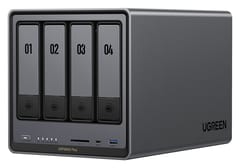
UGREEN NASync DXP4800 Plus
Best Value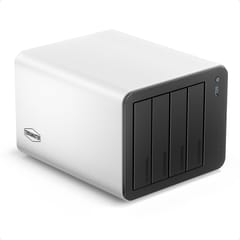
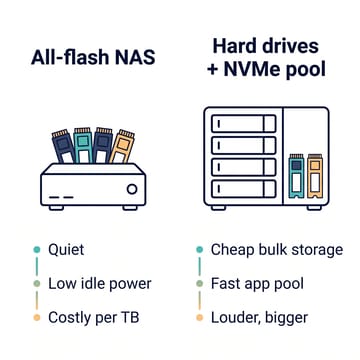
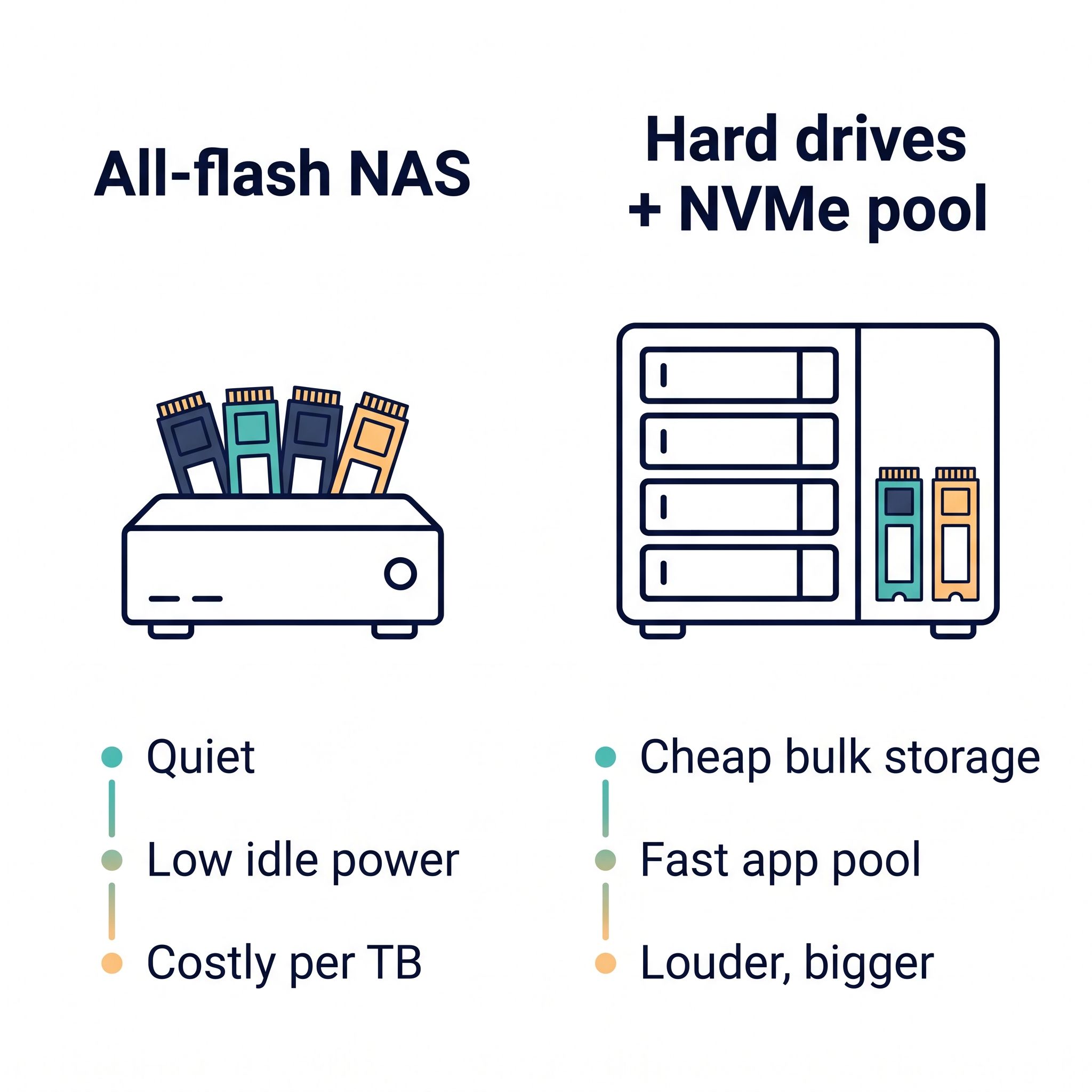
If you want fast storage for apps and edits plus a lot of space, buy a hard drive NAS whose M.2 slots can hold their own storage pool rather than only acting as a cache. The UGREEN DXP4800 Plus is the simplest version: four drive bays, two PCIe 4.0 M.2 slots that work as a cache or a separate pool, a 10GbE port, and Quick Sync, at $656.99. Mirror two SSDs for Docker apps and current projects, and keep the bulk on hard drives.
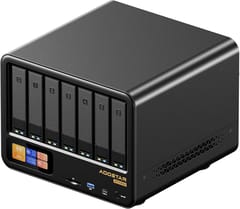
The TerraMaster F4-425 Plus does the same on two 5GbE ports with three M.2 slots at PCIe 3.0 x1, which still outrun its network ports. The AOOSTAR WTR MAX adds five M.2 slots to six drive bays, an 8-core Ryzen 7 PRO 8845HS, and ECC memory, but it ships barebone with no RAM, no SSD, and no NAS software. It is for someone who wants to install TrueNAS, Unraid, or Proxmox and build the rest.
Four spinning drives make noise that an all-flash box does not, and a four-bay case takes up far more shelf space. Power use is close. KitGuru measured about 24W idle with four hard drives on 2.5GbE, against about 18W for the DXP480T Plus. For a NAS in a living room or on a desk, the noise and size are a fair reason to pay the SSD premium. The UGREEN vs Synology comparison covers the four-bay hard drive boxes in more depth.
Heat and endurance decide which SSDs to buy
Small NAS cases leave little room for cooling, so pick drives that run cool. The DXP480T Plus takes bare drives with thermal pads, and the ME Mini dropouts above may be heat-related. A mid-range TLC drive (three bits per cell) is a better fit than a flagship Gen5 drive that throttles without a heatsink, and TLC lasts longer than four-bit QLC. Our guide to SSD endurance explains how to read a drive’s TBW rating, and suggests at least 600 TBW per terabyte for a NAS that runs apps or virtual machines.
Most consumer SSDs have no power-loss protection, the capacitors enterprise drives use to finish writes when power cuts out. A RAID of SSDs can lose recent writes in an outage. A small UPS that tells the NAS to shut down cleanly costs far less than the drives it protects. Keep a backup either way. RAID protects against a failed drive, not against a deleted folder or ransomware, so copy the important data to a USB hard drive or a cloud service.
How to check any other NVMe NAS
Start with the M.2 role. Some boxes only let M.2 SSDs act as a cache for hard drives, and a cache-only slot cannot hold your files on its own; the maker’s spec page or the product page says whether the slots support a storage pool. Then look at the network port, which caps what you will see from a laptop. The lanes per slot come last, since they matter only on 10GbE, over Thunderbolt, or for work inside the box.
Also check where the operating system lives. A box with a separate system SSD or eMMC, like the DXP480T Plus and the ME Mini, leaves every M.2 slot for data, while a box without one uses up a slot for the OS. The NAS comparison chart lists M.2 slot counts for every NAS model, and sorting by that column shows which boxes have the most room for SSDs.


