

A year ago the memory crisis was a DRAM story. The system memory in a mini PC or a Raspberry Pi doubled in price, both platforms ended up costing roughly the same, and the practical advice was to stop assuming either one was the cheap option. That squeeze never went away, and now it has a sibling. The flash storage inside every SSD, every Chromebook, and every Mac you might buy this year has become its own runaway commodity, and the people who make the chips are the ones telling buyers not to wait.
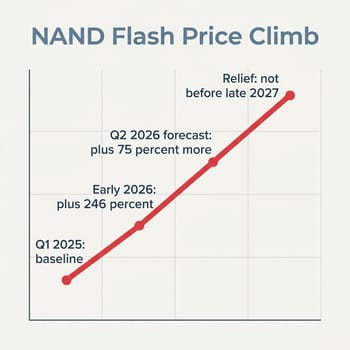
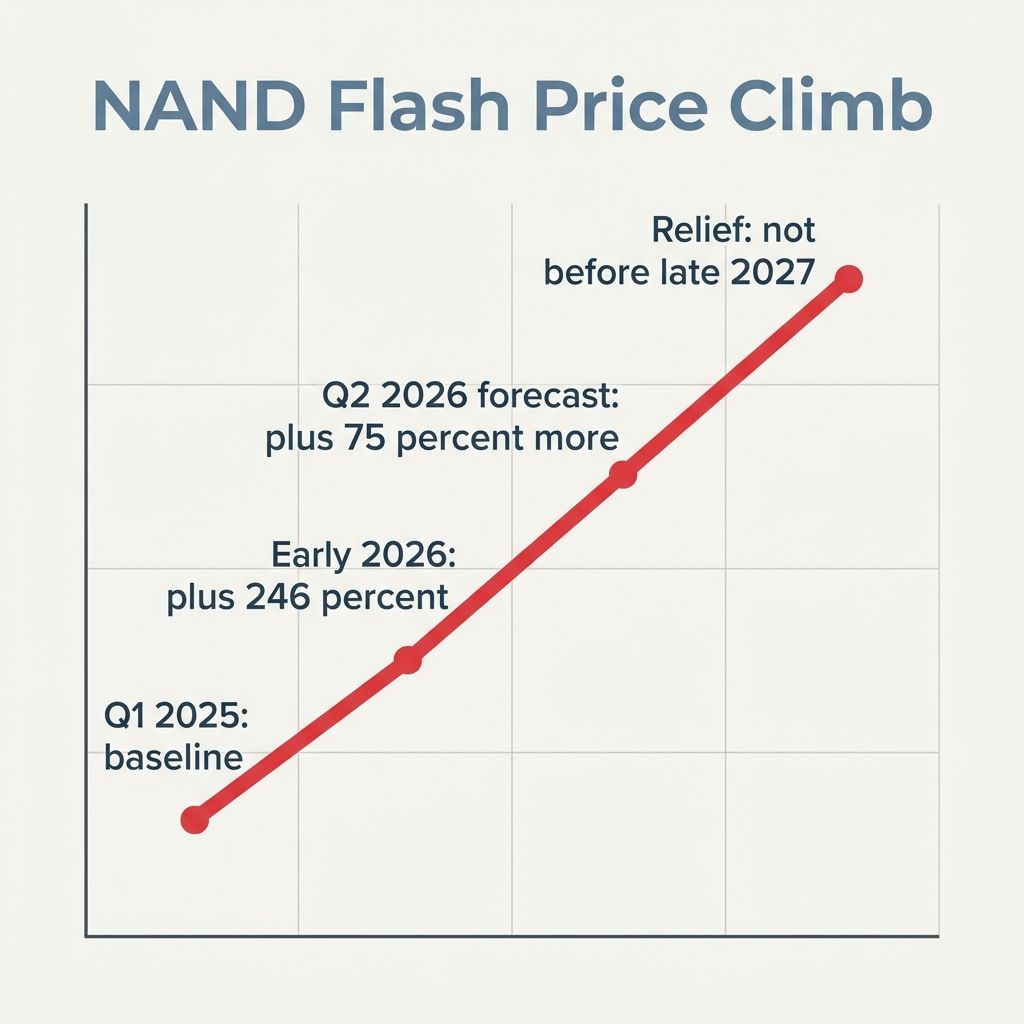
The blunt version came from Kingston. Speaking on The Full Nerd podcast, Kingston Datacenter SSD Business Manager Cameron Crandall said NAND flash prices had risen 246% from the first quarter of 2025, with roughly 70% of that increase landing in just the previous 60 days. Because NAND makes up about 90% of the bill of materials for a finished SSD, Crandall was candid about where that leaves shoppers: “I think the best thing to do if you’re looking at upgrading your system is to do it now and not wait because prices are going to continue to go up.” He framed the pace as something he had not seen in 29 years at the company. When the person selling you the chips tells you to buy before the next month rolls over, it is worth understanding why.
This Is Physics at the Fab, Not a Markup at the Store
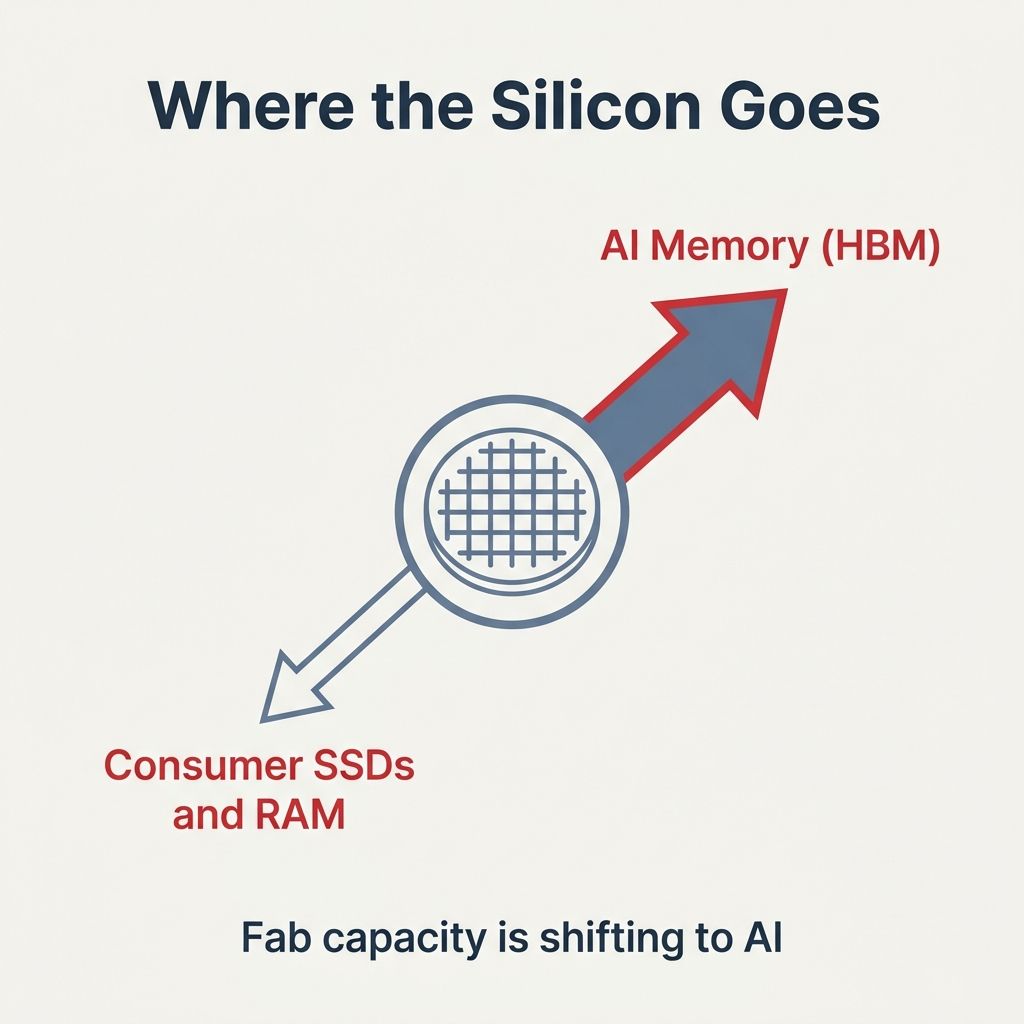
The reason this spike is durable, and the reason “just wait for a sale” is bad advice in 2026, is that the shortage is being manufactured upstream of any retailer. The three companies that make most of the world’s memory, Samsung, SK Hynix, and Micron, have a fixed amount of cleanroom wafer capacity, and they are pointing more of it at the high-bandwidth memory that AI accelerators consume. IDC put the trade-off in terms nobody can argue with: “every wafer allocated to an HBM stack for an Nvidia GPU is a wafer denied to the LPDDR5X module of a mid-range smartphone or the SSD of a consumer laptop.” IDC went further and called this a potentially permanent, strategic reallocation of the world’s silicon capacity rather than the usual boom-and-bust dip.

That single decision ripples all the way down to a checkout cart. Gartner estimates a combined DRAM and SSD price surge of about 130% by the end of 2026, enough to push average PC prices up roughly 17% and smartphone prices up around 13% compared with 2025. The brands feel it on their own balance sheets. On HP’s quarterly earnings call, as reported by Ars Technica, CFO Karen Parkhill said RAM had gone from “roughly 15 percent to 18 percent” of HP PCs’ bill of materials to “roughly 35 percent,” and interim CEO Bruce Broussard named the storage side of the squeeze directly: “We are seeing increased input costs driven primarily by the rising prices of DRAM and NAND,” adding that HP expects the volatility to last into fiscal 2027. IDC reports the same pattern across the wider industry, writing that Lenovo, Dell, HP, Acer, and ASUS have warned clients of price increases in the 15 to 20% range.
The forecasts say it gets worse before it gets better. TrendForce expected NAND contract prices to climb roughly 75% again in the second quarter of 2026, a quarterly jump that for the first time in this cycle outpaced DRAM, and it does not expect meaningful new fab capacity until late 2027 or 2028. Memory makers, drawn by fatter margins on enterprise parts, are making consumer SSDs the lowest-priority product they ship. Micron has gone as far as winding down its Crucial consumer line to concentrate on AI customers. None of that reverses in a quarter, which is why the analysts who track this for a living have started telling people to plan around high storage prices as the baseline rather than waiting them out.
The One Question That Changes the Math
For a buyer, the entire decision reduces to a single question about the machine in front of you: can you add storage later, and how? The answer is different for the three kinds of devices most Starry Hope readers are shopping, and it flips the advice completely from one to the next. A spike in the price of flash hurts most when you are forced to buy all of your storage up front at today’s inflated rate, and it hurts least when you can defer part of the purchase to a slot you control.
| Storage type | Found on | Can you add later? | What to do in 2026 |
|---|---|---|---|
| Soldered eMMC or UFS | Most Chromebooks | No internal upgrade; microSD or USB only | Size up the built-in tier now |
| Replaceable M.2 NVMe | Most mini PCs | Yes, via a free M.2 slot | Buy the smaller drive, add one later |
| Soldered unified | Mac, some thin mini PCs | No; external Thunderbolt only | Pay for the capacity up front |
The rest of this worksheet walks through each row with the specific products that make the trade-off concrete. The underlying flash is the same expensive commodity in all three; what differs is whether the manufacturer lets you buy it on your own schedule.
Chromebooks: Soldered Storage in the Tightest Corner of the Market
Chromebook storage is the worst-positioned of the three, for a reason most buyers never see on the spec sheet. The eMMC and UFS flash that Chromebooks use sits on the same production lines as the storage that goes into phones, and TrendForce flags that category as the single tightest-supply corner of the NAND market, because that capacity overlaps with enterprise SSD production and earns the chipmakers the least. When suppliers ration wafers, the cheap embedded flash in a budget laptop is first in line to get squeezed.
Because that storage is soldered to the board, there is no internal upgrade path. The 64GB or 128GB you choose at checkout is what the machine has for its entire life, and our breakdown of why a 64GB Chromebook fills up faster than the label suggests explains how little of that capacity is actually usable once ChromeOS and Android apps take their share. The 2026 wrinkle is that stepping up one tier costs more than it did a year ago and will likely cost more next quarter, so the case for buying the larger built-in tier now is stronger than it has ever been. The one genuine escape hatch is external: a high-endurance microSD card or a USB drive can carry your media and your Linux files, and our guide to Chromebooks that handle expandable storage well covers which models treat a card as a first-class citizen rather than a bolt-on. That card is still NAND, and its price is climbing too, but a card is a smaller bet you can add when you actually run out of room.
Mini PCs: The One Place You Still Hold the Cards
A mini PC is the happy exception, and in a year of bad storage news it is the platform that gives you the most room to expand. Most of the boxes we cover ship with a standard M.2 NVMe slot, and many ship with two, which means the storage decision is not locked at purchase. You can buy the configuration with the smaller drive, run it, and drop a second SSD into the open slot whenever you decide the price is right or your library has outgrown the first one.
Beelink SER8
- +Upgradeable SO-DIMM RAM to 64GB
- +dual PCIe Gen 4 M.2 slots with one bay free
- +capable Ryzen 7 8845HS
- +2.5Gb Ethernet
- -Storage prices make the second drive the expensive part now
- -RAM tops out at 64GB
The Beelink SER8 is a clean example of the buy-minimum-now approach: it comes with a single 1TB drive and a second empty M.2 slot, so you own the upgrade timeline. The trade-off the spike introduces is that the second drive is now the costly half of the plan, so the move is to add it sooner rather than later if you know you will need it, since the slot does nothing to shield you from the price of the flash itself. For a higher-end build the calculus is the same with bigger numbers.
GMKtec EVO-X2
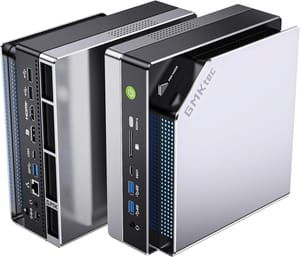
- +Dual quick-release M.2 2280 PCIe 4.0 slots up to 16TB total
- +strong Ryzen AI Max chip
- +ample bandwidth for fast NVMe
- -Soldered LPDDR5X is fixed at order time
- -top performance invites larger and pricier drives
The GMKtec EVO-X2 stretches the same idea to a workstation-class box with two quick-release slots and headroom for far more storage than most people will ever install. The lesson holds at both ends of the price ladder: if a machine lets you add an M.2 drive, you do not have to absorb the full 2026 storage tax on day one. The two boxes split on memory, which matters for the same buy-now reasoning. The SER8 uses standard SO-DIMM RAM you can upgrade yourself up to 64GB, so memory is one more cost you can defer, while the EVO-X2’s LPDDR5X is soldered and must be specified at order time, which puts its memory in the same buy-it-now bucket as storage on a Chromebook. You can line up the slot counts and RAM ceilings across the field in our mini PC comparison chart before you commit to a base configuration.
Mac: Pay Up Front, Because There Is No Later
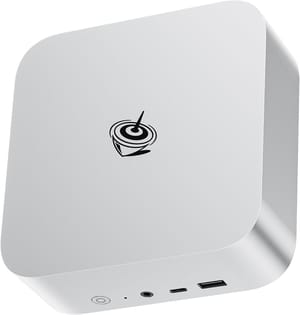
The Mac sits at the opposite end from the mini PC. Apple solders both the unified memory and the SSD, so there is no internal upgrade at any point in the machine’s life, and Apple sets the price of a storage tier itself rather than passing the spot market through week to week. That insulation cuts both ways. It means the next NAND contract hike does not change your Mac’s price overnight, but it also means the only way to get more storage is to pay Apple’s upgrade tax at the moment of purchase, and that tax is famously steep. In his review, Marques Brownlee flagged Apple’s storage upgrades as steep, calling the step up to 1TB a few-hundred-dollar line item and advising most buyers to stay on the base configuration and lean on external storage.
Mac mini with M4 chip
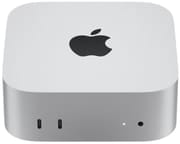
- +Excellent M4 performance per watt
- +tiny and quiet
- +Thunderbolt ports make fast external SSDs easy
- -Soldered storage with no upgrade path
- -steep built-in storage pricing
- -entry tier trimmed from the online store
Apple has hinted at where this is heading. Around May 2026, MacRumors reported that Apple dropped the 256GB Mac Mini from its online store, nudging the entry configuration shoppers see there up to 512GB. Trimming the cheapest storage tier from the default lineup is the kind of move IDC and Gartner predicted brands would make as flash costs climbed, trading the lowest entry price for a healthier margin. For a buyer that leaves two rational paths. Configure the internal storage you need at checkout, since you will never get a second chance to add it cheaply, or stay on the base tier and pair the machine with a fast Thunderbolt external SSD for your library and scratch space. The external drive is the same spiking NAND as everything else, so it is a hedge against Apple’s upgrade pricing, not against the commodity. The detailed cost-benefit against Windows boxes lives in our Mac Mini M4 value breakdown.
Waiting or Standing Pat Beats a Marginal Upgrade
A worksheet that only ever says “buy now” is a sales pitch, and the sources do not support that reading. The same analysts forecasting higher prices also expect a lot of people to respond by simply keeping what they own. Gartner projects that PC lifetimes will stretch by 15% for businesses and 20% for consumers as buyers delay upgrades, and both Gartner and IDC see a rush toward used and refurbished machines whose flash was bought before the spike. If your current laptop or mini PC is fine and you were only tempted by a marginal upgrade, the storage crisis is a good reason to wait a year, not a reason to spend now.
There is a cheaper move still, and it works for every machine in this guide. If your storage problem is really a media or backup problem rather than a need for a faster boot drive, an external USB or Thunderbolt SSD added to hardware you already own sidesteps the upgrade tax entirely. It will not speed up the system the way an internal NVMe drive does, and the drive itself is priced in the same inflated NAND market, but a single external SSD shared across a laptop, a mini PC, and a console is a smaller and more flexible bet than paying a manufacturer to solder in capacity you may not need on every device. Treat internal storage as the thing you cannot change later and external storage as the pressure valve for everything else.
The used market deserves a real look this cycle precisely because the memory and storage in a two-year-old machine were priced in a cheaper era. Our used mini PC buyer worksheet lays out how to vet a secondhand box without inheriting someone else’s problems, and the same logic that made used hardware the smart play during the DRAM price spike applies with even more force to storage. The split is simple: if you are buying new anyway, size up the storage you cannot add later and do it before the next quarter’s increase. If you are only buying because the spec sheet tempted you, the cheapest gigabyte you will see in 2026 is the one already sitting in the machine on your desk.
The era of treating storage as the cheap, almost-free part of a spec sheet is over for now, and it is over for a structural reason that no single retailer controls. Until new fabs come online toward the end of 2027, the smart buyer’s job is not to outwait the market. It is to know, before clicking buy, exactly which kind of storage the machine has and whether the next gigabyte is yours to add or the manufacturer’s to sell.


