

Spend twenty minutes in r/homelab or r/HomeServer and you will find the same question posted every week in slightly different clothes: I have about $500 for network storage, do I buy a Synology or do I put TrueNAS on a mini PC? Five years ago that was a hobbyist’s question with a hobbyist’s answer. In 2026 it is a mainstream one, because the mini PC side of the scale has gained purpose-built NAS hardware (multi-bay chassis, 5GbE and 10GbE ports, stacks of M.2 slots) while Synology’s desktop line has mostly stood still, shipping 2019-era Celerons and 1GbE ports at prices that keep drifting upward.
Synology spent 2025 making the comparison sharper on its own. In April it locked its new Plus-series models to Synology-branded drives, and in October it reversed most of that decision under pressure. The episode matters twice: once for the cost math, which we will get to, and once for what it taught buyers about who controls an appliance after the purchase. Meanwhile the self-hosting wave keeps pulling new people toward running their own storage, and most of them are landing on exactly the boxes this guide covers.
A mini PC NAS wins most of the matchups below; Synology wins on backup software and hands-off maintenance, which matter most to a buyer who wants an appliance. If you want the general primer on picking always-on hardware first, our guide to choosing a mini PC for a home server covers idle power, RAM ceilings, and noise; this article assumes storage is the main job and Synology is the alternative on the table.
The hardware gap is a CPU generation or more at every tier
Synology’s DS224+, the entry two-bay at about $300 list, runs an Intel Celeron J4125, a quad-core chip that launched in 2019, with 2GB of RAM expandable to 6GB and two 1GbE ports. The four-bay DS425+ costs about $520 list and uses the same J4125 with the same 6GB memory ceiling; the upgrade you get for the extra $220 is two more bays and one 2.5GbE port. The step-up DS923+, about $600 list, swaps in an AMD Ryzen R1600: a dual-core chip, though it brings ECC memory support up to 32GB and an optional 10GbE module that sells for roughly $130 to $180 on top.
Now put mini PCs next to those numbers. At $369, Beelink’s ME Pro pairs an Intel N95 (a 2023-era chip) with a 5GbE port, a 2.5GbE port, two 3.5-inch drive bays, and three M.2 slots. A used Dell OptiPlex 7060 Micro with a six-core i5-8500 sells for $100 to $200 on the used market and outmuscles every CPU Synology puts in a desktop Plus box. And at the top of the range, MINISFORUM’s MS-01 carries dual 10GbE SFP+ ports and dual 2.5GbE ports on board, where reaching a single 10GbE port on the DS923+ costs you the add-in module and still leaves you with a dual-core processor driving it.
The forums reached this conclusion before the spec sheets made it this obvious. In a long-running r/selfhosted thread asking exactly this question, u/clintkev251 put it plainly: “I’d recommend building your own. You’ll get a much better value that way. Synology is easy to use, but you pay a large premium for that, so if you consider yourself technically capable enough to do it yourself, that would be the preferred option. If you’re unsure of your technical skills, Synology is a good starting point.” Both halves of that comment are correct.
Synology locked drives in 2025, then unlocked most of them
In April 2025, Synology confirmed that its 2025 Plus-series models would require Synology-branded drives for full functionality: units with unapproved drives could fail to create storage pools and lost features like volume-wide deduplication and drive lifespan analysis. In the same report, Ars noted that Synology’s 8TB Plus-line drive, the HAT3310, cost $210 on Synology’s own store, while the Toshiba N300 it is reportedly sourced from could be found for $173 at other vendors.
Then Synology backed down. With DSM 7.3 in October 2025, the company walked back the restrictions for its 2025 desktop line, naming the DS725+, DS225+, DS425+, DS925+, DS1525+, and DS1825+ specifically. Synology’s own drive compatibility FAQ, still current as of mid-2026, now says these models “offer more flexibility for installing third-party HDDs and 2.5” SATA SSDs when creating storage pools” and that “users retain the flexibility to install other drives at their own discretion.” A third-party drive shows up flagged as Unverified in Storage Manager, with warnings, but it works. Older models like the DS224+ and DS923+ were never covered by the policy at all.
So the accurate 2026 picture has three layers. Third-party hard drives and SATA SSDs: fine on the desktop Plus line, with nag flags. M.2 NVMe drives: still restricted, since creating an NVMe pool or cache on the 2025 Plus models requires drives from Synology’s compatibility list. RAM: officially Synology-branded only on these models, and the enterprise xs+ line keeps the strict drive policy entirely. If a mini PC article tells you Synology forces you to buy its drives, it is describing a six-month window that closed in October 2025.
What each budget buys on each route
Here is how the cross-shopping lands at the price points where people shop, using list prices for the Synology units and typical street or used pricing for the mini PCs. Drives are the same cost either way, now that the lock-in is gone.
| Budget | The Synology route | The mini PC route |
|---|---|---|
| $100 to $200 | Nothing; the cheapest current Plus box lists near $300 | Used OptiPlex or ThinkCentre Micro (six-core i5, two internal drives, 1GbE) |
| About $300 | DS224+: two bays, J4125, 2GB RAM, dual 1GbE | Beelink ME Mini (six M.2 slots, dual 2.5GbE) or ME Pro N95 base at $369 |
| About $520 | DS425+: four bays, same J4125, 6GB RAM ceiling, one 2.5GbE port | ME Pro with more storage, or GEEKOM A5 Pro plus a USB drive enclosure |
| $600 to $800 | DS923+ at about $600, plus roughly $150 for the 10GbE module | MINISFORUM MS-01: dual 10GbE SFP+, three M.2 slots, 64GB RAM ceiling |
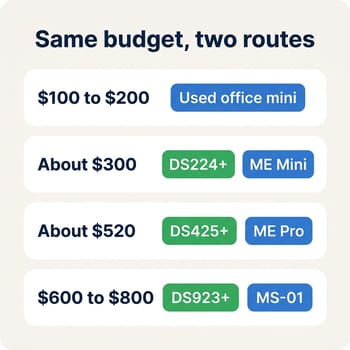
Below $300 there is no Synology option at all, while the used-business-PC tier is arguably the best value in all of home servers. At every shared price point the mini PC brings a newer CPU, several times the RAM ceiling, and faster networking, while the Synology brings more polished software and, at the $600 tier, ECC memory, which none of the mini PCs here offer. Running costs do not separate the two routes much; an efficient box of either kind idles cheaply, and we have run the dollar math on 24/7 power draw separately if you want to check your local rate.
Five boxes that can carry NAS duty
A used business mini is the cheapest entry
Corporate off-lease machines like the Dell OptiPlex 7060 Micro, documented in ServeTheHome’s TinyMiniMicro series, pair a six-core i5-8500 with one NVMe slot and one 2.5-inch bay, and sell used for $100 to $200 all day. The limits are just as concrete: two internal drives is the ceiling, the onboard NIC is 1GbE, and faster networking means a USB adapter or, on some Lenovo Tiny models, a riser project. As a first server for backups and a handful of containers, it is unbeatable per dollar; as a four-drive media vault, it is the wrong shape.
Beelink ME Mini: six M.2 slots in a NAS-shaped cube
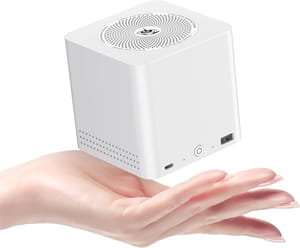
The Beelink ME Mini is a small cube designed for NAS duty from the start, with six M.2 slots for up to 24TB of flash, dual 2.5GbE ports, and an Intel N150. All-flash storage means silence and low idle draw, at a higher cost per terabyte than spinning drives. The tradeoffs are a soldered RAM ceiling you should read about in our soldered-RAM piece before buying, and five of the six M.2 slots running at PCIe 3.0 x1, though 2.5GbE saturates long before the slots do.
Beelink ME Mini
- +Six M.2 slots for up to 24TB
- +dual 2.5GbE
- +NAS-shaped chassis
- +quiet all-flash build
- -RAM is soldered
- -PCIe 3.0 only
- -flash costs more per TB than hard drives
Beelink ME Pro: a purpose-built two-bay with 5GbE
Beelink now uses the ME Pro name for a family, so the spec depends on which one you buy. The version reviewed by ServeTheHome and sold in the US runs an Intel N95 with 12GB of soldered memory, two 3.5-inch bays, three M.2 slots, and a 5GbE port alongside a 2.5GbE one, with listings from $369 to the mid-$500s depending on included storage. A larger sibling launched in China on July 1, 2026 with an AMD Ryzen 7 H 255, four bays, four M.2 slots, and a 10GbE port, at CNY 2,739 (about $403) barebone; as of this writing it has no confirmed US availability, so treat any dollar figure you see for it as a currency conversion, not a price you can pay. Across the whole family, Beelink does not publish an endurance rating for the bundled SSDs, and a 24/7 NAS is exactly the workload where the TBW number on a bundled drive decides whether you swap it on day one.
GEEKOM A5 Pro: compute-first, two drives max
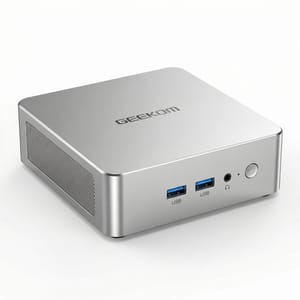
The GEEKOM A5 Pro comes at NAS duty from the opposite direction: it is a general-purpose Ryzen box that can moonlight as a small server rather than a storage chassis. The 2026 edition’s Ryzen 5 7530U outclasses anything in a desktop Synology, and the 64GB DDR4 ceiling leaves headroom for as many containers as you care to stack. Storage is the constraint: two M.2 slots (one of them a slower 2242 SATA slot), no 2.5-inch bay at all on the Pro model, and a single 2.5GbE port. Pick it when compute is the point and your data fits on two drives.
GEEKOM A5 Pro
- +Ryzen 5 7530U outclasses every desktop Synology CPU
- +64GB RAM ceiling
- +all-metal 0.47L chassis
- -Only two M.2 slots and no 2.5-inch bay
- -single 2.5GbE port
- -wrong shape for a big media library
MINISFORUM MS-01: 10GbE and room to grow
The MINISFORUM MS-01 has spent two years as the default answer when a NAS build outgrows consumer networking, and ServeTheHome’s review explains why: dual 10GbE SFP+ ports, dual 2.5GbE, three M.2 slots with U.2 support via adapter, and a low-profile PCIe slot for anything the box does not already have. Know the fine print before ordering. The 10GbE ports are SFP+ only, so budget for transceivers or DAC cables rather than assuming your RJ45 cabling plugs in, and MINISFORUM’s official memory ceiling is 64GB DDR5, with 96GB kits widely reported working by the community but not guaranteed. Storage is all M.2; there is no 3.5-inch bay, so a big spinning-disk pool means pairing it with a disk shelf.
MINISFORUM MS-01
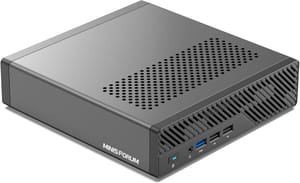
- +Dual 10GbE SFP+ plus dual 2.5GbE
- +three M.2 slots with U.2 support
- +PCIe slot for expansion
- -No 3.5-inch bays
- -SFP+ needs transceivers or DACs
- -runs warm under sustained load
Match the box to the workload
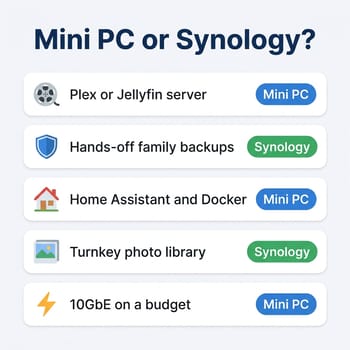
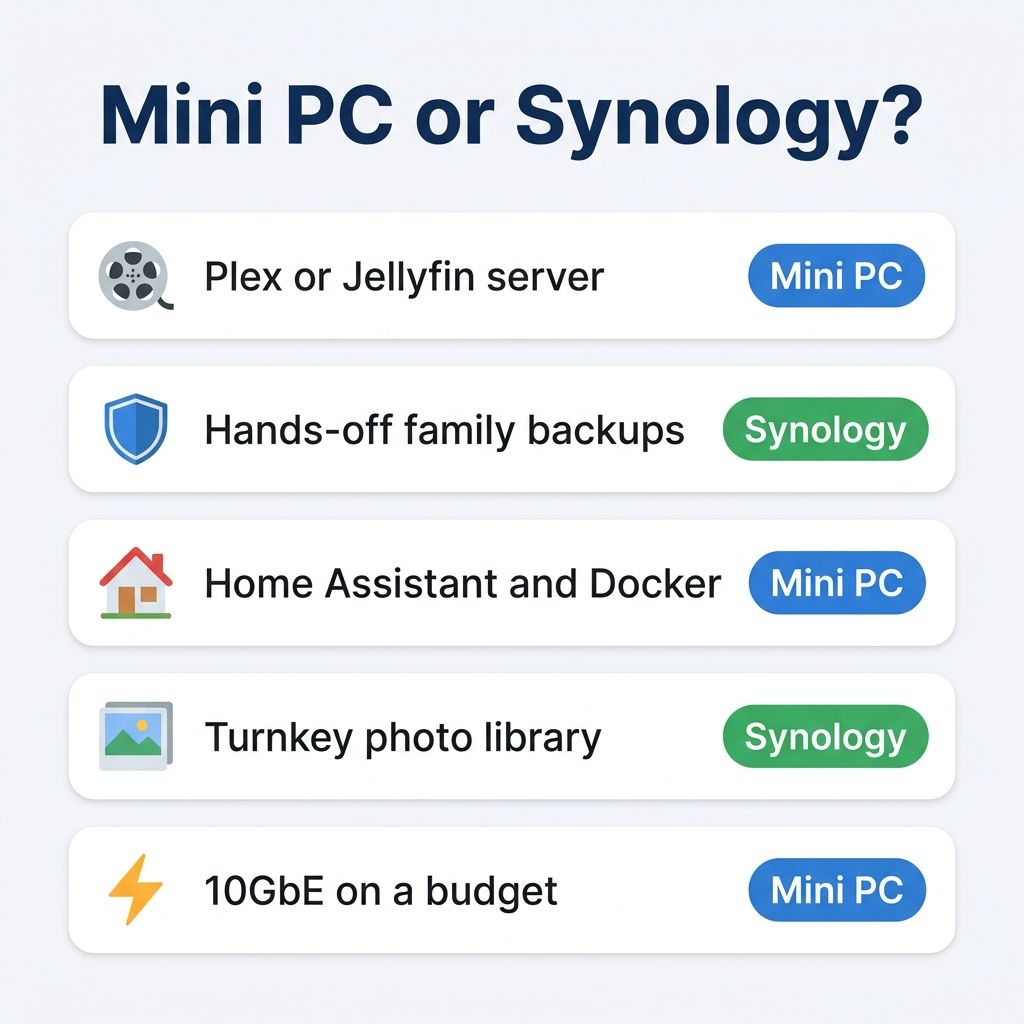
Plex and Jellyfin favor the mini PC
Media serving is the least close call on the board. Every Intel mini PC here pairs Quick Sync hardware transcoding with far more CPU behind it than the J4125 in the DS224+ and DS425+, and the DS923+ cannot hardware-transcode at all because its Ryzen R1600 has no integrated GPU. A $369 ME Pro or a $150 used OptiPlex will chew through transcode loads that a $600 DS923+ can only attempt in software on two cores, and if your library lives on 4K remuxes served to a mix of devices, that difference decides the purchase.
Hands-off backups and family photos favor the Synology
Active Backup for Business images your Windows machines, VMs, and Microsoft 365 or Google Workspace accounts with no per-seat licensing, from one app, configured in an afternoon; the closest self-hosted equivalents exist but arrive as separate projects you assemble. Synology Photos gives a family Google-Photos-style backup with face recognition out of the box. The self-hosted answer, Immich, has grown into a rival, but it is a Docker deployment you install, update, and troubleshoot yourself. If the goal is that photos and backups happen without anyone thinking about them, DSM still earns its premium here.
Home Assistant, Docker, and virtual machines favor the mini PC by a wide margin
RAM ceilings decide this one before CPUs even enter the conversation. The Celeron-based Synology units top out at 6GB, which is a squeeze for Home Assistant plus a handful of containers; the DS923+ reaches 32GB of ECC memory but drives it with two cores. The mini PCs here run to 64GB or more, on CPUs with three to six times the cores. TrueNAS SCALE and Unraid both treat apps and VMs as first-class citizens now, so the old argument that DSM’s package center was the easy button has thinned considerably. A box that stores your files and runs your whole self-hosted stack needs mini PC RAM and cores.
Plain file serving over 1GbE is a tie
If the job is a Time Machine target and an SMB share on a gigabit network, every box saturates the link and idles all day doing nothing. Buy on software preference, noise, and price, not throughput. This is the one workload where the DS224+ is a defensible pick at $300: it is quiet, it sips power, and DSM handles the shares with no learning curve. It is also the workload where a $120 used OptiPlex does the identical job for less than half the money.
Where a Synology still wins
The strongest pro-Synology arguments in the forums are about uptime and effort. In a thread titled “Moving away from Synology as a NAS in 2025”, u/qalpi wrote: “My synology has been running non stop for 11 years with only a few hard drive failures,” adding “I could build my own (I run OpnSense as my router) but this NAS is rock solid.” In the same thread, u/TheOnceAndFutureDoug explained why he keeps considering a DIY build and keeps not doing it: “I don’t want running my home server to become another job. And when I build my own servers it is.”
Synology sells the absence of a second job. DSM updates itself without breaking your containers, drive failures page you with a beep and an LED instead of a ZFS status you have to know to check, and when something goes wrong there is one vendor to contact about a box it built and the software it wrote. Add the concrete technical wins (ECC memory on the DS923+, Btrfs snapshots configured in a wizard, Surveillance Station with two camera licenses included) and the appliance case is solid for anyone whose household treats the NAS as infrastructure that must not become a hobby.
The DIY side has costs of its own. TrueNAS and OpenMediaVault are free and Unraid is a modestly priced license, but you are the one reading release notes before updates, deciding on a snapshot scheme, and diagnosing a degraded pool at some point over the years you own it. None of that is hard for the kind of person who enjoys it. All of it is intolerable for the kind of person who does not, and buying that person a mini PC NAS is how a family ends up with no backups at all eighteen months later.
The deciding question is who maintains the box
In an r/DataHoarder thread weighing a Synology against a build, u/Wild_Warning3716 framed the decision better than any spec table: “do you really want building and maintaining the NAS itself to be your project, or do you want storing your files to be your project? Synology is turnkey, where building your own requires more thought and management.”
If the box is your project, buy the mini PC, because every dollar goes further. A used business mini for a first server, the ME Mini or ME Pro for a purpose-built quiet NAS, the A5 Pro for a container stack with modest storage, the MS-01 when 10GbE stops being an ambition and becomes a plan. If the box must disappear into the closet and serve people who will never SSH into anything, buy the DS224+ for shares and Time Machine or the DS923+ for a family photo-and-backup hub, pay the premium, and value what it buys. And whichever route you take, put the money you saved into the drives and a backup target, because no NAS, appliance or DIY, substitutes for a second copy. When you are ready to compare the mini PC candidates spec by spec, our mini PC comparison chart has all of them in one table.


