

You have narrowed your search to two mini PCs in the $700-$1,200 range. Both list 32GB of RAM, both run recent AMD Ryzen processors, and both promise enough power for local AI workloads, home-server duties, or a full desktop replacement. You pick the one with the better spec sheet, open the box, set it up, and six months later discover that the 32GB you bought is the 32GB you are stuck with forever. The RAM is soldered to the motherboard. There is no slot, and adding capacity means replacing the entire machine.
The Beelink SER9, a well-reviewed $1,249 mini PC powered by the AMD Ryzen AI 9 HX 370, ships with 32GB of LPDDR5X soldered directly to the board. There is no SODIMM slot. Meanwhile, the GEEKOM A8 (starting at $649 with a Ryzen 7 8745HS) uses standard DDR5 SODIMM modules that the buyer can swap out in ten minutes with a Phillips screwdriver.
Why mini PC makers use soldered memory, and why spec sheets do not always flag it
LPDDR5X runs at higher clock speeds than SODIMM DDR5 (the SER9 clocks its memory at 7500 MT/s versus the typical 4800-5600 MT/s for socketed DDR5), and wiring the memory components straight to the board reduces electrical noise, improves signal integrity, and can deliver meaningfully better iGPU performance in memory-bound workloads thanks to higher bandwidth. It also lets the manufacturer build a thinner chassis. These are legitimate advantages, and for buyers who know they will never need more than 32GB, a soldered design can be the right call.
The problem is that spec sheets do not make this tradeoff visible. A product listing that says “32GB LPDDR5X 7500” looks strictly better than one that says “32GB DDR5 5600,” and nothing in the Amazon bullet points warns the buyer that the first configuration is permanent. You have to dig into teardown videos, forums, or the manufacturer’s own fine print to find the word “soldered.” By then, the return window may have closed. PC Build Advisor’s 2026 mini PC RAM guide notes that budget models and Apple’s Mac Mini have long soldered RAM to reduce costs. The practice now appears in the $700-$1,200 tier as well.
Soldered RAM varies by SKU within a mini PC brand’s lineup
Beelink’s SER9 solders its RAM, but their GTi14 Ultra uses SODIMM slots. In GEEKOM’s lineup, the A8 and GT1 Mega both use SODIMM, though a future SKU could change that. Minisforum’s UM870 Slim ships with SODIMM slots and supports up to 96GB of DDR5. Some of their ultra-compact models use soldered memory. Check every SKU you are considering, and never assume that one model’s RAM strategy applies to the rest of the lineup.
The Beelink ME Mini runs the other way. It is a NAS-focused mini PC with six M.2 slots for storage expansion, but its RAM is soldered at 12-16GB and cannot be upgraded. For a NAS box that will mostly shuffle files, that ceiling may never matter. For a general-purpose desktop or AI workstation, it would be disqualifying.
| Mini PC | RAM Type | Max RAM | Upgradeable? | Starting Price |
|---|---|---|---|---|
| Beelink SER9 | LPDDR5X 7500 (soldered) | 32GB | No | $1,249 |
| GEEKOM A8 | DDR5 SODIMM | 64GB | Yes | $649 |
| MINISFORUM UM680/UM760/UM870 Slim | DDR5 SODIMM | 96GB | Yes | $335 |
| Beelink ME Mini | LPDDR5 (soldered) | 16GB | No | $229 |
Why the mini PC upgrade path matters more in 2026
Memory prices widened the gap between upgrading and replacing
A 64GB DDR5 SODIMM kit that cost around $80 in early 2025 now runs north of $200, and the DRAM price spike behind that jump started in mid-2025. Hitting the ceiling on a soldered 32GB machine means buying an entirely new $700-$1,200 system and selling the old one at a loss. The math still favors paying for upgrade headroom up front, even at today’s inflated DRAM prices.
Everyday desktop workloads already push past 32GB
Browser tabs, IDEs, Docker containers, virtual machines, and background services all sit in memory at the same time on a working desktop. Five years ago, 16GB felt generous; today, 32GB feels tight for anyone running a dev environment with a few containers and a couple of browser profiles open. A SODIMM-equipped system lets you follow that curve by dropping in a 64GB kit for a couple hundred dollars.
Local AI is the workload where soldered memory wins
Running a local language model at usable speed on a mini PC depends on memory bandwidth and the iGPU’s direct access to memory, not just total capacity. Adding a 64GB SODIMM kit will not make a 27B model any faster, because the iGPU still draws from system DDR5 at a fraction of the bandwidth a soldered LPDDR5X design delivers, and most generic mini PC iGPUs can only carve out a small slice of system RAM as usable VRAM in the first place. Machines designed for local LLM inference use unified memory architectures: Apple’s M-series, AMD’s Strix Halo with up to 128GB shared between CPU and GPU, and Beelink’s LPDDR5X-7500 SER9 are all variations on the same theme. The upcoming Gorgon Halo rebadge raises that ceiling to 192GB, which is the rare case where waiting for the next generation buys you something concrete. If serious AI work is on your shortlist, pick a unified-memory machine or one with a discrete workstation GPU and accept that the memory is not user-upgradeable.
How to spot SODIMM slots before you buy a mini PC
Watch a teardown video and look for retention clips
Before you click “Add to Cart” on any mini PC over $300, do this: open YouTube, search for “[model name] teardown,” and scrub to the moment where the reviewer opens the case. If you see two rectangular slots with retention clips holding RAM sticks at an angle, those are SODIMM slots and the RAM is upgradeable. If you see flat chips soldered flush to the motherboard with no clips and no sockets, the RAM is permanent. PC Build Advisor recommends this same approach. Manufacturer spec sheets are inconsistent about flagging soldered memory, and the only way to be sure is to see the board.
On a spec page, LPDDR5X and onboard memory point to soldering
If no teardown video exists for the specific model you are considering, check the manufacturer’s own spec page for the phrases “LPDDR5X” or “onboard memory” (both strong indicators of soldered RAM) versus “SO-DIMM” or “user-upgradeable” (which confirm sockets). Email the manufacturer and ask directly.
Which mini PCs to buy instead
If upgrade flexibility matters to you, the first two mini PCs below pair strong performance with SODIMM-based upgrade paths. Their starting prices run from $335 to $649. The SER9 is included as a comparison point. It is a good machine, and for buyers who are confident in the 32GB ceiling, its faster LPDDR5X memory is an advantage.
GEEKOM A8
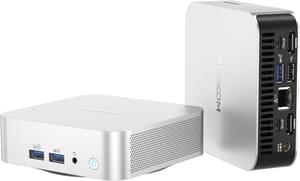
- +DDR5 SODIMM to 64GB
- +Ryzen 9 8945HS
- +USB4
- +SD card reader
- +VESA mount
- -Only one M.2 slot
- -no DisplayPort (USB-C only)
- -the $649 base config drops to a Ryzen 7 8745HS
MINISFORUM UM680/UM760/UM870 Slim
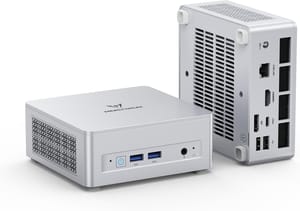
- +DDR5 SODIMM to 96GB
- +dual M.2 slots with RAID
- +USB4
- +2.5G ethernet
- +VESA mount
- -Base UM680 uses older Ryzen 7 6800H (UM870 upgrades to Ryzen 7 8745H)
- -heavier at 1.48 lbs
- -no Thunderbolt
Beelink SER9
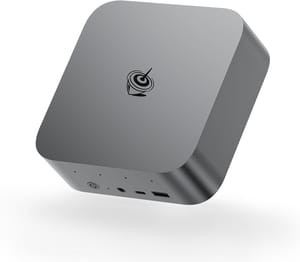
- +Ryzen AI 9 HX 370
- +LPDDR5X 7500 for peak iGPU performance
- +Thunderbolt
- +triple 4K display support
- -32GB soldered with no upgrade path
- -$1
- -249 starting price
- -no VESA mount
Will you need more RAM in the next three to five years? If the answer is yes, or even maybe, buy SODIMM. If you are confident that 32GB is your ceiling and you want the best possible iGPU throughput today, soldered LPDDR5X earns its place.
Frequently Asked Questions
Can you upgrade the RAM in a mini PC?
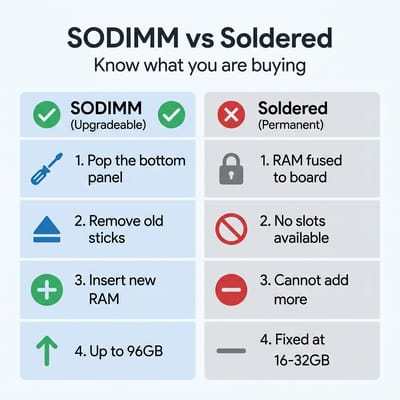
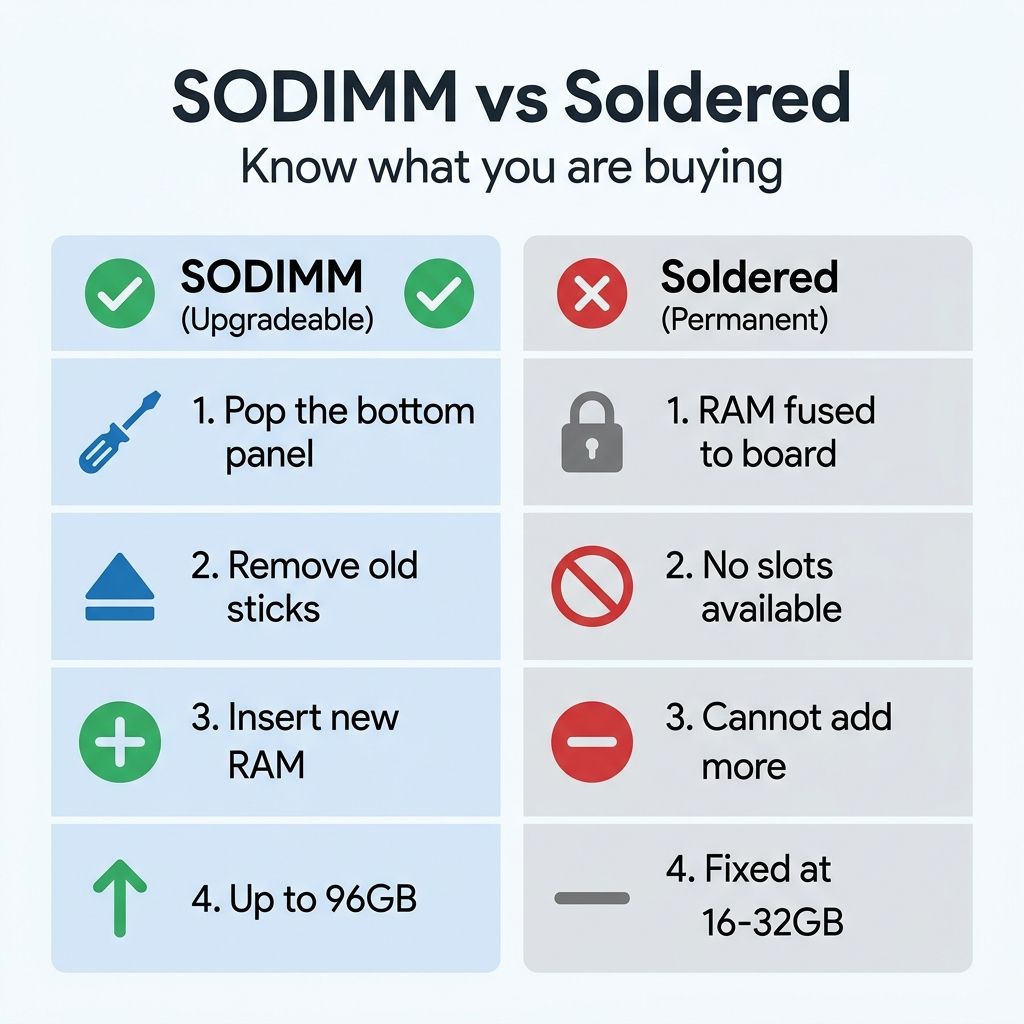
The GEEKOM A8 goes to 64GB and the MINISFORUM UM870 Slim to 96GB, because both use SODIMM slots: pop the bottom panel, swap the sticks, about ten minutes with a Phillips screwdriver. A machine with its memory fixed to the board has no slots to open.
How can I tell if a mini PC has soldered RAM?
Find a teardown video for that exact model and watch the board as the case comes off. Two slots with retention clips holding sticks at an angle mean SODIMM. Flat chips sitting flush to the motherboard mean the memory is permanent.
Is soldered RAM a good or bad choice?
The soldered LPDDR5X in the Beelink SER9 runs faster than socketed DDR5 and gives the iGPU more bandwidth, which is what memory-bound work like local AI depends on. The cost is that 32GB is where that machine stops, and getting past it means replacing the whole box. Buy soldered when you are sure of your ceiling, SODIMM when you are not.
Is soldered RAM faster than SODIMM?
The SER9 clocks its LPDDR5X at 7500 MT/s against the 4800 to 5600 MT/s typical of socketed DDR5, and the direct connection to the board improves signal integrity. That bandwidth is why machines built for local language models use unified memory.


