

Back in January, I wrote about the Clawdbot phenomenon and how developers were panic-buying Mac minis to run their own AI agents around the clock. Three months later, that trend hasn’t just continued; it has spawned an entire ecosystem of services competing to be the easiest way to keep your Mac mini running 24/7. The question is no longer whether you should run an always-on AI server. It’s whether you should pay someone else to manage it.
The two most visible entrants are Hyperbox, a $40-per-month service from Bottleneck Labs that ships you a pre-configured Mac mini with coding agents already installed, and Perplexity Personal Computer, a $200-per-month software layer that turns your own Mac mini into what the company calls “a digital proxy for you.” Both products launched in early 2026, both target developers who want persistent AI agents, and both assume you’ve accepted a premise that would have sounded absurd two years ago: your computer should keep working after you walk away from it.
The $40 Mac mini in the Cloud
Hyperbox takes the most literal approach to the problem. For $40 a month, you get a dedicated Mac mini sitting in a data center somewhere, always powered on, always connected to the internet, with Claude Code, Cursor, and Codex pre-installed and ready to go. You connect via macOS screen sharing or SSH, dispatch your coding agents, close your laptop, and the work continues. The hardware is an older Intel-era Mac mini (a 6-core 3.2 GHz processor with 32 GB of DDR4 memory running macOS Sonoma), not Apple Silicon, but for API-driven agent work where the heavy computation happens on Anthropic’s or OpenAI’s servers, that’s more than enough.
The appeal is obvious if you’ve ever tried to set up a headless Mac mini yourself. Alex Reibman, the founder of Bottleneck Labs, built Hyperbox after creating “Claudeputer” (his personal experiment running Claude Code on a dedicated Mac mini). He described the architecture as “sophisticated” and noted that what Hyperbox provides is “not something you get with out of the box OpenClaw.” That’s a fair point. Getting a Mac mini to reliably run 24/7 as a headless agent server involves more configuration than most developers expect: disabling FileVault encryption (which blocks remote access after reboots), setting up auto-login, configuring energy settings to prevent sleep, and, for workloads that actually push the GPU, plugging in an HDMI dongle to work around a display-less throttling quirk that affects some Macs.
Hyperbox handles all of that for you. The tradeoff is that your code, your API keys, and your agent sessions live on someone else’s hardware. For some developers that’s a dealbreaker. For others (particularly those already comfortable with GitHub Codespaces or cloud development environments), it’s just another managed service.
The $200 AI Operating System
Perplexity’s approach is more ambitious and considerably more expensive. Personal Computer, announced at the company’s Ask 2026 developer conference in San Francisco, doesn’t provide hardware. Instead, it’s software that runs on your own Mac mini, turning it into what Perplexity CEO Aravind Srinivas, on stage at the company’s Ask 2026 keynote, framed as a new kind of computing: “A traditional operating system takes instructions; an AI operating system takes objectives.” You need a Perplexity Max subscription at $200 per month (or $2,000 annually), plus you supply your own Mac mini.
What you get for that price is different from Hyperbox. Personal Computer orchestrates across roughly 20 different AI models (specialized versions of Claude, Gemini, and Grok) to handle complex workflows asynchronously. It hooks into the apps already on your Mac, with broader third-party integrations (Gmail, Slack, GitHub, Notion, Salesforce) available through Perplexity’s enterprise tier. Think of it less as a coding agent and more as an AI employee with access to your entire digital life. Perplexity also emphasizes security features that the DIY crowd largely ignores: every sensitive action requires explicit confirmation, there’s a remote kill switch, and full audit logs track everything the agent does.
The comparison to Hyperbox isn’t quite apples-to-apples. Hyperbox is a remote Mac mini for running your own agents. Perplexity Personal Computer is trying to be the agent itself, with the Mac mini serving as its persistent physical presence in your life. One gives you infrastructure; the other gives you a service that uses that infrastructure.
The DIY Alternative
Keeping a Mac mini running 24/7 is a solved problem, and if you already own the hardware, the ongoing subscription cost is zero. macOS has shipped with everything you need for years, and the M4 Mac mini makes the configuration almost embarrassingly easy.
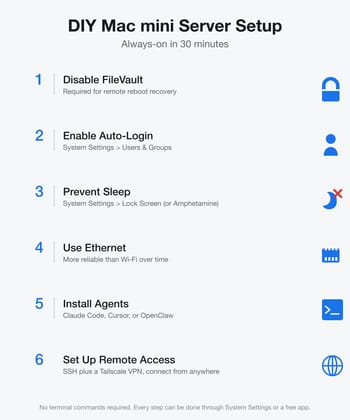
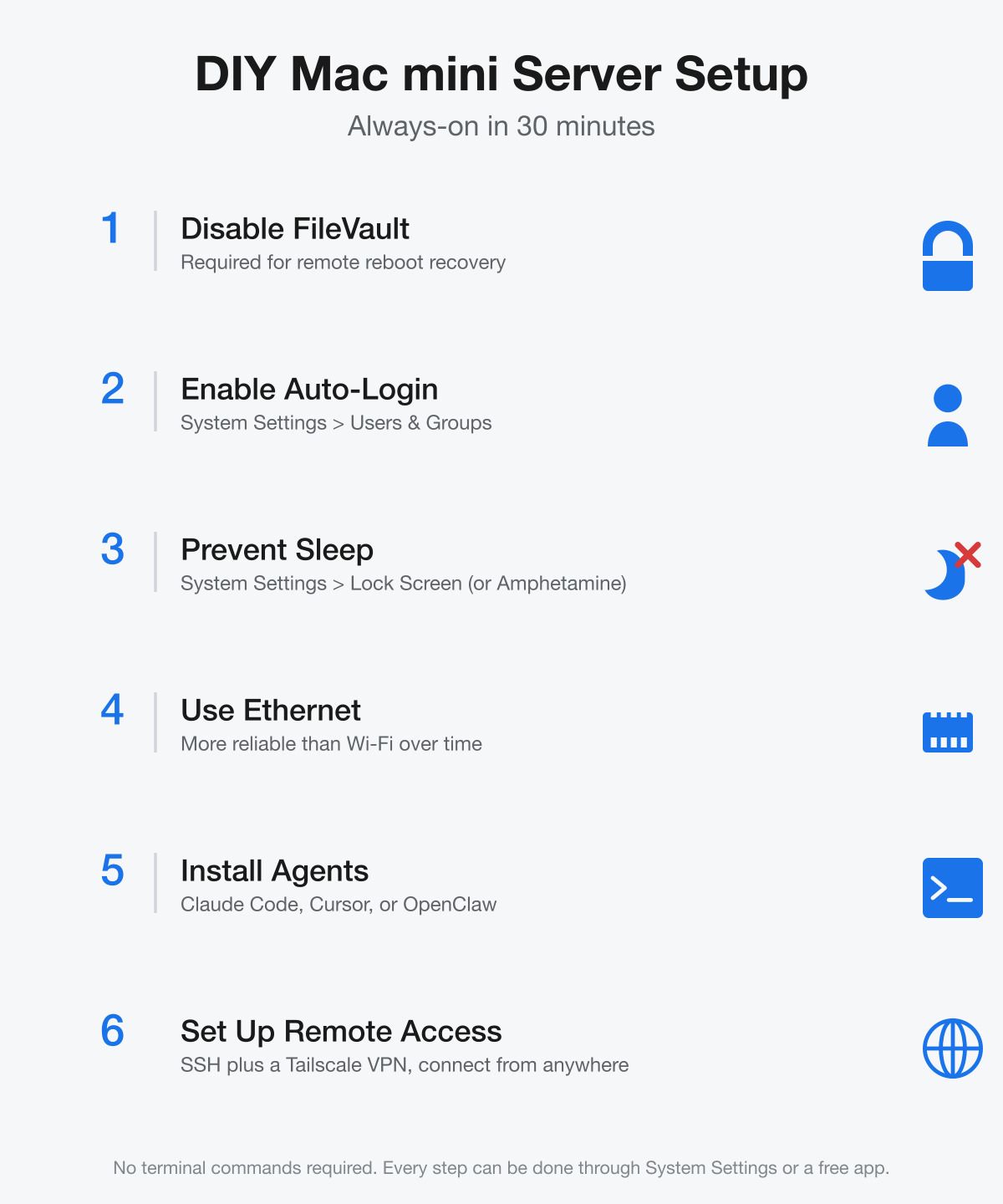
Preventing sleep is a one-time trip through System Settings. Under Lock Screen and Battery (or Energy Saver on a plugged-in Mac mini) you can disable display sleep and automatic system sleep entirely. If you prefer a graphical tool with more granular triggers based on running apps, network connections, or time of day, Amphetamine is a free Mac App Store app that most long-running Mac mini users end up with.
The real setup work for a DIY always-on Mac mini isn’t preventing sleep; it’s everything around it. You’ll want to disable FileVault (Apple’s full-disk encryption), because it requires a physical password entry after every reboot, which makes remote recovery impossible. Enable auto-login so the system boots straight to your desktop after power outages. Use Ethernet instead of Wi-Fi for reliability, and consider a Tailscale VPN for secure remote access from anywhere. The whole process takes about 30 minutes, and forums like MacRumors are full of users who have been running Mac minis continuously for over a decade without issues.
The electricity cost is almost negligible. The M4 chip idles at roughly 3 to 4 watts, comparable to a Raspberry Pi, which translates to around $15 to $25 per year depending on your electricity rates. That’s a rounding error compared to the $480 per year Hyperbox charges or the $2,400 per year for Perplexity Max.
When Managed Makes Sense
The cost math clearly favors DIY if you already own a Mac mini and don’t mind spending half an hour on setup. A Mac mini with M4 chip starts at $599, and after that initial investment, your ongoing costs are electricity and whatever API fees your agents consume. Over two years, DIY costs roughly $630 total. Hyperbox costs $960 in subscription fees alone, without counting the Mac mini hardware (which Hyperbox provides). Perplexity costs $4,800, plus $599 for your own Mac mini.
But cost isn’t everything, and the managed services exist because real friction points remain in the DIY path. If your internet goes down, Hyperbox’s data center connection stays up. If macOS pushes an update that changes energy management behavior (something that has happened with the M4 Mac mini), Hyperbox handles the fix. If you need to spin up an always-on agent for a two-week project and then shut it down, $40 is cheaper than buying hardware. And for teams where multiple people need access to shared agent sessions, a centralized service makes more practical sense than passing SSH keys around.
Perplexity’s pitch is different still. If you want an AI that proactively monitors your email, triages your Slack messages, and executes multi-step workflows across 20 different services while you sleep, no amount of keeping a Mac mini awake gets you there on its own. That’s not a server management problem; it’s a software product that happens to need a server.
The Bigger Picture
The real story here isn’t Hyperbox or Perplexity specifically. It’s that “always-on AI agent” has become a product category in under six months. When Mckay Wrigley coined “Claudeputer” by giving Claude Code control of a Mac mini in mid-2025, it was a novelty experiment. When OpenClaw (formerly Clawdbot) exploded past 100,000 GitHub stars in January 2026, it was a developer trend. Now, with venture-backed companies building managed services around the concept, it’s becoming infrastructure.
Mac mini with M4 chip
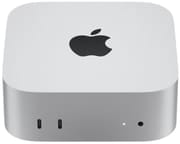
- +3-4W idle power
- +silent operation
- +unified memory for local LLMs
- +Thunderbolt 4
- -No upgradeable RAM
- -limited to macOS ecosystem
- -16GB base model constrains local model sizes
For most developers reading this, the answer is probably the boring one: buy a Mac mini (or use the one you already have), spend 30 minutes configuring it, install Claude Code or whatever agent framework you prefer, and save yourself $480 to $2,400 per year. The self-hosting renaissance has expanded beyond running Plex and Pi-hole to keeping your AI tools running on your terms, on your hardware, with your data staying exactly where you put it.
But if you’re the kind of person who pays for convenience (the same way you might choose a managed database over running Postgres yourself), then Hyperbox at $40 a month is a reasonable deal for a pre-configured, always-connected Mac mini in the cloud. And if you want something that goes beyond simple agent hosting into genuine AI-powered workflow automation, Perplexity Personal Computer is currently the only game in town, even at five times the price.
The Mac mini was already the best value in desktop computing. Now it might also be the best platform for personal AI infrastructure. The only question left is how much of the setup you want to handle yourself.


