

Google pushed Gemma 4 out the door on April 2, 2026. The same afternoon, four open-weight checkpoints landed on Hugging Face under Apache 2.0, spanning an on-device E2B all the way up to a 31B dense model that sits near the top of LMArena’s open leaderboard. For anyone running a mini PC as a local AI box, this release forces you to think about which tier of hardware you’re on. The budget N150 machine you bought to tinker with and the $2,000 Strix Halo box each run a different one well. And if you pick the wrong pairing, you get either a painfully slow chat or a hard OOM before you’ve typed the first prompt.
HuggingFace’s technical post already covers Google’s benchmark numbers and ranks the 31B variant against Meta’s Llama models. This article answers the mini PC owner’s question: given the box on my desk, which Gemma 4 variant should I load, at what quantization, with how much context, and what kind of tokens-per-second should I expect? The short version is that Gemma 4 fits mini PC hardware better than any previous open-model family, but the fit depends heavily on RAM capacity, memory bandwidth, and whether you have a usable iGPU.
The Four Gemma 4 Checkpoints
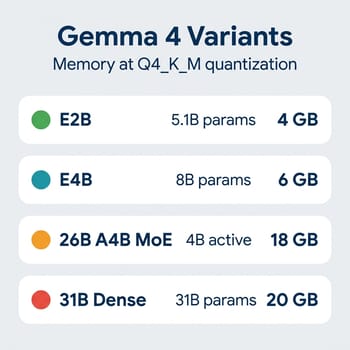
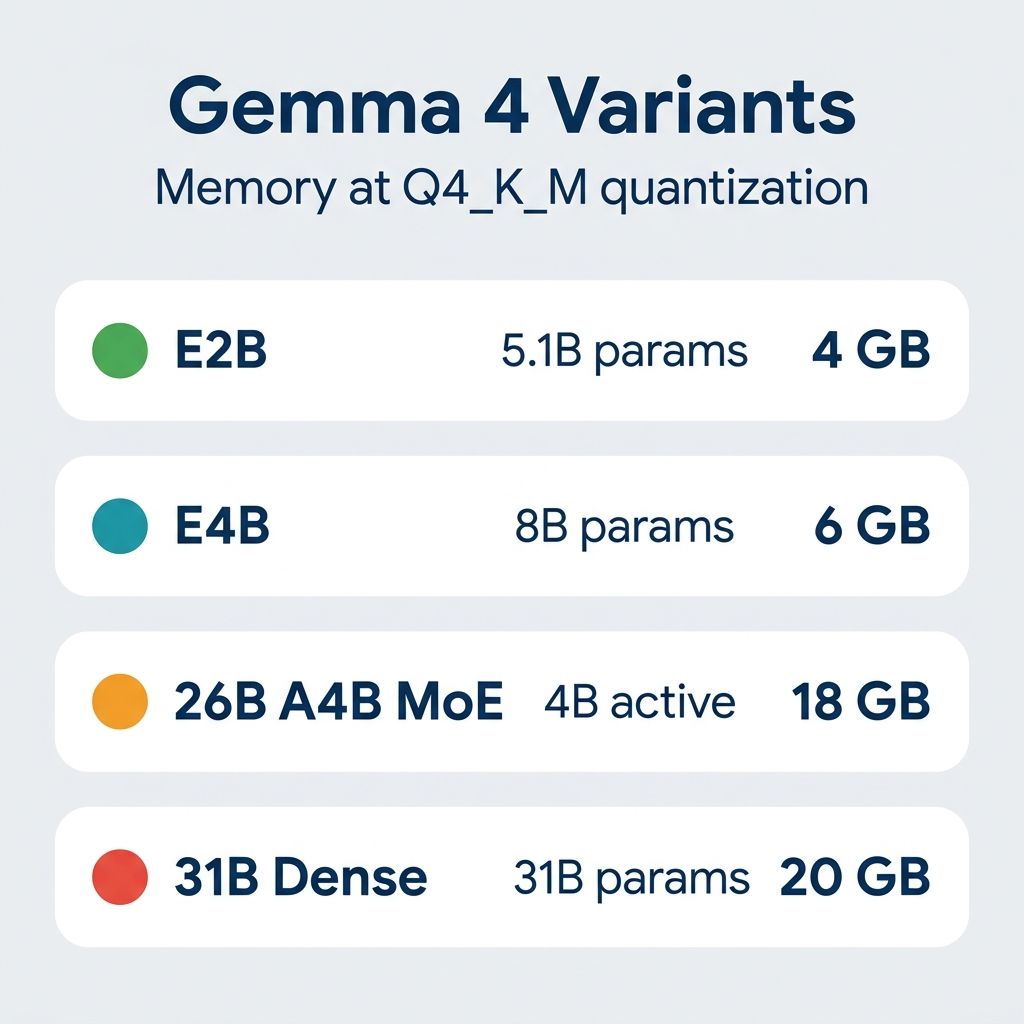
Gemma 4 ships as four distinct checkpoints with very different hardware profiles. E2B is the smallest, at 2.3B effective parameters (around 5B when you count the per-layer embeddings that Google introduced for this generation), 128K context, and explicit on-device positioning for phones and low-power laptops. E4B is the same architecture scaled up to 4.5B effective parameters (around 8B total including embeddings), still 128K context, still designed to run on a phone, but it scores above its parameter class on MMLU Pro and reasoning benchmarks. Gemma 4 26B A4B is a mixture-of-experts design (26B total parameters but only 4B activated per token) with a 256K context window. Gemma 4 31B is the dense flagship, also 256K context, ranking #3 on LMArena among open models per HuggingFace’s release post. All four are Apache 2.0 licensed, ship day-one GGUF quantizations from Unsloth and the ggml-org team, and work with llama-server, Ollama, LM Studio, and MLX on Apple Silicon out of the box.
On mini PC hardware, weight file size and KV cache cost decide the pairing. At Unsloth’s recommended Q4_K_M quantization, E2B needs roughly 4 GB of RAM, E4B around 5.5 to 6 GB, the 26B A4B MoE around 16 to 18 GB, and the 31B dense around 17 to 20 GB. Those are weight-only numbers.
The 256K Context Window Costs Gigabytes of KV Cache
The 18 GB figure assumes you are generating short responses at short context. Long context has a memory cost that scales linearly with how many tokens you feed the model, and for Gemma 4’s bigger variants, that cost is not small. The 31B dense model at full 256K context will allocate a KV cache on the order of several gigabytes on top of the weight file, meaning a machine that loads the model fine at 4K context will refuse to load it at 32K or 64K. The 26B A4B MoE helps here because its shared KV cache design (the last N decoder layers reuse K/V state rather than each layer holding its own) cuts the cache footprint meaningfully.
Budget for the KV cache explicitly. If you are loading the 31B dense on a 32 GB mini PC and you want to feed it a long document, assume the 18 GB weight file plus another 4 to 8 GB of KV cache at 32K context, plus whatever your OS and the desktop environment are holding. Thirty-two gigabytes of system RAM is the realistic floor for the 31B at useful context lengths, not the 18 GB you might naively derive from the weight file alone. The 26B A4B, thanks to shared KV, is usable on a 24 GB machine at short context and comfortable on 32 GB.
Budget Mini PCs Run E2B and E4B at Modest Speed
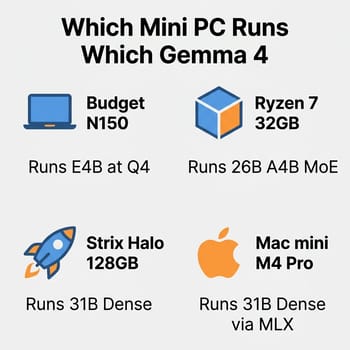
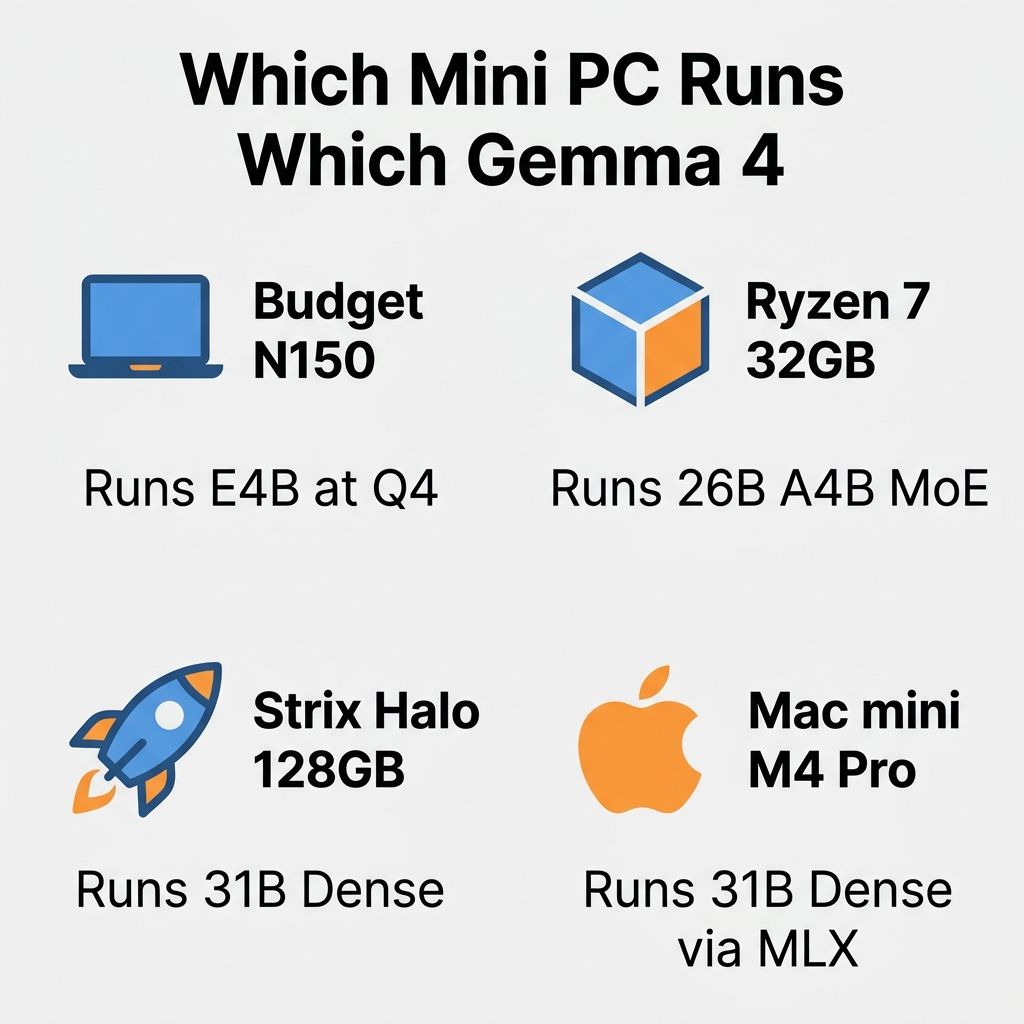
Intel N100 and N150 boxes with 16 GB of RAM and no meaningful GPU acceleration path run Gemma 4 E2B and E4B. In CPU-only llama.cpp on an N150, which is typically single-channel DDR4 or DDR5 depending on the board rather than the dual-channel configurations you get on higher-end chips, E4B at Q4_K_M lands in the neighborhood of 5 to 9 tokens per second for decode, based on extrapolation from existing llama.cpp benchmarks on similar class CPUs running comparable 8B-parameter models. That is fast enough to hold a conversation, slow enough that you will notice the lag on longer replies, and roughly on par with reading speed for English text.
Prefill hurts more than decode on budget hardware. When you paste a long prompt or ask the model to summarize a document, llama.cpp first runs a “prefill” pass over all your input tokens to populate the KV cache. Prefill is compute-bound where decode is memory-bandwidth bound, and N150-class chips are painfully slow at the matrix math involved. A multi-thousand-token prompt can easily take tens of seconds to process before the model starts responding, which is fine for single-turn questions and agonizing for anything involving large context. If you want responsiveness from E4B on a budget box, keep prompts short and use the model for quick Q&A, not for feeding it a full article to analyze.
Beelink Mini S13
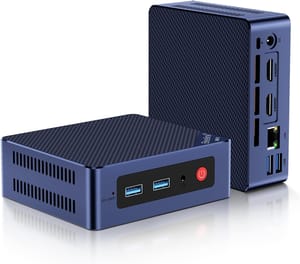
- +Around $220 list price
- +16GB DDR4
- +quiet
- +N150 handles E2B and E4B at Q4
- -CPU-only inference
- -slow prefill on long prompts
- -no iGPU acceleration for llama.cpp
Intel’s UHD graphics on N100/N150 theoretically supports llama.cpp via SYCL or Vulkan backends, but in practice the uplift over pure CPU is inconsistent and often negative because of memory-bandwidth contention. You are better off on a budget box just pinning llama.cpp to the CPU cores and accepting the numbers. Where iGPU acceleration does start to pay off is the Ryzen tier.
The 26B A4B Sweet Spot: Ryzen 7 Mini PCs
The 26B A4B MoE on a 32 GB Ryzen 7 or 8000-series mini PC is the best Gemma 4 pairing on mini PC hardware. 26B total weights at Q4_K_M is around 16 to 18 GB, leaving comfortable headroom on a 32 GB machine for the KV cache and the OS, while only 4 billion parameters are actually activated per token during decode. That activation ratio is what makes MoE fast: the model only does the matrix-multiply work of a 4B model even though it has the knowledge of a 26B model. On a Ryzen 7 8845HS with Radeon 780M graphics and dual-channel DDR5-5600, community benchmarks of Gemma 4 26B A4B at Q4_K_M via llama.cpp Vulkan land around 21 tokens per second of decode, with the broader range from various configurations sitting in the 18 to 23 tokens per second window. That is fast enough to feel conversational rather than sluggish, and close to the 30+ tok/s numbers you see on the newer Radeon 890M in Strix Point parts.
Beelink SER8
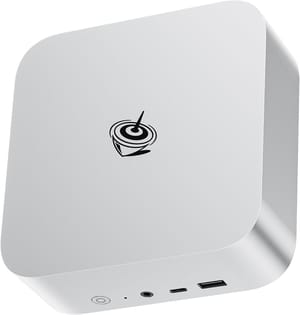
- +Ryzen 7 8845HS
- +Radeon 780M iGPU
- +32GB DDR5-5600 configurations
- +vapor chamber cooling
- -DDR5 prices are still elevated
- -single-fan acoustic profile under sustained load
Getting the iGPU to help on the 780M or 890M requires a bit of setup: you need either the Vulkan backend for llama.cpp (easiest, works on almost anything) or the ROCm backend (faster, harder to install, not always stable on consumer Ryzen chips). Vulkan is the right first choice for most people. Ollama 0.12.11 and later added experimental Vulkan support, so setting OLLAMA_VULKAN=1 and running ollama run gemma4:26b-a4b-q4_k_m will hit the iGPU, which is a little manual but a meaningful improvement over the state of things a year ago when you had to build llama.cpp yourself with ROCm flags. The Unsloth run-local docs flag a CUDA 13.2 runtime regression that produces garbage output on GGUF models, which you will hit if you are running a discrete NVIDIA eGPU and have not pinned to 13.1 or 13.3.
Strix Halo and Mac mini M4 Pro Run the 31B Dense
At Q4_K_M the 31B dense weight file is around 18 GB, the KV cache at useful context lengths adds another 4 to 8 GB, and you want the model fully resident in a single pool of fast memory if you care about decode speed. This is exactly the workload AMD’s Strix Halo was built for. The Minisforum MS-S1 Max and similar Strix Halo boxes put 128 GB of unified memory behind a wide bus (roughly 256 GB/s of memory bandwidth, several times what a conventional dual-channel desktop hits), which lets the CPU and the integrated GPU share a single large pool without the cost of copying tensors back and forth across PCIe. Early Framework community Vulkan benchmarks on Strix Halo show 30B-class models landing somewhere in the 25 to 40 tokens per second range depending on quantization and backend, though dense 31B numbers on Gemma 4 specifically have not settled yet at the time of writing.
MINISFORUM MS-S1 MAX
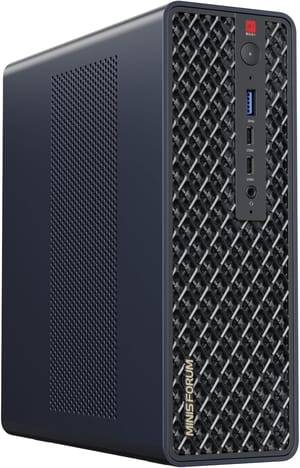
- +Strix Halo APU
- +up to 128GB unified memory
- +high memory bandwidth
- +compact form factor
- -Premium pricing
- -driver maturity still evolving
- -noticeable fan noise under AI load
Apple’s unified-memory story is the other serious contender. A Mac mini with an M4 Pro chip runs the 31B dense under MLX, which has native Gemma 4 support from day one per the HuggingFace release notes. Published benchmarks of 30B-class dense models on M4 Pro land in the 12 to 17 tokens per second range at Q4 (Qwen 2.5 32B measures around 13 tok/s, DeepSeek R1 32B around 11 to 14), with the advantage that prefill on Apple’s AMX units is dramatically faster than on x86 CPUs, so long-prompt work feels snappier even when decode numbers are similar. 24 GB is tight once you count KV cache for long context, and the 48 GB option is where things get comfortable. If you are picking between Strix Halo and an M4 Pro Mac mini for local AI specifically, the choice is raw bandwidth (Strix Halo wins) or prefill speed and power efficiency (Mac wins).
Quantization Tradeoffs: Q4 vs Q5 vs Q8
Every quantization level is a compromise, and Gemma 4 is small enough in its E variants that the wrong pick can leave you thinking the model is worse than it is. Q4_K_M is the default recommendation for good reason (it roughly halves the memory footprint compared to FP16 while losing only a few MMLU points on most models), but smaller sub-5B checkpoints like E2B tend to lose more at Q4 than larger ones, as is typical for any model at that parameter scale. If you have the RAM, running E2B or E4B at Q5_K_M or Q6_K is a reasonable splurge: a 5 GB file instead of 4 GB, slightly slower decode, and often better coherence on multi-step reasoning. On the 31B dense, Q4_K_M is the realistic ceiling for most mini PC hardware, because the jump to Q5 pushes you past 20 GB weights alone and the KV cache budget stops fitting on a 32 GB box at any useful context length.
Q8_0 is rarely the right choice on mini PC hardware unless you are running the smallest variants with memory to spare. It roughly doubles the weight file compared to Q4 for a marginal improvement in output quality, and on memory-bandwidth-constrained systems it roughly halves decode speed. The one place Q8 makes sense is if you are using Gemma 4 E2B as a draft model for speculative decoding against the 31B dense, where the smaller model’s quality directly affects how often the big model’s predictions get accepted.
Gemma 4 Is Open-Weight Under Apache 2.0
Gemma 4 is under Apache 2.0 per Hugging Face’s release post, which is a cleaner license than the “Gemma Terms of Use” that governed Gemma 2 and earlier. Apache 2.0 is permissive: you can fine-tune, redistribute, and use the model commercially without per-seat fees or restrictions on output. The one thing to watch is that the underlying training data and evaluation methodology are not disclosed, so “open-weight” is the accurate description rather than “fully open-source” in the OSI-purist sense. The weights work in llama.cpp, Ollama, and MLX with no license friction, and Apache 2.0 means you can bake Gemma 4 into a product without calling a lawyer.
The Practical Recommendation
If you already own a mini PC, start here. Budget N100/N150 owners should run E4B at Q4_K_M, keep prompts short, and enjoy the fact that a machine listed around $220 can run a credible local assistant at all. Ryzen 7 owners with 32 GB of RAM should run 26B A4B and treat it as the default driver; it is the best quality-to-speed ratio in the family on that hardware, and the MoE design is specifically helpful on consumer memory bandwidth. Strix Halo and M4 Pro Mac mini owners should go straight to the 31B dense and budget for 32 GB or more of system memory, which puts one of the top-ranked open models on a device that fits in a shoebox.
If you are shopping rather than re-using, the decision is also simple. For the 26B A4B, a Beelink SER8 or similar Ryzen 7 box at $600 to $700 is the obvious pick: it has the right memory capacity, a usable iGPU, and the DDR5 bandwidth to make decode feel fast. For the 31B dense at home, Strix Halo is the hardware argument and Apple Silicon is the software argument, and either is defensible. What you should not do is buy a premium box specifically to run the 31B dense when 26B A4B is within about 10 LMArena Elo points, runs faster, costs less to host, and uses less electricity.
Benchmark numbers for brand-new models drift. The figures come from HuggingFace’s release post and the Unsloth documentation as of mid-April 2026, and both will be updated as community testing catches edge cases and real-world tokens-per-second numbers settle. For the latest hands-on results, the Gemma 4 discussion threads on the HuggingFace hub and Unsloth’s Discord tend to surface quirks before they reach the press. The hardware picture, thankfully, changes slower than the software picture; the mini PC you buy today for Gemma 4 will still be a good local AI box when Gemma 5 ships.


